1. Introducció
This manual provides essential information for the proper setup, operation, and maintenance of your HP Wireless Mouse S1500. Please read these instructions carefully before using the product to ensure optimal performance and longevity.

Image 1.1: The HP Wireless Mouse S1500, showcasing its ergonomic and lightweight design.
2. Configuració
2.1 Contingut del paquet
Assegureu-vos que el vostre paquet contingui els elements següents:
- HP Wireless Mouse S1500
- Receptor USB de 2.4 GHz
- Pila AA (preinstal·lada o inclosa per separat)
2.2 Instal·lació de la bateria
- Localitzeu la tapa del compartiment de la bateria a la part inferior del ratolí.
- Feu lliscar o aixequeu la tapa per obrir el compartiment.
- Inseriu una pila AA, assegurant-vos que els terminals positiu (+) i negatiu (-) s'alineïn correctament amb els indicadors de l'interior del compartiment.
- Substituïu la tapa del compartiment de la bateria.
2.3 Connexió del receptor USB

Image 2.1: The HP Wireless Mouse S1500 and its accompanying 2.4GHz USB receiver.
- Remove the USB 2.4GHz receiver from its storage slot, usually located within the battery compartment or on the underside of the mouse.
- Connecteu el receptor USB a un port USB disponible de l'ordinador.
- L'ordinador hauria de detectar i instal·lar automàticament els controladors necessaris. Aquest procés pot trigar uns instants.

Image 2.2: The mouse utilizes 2.4GHz wireless technology for a stable connection up to approximately 10 meters.
3. Instruccions de funcionament
3.1 Funcions bàsiques
The HP Wireless Mouse S1500 features three standard buttons and a scroll wheel:
- Botó esquerre: Primary click function, used for selecting items, opening files, i interactuant amb el programari.
- Botó dret: Funció de clic secundari, que normalment s'utilitza per obrir menús contextuals.
- Roda de desplaçament: S'utilitza per desplaçar-se pels documents i web pàgines. També pot funcionar com a botó central quan es prem.

Image 3.1: The HP Wireless Mouse S1500 in use, demonstrating its comfortable fit for daily tasks.
3.2 Ergonomics and Portability
The S1500 mouse is designed for comfort and ease of use. Its ergonomic shape fits naturally in the hand, and its lightweight construction makes it suitable for extended use and portability.
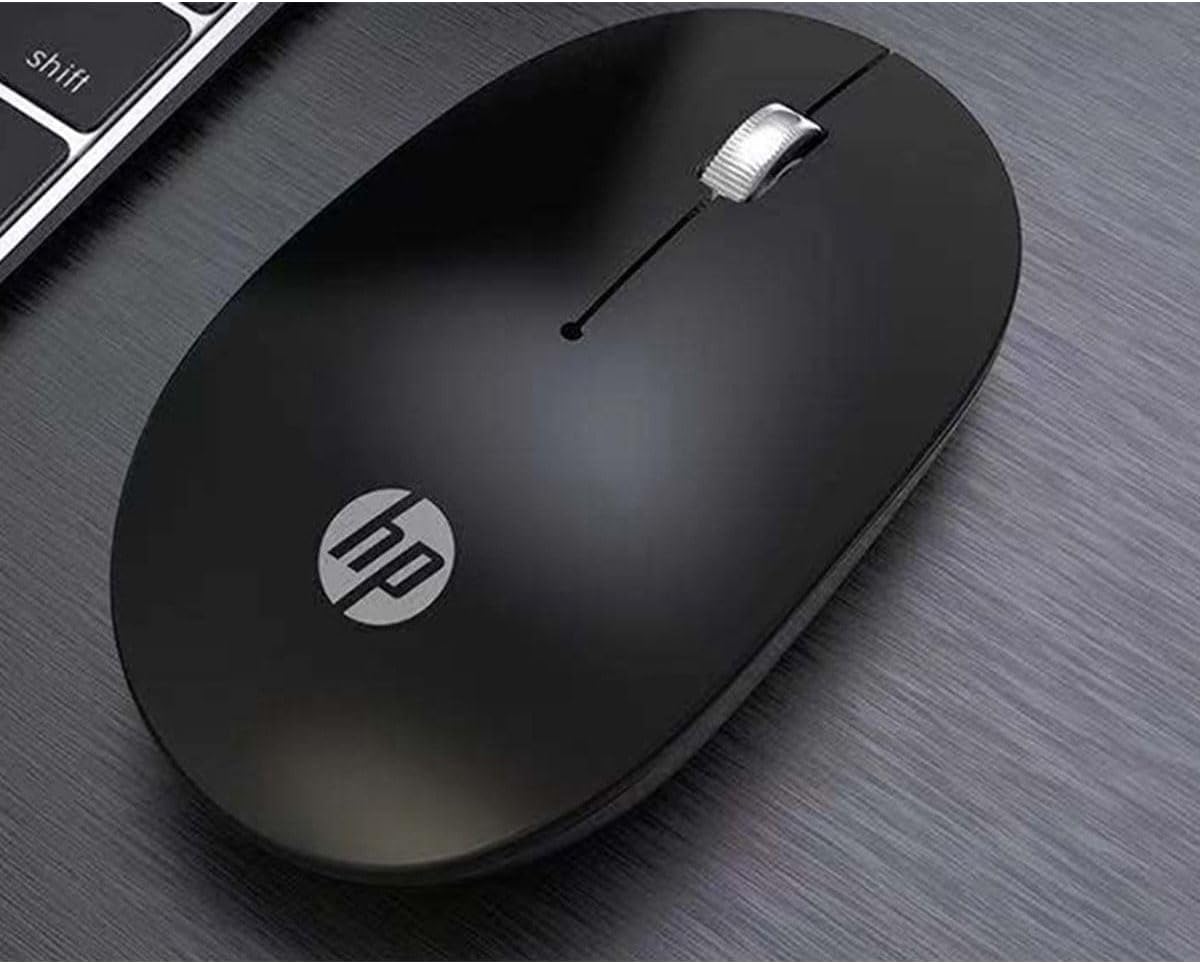
Image 3.2: The HP Wireless Mouse S1500 positioned for use on a typical workspace.
3.3 Gestió de l'energia
The mouse features a smart sleep function combined with energy-saving optimization to extend battery life. If the mouse is inactive for a period, it will enter a low-power sleep mode. To wake it up, simply move the mouse or click any button.

Image 3.3: The HP Wireless Mouse S1500's power management features contribute to long battery life.
4. Manteniment
4.1 Neteja
Per netejar el ratolí, feu servir un drap suau, sec i sense borrissol. Per a la brutícia persistent, netegeu-lo lleugerament.ampen the cloth with water. Avoid using harsh chemicals, solvents, or abrasive cleaners, as these can damage the mouse's surface.
4.2 Substitució de la bateria
When the mouse's performance degrades or it stops responding, it may be time to replace the battery. Follow the steps in Section 2.2 to replace the AA battery.
5. Solució De Problemes
5.1 El ratolí no respon
- Comproveu la bateria: Assegureu-vos que la pila AA estigui correctament instal·lada i que tingui prou càrrega. Substituïu-la si cal.
- Comprovació del receptor USB: Assegureu-vos que el receptor USB estigui ben connectat a un port USB que funcioni de l'ordinador. Proveu-ho amb un altre port USB.
- Distància: Ensure the mouse is within the effective operating range (approximately 10 meters) of the USB receiver.
- Interferència: Move the mouse and receiver away from other wireless devices or large metal objects that might cause interference.
- Restablir la connexió: Some mice have a connect button on the underside. If available, press it and then press the connect button on the receiver (if applicable) to re-establish the connection.
5.2 Moviment erràtic del cursor
- Neteja el sensor: Assegureu-vos que el sensor òptic de la part inferior del ratolí estigui net i lliure de pols o residus.
- Superfície: Use the mouse on a clean, non-reflective, and uniform surface. Avoid highly reflective or transparent surfaces like glass. A mouse pad is recommended.
6. Especificacions
| Característica | Detall |
|---|---|
| Nom del model | S1500 |
| Marca | HP |
| Tecnologia de connectivitat | Sense fil de 2.4 GHz (receptor USB) |
| Detecció de moviment | Òptic |
| Quantitat de botons | 3 (Left, Right, Scroll Wheel/Middle) |
| Orientació de la mà | D'acord |
| Característiques especials | Ergonomic Design, Lightweight, Portable, Soundless, Wireless |
| Font d'alimentació | 1 x bateria AA |
| Dispositius compatibles | Ordinador personal |
| Dimensions del paquet | 12 x 8.2 x 4.6 cm |
| Pes | 250 g (inclòs l'embalatge) |
7. Garantia i Suport
7.1 Informació de la garantia
This HP product is covered by a limited warranty. For specific warranty terms and conditions, please refer to the warranty card included with your product or visit the official HP support weblloc web. Conserveu el comprovant de compra per a reclamacions de garantia.
7.2 Suport tècnic
Per obtenir assistència tècnica, descàrregues de controladors o més informació, visiteu el lloc web oficial de suport d'HP. website or contact HP customer service. Contact details can typically be found on the HP weblloc o a l'embalatge del producte.
Oficial d'HP Weblloc: www.hp.com