Introducció
This manual provides essential information for setting up, operating, maintaining, and troubleshooting your Apple iPhone 12 Mini (PRODUCT)RED 64GB. This device is a renewed premium product, ensuring full functionality and a high standard of quality.
Key features of your iPhone 12 Mini include:
- Unlocked for compatibility with any GSM and CDMA network carrier (e.g., AT&T, T-Mobile, Sprint, Verizon).
- Guaranteed battery health exceeding 90% of original capacity.
- Minimal cosmetic damage, not noticeable at arm's length.
- Includes a certified MFi charging cable and a UL certified wall plug.
- Backed by a one-year satisfaction guarantee.
1. Configuració i primer ús
1.1 Què hi ha a la caixa
Your renewed iPhone 12 Mini package includes the following items:
- Apple iPhone 12 Mini (PRODUCT)RED 64GB
- USB-C to Lightning Cable (generic, MFi certified)
- Wall Plug (generic, UL certified)
- SIM Tray Removal Tool
Nota: Els auriculars i la targeta SIM no estan inclosos.

Image: The iPhone 12 Mini and its included USB-C to Lightning charging cable.
1.2 Inserció de la targeta SIM
- Locate the SIM tray on the side of your iPhone.
- Insert the SIM tray removal tool into the small hole next to the tray and press firmly until the tray ejects.
- Col·loca la targeta Nano-SIM a la safata amb els contactes daurats cap avall.
- Carefully reinsert the SIM tray into the iPhone.
1.3 Engegada i configuració inicial
- Premeu i manteniu premut el botó lateral fins que aparegui el logotip d'Apple.
- Seguiu les instruccions a la pantalla per seleccionar el vostre idioma i regió.
- Connecteu-vos a una xarxa Wi-Fi.
- Configura el Face ID per a una autenticació segura.
- Crea un codi d'accés.
- Restaura les dades des d'una còpia de seguretat (iCloud o ordinador) o configura-les com un iPhone nou.
- Inicia la sessió amb el teu ID d'Apple o crea'n un de nou.
- Complete the remaining setup steps, including location services and Siri.
2. Operating Your iPhone 12 Mini
2.1 Navegació bàsica
Your iPhone 12 Mini operates on iOS 16, providing an intuitive touchscreen interface.
- Pantalla d'inici: Swipe up from the bottom edge to go to the Home screen.
- Commutador d'aplicacions: Llisca cap amunt des de la vora inferior i pausa al mig de la pantalla per view obrir aplicacions.
- Centre de control: Llisca cap avall des de la cantonada superior dreta per accedir a la configuració ràpida.
- Notificacions: Llisca cap avall des de la cantonada superior esquerra fins a view notificacions.
2.2 Encès/Apagat
- Per encendre: Premeu i manteniu premut el botó lateral fins que aparegui el logotip d'Apple.
- Per apagar: Press and hold the Side button and either Volume button simultaneously until the power off slider appears. Drag the slider to power off.
2.3 Identificació facial
Face ID uses facial recognition for secure unlocking, purchases, and app authentication. Ensure your face is clear and directly facing the screen for optimal performance.

Image: Detail of the iPhone 12 Mini's front display and notch, housing the Face ID system.
2.4 Ús de la càmera
Your iPhone 12 Mini features a dual-camera system on the rear and a single front camera. Open the Camera app to capture photos and videos. Tap on the screen to focus, and use the zoom options for different perspectives.

Image: Detail of the iPhone 12 Mini's dual rear camera system.
3. Manteniment i cura
3.1 Cura de la bateria
Your renewed iPhone 12 Mini is guaranteed to have a battery capacity exceeding 90% of its original. To maximize battery lifespan:
- Avoid extreme ambient temperatures (below 0°C/32°F or above 35°C/95°F).
- Charge your iPhone using the provided MFi certified cable and UL certified wall plug.
- Enable Optimized Battery Charging in Settings > Battery > Battery Health.
- Eviteu descarregar completament la bateria amb freqüència.
3.2 Neteja del teu iPhone
To clean your iPhone, use a soft, lint-free cloth. Avoid abrasive materials, aerosols, solvents, or ammonia-based cleaners. Do not submerge your iPhone in water.
3.3 Actualitzacions de programari
Regularly update your iPhone's software to the latest iOS version to ensure optimal performance, security, and access to new features. Go to Settings > General > Software Update.
4. Resolució de problemes comuns
4.1 El dispositiu no respon
If your iPhone becomes unresponsive, perform a force restart:
- Premeu i deixeu anar ràpidament el botó de pujar el volum.
- Premeu i deixeu anar ràpidament el botó per baixar el volum.
- Premeu i manteniu premut el botó lateral fins que aparegui el logotip d'Apple.
4.2 Problemes de connectivitat de xarxa
- Sense servei/mal senyal: Check your SIM card insertion. Go to Settings > Cellular and ensure Cellular Data is enabled. Try toggling Airplane Mode on and off.
- Problemes de connexió Wi-Fi: Go to Settings > Wi-Fi. Ensure Wi-Fi is on and you are connected to the correct network. Try forgetting the network and rejoining.
4.3 La bateria s'esgota ràpidament
While your renewed iPhone has a healthy battery, usage patterns can affect battery life. If you experience rapid battery drain:
- Check Battery Usage in Settings > Battery to identify apps consuming the most power.
- Redueix la brillantor de la pantalla.
- Disable Background App Refresh for non-essential apps (Settings > General > Background App Refresh).
- Limit location services for apps (Settings > Privacy > Location Services).
5. Especificacions del producte
| Característica | Especificació |
|---|---|
| Marca | Apple |
| Nom del model | iPhone 12 mini |
| Sistema operatiu | iOS 16 |
| Capacitat d'emmagatzematge de memòria | 64 GB |
| Model de CPU | Apple A14 Bionic |
| Velocitat de la CPU | 3 GHz |
| Mida de la pantalla | 6.1 polzades |
| Tipus de visualització | OLED |
| Resolució | 2340 x 1080 |
| Freqüència d'actualització | 60 Hz |
| Color | (PRODUCT) RED |
| Proveïdor de sense fil | Desbloquejat per a tots els transportistes |
| Tecnologia cel·lular | 5G, 4G LTE |
| Tecnologia de connectivitat | Wi-Fi |
| Funció de seguretat biomètrica | Reconeixement facial |
| Tipus de connector | Llamp |
| Descripció de la bateria | Ió de liti |
| Durada mitjana de la bateria | 14 hores |
| Pes de l'article | 1.5 grams |
| Any model | 2020 |
6. Informació de la garantia
Your Apple iPhone 12 Mini (Renewed Premium) is backed by a one-year satisfaction guarantee. This warranty covers any functional defects and ensures the device meets the described renewed premium condition.
For specific details regarding coverage and claims, please refer to the documentation provided with your purchase or contact the seller directly.
7. Atenció al client
If you encounter any issues or have questions not covered in this manual, please contact the seller, Hybrid IT, through your Amazon order details. For general Apple support resources, visit support.apple.com/iphone.
For information regarding Amazon Renewed Premium products and their conditions, please refer to the Amazon Renewed program details.
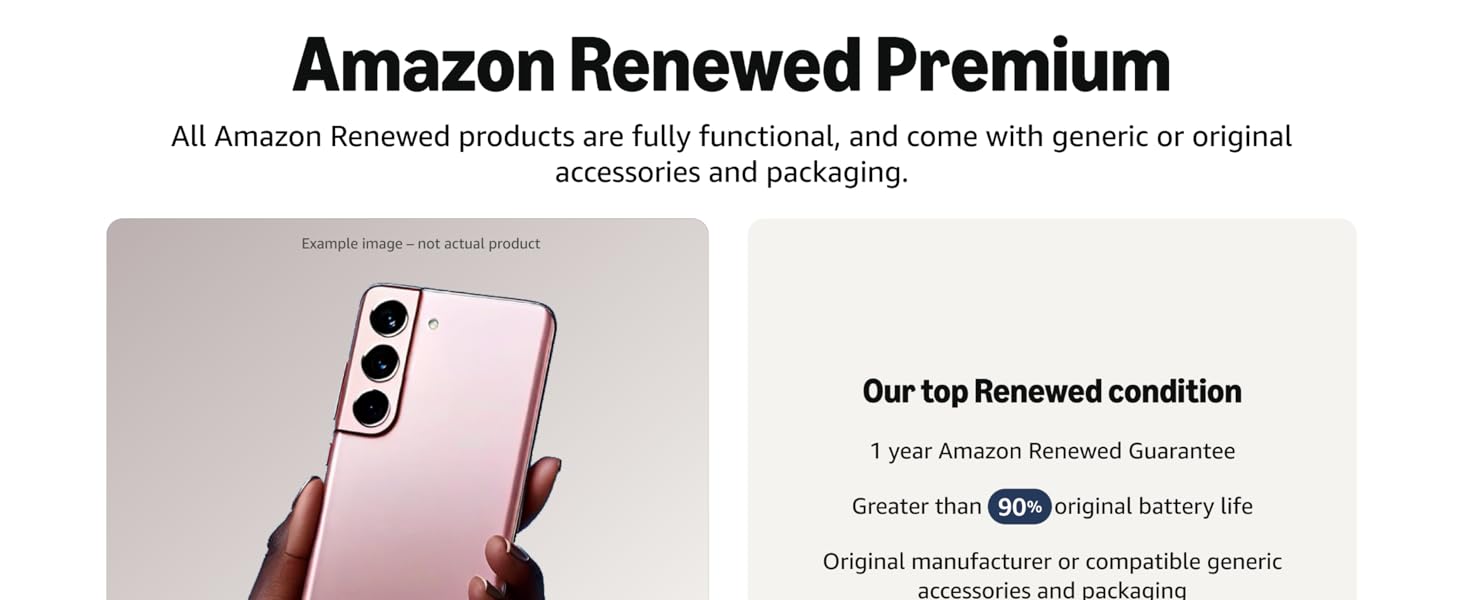
Imatge: Més deview of Amazon Renewed Premium standards.
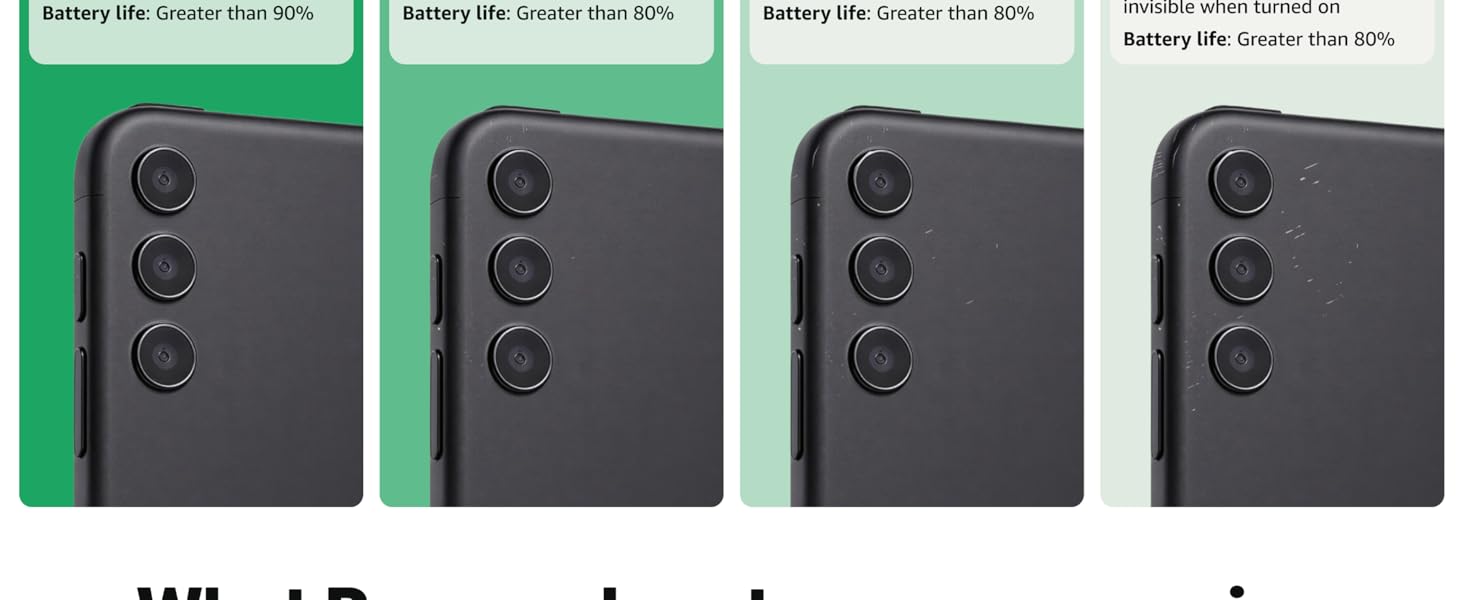
Image: Detailed comparison of Amazon Renewed product conditions.