1. Introducció
1.1 Producte acabatview
Welcome to your new COX CK87 Gateron Mechanical Keyboard. This manual provides essential information for setting up, operating, and maintaining your keyboard to ensure optimal performance and longevity.

Image 1.1: The COX CK87 Gateron Mechanical Keyboard, showcasing its compact 87-key layout and white design.
1.2 Característiques clau
The COX CK87 Gateron Mechanical Keyboard is designed with several advanced features:
- Korean/English Double Shot Keycaps: Durable ABS keycaps with legends that will not fade.
- Taxa de sondeig de 1000 Hz: Ensures fast and responsive input for gaming and typing.
- Sound Absorbing Material: Integrated to reduce noise emission during use.
- Action LED Effects: Customizable LED lighting modes.
- Single LED Backlighting: Consistent and clear illumination for each key.
- N-Key Rollover (Infinite Simultaneous Input): Allows all keys to be registered simultaneously without ghosting.
- Cherry Stabilizers: Enhances typing stability for larger keys.
- Step Sculpture 2 Design: Ergonomic keycap profile for comfortable typing.
- Tecles d'accés directe multimèdia: Convenient shortcuts for media control.
- Gateron Brown Switches: Tactile switches with a 55GF key pressure, providing a noticeable bump without an audible click, suitable for various environments.

Image 1.2: Visual representation of the keyboard's core features, including keycap type, polling rate, sound absorption, LED types, and stabilizers.
2. Contingut del paquet
Si us plau, verifiqueu que tots els elements siguin presents al vostre paquet:
- COX CK87 Gateron Mechanical Keyboard
- Cable USB
- Manual d'usuari (aquest document)
3. Configuració
3.1 Connexió del teclat
Segueix aquests passos per connectar el teclat a l'ordinador:
- Locate the USB port on the back of your COX CK87 keyboard.
- Connect one end of the provided USB cable to the keyboard's USB port.
- Connecteu l'altre extrem del cable USB a un port USB disponible de l'ordinador.
- The keyboard is plug-and-play and should be automatically recognized by your operating system (Windows 10 and below compatible).

Image 3.1: The COX CK87 keyboard, illustrating its connection point and the Gateron Brown switch mechanism.
4. Instruccions de funcionament
4.1 Funcionament bàsic
The COX CK87 is an 87-key Tenkeyless mechanical keyboard, offering a compact layout without the numeric keypad. All standard typing functions operate as expected.

Image 4.1: The COX CK87 Gateron Mechanical Keyboard in white, highlighting its design and branding.
Control de retroiluminació LED de 4.2
The keyboard features E19 LED effects and single LED backlighting. Specific key combinations, typically involving the Fn key and certain function keys (F1-F12) or dedicated keys, are used to control LED modes, brightness, and on/off states. Please refer to the keycap legends for the exact combinations on your keyboard.
4.3 Tecles d'accés directe multimèdia
Access various multimedia functions conveniently using the dedicated multimedia hotkeys or Fn key combinations. These functions typically include:
- Volum amunt/abaixar/silenciar
- Reproduir/Pausa
- Pista anterior / següent
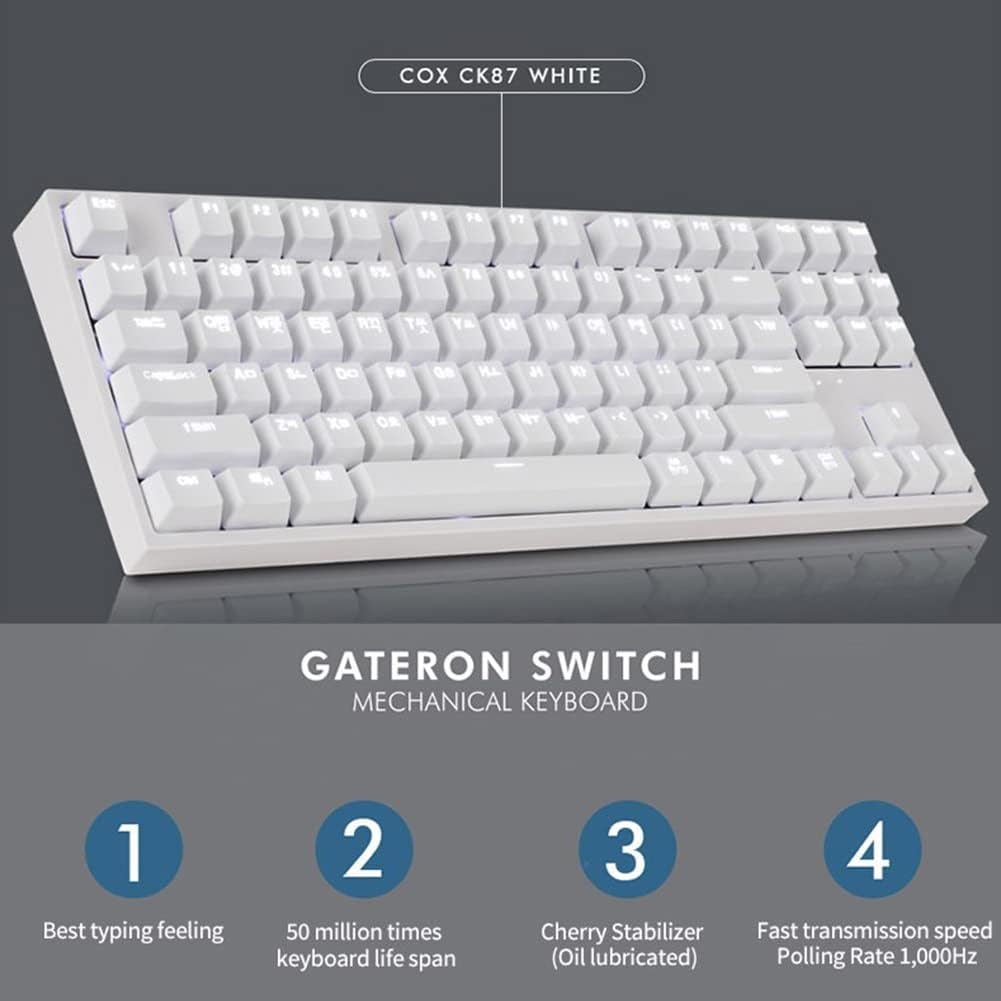
Image 4.2: The COX CK87 keyboard, emphasizing its Gateron switches and features that contribute to typing experience.
5. Manteniment
5.1 Neteja del teclat
To ensure the longevity and optimal performance of your COX CK87 keyboard, regular cleaning is recommended:
- Desconnecteu sempre el teclat de l'ordinador abans de netejar-lo.
- Utilitzeu un drap suau i sense pelusa lleugerament dampened with water or a mild, non-abrasive cleaning solution to wipe the keycaps and the keyboard chassis.
- For deeper cleaning, keycaps can be carefully removed using a keycap puller (not included) to clean dust and debris from underneath.
- Avoid spraying liquids directly onto the keyboard, as this can cause damage to internal components.
6. Solució De Problemes
6.1 El teclat no respon
- Ensure the USB cable is securely connected to both the keyboard and an active USB port on your computer.
- Prova de connectar el teclat a un port USB diferent de l'ordinador.
- Test the keyboard on another computer to determine if the issue is with the keyboard or your computer.
- Reinicieu l'ordinador.
6.2 Els llums LED no funcionen
- Check if the LED backlight is turned off or set to the lowest brightness level using the keyboard's function key combinations (e.g., Fn + Arrow keys or dedicated LED keys).
- Ensure the keyboard is properly connected and receiving power from the USB port.
7. Especificacions
Detailed specifications for the COX CK87 Gateron Mechanical Keyboard:
| Nom del model | COX CK87 Gateron Mechanical Keyboard |
| Color | Blanc |
| Tipus de canvi | Interruptor Gateron Brown |
| Mètode d'operació | Mecànica |
| Nombre de claus | 87 claus |
| Taxa de votació | 1,000 Hz |
| LED | E19 LED Effect, Single LED |
| Tipus de tecla | Korean/English Double Shot Keycaps (ABS) |
| Dimensions (L x L x A) | 361 mm x 145 mm x 47 mm |
| Pes | 935 ± 15 g |
| Cable | USB |
| Interfície | USB |
| Compatibilitat amb SO | Windows 10 and below |

Image 7.1: A summary of the COX CK87 keyboard's technical specifications.

Image 7.2: Illustration of Gateron switch types, highlighting the characteristics of the Brown switch used in this model.
8. Garantia i Suport
8.1 Informació de la garantia
For detailed warranty terms and conditions, please refer to the documentation provided at the time of purchase or contact the retailer. It is recommended to retain your proof of purchase for any warranty claims.
8.2 Contacteu amb l'assistència
If you encounter any issues not covered in this manual or require further assistance, please contact customer support through the retailer where you purchased the product or visit the official COX weblloc de recursos de suport.


