1. Introducció
Thank you for choosing the YEELIGHT Under Cabinet Motion Sensor Light. This product is designed to provide convenient, energy-efficient lighting for various indoor spaces. Featuring motion and light sensing capabilities, adjustable brightness, and a rechargeable battery, it offers a versatile lighting solution. Please read this manual carefully before use to ensure proper installation and operation.

Imatge 1.1: acabatview of the YEELIGHT Under Cabinet Motion Sensor Light's key features.
2. Producte acabatview
2.1 Característiques clau
- Automatic Motion & Light Sensor: Detects movement in dark environments to automatically turn on/off.
- Recarregable tipus C: Built-in 1100mAh battery with fast Type-C charging.
- Brillantor ajustable: Dimmable from 10% to 100% in Always-On mode.
- Wireless & Magnetic Installation: Easy to install on iron surfaces or with included 3M adhesive.
- Non-glare & Eye-caring: Advanced anti-glare panel for soft, comfortable light.
- Construcció duradora: Anodized aluminum shell.
2.2 Contingut del paquet
- YEELIGHT Under Cabinet Motion Sensor Light
- Cable de càrrega tipus C.
- Coixinets adhesius 3M
- Manual d'usuari
3. Configuració i instal·lació
The YEELIGHT Under Cabinet Light offers flexible installation options due to its magnetic design.
3.1 Instal·lació magnètica
- Identify a suitable ironwork surface (e.g., metal cabinet, refrigerator side).
- Simply place the light onto the surface. The built-in magnets will secure it in place.
3.2 Adhesive Installation (for non-iron surfaces)
- Clean the desired installation surface thoroughly to ensure it is dry and free of dust or grease.
- Peel off the protective film from one side of the 3M adhesive pad.
- Attach the adhesive pad to the back of the light or to the desired surface.
- Peel off the remaining protective film from the adhesive pad.
- Press the light firmly onto the cleaned surface for at least 30 seconds.
The magnetic design allows for easy removal of the light for charging or repositioning.

Image 3.1: Illustration of easy magnetic installation.
4. Instruccions de funcionament
The light features a multi-function switch to control its modes and brightness.
4.1 Changing Operating Modes
Single press the switch to cycle through the following modes:
- Mode 1 (AUTO Mode): The blue indicator light illuminates. In this mode, the light will automatically turn on when motion is detected within 13 feet in sufficiently dark conditions. It will turn off after approximately 20 seconds of no activity.
- Mode 2 (Always On Mode): The indicator light turns off. In this mode, the light remains continuously on.
- Mode 3 (Always Off Mode): The light is completely off.

Image 4.1: Automatic motion sensor activation in a dark environment.
4.2 Adjusting Brightness (Stepless Dimming)
Per ajustar la brillantor:
- Ensure the light is in Mode sempre activat (Mode 2).
- Long press the switch. The brightness will gradually change.
- Release the switch when the desired brightness level (from 10% to 100%) is reached.

Image 4.2: Stepless dimming feature in action.
4.3 Càrrega de la bateria
The light is equipped with a built-in 1100mAh rechargeable battery and a Type-C charging port.
- When the battery is low, the indicator light may flash or the light output will diminish.
- Connect the provided Type-C charging cable to the light's charging port and to a standard USB power source (e.g., phone charger, computer USB port).
- During charging, the indicator light will be vermell.
- Once fully charged, the indicator light will turn apagat.
A full charge typically provides approximately 5 hours of use in Always On mode or up to 2 months in AUTO mode, depending on activation frequency.
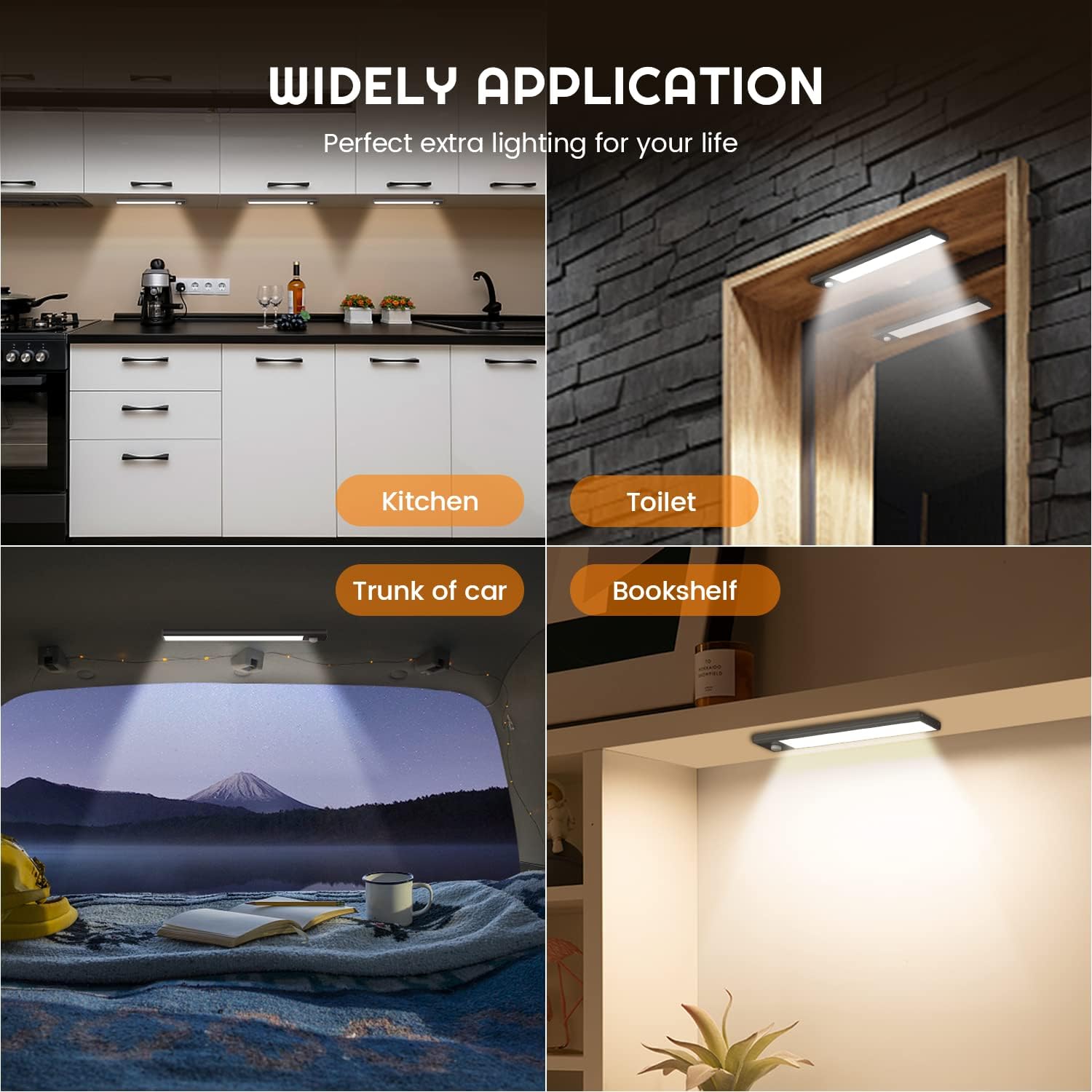
Image 4.3: Type-C charging and battery life indication.
5. Manteniment
To ensure the longevity and optimal performance of your YEELIGHT Under Cabinet Motion Sensor Light, follow these maintenance guidelines:
- Neteja: Wipe the light's surface with a soft, dry cloth. Do not use abrasive cleaners or solvents, as they may damage the finish or electronic components.
- Cura de la bateria: For best battery life, avoid completely draining the battery frequently. Charge the light regularly, especially if it will be stored for an extended period.
- Medi ambient: Use the light in indoor environments only. Avoid exposure to extreme temperatures, high humidity, or direct water contact, as it is not water-resistant.
- Àrea del sensor: Keep the motion sensor clear of obstructions to ensure accurate detection.
6. Solució De Problemes
If you encounter issues with your YEELIGHT Under Cabinet Motion Sensor Light, please refer to the following common solutions:
| Problema | Causa possible | Solució |
|---|---|---|
| El llum no s'encén en mode AUTO. | Insufficient darkness; no motion detected; battery low. | Ensure the environment is dark enough. Move within the sensor's range (13 feet). Charge the battery. |
| Light stays on constantly in AUTO mode. | Constant motion in sensor range; light sensor malfunction. | Ensure no continuous motion is present. Try moving the light to a different location. |
| La llum no carrega. | Cable o adaptador de corrent defectuós; problema amb el port de càrrega. | Try a different Type-C cable and USB power adapter. Ensure the cable is fully inserted. |
| Durada de la bateria curta. | Frequent activation in AUTO mode; used in Always On mode; aging battery. | Reduce frequency of motion detection if possible. Note that Always On mode consumes battery faster. Ensure full charge. |
| La llum no és prou brillant. | Brightness setting is low; battery low. | Adjust brightness in Always On mode (see Section 4.2). Charge the battery. |
Si el problema persisteix després de provar aquestes solucions, poseu-vos en contacte amb l'atenció al client.
7. Especificacions
| Característica | Detall |
|---|---|
| Nom del model | YLBGD-0044 |
| Dimensions | 7.87" de llargada x 1.5" d'amplada x 0.35" d'alçada (20 cm x 3.8 cm x 0.9 cm) |
| Pes de l'article | 5.6 unces (158.7 grams) |
| Font d'alimentació | Funciona amb bateria |
| Tipus de bateria | 1 bateria de ions de liti (inclosa), 1100 mAh |
| Port de càrrega | Tipus C USB |
| Tipus de font de llum | LED (32 LED) |
| Temperatura de color | 4000 Kelvin (blanc fred) |
| Brillantor | Up to 100 Lumens (Dimmable 10%-100%) |
| Interval del sensor de moviment | Fins a 13 peus |
| Material | Acrilonitril butadiè estirè, alumini |
| Tipus d'instal·lació | Muntatge magnètic, sota l'armari |
| Ús interior/exterior | Només interior |
| Nivell de resistència a l'aigua | No resistent a l'aigua |
8. Garantia i Suport
YEELIGHT provides a Garantia de qualitat de 24 mesos for this product. If you have any questions, concerns, or require assistance with your YEELIGHT Under Cabinet Motion Sensor Light, please do not hesitate to contact our customer support team. We are committed to ensuring your satisfaction.
For support, please refer to the contact information provided with your purchase or visit the official YEELIGHT weblloc.


