Introducció
This manual provides instructions for the installation, operation, and maintenance of your EKWB EK-Loop D-RGB 2-Way Splitter Cable. This cable allows you to connect multiple digitally addressable RGB (D-RGB) devices to a single D-RGB header on your motherboard or controller, simplifying cable management and synchronization of lighting effects.
The EK-Loop D-RGB 2-Way Splitter Cable is designed for compatibility with standard 3-pin D-RGB controllers and popular RGB software from major manufacturers, ensuring seamless integration into your existing system.
Contingut del paquet
Verifiqueu que tots els elements siguin presents al vostre paquet:
- 1x EKWB EK-Loop D-RGB 2-Way Splitter Cable (300mm length, black)
- 3x Male-to-Male 3-pin D-RGB Connector Pins
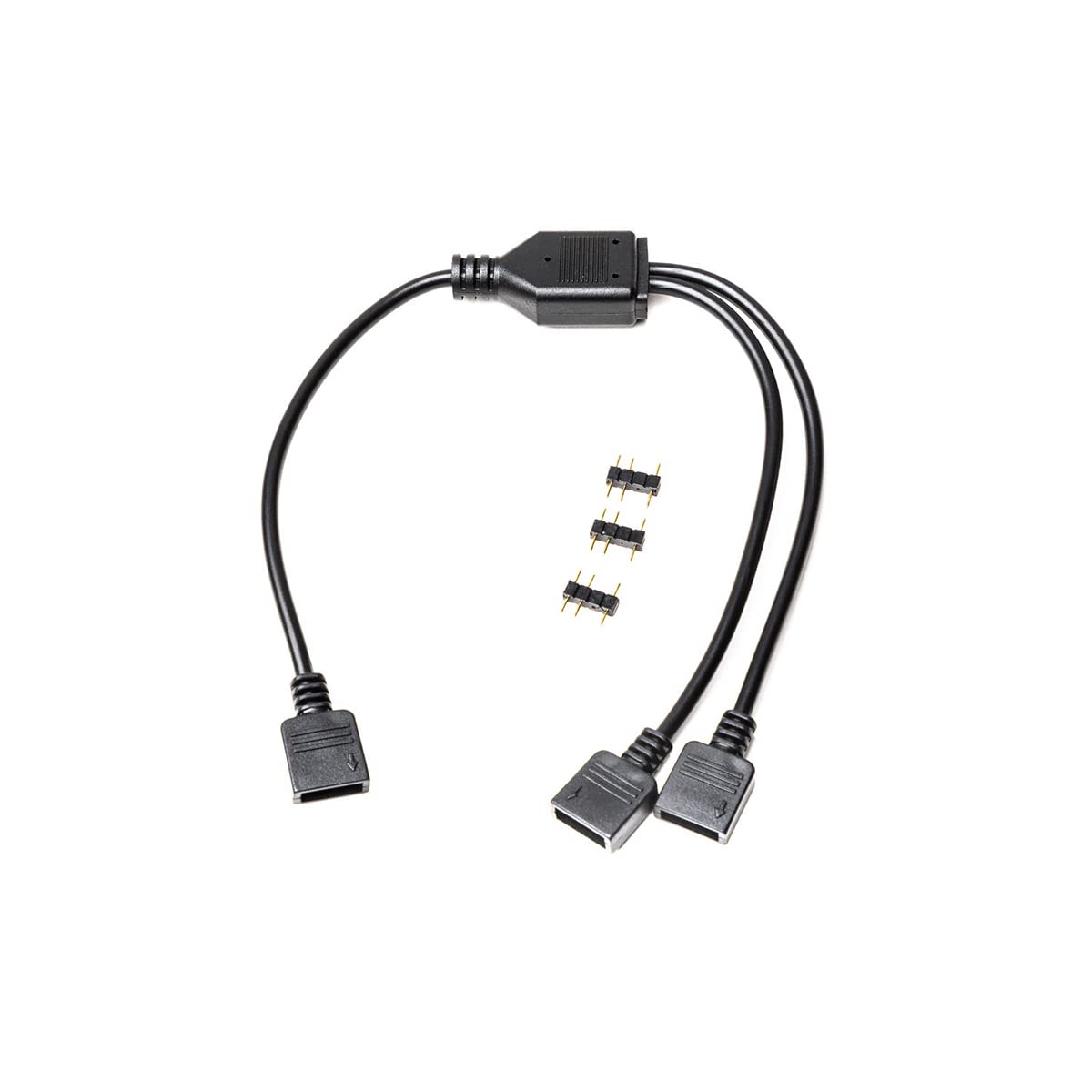
Image: The EKWB EK-Loop D-RGB 2-Way Splitter Cable shown with the included male-to-male connector pins.
Configuració i instal·lació
Follow these steps to properly install your D-RGB splitter cable:
- Identify D-RGB Headers: Locate the 3-pin D-RGB (addressable RGB) header on your motherboard or dedicated D-RGB controller. This header typically has a "5V" pin, a "Data" pin, and a "Ground" pin. Ensure it is not a 4-pin 12V RGB header, as connecting to the wrong header can damage your devices.
- Connect Splitter to Source: Connect the single female end of the EK-Loop D-RGB 2-Way Splitter Cable to the D-RGB header on your motherboard or controller. Ensure the arrow on the splitter's connector aligns with the 5V pin on the header.
- Prepare D-RGB Devices: Take your D-RGB enabled devices (e.g., fans, LED strips, water blocks). If your device has a male D-RGB connector, you can directly plug it into one of the two female ends of the splitter cable. If your device has a female D-RGB connector, use one of the provided male-to-male connector pins to bridge the connection between the device and the splitter.
- Connect D-RGB Devices to Splitter: Connect up to two D-RGB devices to the two available female ends of the splitter cable. Ensure all connections are secure and correctly oriented (arrow on connector to 5V pin).

Imatge: Un primer pla view of the two female output connectors on the D-RGB splitter cable.

Image: The EKWB EK-Loop D-RGB 2-Way Splitter Cable laid out, illustrating the single input and dual output connections.
Funcionament
Once connected, the EK-Loop D-RGB 2-Way Splitter Cable will transmit the D-RGB signal from your motherboard or controller to both connected devices simultaneously. All connected devices will display the same lighting effects and colors as dictated by your D-RGB software or controller settings.
Control of the D-RGB lighting is managed through your motherboard's RGB software (e.g., ASUS Aura Sync, MSI Mystic Light Sync, Gigabyte RGB Fusion, ASRock Polychrome Sync) or a dedicated D-RGB controller. Refer to your motherboard or controller manual for specific software instructions.
Manteniment
The EKWB EK-Loop D-RGB 2-Way Splitter Cable requires minimal maintenance. To ensure optimal performance and longevity:
- Keep the cable and connectors free from dust and debris. Use a soft, dry cloth or compressed air for cleaning.
- Avoid excessive bending or pulling on the cable, especially near the connectors, to prevent internal damage.
- Ensure connections remain secure. Loose connections can lead to intermittent lighting or signal loss.
Resolució de problemes
If you encounter issues with your D-RGB lighting, consider the following troubleshooting steps:
- No Lighting or Incorrect Colors:
- Verify all 3-pin D-RGB connections are secure and correctly oriented. Ensure the arrow on the connector aligns with the 5V pin on the header.
- Confirm that you are connected to a 3-pin 5V D-RGB header, not a 4-pin 12V RGB header.
- Check your motherboard's D-RGB software or dedicated controller settings to ensure lighting effects are enabled and configured correctly.
- Test each D-RGB device individually if possible, to isolate whether the issue is with a specific device or the signal from the source.
- Il·luminació intermitent:
- Ensure all connections are firmly seated.
- Inspeccioneu el cable per detectar qualsevol dany o doblec visible.
Especificacions
| Característica | Detall |
|---|---|
| Nom del producte | EK-Loop D-RGB 2-Way Splitter Cable |
| Número de model | 3831109848050 |
| Marca | EKWB |
| Longitud del cable | 300 mm |
| Color | Negre |
| Tipus de connector | 3-pin D-RGB (Addressable RGB) |
| Compatibilitat | Standard 3-pin D-RGB controllers, popular RGB software (e.g., ASUS Aura Sync, MSI Mystic Light Sync, Gigabyte RGB Fusion, ASRock Polychrome Sync) |
Garantia i Suport
For warranty information and technical support, please refer to the official EKWB weblloc web o contacteu directament amb el servei d'atenció al client. Conserveu el comprovant de compra per a reclamacions de garantia.
Official EKWB Weblloc: www.ekwb.com