Introducció
This manual provides comprehensive instructions for the setup, operation, and maintenance of your Technical Pro 2000 Watts Professional Mixer and Amplifier, model TP2000BT. This unit is designed for versatile audio applications, including DJ, karaoke, and home theater systems, offering powerful amplification and multiple input options.
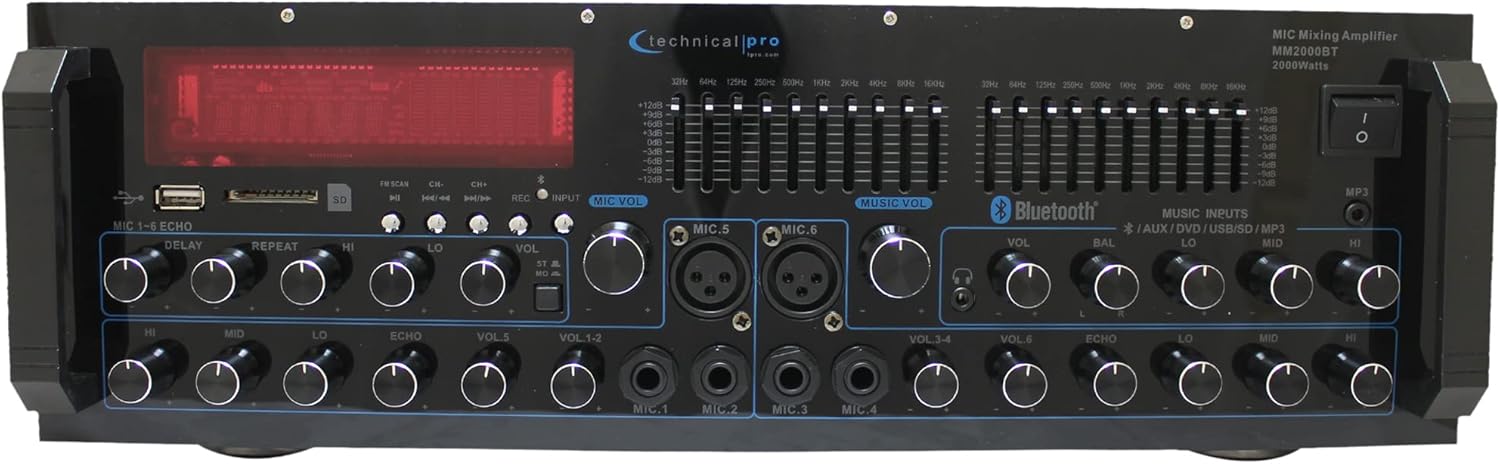
Imatge: Frontal view of the Technical Pro 2000 Watts Professional Mixer and Ampvidador, espectacleasing its various controls and display.
Característiques clau
- Potència màxima de 2000 watts: Delivers high power output suitable for multi-speaker setups with 2-8 ohms impedance.
- Múltiples entrades: Supports FM/AM radio, MP3 audio playback, USB Flash Drive Reader, AUX 3.5mm input, 2 ¼” mic inputs, headphone jack, and RCA (L/R) output jacks for subwoofers.
- Connectivitat Bluetooth: Transmissió de música sense fils sense interrupcions des de telèfons intel·ligents, tauletes, ordinadors portàtils i ordinadors.
- Controls d'equalització: Features dual 10-band graphic equalizers for precise audio adjustments.
- Controls del panell frontal: Intuitive controls for independent audio source selection, microphone volume, echo control, bass, treble, and master volume. Includes LED backlight illumination with dimmer.
- 6 Microphone Inputs: Dedicated inputs for multiple microphones, ideal for karaoke and live performances.
- Dual Speaker Output: Connects to two sets of speakers (Channel A and Channel B) with 4-16 ohms impedance.

Image: A visual representation highlighting the amplifier's features such as 2000 watts peak power, various inputs (RCA, USB, SD Card, Bluetooth, MP3), outputs (Banana binding post, RCA Line Out, Headphones), Bluetooth compatibility range, and adjustment range.
Configuració
Desembalatge i inspecció inicial
Traieu amb cura amplifier from its packaging. Ensure all components are present:
- Technical Pro 2000 Watts Professional Mixer and Amplifier (Model TP2000BT)
- Cable d'alimentació
- Manual d'usuari (aquest document)
- Comandament a distància (si està inclòs)
Inspect the unit for any signs of damage during transit. If any damage is found, contact your retailer immediately.
Col·locació
Col·loca el amplifier on a stable, flat surface. Ensure adequate ventilation around the unit to prevent overheating. Do not obstruct the cooling fan located on the rear panel.

Imatge: Detallada view of the front and back panels, illustrating the layout of controls and connection ports.
Connexió d'altaveus
Connect your speakers to the "SPEAKER OUTPUT" terminals on the rear panel. The unit is designed to work with multi-speakers with 2-8 ohms impedance, and the speaker output terminals are specifically labeled for 4-16 ohms. Ensure correct polarity (+ to + and – to –) for optimal sound quality. The amplifier features dual speaker outputs (Channel A and Channel B).

Image: Close-up of the rear panel, highlighting the speaker output terminals and RCA input/output connections.
Connexió de fonts d'àudio
El amplifier offers various input options:
- RCA Inputs (DVD, AUX): Use RCA cables to connect external audio devices like DVD players, CD players, or other audio sources to the "INPUT" section on the rear panel.
- Targeta USB/SD: Insert a USB flash drive or SD card into the respective slots on the front panel for MP3/WAV/WMA playback.
- Bluetooth: For wireless audio streaming, refer to the "Bluetooth Operation" section.
- Entrades de micròfon: Connect up to six microphones using the ¼” (Mic 1-4) and XLR/¼” combo (Mic 5-6) inputs on the front panel.
- Sortida d'auriculars: Connect headphones to the dedicated jack on the front panel.
Instruccions de funcionament
Encès/Apagat
Press the "POWER" button on the front panel to turn the unit on or off. The LED display will illuminate when the unit is powered on.
Selecció de la font
Use the input selection buttons on the front panel (e.g., USB/SD, Bluetooth, AUX, DVD) to choose your desired audio source.
Controls de volum i to
- Volum mestre: Ajusta el volum de sortida general del ampmés viu.
- Volum del micròfon: Individual volume controls for each microphone input (VOL 1-6).
- Gravs/Aguts: Adjusts the low and high frequency response of the audio.
- Balanç: Ajusta el balanç del canal esquerre/dret.
- Echo Controls (Delay, Repeat, Hi, Lo): Adjusts the echo effect for microphone inputs.

Imatge: Detallada view of the front panel, highlighting the AUX inputs, bass and treble controls, and the digital display.
Funcionament Bluetooth
- Select "Bluetooth" as the input source using the front panel controls.
- Al dispositiu amb Bluetooth (telèfon intel·ligent, tauleta, etc.), cerqueu els dispositius Bluetooth disponibles.
- Select "Technical Pro" or "TP2000BT" from the list to pair.
- Un cop emparellat, podeu reproduir àudio sense fil al ampmés viu.
Reproducció de targetes USB/SD
Insert a USB flash drive or SD card (max 32GB) containing MP3, WAV, or WMA audio files into the corresponding slot on the front panel. The unit will automatically switch to USB/SD mode and begin playback. Use the navigation buttons (Play/Pause, Next, Previous) to control playback.
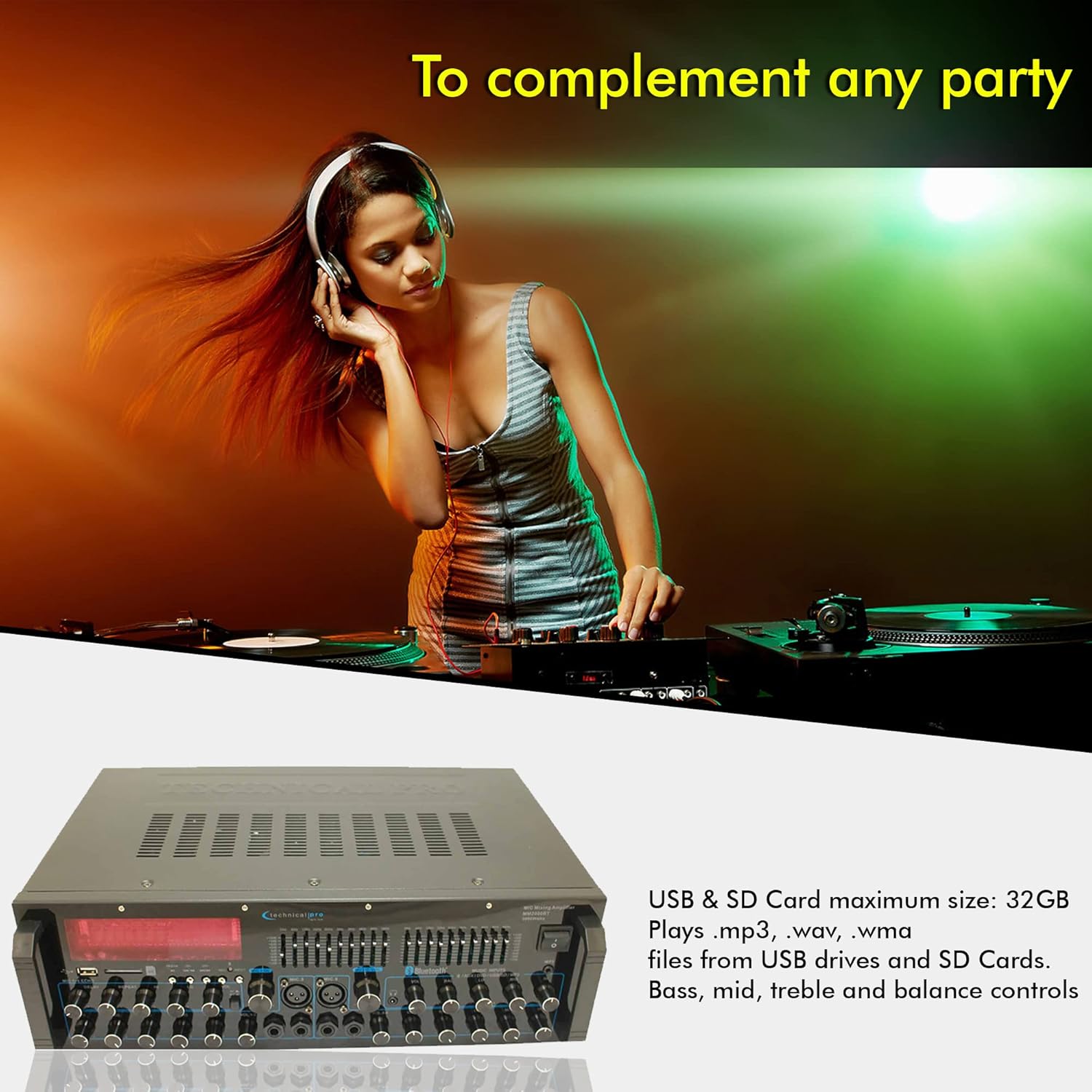
Imatge: El/La amplifier's front panel with USB and SD card slots highlighted, indicating support for MP3, WAV, WMA files and a maximum size of 32GB.
Ajust de l'equalitzador
The dual 10-band graphic equalizers allow for precise frequency adjustments. Move the sliders up or down to boost or cut specific frequency ranges to tailor the sound to your preference and acoustic environment.
Video: An official product video demonstrating the features of the Technical Pro 2000 Watts Professional Mixer and Amplifier, including its dual 10-band EQs, various inputs, and dual speaker outputs.
Manteniment
- Neteja: Feu servir un drap suau i sec per netejar l'exterior de la unitat. No utilitzeu netejadors líquids ni aerosols.
- Ventilació: Ensure the ventilation openings are clear of dust and debris to maintain proper airflow and prevent overheating.
- Emmagatzematge: Si guardeu la unitat durant un període prolongat, desconnecteu-la de l'alimentació i guardeu-la en un lloc fresc i sec, allunyat de la llum solar directa i de temperatures extremes.
Resolució de problemes
| Problema | Causa possible | Solució |
|---|---|---|
| Sense poder | Cable d'alimentació no connectat; Presa de corrent defectuosa; Fusible de la unitat fundit. | Check power cable connection; Try a different outlet; Consult a qualified technician for fuse replacement. |
| Sense sortida de so | Speakers not connected correctly; Volume too low; Incorrect input source selected; Mute function active. | Verify speaker connections and polarity; Increase master volume; Select the correct input source; Deactivate mute. |
| Error d'emparellament Bluetooth | Device too far; Bluetooth not enabled on device; AmpEl lifier no està en mode d'emparellament. | Apropa el dispositiu a amplifier; Enable Bluetooth on your device; Ensure amplifier is set to Bluetooth input. |
| So distorsionat | Input signal too high; Speaker impedance mismatch; EQ settings incorrect. | Reduce input source volume; Ensure speakers are 4-16 ohms; Adjust EQ settings. |
For issues not listed here, please contact Technical Pro customer support.
Especificacions
| Característica | Detall |
|---|---|
| Número de model | TP2000BT |
| Potència de sortida | Potència màxima de 2000 watts |
| Nombre de canals | 2 |
| Impedància de l'altaveu | Supports 2-8 ohms speakers; Speaker output terminals designed for 4-16 ohms. |
| Tecnologia de connectivitat | Bluetooth, USB, SD Card, RCA, 3.5mm AUX |
| Entrades de micròfon | 6 (4 x 1/4", 2 x XLR/1/4" Combo) |
| Dimensions del producte | 48.26 cm de profunditat x 25.4 cm d'amplada x 12.7 cm d'alçada |
| Pes de l'article | 14.1 lliures (6.4 kg) |
| Data de llançament | 11 de març de 2025 |
| Fabricant | Tècnic Pro |

Imatge: Dimensions de la amplifier, indicating its width, depth, and height.
Garantia i Suport
This Technical Pro product is covered by a manufacturer's warranty. For specific warranty terms and conditions, please refer to the warranty card included with your product or visit the official Technical Pro weblloc. També poden estar disponibles per a la compra plans de protecció ampliada.
For technical support, troubleshooting assistance, or service inquiries, please contact Technical Pro customer service. Contact information can typically be found on the manufacturer's weblloc web o a l'embalatge del producte.
També podeu visitar el Botiga Technical Pro a Amazon per a més informació i recursos del producte.


