1. Introduction to Embr Wave 2
The Embr Wave 2 is a personal thermal device designed to provide immediate cooling or warming sensations at the touch of a button. It leverages advanced thermal technology to stimulate temperature-sensitive nerves on your wrist, helping your body rebalance its sense of temperature. This device is clinically proven to be a safe and effective solution for managing various thermal discomforts, including hot flashes, chills, night sweats, and disrupted sleep.
The device is discreet, comfortable, and integrates seamlessly into your daily life, offering relief anytime, anywhere without drawing unwanted attention.
Video: Introducing Embr Wave. This video provides an overview of the Embr Wave thermal wristband and its core functionality.
2. Què hi ha a la caixa
Upon opening your Embr Wave 2 package, you should find the following components:
- Embr Wave 2 Device: The main thermal wristband unit.
- Stainless Steel Milanese Loop Band: Attached to the device, with a magnetic clasp for adjustable fit.
- Carregador magnètic: A circular charging puck.
- Cable USB: For connecting the magnetic charger to a power source.
- Guia d'inici ràpid: A printed guide for initial setup.

Imatge: Frontal view of the Embr Wave 2 device, showcasing its sleek design and magnetic band.
3. Configuració
3.1 Càrrega inicial
Before first use, fully charge your Embr Wave 2. Connect the USB cable to the magnetic charger, and then connect the charger to a USB power source (e.g., computer USB port, wall adapter). Align the magnetic charger with the charging contacts on the underside of the Embr Wave 2 device. The device will magnetically snap into place. A full charge typically takes approximately 2 hours.
3.2 Com portar el dispositiu
Wear the Embr Wave 2 on the inside of your wrist. This area is highly sensitive to temperature changes due to a high concentration of thermoreceptors, making it the most effective placement for experiencing the device's sensations. Adjust the Milanese loop band using its magnetic clasp to ensure a comfortable yet snug fit. Ensure the device is not too close to your hand to allow for full wrist movement.
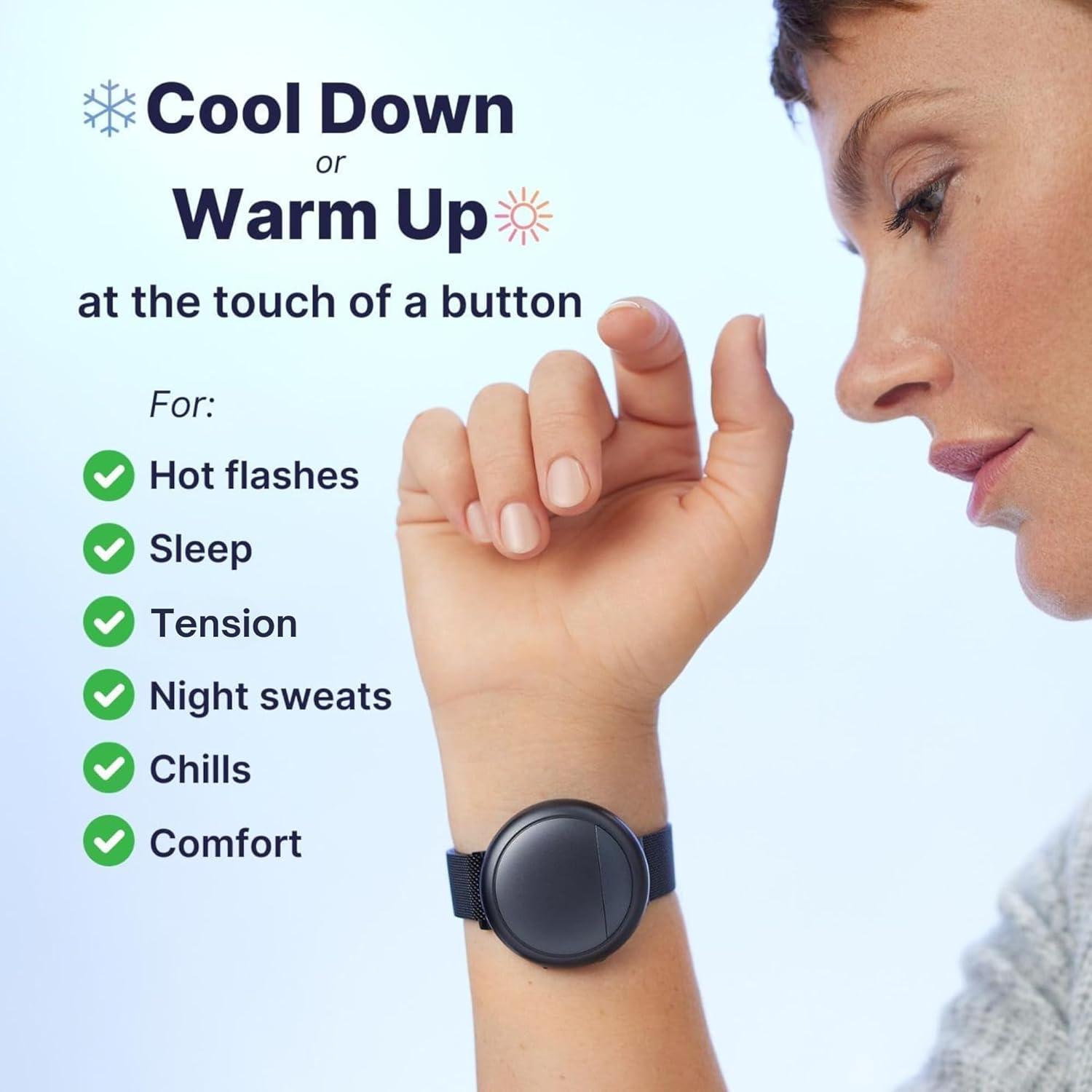
Image: Proper placement of the Embr Wave 2 on the inside of the wrist for optimal thermal sensation.
3.3 App Connection (Optional but Recommended)
For personalized relief and expanded features, download the Embr Wave 2 app (available on iOS and Android). The app allows you to:
- Explore various cooling and warming sessions (e.g., Focus, Temperature Tools, Sleep, Relaxation).
- Customize session durations and intensity levels.
- Reprogram device buttons for quick access to preferred modes.
- Track usage patterns for optimized comfort.

Image: The Embr Wave 2 app interface on a smartphone, showing options for personalized thermal relief.
4. Instruccions de funcionament
The Embr Wave 2 is designed for simple, intuitive operation directly from the device or through the companion app.
4.1 Basic Operation (Device Buttons)
The device features two primary buttons for quick thermal adjustments:
- Mode de refrigeració: Press the button with the white dot (typically the left button) twice to activate cooling. Each subsequent press will increase the cooling level.
- Mode d'escalfament: Press the other button (typically the right button) twice to activate warming. Each subsequent press will increase the warming level.
- Apagat: Press and hold either button to turn the device off.

Image: A user activating a thermal sensation by pressing a button on the Embr Wave 2.
Video: How Embr Wave Works. This video demonstrates the basic operation and immediate effects of the device.
5. App Integration and Advanced Features
The Embr Wave 2 app significantly enhances your experience by providing granular control and additional features:
- Expanded Sessions: Access a wider range of pre-programmed thermal sessions tailored for specific needs like sleep, stress reduction, or enhanced focus.
- Personalització: Adjust the duration and intensity of thermal waves to find your ideal comfort level.
- Button Reprogramming: Assign your favorite thermal sessions to the physical buttons on the device for quick access without opening the app.
- Seguiment d'ús: Monitor your usage patterns to understand how the Embr Wave 2 helps you throughout your day and night.
6. Consells d'ús
To maximize your experience with the Embr Wave 2, consider the following tips:
- Give it Time: Results typically improve over time. It is recommended to use the Embr Wave for at least two weeks to allow your body to adjust and fully experience its effectiveness.
- Find Your Sweet Spot: Experiment with slight adjustments in placement on your inner wrist. Your skin has varying concentrations of thermoreceptors, and finding the optimal spot can enhance the sensation.
- Try Both Arms: Some users find one arm to be more sensitive to temperature than the other. If you're not feeling the desired effect on one wrist, try the other.
- Mantenir-se hidratat: Proper hydration can support your body's natural temperature regulation processes, complementing the device's effects.
Video: Tips for Wearing Embr Wave. This video offers practical advice on how to wear the device for best results.
7. Cura i Manteniment
To ensure the longevity and optimal performance of your Embr Wave 2:
- Neteja: Netegeu el dispositiu amb un suau, damp tela. Eviteu utilitzar productes químics o materials abrasius.
- Resistència a l'aigua: The Embr Wave 2 is splash and sweat resistant, meaning it can withstand everyday exposure to moisture. However, it is NOT waterproof and should not be submerged in water.
- Emmagatzematge: Guardeu el dispositiu en un lloc fresc i sec quan no l'utilitzeu.
- Durada de la bateria: The device provides 9+ hours of cooling or warming on a full charge. Actual battery life may vary based on usage and settings.
8. Solució De Problemes
If you encounter any issues with your Embr Wave 2, try the following:
- El dispositiu no s'encén: Ensure the device is fully charged. Connect it to the magnetic charger and check for charging indicators.
- No Sensation: Verify the device is properly placed on the inside of your wrist. Try adjusting its position slightly. Ensure the device is turned on and a thermal mode is active.
- Problemes de connectivitat de l'aplicació: Ensure Bluetooth is enabled on your smartphone and the Embr Wave 2 is within range. Try restarting both the device and the app.
- Eficàcia reduïda: Remember that individual responses can vary, and effectiveness may improve over time. Consistent use for at least two weeks is recommended.
For further assistance, refer to the official Embr Labs support weblloc o contacteu amb el servei d'atenció al client.
9. Especificacions
| Característica | Detall |
|---|---|
| Número de model | WAVE2-DEVC-BLK |
| Dimensions del producte | 5.6 x 4 x 2.3 polzades |
| Pes | 9.17 unces |
| Tipus de bateria | 1 ió de liti (inclòs) |
| Capacitat de la bateria | 580 milionsamp Hores |
| Temps de càrrega | Aprox. 2 hores |
| Compatibilitat de sistemes operatius | iOS i Android |
| Connectivitat | USB, Bluetooth |
| Fabricant | Laboratoris Embr |
10. Garantia i Suport
For information regarding product warranty, returns, or technical support, please visit the official Embr Labs weblloc web o poseu-vos en contacte amb el seu departament d'atenció al client. També hi pot haver plans de protecció disponibles per a una cobertura ampliada.
Fabricant: Laboratoris Embr
Guia d'usuari oficial (PDF): Descarregar PDF


