1. Introducció
The FLYDIGI Vader 2 Pro is a versatile wireless game controller designed for an enhanced gaming experience across multiple platforms. This manual provides essential instructions for setting up, operating, and maintaining your controller.
The controller is compatible with Nintendo Switch, iOS, PC, and Android devices, offering a seamless transition between your preferred gaming systems.
2. Producte acabatview
The Vader 2 Pro controller integrates advanced features to optimize gameplay. Key components include dual vibration motors, a 6-axis gyroscope for motion sensing, and customizable RGB lighting.

Imatge 2.1: Frontal view of the FLYDIGI Vader 2 Pro Game Controller, showcasinel seu disseny ergonòmic i la disposició dels botons.
Característiques principals:
- Compatibilitat multiplataforma: Supports Nintendo Switch, iOS, PC, and Android.
- Motors de doble vibració: Provides immersive haptic feedback with 3 adjustable levels.
- Giroscopi de 6 eixos: Enables precise motion sensing for compatible games.
- Il·luminació RGB personalitzable: Personalize the controller's aesthetic with millions of color options.
- Botons configurables: Four additional M1-M4 buttons on the rear for personalized controls.
- Múltiples modes de connexió: Bluetooth, 2.4GHz wireless (with dongle), and wired USB connection.

Image 2.2: The Vader 2 Pro controller shown with various compatible devices including a Nintendo Switch, PC laptop, iOS phone, and Android phone, illustrating its multi-platform support.

Image 2.3: The controller highlighting its built-in 6-axis gyro sensor for motion control.
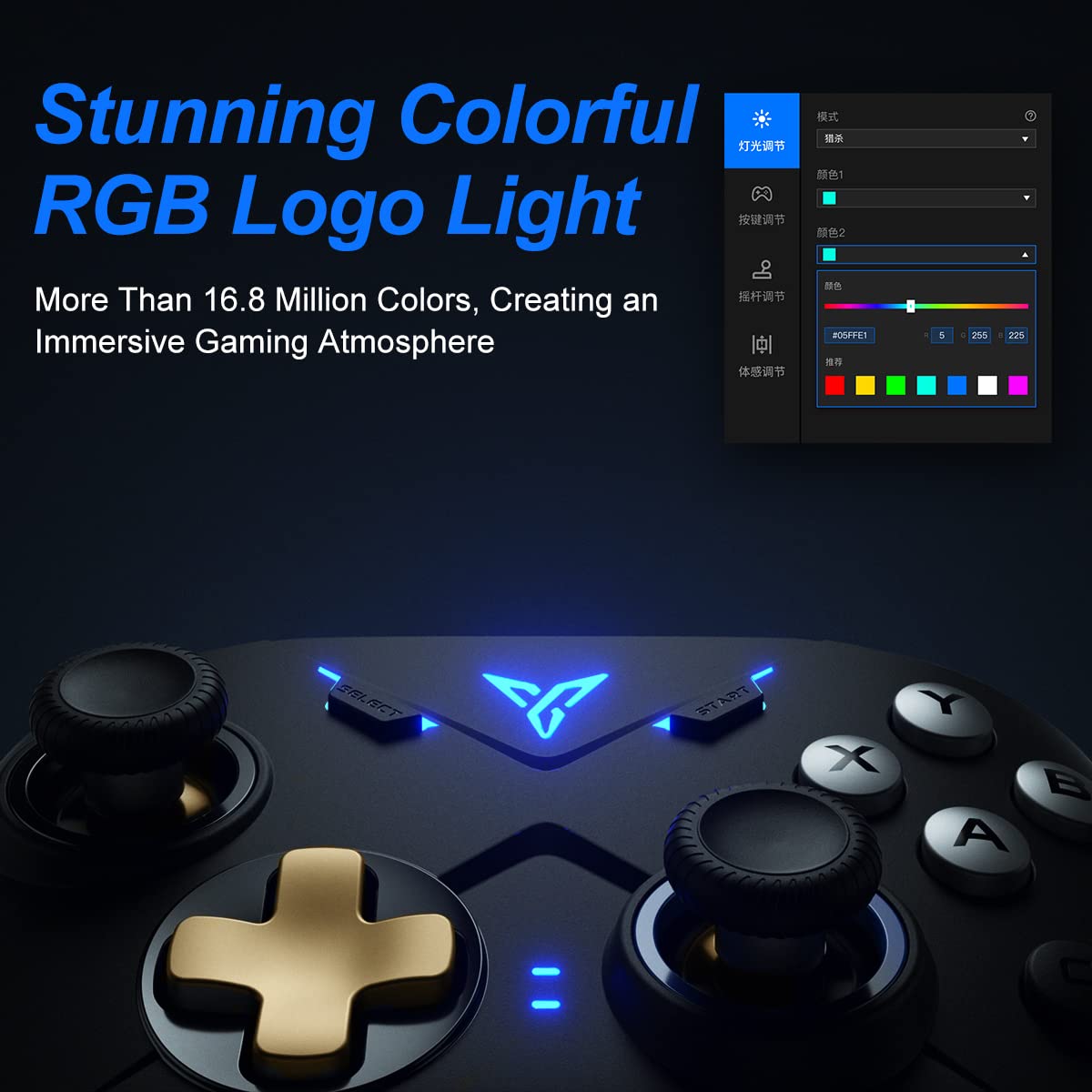
Image 2.4: Close-up of the controller's RGB logo light, demonstrating its customizable color options.

Imatge 2.5: posterior view of the controller, showing the M1-M4 configurable buttons for personalized gameplay.

Image 2.6: Illustration of the controller's asymmetric dual motor design, indicating vibration feedback.
3. Configuració i connexió
The Vader 2 Pro controller offers multiple connection methods depending on your gaming platform. Refer to the table below for specific instructions.

Image 3.1: A table detailing connection instructions for Phone/Tablet, PC/Mac, and Nintendo Switch.
Instruccions de connexió:
| Instrucció | Connect to Phone/Tablet | Connect to PC/Mac | Connecta't a Switch |
|---|---|---|---|
| Mètode de canvi | Press "+" and "B" buttons simultaneously for 3 seconds. | Press "+" and "A" buttons simultaneously for 3 seconds. | Press "+" and "X" buttons simultaneously for 3 seconds. |
| Mètode de connexió | Connexió Bluetooth | 2.4GHz connector connection or USB wired connection | Connexió Bluetooth |
| Mode de suport | Mode Bluetooth | 360 mode, Android mode (Press "+" and "SELECT" to switch) | Canvi de mode |
| Estat dels llums indicadors | No. 1 Indicator light on blue | No. 1 Indicator light on white (No. 2 red for Android mode) | No. 1 Indicator light on orange |
Additional Connection Notes:
- For PC/Mac, a 2.4GHz USB dongle is included for wireless connection. A USB-C to A cable is also provided for wired play.
- Ensure your device's Bluetooth is enabled when connecting wirelessly to phones, tablets, or Nintendo Switch.
- For iOS devices running iOS 13.4 or higher, follow the specific pairing instructions: Press and hold '+' and 'C' until the first light blinks orange and the second light stays red. Then, long press '+' for more than 3 seconds until the first light flashes orange. Go to your iOS Bluetooth settings and select the device to connect.

Image 3.2: The included USB wireless dongle and USB-C charging/data cable.
4. Instruccions de funcionament
4.1. Button Mapping and Customization
The FLYDIGI Vader 2 Pro controller supports extensive customization through the dedicated FLYDIGI PC Space Station software. This software allows you to:
- Remap buttons, including the M1-M4 rear buttons.
- Adjust joystick curves for precision control.
- Fine-tune motion sensing sensitivity.
- Program macro combos for complex actions.
- Change RGB light settings and effects.
Up to 4 sets of custom configurations can be saved directly on the controller. Download the software from the official FLYDIGI weblloc: flydigi.com/index/down?nav_id=2
4.2. Detecció de moviment
The integrated 6-axis gyroscope provides accurate motion control in games that support this feature, enhancing your interactive experience.
4.3. Retroalimentació de vibració
The asymmetric dual vibration motors offer tactile feedback. You can adjust the vibration intensity to one of three levels to suit your preference.
4.4. Il·luminació RGB
The controller features a customizable RGB logo light, offering over 16.8 million colors. Use the FLYDIGI PC Space Station software to select your preferred lighting modes and colors.
5. Càrrega i durada de la bateria
The Vader 2 Pro controller is equipped with a rechargeable battery designed to provide up to 80 hours of gameplay on a single charge. To charge the controller, connect it to a USB power source using the provided USB-C cable.

Image 5.1: The controller positioned above a charging indicator, symbolizing its rechargeable battery.
Nota: Actual battery life may vary based on usage patterns, vibration intensity, and RGB lighting settings.
6. Solució De Problemes
If you encounter issues with your FLYDIGI Vader 2 Pro controller, refer to the following common solutions:
- El controlador no es connecta:
- Ensure the controller is in the correct switching mode for your platform (Phone/Tablet, PC/Mac, Switch) as per Section 3.
- Verify that Bluetooth is enabled on your device or that the 2.4GHz dongle is properly inserted into your PC/Mac.
- Prova de reiniciar tant el controlador com el dispositiu.
- For PC connections, if Bluetooth fails, try using the 2.4GHz dongle or a wired USB connection.
- Buttons Not Responding/Mapping Issues:
- Ensure the FLYDIGI PC Space Station software is correctly installed and updated.
- Check your custom profiles within the software to ensure buttons are mapped as intended.
- Reset the controller to factory settings if custom mappings are causing issues (refer to software documentation for this process).
- Durada de la bateria curta:
- Assegureu-vos que el controlador estigui completament carregat abans d'utilitzar-lo.
- Reduce vibration intensity or RGB lighting brightness/effects to conserve battery power.
- Si la durada de la bateria disminueix significativament amb el temps, poseu-vos en contacte amb l'atenció al client.
- Unstable Wireless Connection:
- Ensure there are no significant obstructions or sources of interference between the controller and your device/dongle.
- Keep the controller within the recommended operating range.
- Update controller firmware via the FLYDIGI PC Space Station software.
7. Especificacions
| Característica | Detall |
|---|---|
| Número de model | VADER2PRO |
| ASIN | B09LCYB48V |
| Dimensions del producte | 3.5 x 7.59 x 5.5 polzades |
| Pes de l'article | 15.84 unces |
| Connectivitat | Bluetooth, sense fil de 2.4 GHz, USB amb cable |
| Compatibilitat | Nintendo Switch, iOS, PC, Android |
| Característiques especials | Dual Vibration Motors, 6-Axis Gyroscope, RGB Lighting, Configurable M1-M4 Buttons |
| Durada de la bateria | Fins a 80 hores (aproximadament) |
| Data de primera disponibilitat | 21 de desembre de 2021 |
8. Manteniment
Per garantir la longevitat i el rendiment òptim del controlador FLYDIGI Vader 2 Pro, seguiu aquestes pautes de manteniment:
- Neteja: Feu servir un drap suau i sec per netejar el controlador. Eviteu utilitzar productes químics agressius o materials abrasius.
- Emmagatzematge: Guardeu el controlador en un lloc fresc i sec, allunyat de la llum solar directa i de temperatures extremes.
- Manipulació: Eviteu deixar caure el controlador ni sotmetre'l a impactes forts, ja que això pot danyar els components interns.
- Càrrega: Do not overcharge the battery. Disconnect the charging cable once the controller is fully charged.
9. Garantia i Suport
For warranty information, technical support, or further assistance, please visit the official FLYDIGI weblloc web o poseu-vos en contacte amb el servei d'atenció al client. Conserveu el rebut de compra per a reclamacions de garantia.
Official FLYDIGI Weblloc: www.flydigi.com


