Introducció
This manual provides comprehensive instructions for the safe and efficient use of your Coby True Wireless Earbuds (Model CETW535). Please read this manual thoroughly before using the product and retain it for future reference.
The Coby True Wireless Earbuds offer a seamless audio experience with Bluetooth 5.3 technology, a smart battery display, and intuitive controls for music and calls. They are designed for comfort and convenience, featuring a built-in microphone for hands-free communication.
Contingut del paquet
- Coby True Wireless Earbuds (Left and Right)
- Charging Case with Smart Battery Display
- Cable de càrrega USB
- Manual d'usuari (aquest document)
Configuració
1. Càrrega inicial
Before first use, fully charge the earbuds and the charging case. Connect the charging case to a USB power source using the provided USB cable. The digital display on the case will indicate the charging status and battery level.

Image: The Coby True Wireless Earbuds are shown inside their open charging case, which displays "100%" on its digital screen, indicating a full charge. The earbuds are black and fit snugly into their respective slots.
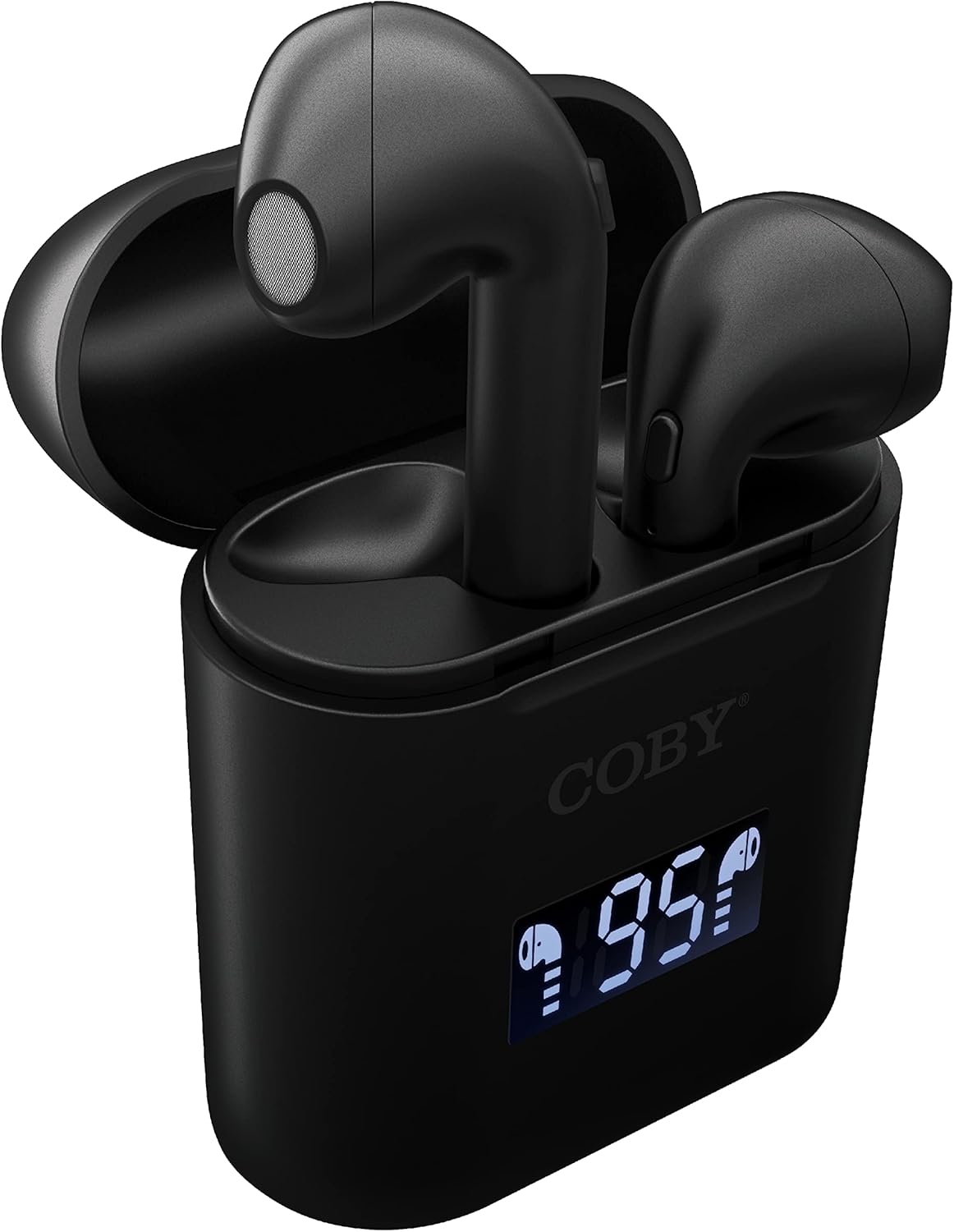
Imatge: Un primer pla view of the Coby True Wireless Earbuds resting in their open charging case. The case features a digital display showing "95%", indicating the current battery level of the case. The black earbuds are visible, with their microphones facing upwards.
2. Vinculació amb un dispositiu Bluetooth
- Assegureu-vos que els auriculars estiguin carregats i dins de l'estoig de càrrega.
- Obre l'estoig de càrrega. Els auriculars s'encendran automàticament i entraran en mode d'emparellament.
- Al dispositiu (telèfon intel·ligent, tauleta, etc.), activeu el Bluetooth.
- Cerca "CETW535" or "Coby Earbuds" in the list of available Bluetooth devices.
- Select the device name to connect. Once connected, you will hear a confirmation tone.
- The earbuds will automatically re-pair with the last connected device when removed from the case, if Bluetooth is enabled on the device.
3. Col·locació dels auriculars
Gently insert each earbud into the corresponding ear (L for left, R for right). Adjust them slightly until they feel secure and comfortable. A proper fit ensures optimal sound quality and comfort.

Image: A woman is shown smiling while wearing a black Coby True Wireless Earbud in her right ear, demonstrating a comfortable and secure fit.
Instruccions de funcionament
Encès/Apagat
- Encès: Open the charging case, or press and hold the touch control area on each earbud for 3 seconds.
- Apagar: Place the earbuds back into the charging case and close the lid, or press and hold the touch control area on each earbud for 5 seconds.
Controls de música
The earbuds feature touch-sensitive controls for easy management of your audio playback.
- Reproduir/pausa: Toqueu qualsevol dels auriculars una vegada.
- Pista següent: Fes doble toc a l'auricular dret.
- Pista anterior: Fes doble toc a l'auricular esquerre.
- Pujar el volum: Toca tres vegades l'auricular dret.
- Baixar el volum: Toca tres vegades l'auricular esquerre.

Image: A man is shown wearing a Coby True Wireless Earbud in his right ear, taking a drink from a water bottle, illustrating the earbuds' use during active moments.
Controls de trucades
Manage your calls effortlessly with the built-in microphone and touch controls.
- Respondre/Finalitzar la trucada: Toqueu qualsevol dels auriculars una vegada.
- Rebutja la trucada: Manteniu premut qualsevol dels auriculars durant 2 segons.

Image: A man is depicted wearing a Coby True Wireless Earbud in his left ear while concentrating on a laptop screen, highlighting the earbuds' suitability for work or study environments.
Activació de l'Assistent de veu
Activate your device's voice assistant (Siri or Google Assistant) for hands-free commands.
- Activa l'Assistent de veu: Press and hold either earbud for 3 seconds (after powering on, before powering off gesture).
Intelligent Digital Battery Display
The charging case features a digital display that shows the remaining battery percentage of the case and individual charging status of the earbuds.
- The large number indicates the charging case's battery percentage.
- Small icons next to the percentage indicate the charging status of the left and right earbuds.

Image: The Coby True Wireless Earbuds are shown in their open charging case, with the digital display indicating "95%" battery life for the case. The black earbuds are visible, ready for use or charging.
Manteniment
- Neteja: Feu servir un drap suau, sec i sense borrissol per netejar els auriculars i l'estoig de càrrega. No utilitzeu productes químics agressius ni materials abrasius.
- Emmagatzematge: Quan no els utilitzeu, guardeu els auriculars a la seva funda de càrrega per protegir-los i mantenir-los carregats. Guardeu-los en un lloc fresc i sec, allunyat de temperatures extremes.
- Càrrega: To prolong battery life, avoid fully discharging the battery frequently. Charge the case and earbuds regularly, even if not in constant use.
Resolució de problemes
| Problema | Possible solució |
|---|---|
| Els auriculars no s'emparellan amb el dispositiu. |
|
| Només un auricular està reproduint so. |
|
| L'estoig de càrrega no es carrega. |
|
| Mala qualitat de so o desconnexions. |
|
Especificacions
| Característica | Detall |
|---|---|
| Marca | Coby |
| Nom del model | Auriculars sense fil reals |
| Número de model | CETW535 |
| Tecnologia de connectivitat | Bluetooth 5.3 |
| Color | Negre |
| Temps de reproducció de l'auricular | Fins a 6.5 hores (amb una càrrega completa) |
| Temps de reproducció total (amb estoig) | Fins a 22 hores |
| Micròfon | Integrat |
| Assistència de veu | Siri, Assistent de Google |
| Dimensions (L x A x A) | 0.99 x 1.85 x 2.44 polzades (estoig de càrrega) |
| Pes de l'article | 6.1 unces |
| UPC | 643620020982 |
| Fabricant | Summit Electronics, LLC |
Garantia i Suport
Specific warranty information for the Coby True Wireless Earbuds (Model CETW535) is not provided within this manual. For details regarding warranty coverage, terms, and conditions, please refer to the warranty card included with your product packaging or visit the official Coby weblloc.
For technical support or further assistance, please contact Coby customer service through the contact information provided on their official weblloc o embalatge del producte.


