Introducció
This user manual provides comprehensive instructions for the Sifely Wireless Key Fob (Model: Sifely R). This key fob is designed to offer a convenient and contactless method for unlocking Sifely Smart Locks from a distance of up to 30 feet. It integrates seamlessly with your existing Sifely Smart Lock system via the "Sifely Smart Lock" application.
Si us plau, llegiu atentament aquest manual abans d'utilitzar el dispositiu per garantir-ne el funcionament correcte i maximitzar-ne la vida útil.
Contingut del paquet
- 1 x Sifely Wireless Key Fob (Model: Sifely R)
- 1 x bateria de metall de liti (preinstal·lada)
- 1 x Guia d'inici ràpid (consulteu aquest manual per obtenir instruccions detallades)
Producte acabatview

Imatge: Frontal view of the Sifely Wireless Key Fob, showing the lock and unlock buttons.
The Sifely Wireless Key Fob features two primary buttons: one for locking and one for unlocking your Sifely Smart Lock. It is compact and designed for easy portability, often attached to a keychain.
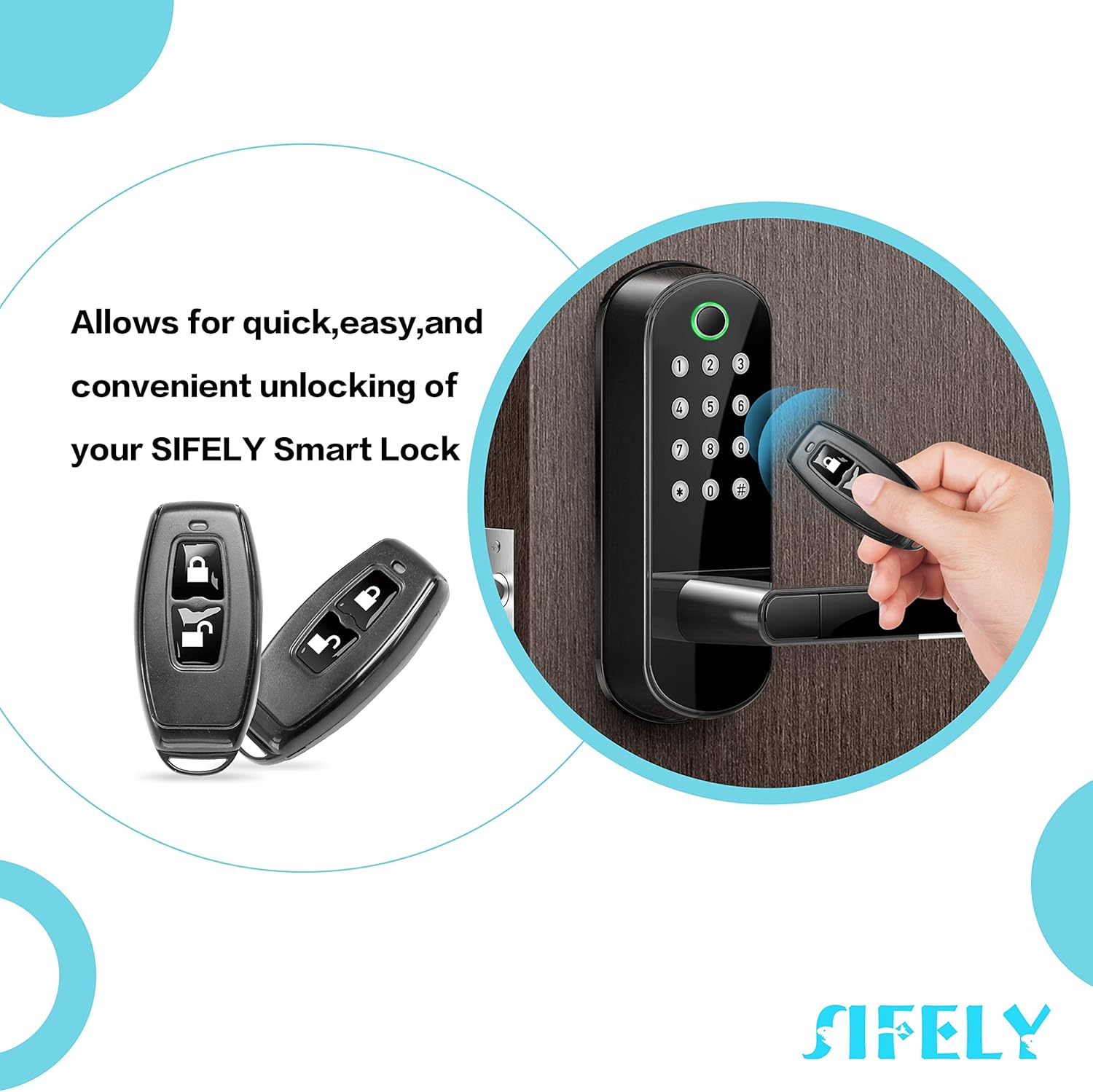
Image: Illustration of the Sifely Wireless Key Fob being used to unlock a Sifely Smart Lock, demonstrating its quick and convenient functionality.
This image illustrates the key fob's primary function: providing quick, easy, and convenient unlocking of your Sifely Smart Lock without needing to use the app or keypad directly at the door.
Configuració
- Download the Sifely Smart Lock App: Ensure you have the "Sifely Smart Lock" application installed on your smartphone. This app is available for both iOS and Android devices.
- Ensure Bluetooth is Enabled: On your smartphone, enable Bluetooth to allow the app to communicate with your Sifely Smart Lock and the key fob.
- Add the Key Fob in the App:
- Open the Sifely Smart Lock app.
- Navigate to the specific Sifely Smart Lock you wish to pair the key fob with.
- Look for an option such as "Add Remote" or "Add Key Fob" within the lock's settings. (Note: If this option is not present, your lock may require a Sifely Gateway for remote functionality. Refer to your lock's manual or Sifely support for details.)
- Follow the on-screen prompts to complete the pairing process. This typically involves pressing a button on the key fob when instructed by the app.
- Funcionalitat de prova: After successful pairing, test the key fob by pressing the lock and unlock buttons to ensure it controls your Sifely Smart Lock as expected.
Instruccions de funcionament
The Sifely Wireless Key Fob provides simple, one-touch control over your Sifely Smart Lock.
- Desbloqueig de la porta:
Premeu el botó Desbloqueja button (typically indicated by an open padlock icon) once. The Sifely Smart Lock will disengage, allowing you to open the door. Ensure you are within the effective range (up to 30 feet) of the lock.
- Tancament de la porta:
Premeu el botó Bloqueig button (typically indicated by a closed padlock icon) once. The Sifely Smart Lock will engage, securing the door. This is useful for locking the door as you leave or if you forgot to lock it after entering.
For optimal performance, ensure there are no significant obstructions between the key fob and the smart lock.
Manteniment
- Neteja: Wipe the key fob with a soft, dry cloth. Avoid using abrasive cleaners or solvents, as these can damage the surface.
- Substitució de la bateria: The key fob uses a Lithium Metal battery. When the battery is low, you may notice a decrease in range or responsiveness. Refer to the "Specifications" section for battery type. To replace, carefully open the key fob casing (often by prying gently along the seam with a small, flat tool) and replace the battery, ensuring correct polarity.
- Emmagatzematge: Store the key fob in a dry place, away from extreme temperatures and direct sunlight.
- Durabilitat física: While designed for daily use, avoid excessive force or impact, as the plastic housing can be fragile, particularly the key ring attachment point.
Resolució de problemes
| Problema | Causa possible | Solució |
|---|---|---|
| Key fob does not respond. | La bateria està morta o baixa. | Substituïu la bateria. |
| Key fob out of range. | Move closer to the Sifely Smart Lock. | |
| No s'ha emparellat correctament. | Re-pair the key fob using the Sifely Smart Lock app. | |
| Key fob works intermittently. | Bateria feble. | Substituïu la bateria. |
| Interferències d'altres dispositius. | Ensure no strong wireless signals are interfering. Try using the fob in a different location relative to the lock. | |
| "Add Remote" option not available in app. | Sifely Gateway required for remote functionality with your specific lock model. | Check your Sifely Smart Lock's manual or contact Sifely support to confirm if a Gateway is needed for key fob integration. |
Especificacions
- Nom del model: Sifely R Model
- Número de peça: Sifely R
- UPC: 767501154570
- Marca: Sifely
- Pes de l'article: 0.317 unces
- Dimensions del paquet: 3.27 x 2.2 x 0.55 polzades
- Material: ABS Plastic or TPU
- Color: Negre
- Nombre de botons: 2 (Lock and Unlock)
- Tipus de bateria: 1 bateria de metall de liti (inclosa)
- Connectivitat: Sense fil (Bluetooth)
- Interval de funcionament: Fins a 30 peus (aproximadament 9 metres)
Garantia i Suport
Sifely offers the following for your Wireless Key Fob:
- Garantia de devolució de 30 dies: Si no esteu satisfets amb la vostra compra, podeu retornar-la en un termini de 30 dies per obtenir un reemborsament complet.
- 1 anys de garantia del producte: The key fob is covered by a 1-year warranty from the date of purchase against manufacturing defects.
- Suport al client de per vida: Sifely provides lifetime customer support for the product.
For warranty claims, technical assistance, or any inquiries, please contact Sifely Customer Support through the "Sifely Smart Lock" app or visit the official Sifely weblloc per obtenir informació de contacte.
Note: The key ring attachment point on the key fob is made of plastic and may be susceptible to breakage under excessive stress. This is generally not covered under warranty if due to physical misuse.


