1. Primers passos
1.1 Unboxing Your Tablet
Carefully remove all items from the packaging. Ensure all components are present before discarding the box.
Vídeo 1: This video demonstrates the unboxing process of the Blackview Tab 6, showing the tablet and included accessories such as the charger, USB cable, and SIM eject pin.
1.2 Contingut del paquet
- Negreview Tauleta de la pestanya 6
- Adaptador d'alimentació
- Cable de càrrega USB
- Pin d'expulsió de la SIM
- Manual d'usuari (aquest document)
1.3 Inserció de la targeta SIM/SD
Locate the SIM/SD card tray on the side of your tablet. Use the provided SIM eject pin to open the tray. Insert your Nano-SIM card(s) and/or microSD card into the designated slots, ensuring correct orientation. Gently push the tray back into the tablet until it clicks into place.
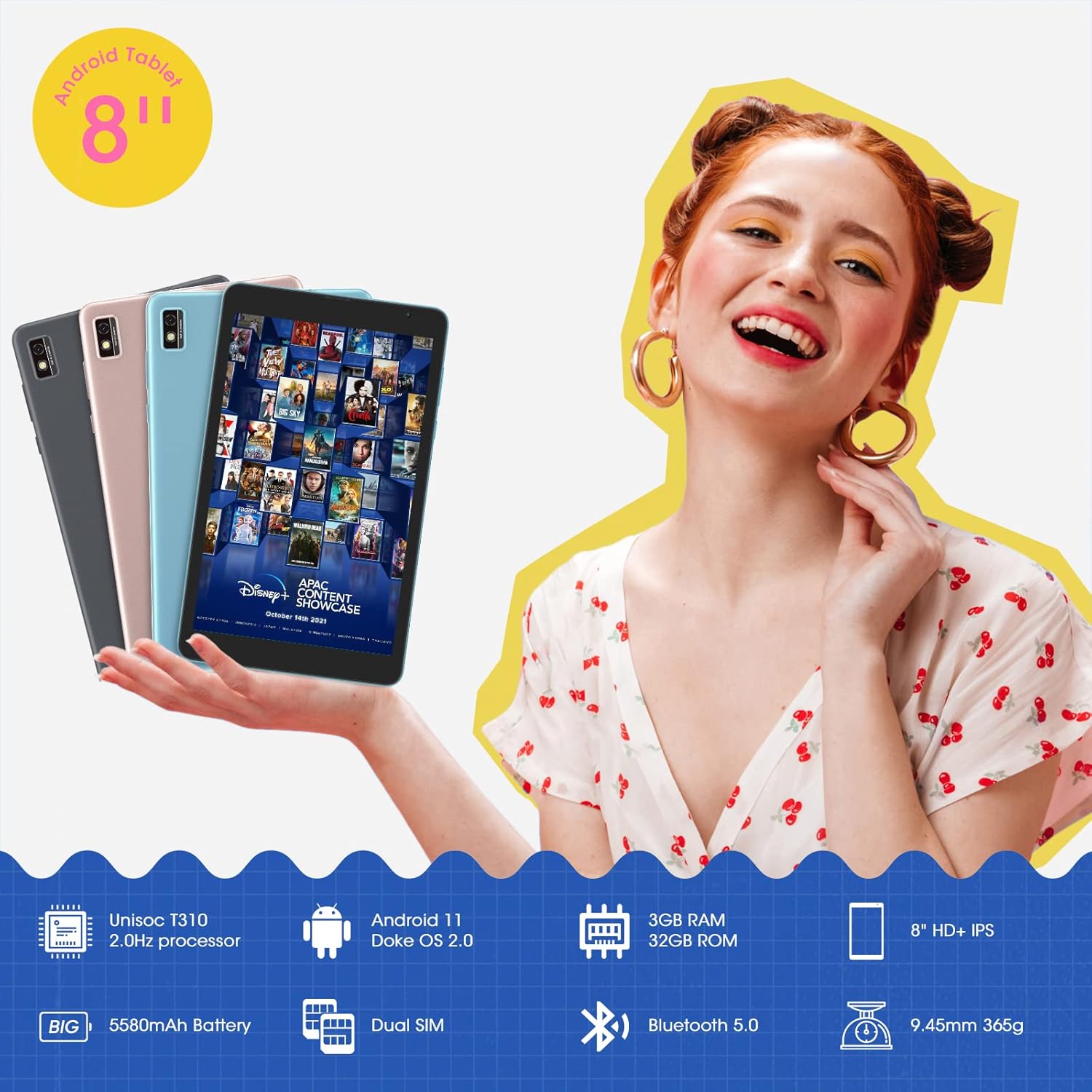
Aquesta imatge mostra el Negreview Tab 6 with its dual SIM slots, highlighting its connectivity features and key specifications like the 5580mAh battery and 8-inch HD+ IPS display.
1.4 Càrrega inicial i engegada
Before first use, fully charge your tablet using the provided power adapter and USB cable. Connect the USB cable to the tablet's charging port and the adapter to a power outlet. The battery indicator on the screen will show charging status. Once charged, press and hold the power button on the side of the tablet until the Blackview logo appears to power it on.
2. Com utilitzar la tauleta
2.1 Navegació bàsica
El Negreview Tab 6 runs on Android 11 with Doke OS 2.0, offering an intuitive user experience. Use touch gestures for navigation:
- Toca: Selecciona un element o obre una aplicació.
- Llisca: Scroll through screens, lists, or pages.
- Pessiga per fer zoom: Apropa o allunya les fotos i web pàgines.
- Premsa llarga: Accediu als menús contextuals o moveu les icones de les aplicacions.

This image illustrates the user interface of the Blackview Tab 6, showcasing the Android 11 operating system with Doke OS 2.0 features like gesture control and dark theme.
2.2 Modes de visualització
The tablet offers various display modes to optimize your viewExperiència:
- Ebook Mode: Adjusts the screen for comfortable reading, reducing eye strain.
- Mode normal: Standard display settings for general use.
- Mode de confort ocular: Filters blue light to protect your eyes, especially in low-light conditions.

This image displays the various screen modes available on the Blackview Tab 6, including Ebook Mode, Normal Mode, and Eye Comfort Mode, designed for different viewpreferències.
2.3 Connectivitat
The Tab 6 supports a range of connectivity options:
- Wi-Fi: Supports 2.4G and 5G dual-band Wi-Fi for fast internet access.
- Bluetooth 5.0: Per connectar accessoris sense fil com ara auriculars i altaveus.
- Xarxa global 4G: Allows for mobile data and call functionality (where supported by your SIM card and carrier).

This image highlights the Blackview Tab 6's connectivity features, including 4G Global Network and 5G Wi-Fi support, emphasizing its versatility as a multi-functional device.
2.4 Navegació GPS
The Tab 6 is equipped with a high-precision quad navigation system (GPS, GLONASS, Beidou, Galileo) for accurate location tracking and route planning. The large 8-inch screen and automatic brightness adjustment ensure clear readability of navigation information in various conditions.

Aquesta imatge mostra el Negreview Tab 6 displaying a navigation map, illustrating its use for route guidance and location services.
Vídeo 2: This video demonstrates various uses of the Blackview Tab 6, including gaming, note-taking, and GPS navigation, showcasing its performance and display quality.
3. Manteniment
3.1 Cura de la bateria
The tablet is equipped with a 5580mAh battery, providing up to 8 hours of average use. To prolong battery life:
- Eviteu temperatures extremes.
- No deixeu que la bateria es descarregui completament regularment.
- Feu servir el carregador i el cable originals per a una càrrega òptima.
- Tanca les aplicacions no utilitzades que s'executen en segon pla.

This image highlights the 5580mAh battery of the Blackview Tab 6, indicating its long standby time and estimated usage durations for talking, music, and video playback.
3.2 Gestió d'emmagatzematge
The tablet comes with 32GB of internal storage and supports expansion up to 128GB via a microSD card. Regularly manage your storage by:
- Eliminació innecessària files i aplicacions.
- Moviment gran files a una targeta microSD.
- Ús de serveis d'emmagatzematge al núvol.

This image illustrates the storage capabilities of the Blackview Tab 6, showing its 3GB RAM, 32GB ROM, and support for up to 128GB storage expansion, alongside various application icons.
3.3 Neteja de la tauleta
Feu servir un drap suau i sense borrissol per netejar la pantalla i el cos de la tauleta. Eviteu utilitzar productes químics agressius o materials abrasius que puguin danyar la superfície.
4. Solució De Problemes
4.1 Problemes comuns i solucions
- La tauleta no s'encén: Assegureu-vos que la bateria estigui carregada. Connecteu-la al carregador i torneu-ho a provar.
- Rendiment lent: Close unused apps, clear cache, or restart the tablet.
- Problemes de connectivitat Wi-Fi: Restart your router and tablet. Forget and reconnect to the Wi-Fi network.
- Problemes de càrrega: Ensure the charging cable and adapter are securely connected and undamaged. Try a different compatible charger if available.
4.2 Restabliment de fàbrica
Si teniu problemes de programari persistents, un restabliment de fàbrica els pot resoldre. Avís: Això esborrarà totes les dades de la tauleta. Fes una còpia de seguretat de les dades importants abans de continuar.
- Vés a Configuració.
- Seleccioneu Sistema > Restablir opcions.
- Tria Esborra totes les dades (restabliment de fàbrica).
- Confirmeu la vostra elecció i seguiu les instruccions que apareixen a la pantalla.
5. Especificacions
| Característica | Especificació |
|---|---|
| Mida de la pantalla | 8 polzades |
| Resolució de pantalla | 1280 x 800 HD IPS |
| Processador | 2.0GHz Quad-Core (Unisoc T310) |
| RAM | 3 GB |
| Emmagatzematge intern | 32 GB |
| Emmagatzematge ampliable | Fins a 128 GB (microSD) |
| Sistema operatiu | Android 11 (Doke OS 2.0) |
| Capacitat de la bateria | 5580 mAh |
| Càmera posterior | 5 MP |
| Connectivitat | 2.4G+5G Dual WiFi, Bluetooth 5.0, 4G LTE |
| Dimensions (LxWxH) | 8 x 4.5 x 0.4 polzades |
| Pes de l'article | 1.42 lliures (aprox. 644 g) |
6. Informació de la garantia
Your Blackview Tab 6 tablet comes with a standard manufacturer's warranty. Please refer to the warranty card included in your product packaging for specific terms, conditions, and duration. Keep your proof of purchase for warranty claims.
7. Suport
For technical assistance, troubleshooting, or further inquiries, please visit the official Blackview suport website or contact their customer service. Contact details can typically be found on the Blackview website or in the warranty information provided with your device.


