1. Introducció
Thank you for choosing the Honeywell Moxie V2000 Wireless Bluetooth Soundbar. This soundbar is designed to provide a premium audio experience with its 10W output, 5.0 stereo sound, and deep bass. Featuring Bluetooth V5.0 connectivity, multiple play modes, and a long-lasting battery, it is ideal for enhancing your music, gaming, and movie experiences. Please read this manual carefully before using the product to ensure proper operation and to maximize its lifespan.
2. Què hi ha a la caixa
En desempaquetar, assegureu-vos que hi hagi tots els elements següents:
- Honeywell Moxie V2000 Soundbar x1
- Cable de càrrega x1
- 3.5mm Aux Cable x1
- Manual d'usuari x1
- Targeta de garantia x1
3. Producte acabatview
The Honeywell Moxie V2000 Soundbar combines sleek design with powerful audio performance, offering versatile connectivity and user-friendly controls.
Característiques principals:
- Premium 5.0 Channel Stereo Sound: Equipped with 52mm x 2 powerful drivers for immersive audio.
- Sortida de 10 watts: Delivers dynamic sound.
- Bluetooth V5.0: Seamless wireless connectivity within a 10-meter range.
- Temps de joc llarg: Up to 15 hours of non-stop music on a single charge.
- True Wireless Stereo (TWS): Pair two soundbars for an enhanced stereo experience.
- Múltiples modes de joc: Supports Bluetooth, SD Card, 3.5mm AUX, and USB.
- Pantalla LED digital: Provides clear status indication.
- Compacte i lleuger: Easy to carry with a length of 41cm and weight of 680g.

Figura 3.1: Frontal view of the Honeywell Moxie V2000 Soundbar, showcasing el seu disseny elegant.

Figure 3.2: The soundbar delivering premium stereo sound with 10W output.

Figure 3.3: Illustration of the soundbar's impressive 15-hour playtime after only 3 hours of charging.
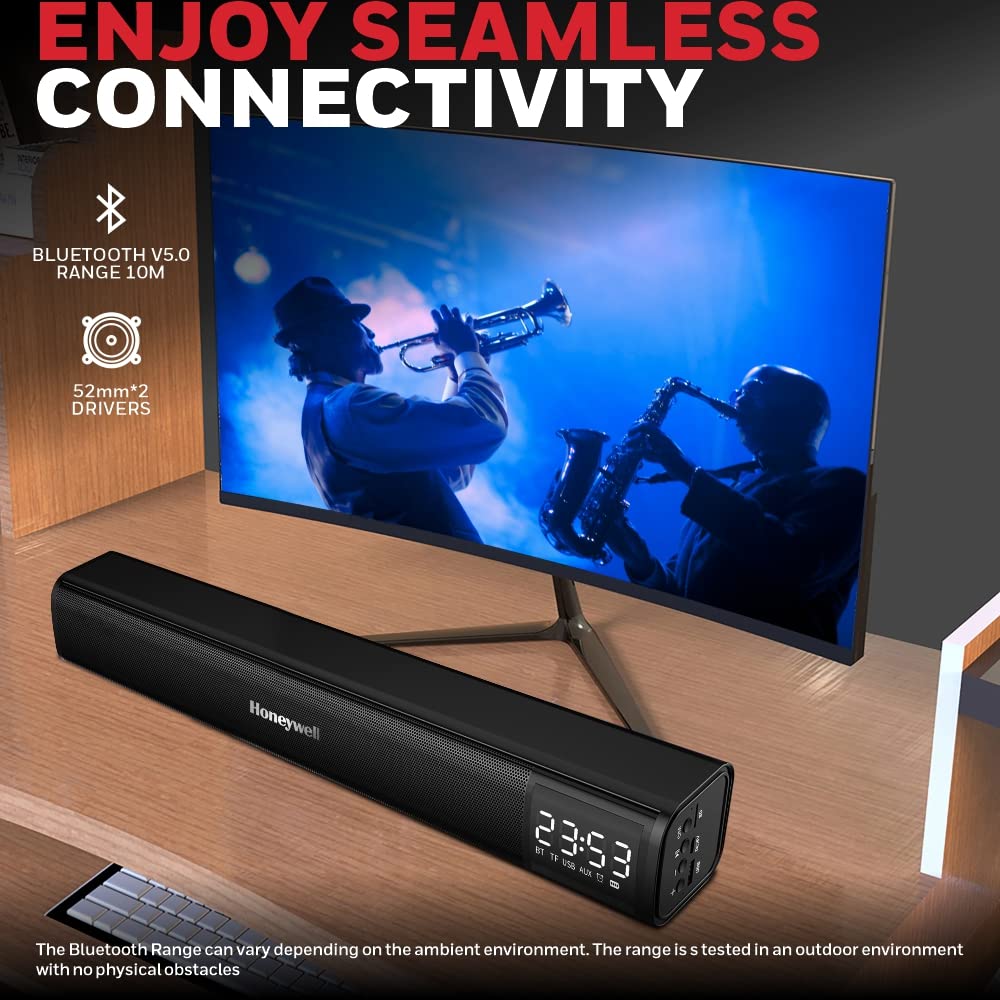
Figure 3.4: The soundbar highlighting seamless Bluetooth V5.0 connectivity and powerful 52mm drivers.

Figure 3.5: Two soundbars connected in Dual Speaker Pairing Mode (TWS) for expanded audio.

Figure 3.6: Dimensions of the Honeywell Moxie V2000 Soundbar (41cm x 6.2cm x 6.1cm).
4. Controls i ports
The soundbar features intuitive controls and versatile connectivity ports:
- Pantalla LED digital: Shows current mode, time, and other status indicators.
- Volume/Media Controls: Buttons for adjusting volume, playing/pausing, and skipping tracks.
- Botó de mode (M): Switches between Bluetooth, SD Card, AUX, and USB modes.
- Entrada USB: Per reproduir àudio des de unitats USB.
- DC/5V Input: Charging port for the soundbar.
- Ranura per a targeta SD: For playing audio from SD memory cards.
- Entrada AUX de 3.5 mm: Per a la connexió per cable a dispositius d'àudio.

Figura 4.1: Detallada view of the soundbar's control panel and various input ports including USB, DC/5V, and SD card slot.
5. Configuració i emparellament
5.1. Emparellament Bluetooth
- Power on the soundbar by pressing and holding the power button. The LED display will show 'BT' and a blinking indicator, signifying it's in Bluetooth pairing mode.
- Al dispositiu (telèfon intel·ligent, tauleta, ordinador), activeu el Bluetooth i cerqueu els dispositius disponibles.
- Select 'Honeywell Moxie V2000' from the list of devices.
- Once connected, the soundbar will emit an audible confirmation, and the 'BT' indicator on the LED display will stop blinking.
5.2. Emparellatge estèreo sense fil veritable (TWS)
To pair two Honeywell Moxie V2000 soundbars for a true stereo experience:
- Assegureu-vos que les dues barres de so estiguin enceses i en mode Bluetooth, però no connectades a cap dispositiu.
- On one of the soundbars, double-press the 'M' (Mode) button. It will search for another soundbar.
- The two soundbars will automatically connect to each other. An audible prompt will confirm successful TWS pairing.
- Now, connect your device to one of the paired soundbars via Bluetooth as described in Section 5.1. Audio will play through both soundbars in stereo.
6. Modes de funcionament
Press the 'M' (Mode) button to cycle through the available input modes:
- Mode Bluetooth: For wireless audio streaming from Bluetooth-enabled devices.
- SD Card Mode: Insert an SD card into the SD card slot. The soundbar will automatically detect and play audio files.
- Mode AUX: Connect your audio device using the provided 3.5mm AUX cable to the AUX input port.
- Mode USB: Insert a USB drive into the USB input port. The soundbar will automatically detect and play audio files.
7. Càrrega de la barra de so
The soundbar is equipped with a 1200mAh Li-ion battery, offering extended playtime.
- Connect the provided charging cable to the DC/5V input port on the soundbar and the other end to a USB power adapter (not included).
- The charging indicator on the LED display will show charging status.
- A full charge takes approximately 3 hours and provides up to 15 hours of playtime, depending on volume and usage.
8. Manteniment
To ensure the longevity and optimal performance of your soundbar:
- Mantingueu la barra de so allunyada de l'aigua, la humitat i les temperatures extremes.
- Netegeu la superfície amb un drap suau i sec. No utilitzeu netejadors abrasius ni dissolvents.
- Avoid dropping or subjecting the soundbar to strong impacts.
- When not in use for extended periods, charge the battery at least once every three months to maintain battery health.
9. Solució De Problemes
If you encounter any issues with your soundbar, please refer to the following common problems and solutions:
| Problema | Causa possible | Solució |
|---|---|---|
| La barra de so no s'encén | Bateria baixa; el botó d'engegada no s'ha premut correctament | Charge the soundbar fully; Press and hold the power button for 3-5 seconds. |
| Sense so | Volum massa baix; Mode incorrecte seleccionat; Dispositiu no connectat | Increase volume on soundbar and connected device; Ensure correct input mode (BT, AUX, SD, USB); Re-pair Bluetooth device. |
| L'aparellament de Bluetooth falla | La barra de so no està en mode d'emparellament; Dispositiu massa lluny; Interferència | Ensure soundbar is in BT pairing mode (blinking 'BT'); Move device closer (within 10m); Turn off other Bluetooth devices. |
| L'aparellament de TWS falla | Soundbars already connected to a device; Too far apart | Disconnect both soundbars from any devices; Ensure both are in BT mode; Place soundbars close to each other before initiating TWS pairing. |
10. Especificacions
| Característica | Detall |
|---|---|
| Nom del model | Moxie V500 (Note: Product title refers to V2000, model name in specs is V500. Please verify with product packaging.) |
| Tipus d'altaveu | Barra de so |
| Potència de sortida | 10 watts |
| Mode de sortida d'àudio | estèreo |
| Mida del controlador d'àudio | 52 Millimetres (x2) |
| Tecnologia sense fils | Bluetooth V5.0 |
| Interval Bluetooth | 10 metres |
| Tipus de bateria | Ió de liti |
| Capacitat de la bateria | 1200 mAh |
| Durada mitjana de la bateria | 15 Hours (Playtime), 3 Hours (Charging) |
| Mètode de control | Toca |
| Dimensions del producte | 6.2P x 41A x 6.1H centímetres |
| Pes de l'article | 680 grams |
| Opcions de connectivitat | Bluetooth, SD Card, 3.5mm AUX, USB |
11. Garantia i Suport
The Honeywell Moxie V2000 Soundbar comes with a 1 anys de garantia des de la data de compra. Conserveu el rebut de compra i la targeta de garantia per a qualsevol reclamació de garantia.
For technical support or service inquiries, please refer to the contact information provided on your warranty card or visit the official Honeywell support weblloc.
12. Vídeo del producteview
Vídeo 12.1: Un breu resumview of the Honeywell Moxie V2000 Wireless Bluetooth Soundbar, highlighting its key features and design.