Introducció
The Cellularline Wink earbuds are small, lightweight, and stable in-ear Bluetooth headphones. They offer a total talk/play time of 25 hours with the included charging case, which can recharge the earbuds up to 4 times. Touch controls allow for direct management of calls, volume, and music tracks from the earbuds.

Image: Cellularline Wink earbuds and their charging case. The earbuds are black and sit securely in the open charging case, which also features the Cellularline logo.
Configuració
1. Càrrega dels auriculars i l'estoig
Before first use, fully charge the earbuds and the charging case. Connect the provided charging cable to the charging case and a compatible USB power source. The charging time for the earbuds is approximately 1.5 hours. The charging case can provide up to 4 full recharges for the earbuds, extending the total play time to 25 hours.

Image: The Cellularline Wink earbuds are shown inside their charging case. Text overlays indicate "5H single charge" and "25H TOTAL PLAY TIME", highlighting the battery life.
2. Vinculació amb un dispositiu
- Assegureu-vos que els dos auriculars estiguin carregats.
- Obre l'estoig de càrrega. Els auriculars entraran automàticament en mode d'emparellament.
- Al teu telèfon intel·ligent, tauleta o portàtil, navega fins a la configuració de Bluetooth.
- Activa el Bluetooth i cerca els dispositius disponibles.
- Select "Cellularline Wink" (or similar name) from the list of devices to pair.
- Un cop emparellats, els auriculars estan llestos per al seu ús.

Image: Two Cellularline Wink earbuds and their charging case are placed next to a smartphone displaying a music player interface. Bluetooth symbols indicate a successful wireless connection, illustrating the "Super Fast Pairing" feature.
Funcionament dels auriculars
Controls tàctils
The Cellularline Wink earbuds feature intuitive touch controls for managing various functions:
- Reproduir/pausa: Toqueu una vegada a qualsevol dels auriculars.
- Pista següent: Fes doble toc a l'auricular dret.
- Pista anterior: Fes doble toc a l'auricular esquerre.
- Respondre/Finalitzar la trucada: Toqueu una vegada a qualsevol dels auriculars.
- Rebutja la trucada: Manteniu premut qualsevol dels auriculars durant 2 segons.
- Control de volum: Specific gestures for volume control may vary. Refer to the full product manual for detailed instructions if available.
Mode Mono
You can use a single earbud independently. Simply take one earbud out of the case, and it will connect to your device. The other earbud can remain in the charging case or be turned off.
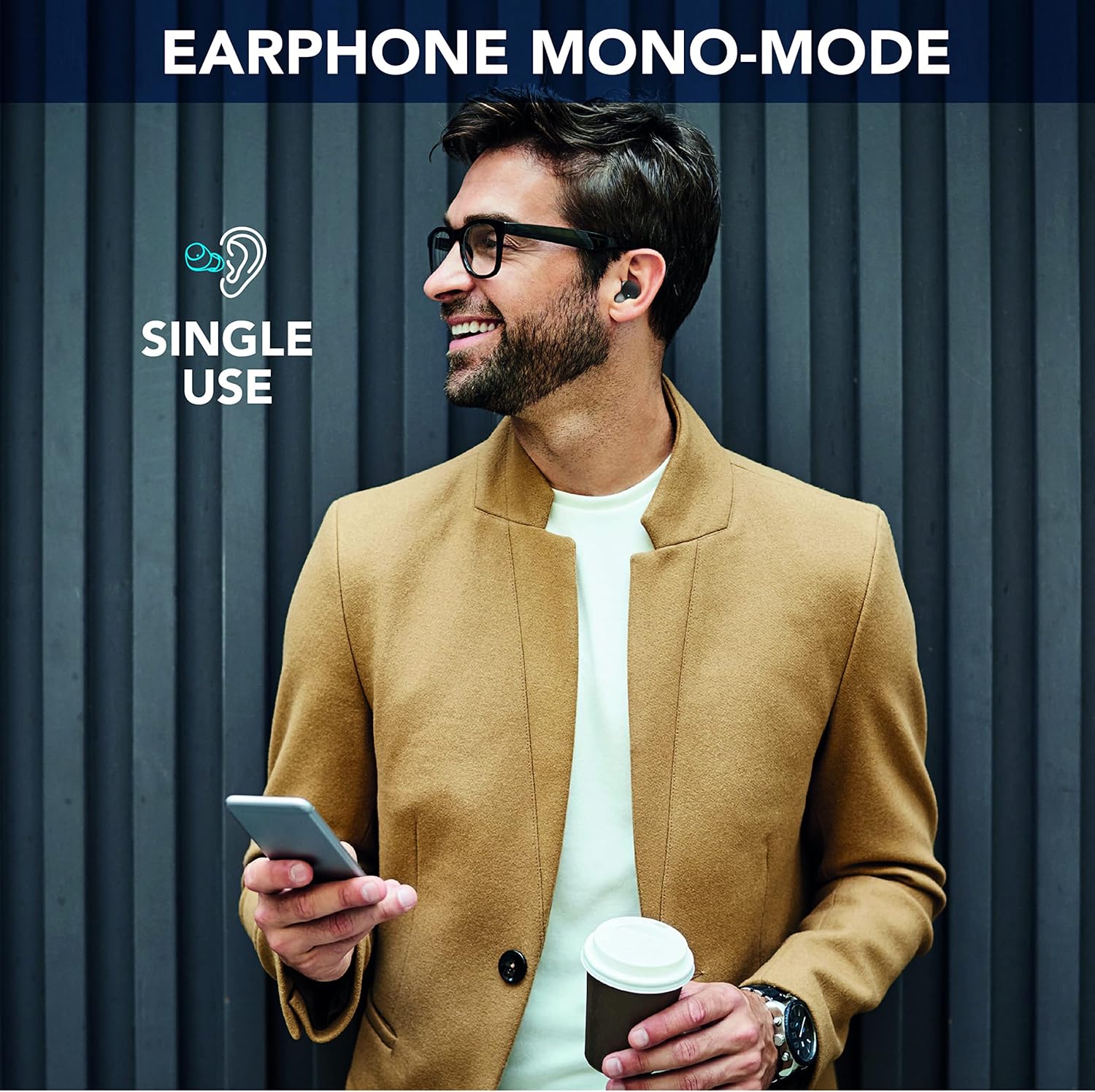
Image: A man is shown wearing a single Cellularline Wink earbud while holding a smartphone, demonstrating the "Earphone Mono-Mode" for single-ear use.
Ergonomic Fit and Compact Size
The earbuds are designed for a comfortable and secure fit, making them suitable for extended wear. Their compact size allows for easy portability in pockets or small bags.

Image: A woman is shown wearing a Cellularline Wink earbud, highlighting its "Perfect Ergonomic Fit" for comfort and stability.

Image: A hand is placing the Cellularline Wink charging case into a jeans pocket, illustrating its "Compact Size" and portability.
Manteniment
- Neteja: Netegeu regularment els auriculars i l'estoig de càrrega amb un drap suau i sec. Eviteu utilitzar materials abrasius o productes químics agressius.
- Emmagatzematge: Quan no els utilitzeu, guardeu els auriculars a la seva funda de càrrega per protegir-los i mantenir-los carregats.
- Resistència a l'aigua: Aquests auriculars són no impermeableEviteu l'exposició a l'aigua, la pluja o la humitat excessiva per evitar danys.
- Cura de la bateria: Per allargar la durada de la bateria, evita descarregar completament els auriculars i l'estoig de càrrega amb freqüència. Carrega'ls regularment, fins i tot si no els fas servir constantment.
Resolució de problemes
Els auriculars no s'emparellan ni es connecten
- Assegureu-vos que els dos auriculars estiguin completament carregats.
- Make sure Bluetooth is enabled on your device and the earbuds are within range (up to 10 meters).
- Place both earbuds back into the charging case, close the lid, wait a few seconds, then open it again to reset the connection.
- Forget the device ("Cellularline Wink") from your device's Bluetooth settings and attempt to pair again.
- If only one earbud is working, try placing both back in the case, then taking them out simultaneously.
Sense so ni volum baix
- Comprova els nivells de volum tant del dispositiu connectat com dels auriculars.
- Assegureu-vos que els auriculars estiguin correctament col·locats a les orelles.
- Clean any debris from the earbud grilles that might be obstructing sound.
Problemes de càrrega
- Verifiqueu que el cable de càrrega estigui connectat correctament tant a la carcassa com a la font d'alimentació.
- Prova un cable de càrrega o un adaptador de corrent diferent.
- Assegura't que els contactes de càrrega dels auriculars i de l'interior de la funda estiguin nets i lliures de residus.
Especificacions
| Nom del model | BTWINKTWSK |
| Tecnologia de connectivitat | Sense fil (Bluetooth 5.0) |
| Col·locació de l'orella | In-orella |
| Mètode de control | Control tàctil |
| Temps de càrrega | 1.5 hores |
| Temps total de joc | Fins a 25 hores (amb estoig de càrrega) |
| abast sense fils | 10 metres |
| Pes | 40 grams |
| Material | Plàstic |
| Resistència a l'aigua | No impermeable |
| Components inclosos | 1 charging cable, 1 charging case, Wireless charging case |
Informació de la garantia
Specific warranty details for Cellularline products may vary by region and retailer. Please refer to the warranty card included with your product or visit the official Cellularline weblloc per obtenir la informació més precisa i actualitzada.
Actualment no es disposa d'informació sobre la disponibilitat de recanvis per a aquest producte.
Suport
Per a més ajuda, suport tècnic o per a view frequently asked questions, please visit the official Cellularline weblloc:
També podeu contactar amb el distribuïdor on heu comprat el producte per obtenir assistència.


