1. Introducció
This manual provides comprehensive instructions for the setup, operation, and maintenance of your Bisofice Q2 Handheld POS Terminal. This intelligent payment terminal integrates a receipt printer and camera, operating on Android 8.1 OS. It is designed for efficient sales processing, warehouse management, and various small business applications.
Please read this manual thoroughly before using the device to ensure proper functionality and to maximize its lifespan.

Figure 1.1: The Bisofice Q2 is suitable for various applications including warehouse, logistics, retail, restaurant, supermarket, and port terminal environments.
2. Producte acabatview
2.1 Característiques clau
- Integrated 58mm thermal receipt printer for low operating cost and high-speed printing.
- Android 8.1 Operating System for smooth and stable application performance.
- 5.45-inch IPS capacitive touchscreen display.
- Supports 3G communication, WiFi, and Bluetooth 4.0 for versatile connectivity.
- Built-in 5000mAh rechargeable battery for extended working time.
- Optional 1D/2D barcode scanning and NFC module configurations.
- Compact and wireless design for portability.
2.2 Components del dispositiu

Figura 2.1: Frontal view of the Bisofice Q2 Handheld POS Terminal, showing the touchscreen display and a printed receipt emerging from the top.
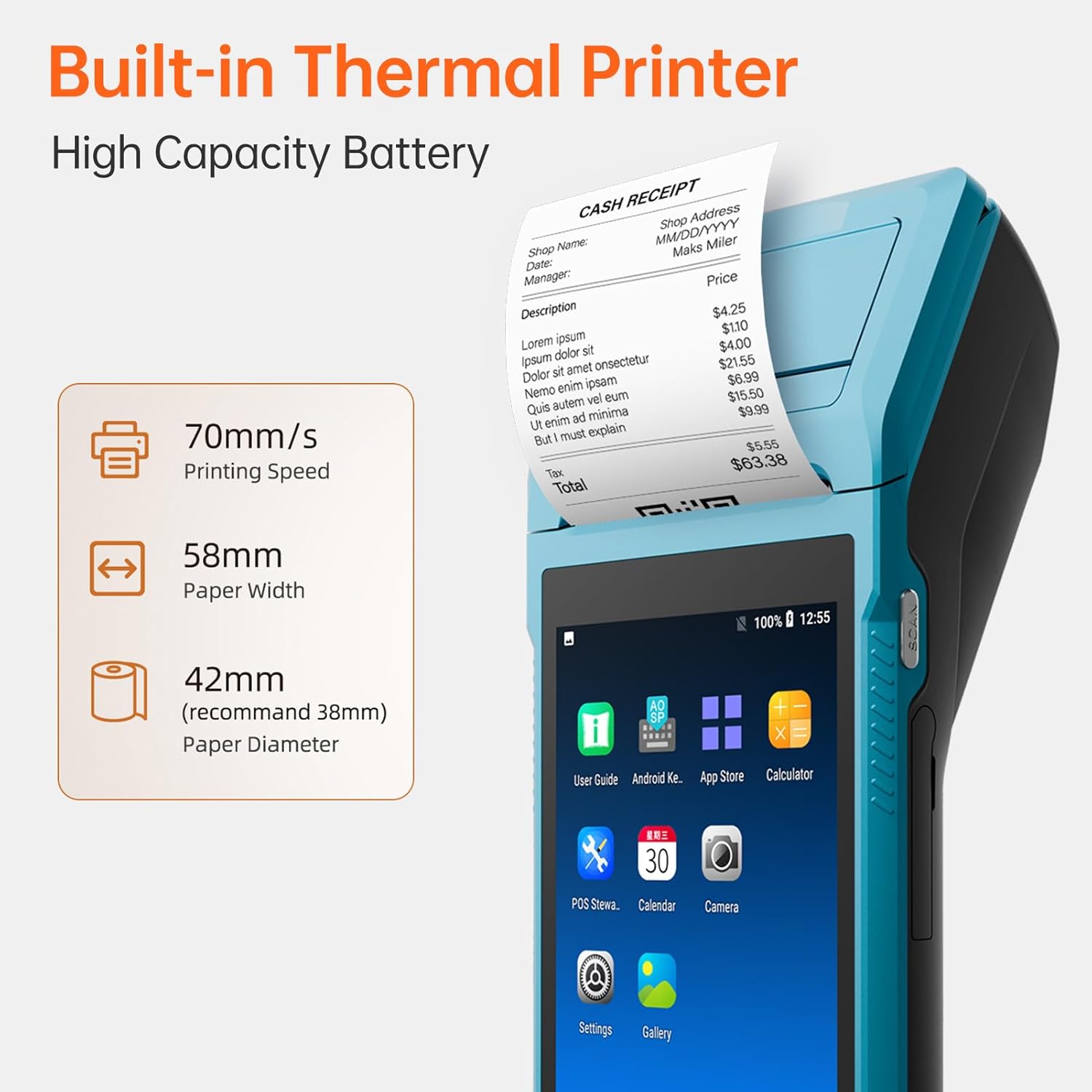
Figura 2.2: Detallada view highlighting the built-in thermal printer with 70mm/s printing speed, 58mm paper width, and 42mm recommended paper diameter.

Figura 2.3: posterior view of the Bisofice Q2, showing the 2-megapixel HD rear camera with fixed-focus and LED flash support.
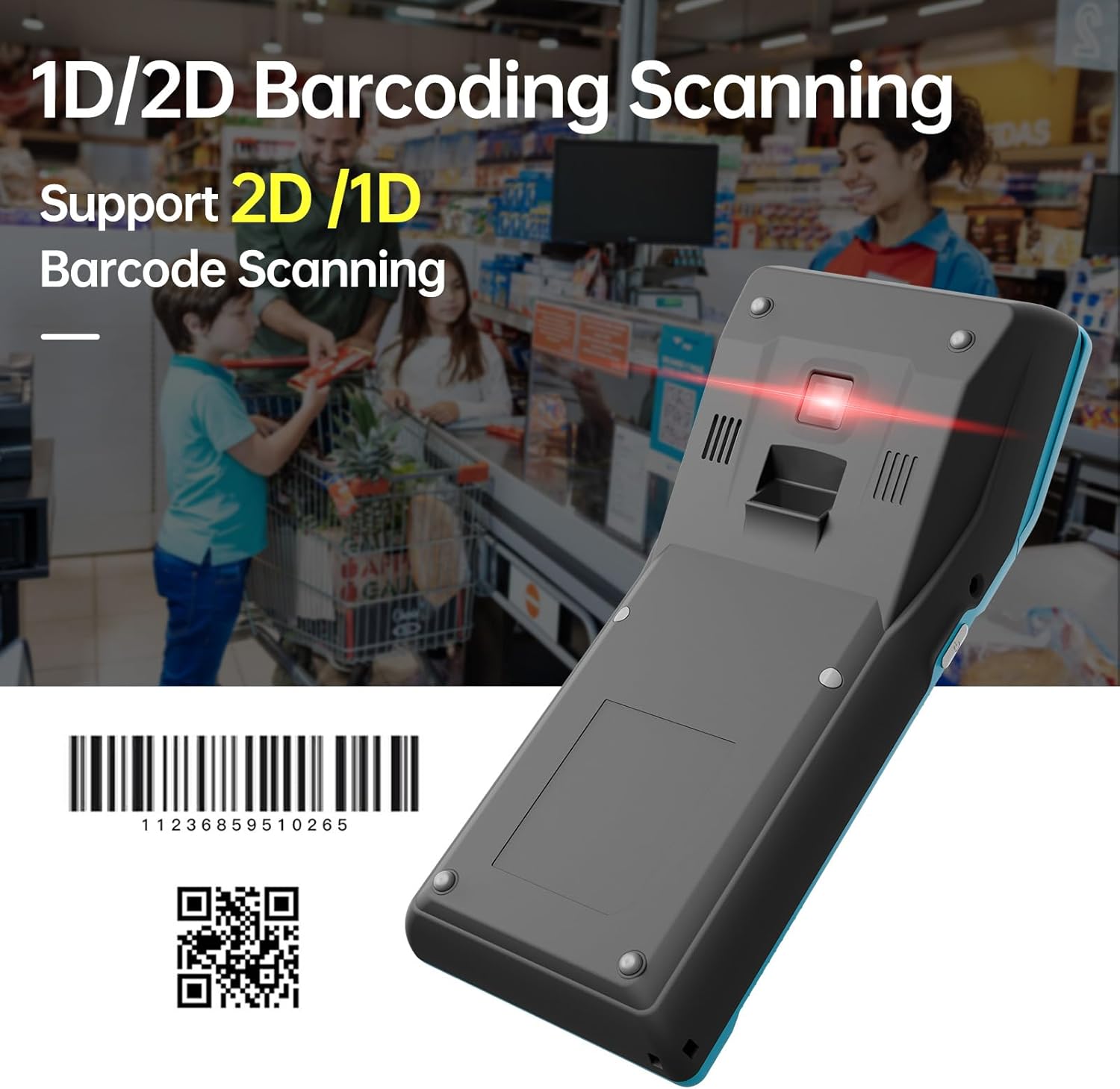
Figura 2.4: Part inferior view of the Bisofice Q2, illustrating its 1D/2D barcoding scanning capability.
3. Configuració
3.1 Desembalatge i inspecció inicial
Carefully unpack all components from the box. Verify that all items listed in the "Package List" section are present and undamaged. If any items are missing or damaged, contact customer support immediately.
3.2 Càrrega de la bateria
- Connect the provided power adapter to the DC Charge interface (12V 1.5A) on the device.
- Connecteu el cable d'alimentació a una presa de corrent adequada.
- Deixeu que el dispositiu es carregui completament abans del primer ús. L'indicador de bateria a la pantalla mostrarà l'estat de càrrega.
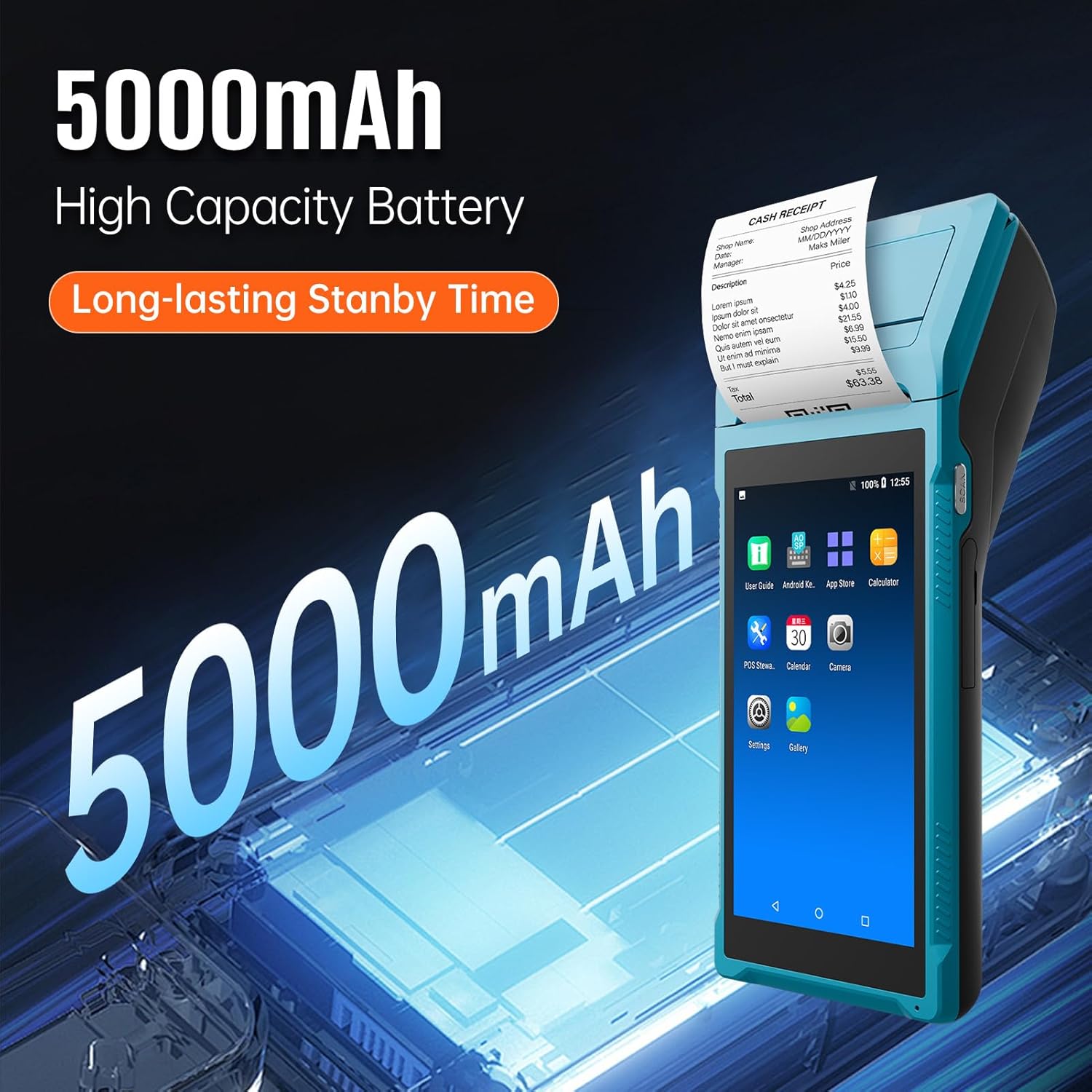
Figure 3.1: The Bisofice Q2 features a 5000mAh high-capacity battery, providing long-lasting standby time.
3.3 Installing the Thermal Paper Roll
- Locate the printer cover release latch, typically on the top or side of the device.
- Obriu la coberta de la impressora.
- Insert a 58mm wide thermal paper roll into the compartment, ensuring the paper feeds out from the top and the leading edge is straight. The recommended paper diameter is 35mm.
- Tanqueu la coberta de la impressora fermament fins que encaixi al seu lloc.
3.4 Engegada/apagada
- Per encendre: Premeu i manteniu premut el botó d'engegada (normalment al lateral) fins que la pantalla s'il·lumini.
- Per apagar: Mantingueu premut el botó d'engegada fins que aparegui el menú d'opcions d'engegada i, a continuació, seleccioneu "Apagar".
3.5 Connexió de xarxa
The device supports WiFi and 3G communication.
- WiFi: Navega a Configuració > Xarxa i Internet > Wi-Fi. Select your desired network and enter the password if prompted.
- 3G Communication: Insert a compatible SIM card into the designated slot (if available on your model configuration). Ensure the SIM card is correctly oriented. The device supports GSM850/900/1800/1900 and WCDMA B1.
4. Instruccions de funcionament
4.1 Navegació bàsica
The Bisofice Q2 operates on Android 8.1. Use the 5.45-inch touchscreen for navigation. Swipe, tap, and use the on-screen navigation buttons (Back, Home, Recent Apps) as you would on any Android device.
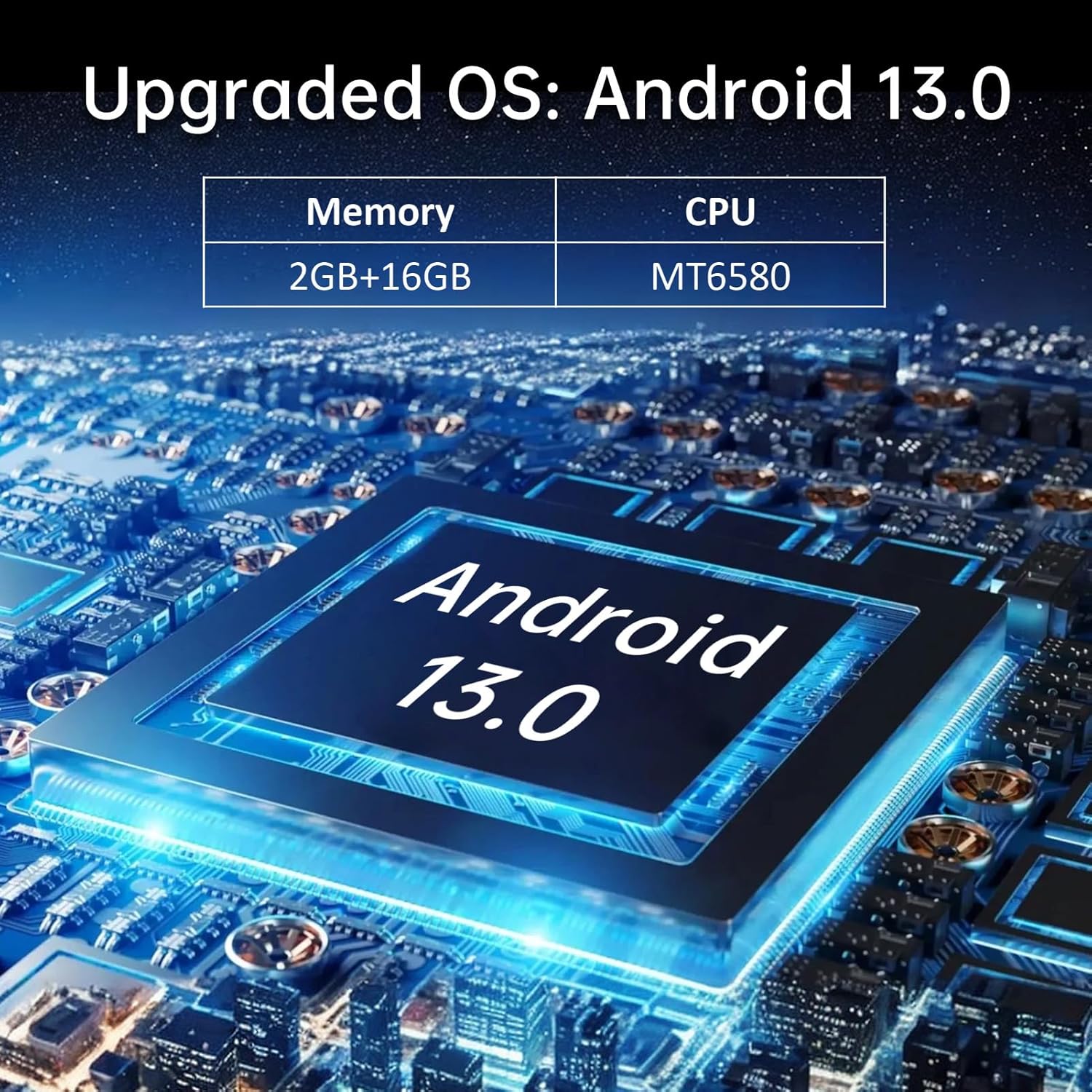
Figure 4.1: The device's interface, showing typical Android application icons for user guide, app store, calculator, POS software, calendar, camera, settings, and gallery.
4.2 Impressió de rebuts
To print a receipt, ensure thermal paper is correctly loaded. Printing functionality is typically integrated within your POS application. Follow the prompts within your specific application to initiate a print job.
- Open your POS application.
- Process a transaction or select a previous transaction for reprinting.
- Locate the "Print" or "Receipt" option within the application.
- Confirm the print command. The device will automatically print the receipt.
4.3 Using the Barcode Scanner (Optional)
For models equipped with 1D/2D barcode scanning, activate the scanner through your application. Point the scanner window at the barcode, ensuring it is within the scanning range and properly illuminated. The device will typically provide an audible or visual confirmation upon successful scan.
4.4 Connectivitat Bluetooth
To connect to other Bluetooth devices (e.g., external scanners, keyboards):
- Vés a Configuració > Dispositius connectats > Bluetooth.
- Activa el Bluetooth.
- The device will scan for available Bluetooth devices. Select the device you wish to pair with and follow any on-screen prompts.
5. Manteniment
5.1 Neteja del dispositiu
- Feu servir un drap suau, sec i sense borrissol per netejar l'exterior del dispositiu.
- For the touchscreen, use a screen cleaner specifically designed for electronic displays.
- Eviteu l'ús de productes químics agressius, netejadors abrasius o humitat excessiva.
5.2 Printer Head Cleaning
If print quality degrades (e.g., faint lines, smudges), the printer head may need cleaning. Use a printer head cleaning pen or a cotton swab lightly dampened with isopropyl alcohol. Gently wipe the thermal print head (located inside the paper compartment) to remove any residue. Allow it to dry completely before closing the cover and resuming operation.
5.3 Cura de la bateria
- Eviteu descarregar completament la bateria amb freqüència.
- Guardeu el dispositiu en un lloc fresc i sec quan no el feu servir durant períodes prolongats.
- Use only the original or approved power adapter for charging.
6. Solució De Problemes
6.1 Problemes comuns i solucions
| Problema | Causa possible | Solució |
|---|---|---|
| El dispositiu no s'encén. | Low battery; device crash. | Charge the device for at least 30 minutes. If still unresponsive, perform a forced restart (refer to device-specific instructions, usually holding power button for 10-15 seconds). |
| La impressora no imprimeix. | No paper; paper incorrectly loaded; printer head dirty; application error. | Check paper roll and reload if necessary. Clean the printer head. Restart the POS application or the device. |
| Poca qualitat d'impressió. | Dirty printer head; low quality thermal paper. | Clean the printer head as described in Section 5.2. Use high-quality 58mm thermal paper. |
| No es pot connectar a la xarxa Wi-Fi. | Contrasenya incorrecta; fora de l'abast; problema del router. | Verify WiFi password. Move closer to the router. Restart the router and the device. |
| L'escàner de codi de barres no funciona. | Scanner not activated in application; dirty scanner window; damaged scanner. | Ensure scanner is enabled in your application. Clean the scanner window. If issues persist, contact support. |
If the problem persists after attempting these solutions, please contact Bisofice customer support.
7. Especificacions
7.1 Especificacions tècniques
| Característica | Detall |
|---|---|
| Model | Q2 (Item model number: DA123029) |
| Color | Cerulea |
| CPU | Quad-Core 1.3GHz MT6580V/WA |
| RAM | 1 GB |
| Flash NAND | 4 GB |
| Sistema operatiu | Android 8.1 |
| Pantalla principal | 5.5 Inch, 1280*720 IPS Capacitive Touchscreen |
| Mètode de comunicació | 3G (GSM850/900/1800/1900, WCDMA B1) |
| Càmera posterior | 800W (8 Megapixel) Downward Compatible |
| Bateria | 7.4 V, 5000 mAh |
| Interfície de càrrega | DC Charge, 12V 1.5A |
| Interfície d'auriculars | 3.5mm Standard Earphones |
| OTG | Suport |
| Interfície USB | Micro USB2.0 * 1 |
| Sistema d'àudio | Built-in Speaker, Buzzer, Microphone |
| WiFi | 802.11b/g/n |
| Bluetooth | BT4.0 |
| Impressió | Thermal Printer, Paper Scroll 58*35mm (not included) |
| Mida de la impressora | 21.5 * 8.6 * 5.3 cm / 8.46 * 3.39 * 2.1 polzades |
| Pes de la impressora | 462 g / 16.3 oz |
| Dimensions del producte | 8 x 3 x 3 polzades (20.92 cm x 8.74 cm x 5.17 cm) |
| Pes de l'article | 1.05 lliures |

Figure 7.1: Dimensions of the Bisofice Q2 Handheld POS Terminal: 209.2mm (8.2in) length, 87.4mm (3.4in) width, and 51.7mm (2in) height.
7.2 Llista de paquets
Els articles següents s'inclouen al paquet:
- 1 * PDA Printer (Bisofice Q2 Handheld POS Terminal)
- 1 * Power Cord (US Plug)
- 1 * Adaptador de corrent
- 1 * User Manual (English & Chinese)
8. Garantia i Suport
Bisofice products are manufactured to high-quality standards. For warranty information, please refer to the warranty card included with your product or visit the official Bisofice website. For technical support, troubleshooting assistance, or service inquiries, please contact Bisofice customer support through the contact information provided on the product packaging or the official weblloc.
Si us plau, conserveu el rebut de compra com a comprovant de compra per a reclamacions de garantia.


