1. Introducció
Gràcies per la compraasing the VILINICE 120W TV Sound Bar, Model SD04. This sound bar is designed to enhance your audio experience with powerful sound, built-in subwoofers, and versatile connectivity options. Please read this manual carefully before use to ensure proper operation and to maximize the product's performance.
2. Instruccions de seguretat importants
- No exposeu aquest aparell a la pluja o la humitat.
- No bloquegeu cap obertura de ventilació. Instal·leu-ho d'acord amb les instruccions del fabricant.
- No instal·leu a prop de cap font de calor com ara radiadors, registres de calor, estufes o altres aparells (inclosos amplificadors) que produeixen calor.
- Protegiu el cable d’alimentació perquè no es pugui caminar ni pessigar, sobretot als endolls, endolls i el punt on surten de l’aparell.
- Utilitzeu només accessoris/accessoris especificats pel fabricant.
- Desendolleu aquest aparell durant les tempestes amb llamps o quan no l'utilitzeu durant llargs períodes de temps.
- Demaneu tot el servei a personal de servei qualificat. El manteniment és necessari quan l'aparell s'ha fet malbé d'alguna manera, com ara el cable d'alimentació o l'endoll està danyat, s'ha vessat líquid o han caigut objectes a l'aparell, l'aparell ha estat exposat a la pluja o la humitat, no funciona amb normalitat. , o s'ha deixat caure.
3. Contingut del paquet
Si us plau, comproveu que tots els articles estiguin inclosos al vostre paquet:
- VILINICE 120W TV Sound Bar
- Control remot
- Cable de 3.5 mm a RCA
- Adaptador d'alimentació
- Cable HDMI
- Manual d'usuari

Image: Contents of the VILINICE Sound Bar package, including the sound bar, remote control, 3.5mm to RCA cable, power adapter, HDMI cable, and user manual.
4. Producte acabatview
4.1. Característiques
- 120W strong output power with built-in 2 subwoofers and 4 full-range speakers.
- Built-in DSP technology for accurate sound field positioning and clear vocals.
- Three Equalizer (EQ) Modes: Movie, Music, Dialog.
- Adjustable Bass and Treble.
- LED display for mode and volume indication.
- Wireless Bluetooth 5.0 connectivity.
- Multiple input options: HDMI-ARC, AUX/RCA, Optical, USB.
- Ultra-slim 39-inch design.
4.2. Components de la barra de so

Imatge: Una explosió view of the VILINICE Sound Bar, showing the internal full-range drivers and subwoofers that contribute to the 3D surround sound system.
4.3. Connexions del panell posterior

Image: Close-up of the rear panel of the VILINICE Sound Bar, displaying various input ports including DC power, BASS, USB, AUX, RCA, Optical, COA, and HDMI-ARC.
5. Configuració i connexions
Abans de connectar, assegureu-vos que tots els dispositius estiguin apagats.
5.1. Connexió a l'alimentació
- Connect the power adapter to the DC input port on the sound bar.
- Connecteu l'adaptador de corrent a una presa de corrent.
5.2. Connecting to a TV or Other Devices
Trieu un dels mètodes de connexió següents:
- HDMI-ARC (Recommended): Connect an HDMI cable from the HDMI-ARC port on the sound bar to the HDMI-ARC port on your TV. This allows for audio return channel functionality.
- Òptic: Connect an optical cable from the OPTICAL port on the sound bar to the optical output port on your TV or audio source.
- AUX/RCA: Use the provided 3.5mm to RCA cable to connect the AUX port on the sound bar to the RCA audio output ports (red and white) on your TV or device. Alternatively, use a 3.5mm audio cable for direct AUX connection.
- USB: Insert a USB drive into the USB port for playing audio files directament des de la unitat.
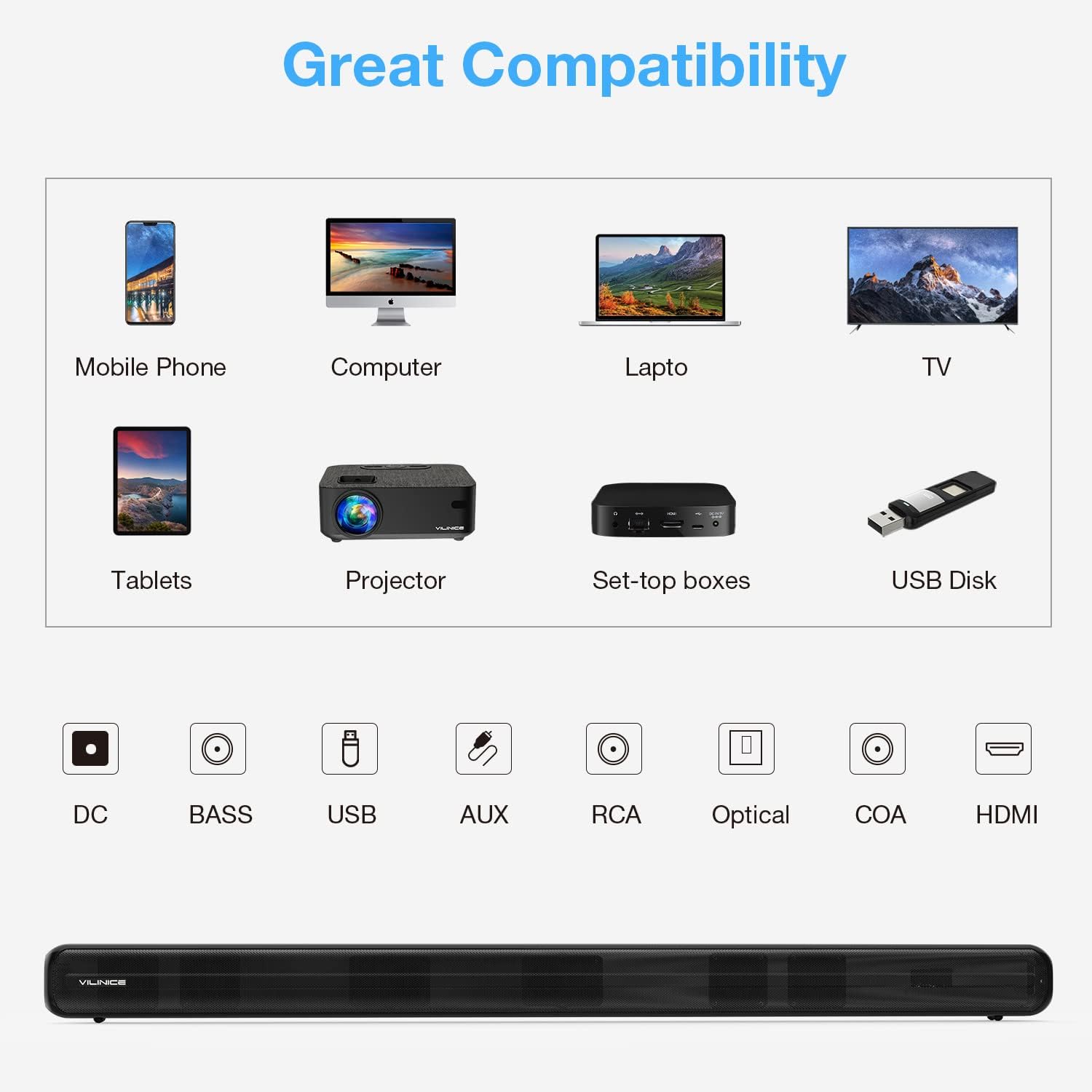
Image: Diagram illustrating the compatibility of the VILINICE Sound Bar with various devices (mobile phone, computer, laptop, TV, tablets, projector, set-top boxes, USB disk) and its available input ports (DC, BASS, USB, AUX, RCA, Optical, COA, HDMI).
6. Instruccions de funcionament
6.1. Encendre/apagar
Press the Power button on the remote control or on the sound bar to turn the unit on or off.
6.2. Selecció del mode d'entrada
Premeu el botó MODE button on the remote control or on the sound bar to cycle through the available input modes: HDMI-ARC, OPTICAL, AUX, USB, and Bluetooth. The LED display will indicate the current mode.
6.3. Control de volum
- Premeu Volum + per augmentar el volum.
- Premeu Volum - per disminuir el volum.
- Premeu MUT per silenciar o silenciar el so.
6.4. Equalizer (EQ) Modes
The sound bar features three preset EQ modes to optimize audio for different content types:
- PEL·LÍCULA: Enhances dialogue and sound effects for films.
- MÚSICA: Proporciona un so equilibrat professionalfile per a la reproducció de música.
- DIALOG: Optimizes vocal clarity for news, podcasts, or speech-heavy content.
Premeu el corresponent PEL·lícula, MÚSICA, o NOTÍCIES (Dialog) button on the remote control to select an EQ mode.

Image: Illustration of the VILINICE Sound Bar's DSP technology and three EQ modes (Music, Movie, News/Dialog) with corresponding visual examples.
6.5. Ajust de greus i aguts
Utilitza el BAIX + / BAIX- buttons on the remote control to adjust the bass level. Similarly, use the TREBLE + / AGUTS- botons per ajustar el nivell d'aguts.

Image: Close-up of the VILINICE Sound Bar's remote control, highlighting the MODE, BASS+, BASS-, MOVIE, MUSIC, and NEWS buttons for audio adjustments.
6.6. Emparellament Bluetooth
- Turn on the sound bar and switch to Bluetooth mode using the MODE button. The LED display will show "BT" and flash, indicating it's in pairing mode.
- Al dispositiu mòbil, activeu el Bluetooth i cerqueu els dispositius disponibles.
- Select "SD04" from the list of devices.
- Once connected, the LED display will stop flashing and remain solid "BT".
- To disconnect, turn off Bluetooth on your device or press and hold the Bluetooth button on the sound bar.
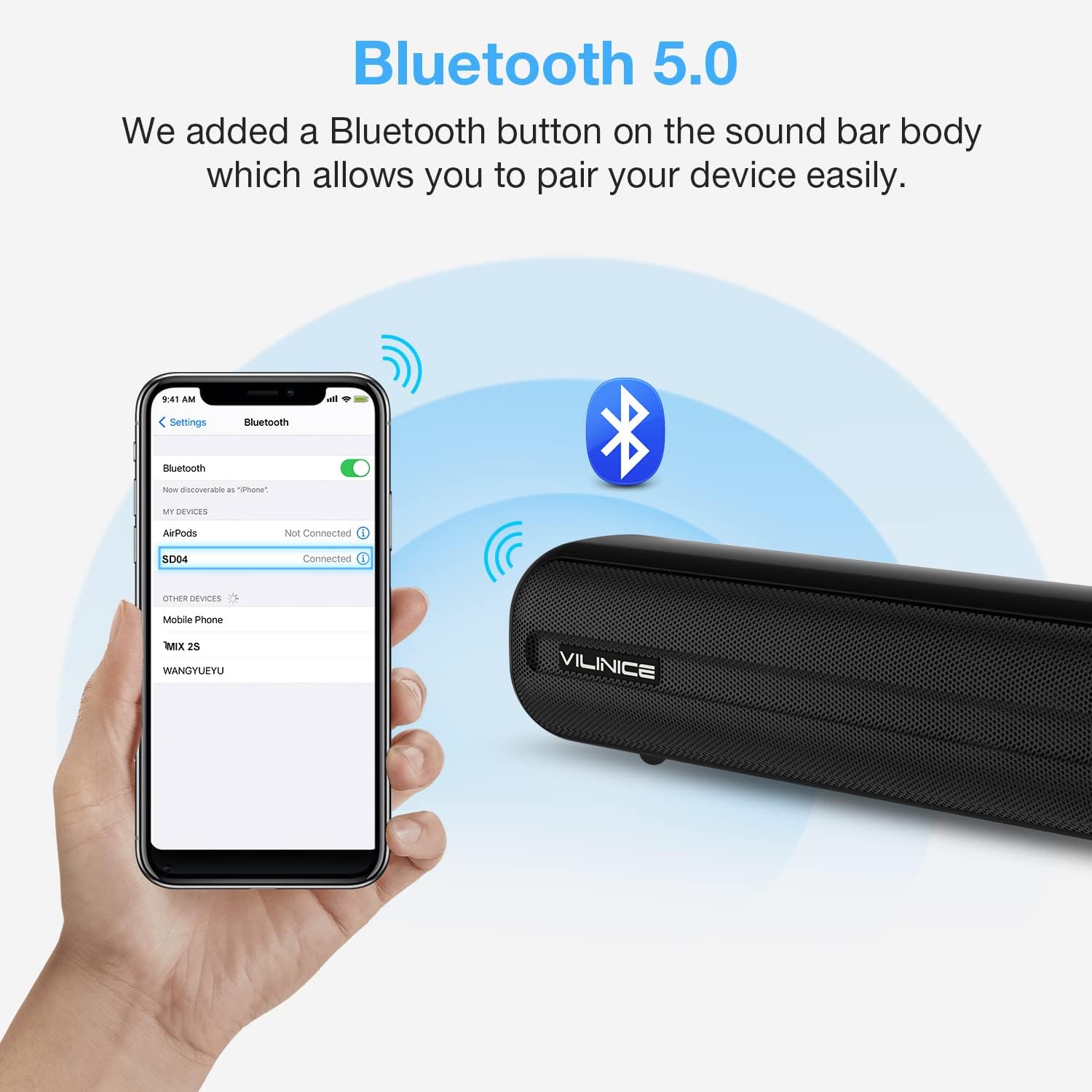
Image: A smartphone screen showing the Bluetooth settings with "SD04" selected for pairing, next to the VILINICE Sound Bar emitting Bluetooth signals.
7. Manteniment
- Neteja: Feu servir un drap suau i sec per netejar la superfície de la barra de so. No utilitzeu netejadors líquids ni materials abrasius.
- Emmagatzematge: Si guardeu la barra de so durant un període prolongat, desendolleu-la de la presa de corrent i guardeu-la en un lloc fresc i sec.
- Ventilació: Ensure the sound bar has adequate ventilation and is not covered, to prevent overheating.
8. Solució De Problemes
| Problema | Causa possible | Solució |
|---|---|---|
| Sense poder | Power cord not connected or outlet not working. | Assegureu-vos que el cable d'alimentació estigui connectat correctament a la barra de so i a una presa de corrent que funcioni. |
| Sense so | Incorrect input mode selected; volume too low; cables not connected properly. |
|
| El comandament a distància no funciona | Batteries are dead or incorrectly inserted; obstacle between remote and sound bar. |
|
| Problemes de vinculació de Bluetooth | La barra de so no està en mode d'emparellament; el dispositiu està massa lluny; hi ha interferències. |
|
9. Especificacions
| Número de model | SD04 |
| Tipus d'altaveu | Surround, Soundbar |
| Potència de sortida màxima dels altaveus | 120 watts |
| Tecnologia de connectivitat | Auxiliary, Optical, HDMI-ARC, USB, Bluetooth 5.0 |
| Mode de sortida d'àudio | Envoltant |
| Dimensions del producte (P x A x A) | 2.7" x 38.8" x 2.8" |
| Pes de l'article | 6.78 lliures |
| Mètode de control | Remot |
| Font d'alimentació | DC |
| Característica especial | Equalizer (3 Modes), Built-in DSP |
10. Garantia i Suport
VILINICE provides lifetime technical support for this product. If you encounter any issues or have questions regarding your sound bar, please contact our customer support team. Refer to the contact information provided with your purchase or visit the official VILINICE weblloc d'assistència.


