1. Introducció
Aquest manual proporciona informació essencial per a un ús segur i eficient del vostre SHARP 65EQ3EA 65-inch 4K Ultra HD Android Smart TV. Please read these instructions thoroughly before operating the television and retain them for future reference. This model features a frameless design, Quantum Dot display technology, Harman Kardon audio, and runs on the Android 11 (R) operating system.
Experience a premium design: the frameless contour of the SHARP EQ3EA integrates easily into any ambiance. Thanks to its slim aluminum frame, the television becomes an elegant accessory in your interior, even when turned off.
Bring premium cinematic images in 4K Ultra HD resolution to your home. Discover cinema-inspired HDR with Dolby Vision. Be captivated by deep contrasts and rich, precise colors. Thanks to Quantum Dot (Quantum Colour) technology, the EQ3EA can display the ultimate color space. The light sensor automatically adjusts brightness for even better images. With AQUOS Motion technology, even the fastest movements are displayed smoothly and realistically, allowing you to experience fast-paced scenes as if you were in the middle of the action.
The premium image is supported by a premium sound experience, thanks to the integrated Harman/Kardon hybrid audio system. The innovative driver configuration, composed of front-firing tweeters and down-firing woofers, delivers clear sounds and solid bass. Innovative Dolby Atmos and dts:X sound technologies allow you to enjoy 360-degree Virtual Surround sound that completely immerses you in your content.
Thanks to the current Android 11 (R) operating system, the SHARP EQ3EA is even smarter. With the integrated Google Assistant, you can easily control your TV by voice command. Additionally, 7,000 applications such as Netflix or Prime Video are available to you. The EQ3EA also excites gamers. The four HDMI 2.1 ports with eARC, ALLM, VRR, and QMS ensure low latency and variable frame rates. Thanks to the integrated Chromecast, the TV also supports Google Stadia.

Image 1.1: The SHARP 65EQ3EA television displaying vibrant content, highlighting its frameless design and Harman Kardon audio system.
2. Què hi ha a la caixa
Carefully unpack your television and ensure all items are present. If any items are missing or damaged, please contact your retailer.
- SHARP 65EQ3EA 4K Ultra HD Android Smart TV
- Control remot
- 2 piles AAA (per al comandament a distància)
- Installation Kit for TV Stand
- Quick Guide (Note: Language may vary)
3. Configuració
3.1. Col·locació inicial
- Place the TV on a stable, level surface or mount it on a wall using a VESA 200 x 200 mm compatible wall mount.
- Assegureu-vos que hi hagi una ventilació adequada al voltant del televisor per evitar el sobreescalfament.
- Avoid direct sunlight or strong light sources that may affect picture quality.
3.2. Cables de connexió
Connect all necessary external devices to the TV's ports. Refer to the image below for port locations.

Image 3.1: Rear panel of the SHARP 65EQ3EA TV, showing various input and output ports.
- HDMI: Connect up to four HDMI 2.1 devices (e.g., game consoles, Blu-ray players). These ports support eARC, ALLM, VRR, and QMS for enhanced gaming and audio.
- USB: Connecteu dispositius d'emmagatzematge USB per a la reproducció de contingut multimèdia o actualitzacions de programari.
- Antena/Satèl·lit: Connect your terrestrial or satellite antenna cable for DVB-T/T2/C/S/S2 reception.
- Xarxa LAN (RJ45): Per a una connexió a Internet per cable.
- Sortida d'àudio òptic: For connecting to an external sound system.
- Auriculars Jack: Per a una escolta privada.
- Mini Composite/CVBS + Audio Input: Per a dispositius analògics més antics.
- Lector de targetes Micro SD: For additional storage or media.
3.3. Engegada i configuració inicial
- Connecteu el cable d'alimentació al televisor i després a una presa de corrent.
- Premeu el botó d'engegada del comandament a distància o del televisor.
- Follow the on-screen instructions to complete the initial setup, including language selection, network connection (Wi-Fi or LAN), Google account login, and channel scanning.
- The integrated Google Assistant will guide you through setting up voice control.
4. Instruccions de funcionament
4.1. Control remot sobreview
Familiarize yourself with the remote control buttons for easy navigation and control of your TV.

Image 4.1: The two remote controls included with the SHARP 65EQ3EA TV, showing various function buttons.
- Botó d'encesa: Encén o apaga el televisor.
- Botó Font: Selecciona les fonts d'entrada (HDMI, TV, USB, etc.).
- Botons de navegació (amunt/avall/esquerra/dreta/d'acord): Per a la navegació i selecció de menús.
- Pujar/baixar el volum: Ajusta el nivell de so.
- Canal amunt/avall: Canvia els canals de televisió.
- Botó d'inici: Accedeix a la pantalla d'inici d'Android TV.
- Netflix/YouTube/Prime Video Buttons: Direct access to streaming applications.
- Botó de l'Assistent de Google: Activa el control per veu.
4.2. Funcions bàsiques del televisor
- Activació/desactivació: Premeu el botó d'engegada del comandament a distància.
- Canvi de canals: Use the CH+/- buttons or enter channel numbers directly.
- Ajust de volum: Use the VOL+/- buttons.
- Selecció de la font d'entrada: Press the SOURCE button and select the desired input (e.g., HDMI 1, TV).
4.3. Funcions de Smart TV (Android TV)
Your SHARP 65EQ3EA runs on Android 11 (R), providing access to a wide range of smart features.
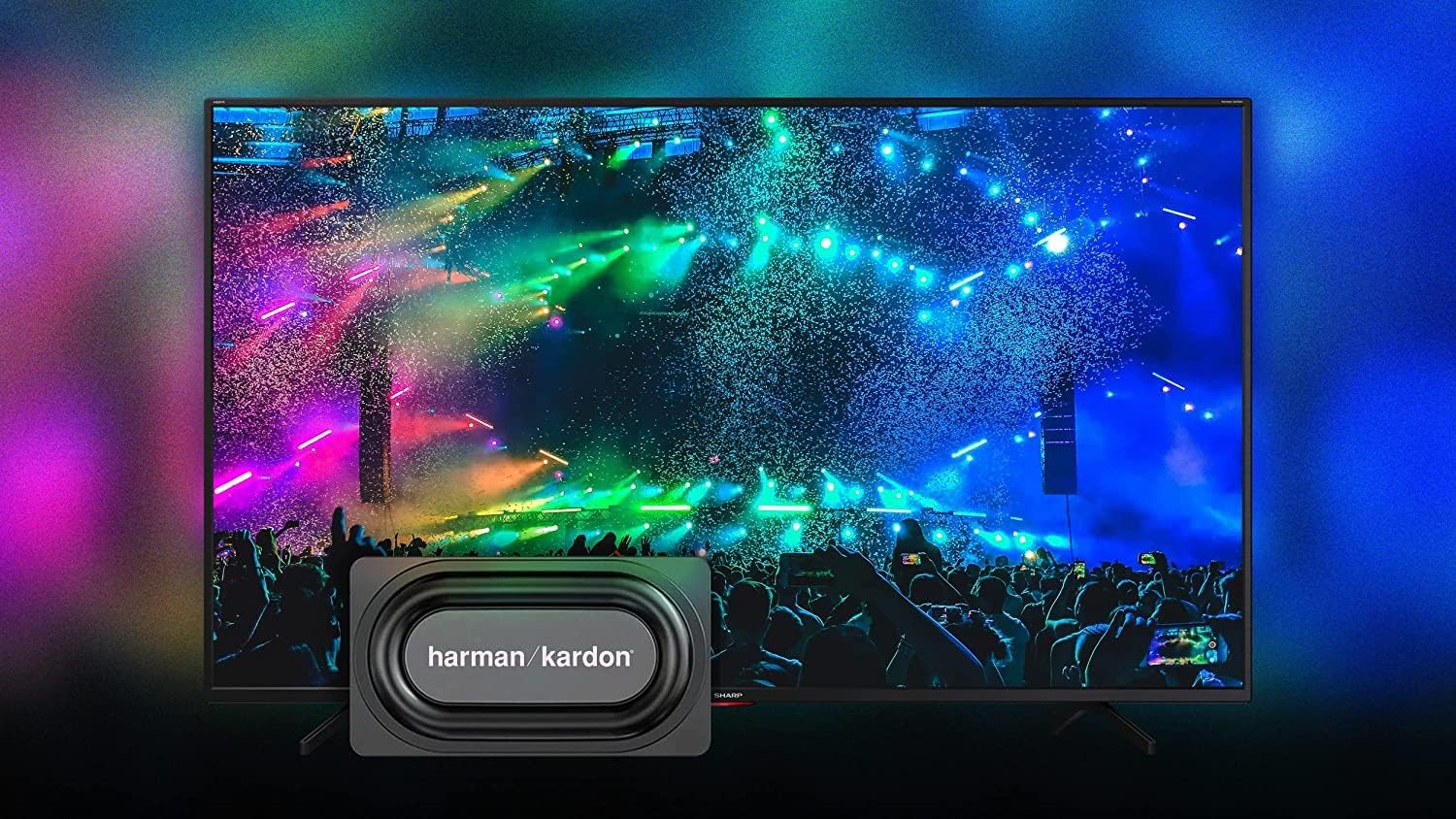
Image 4.2: The Android TV home screen on the SHARP 65EQ3EA, displaying various streaming applications and content recommendations.
- Pantalla d'inici: Press the Home button to access your favorite apps, recommended content, and settings.
- Aplicacions: Access pre-installed apps like Netflix, YouTube, Google Play Movies & TV, Google Play Store, and Prime Video. Download more apps from the Google Play Store.
- Assistent de Google: Use voice commands to search for content, control smart home devices, or get information. Press the Google Assistant button on your remote and speak into the microphone.
- Chromecast integrat: Cast content (videos, photos, music) from your smartphone, tablet, or computer directly to your TV.
4.4. Funcions d'àudio
The integrated Harman Kardon speaker system, combined with Dolby Atmos and DTS:X technologies, delivers an immersive audio experience.
- Harman Kardon Audio: Enjoy clear sounds and solid bass from the front-firing tweeters and down-firing woofers.
- Dolby Atmos i DTS:X: These technologies provide 360-degree virtual surround sound, enhancing your viewexperiència.
- Configuració d'àudio: Adjust sound modes (e.g., Standard, Movie, Music) and equalizer settings in the TV's audio menu.
4.5. Característiques de joc
The SHARP 65EQ3EA is designed to enhance your gaming experience.
- Ports HDMI 2.1: Four HDMI 2.1 ports support advanced gaming features.
- eARC (canal de retorn d'àudio millorat): For high-quality audio passthrough to compatible sound systems.
- ALLM (mode automàtic de baixa latència): Canvia automàticament el televisor a un mode de baixa latència quan es detecta una consola de jocs.
- VRR (freqüència d'actualització variable): Sincronitza la freqüència d'actualització del televisor amb la freqüència d'imatges de la consola de jocs per reduir el trencament i les entretallats de la pantalla.
- QMS (Quick Media Switching): Reduces black screen time when switching between different frame rates.
- Google Stadia Support: The integrated Chromecast allows for direct streaming of Google Stadia games.
5. Manteniment
5.1. Neteja de la pantalla
- Desendolla sempre el televisor abans de netejar-lo.
- Use a soft, lint-free cloth (e.g., microfiber) to gently wipe the screen.
- Per a marques difícils, esbandiu lleugeramentampNetegeu el drap amb aigua o amb un netejador de pantalles especialitzat. No ruixeu mai el netejador directament sobre la pantalla.
- Avoid using abrasive cleaners, alcohol, or solvents, as these can damage the screen surface.
5.2. Actualitzacions de programari
- Assegureu-vos que el vostre televisor estigui connectat a Internet.
- Navigate to the TV's settings menu to check for and install available software updates.
- Regular updates ensure optimal performance, security, and access to new features.
6. Solució De Problemes
If you encounter problems with your TV, refer to the following common issues and solutions.
| Problema | Possible solució |
|---|---|
| Sense poder | Check if the power cord is securely connected. Ensure the power outlet is working. Try pressing the power button on the TV itself. |
| No hi ha imatge, però hi ha so | Comproveu la font d'entrada. Assegureu-vos que els dispositius externs estiguin encesos i connectats correctament. Proveu un altre cable HDMI. |
| No hi ha so, però hi ha imatge | Check the volume level. Ensure Mute is not activated. Check audio output settings if using external speakers. |
| El comandament a distància no funciona | Canvieu les piles. Assegureu-vos que no hi hagi cap obstacle entre el comandament a distància i el sensor d'infrarojos del televisor. |
| No es pot connectar a la Wi-Fi | Ensure your Wi-Fi router is on and working. Re-enter the Wi-Fi password. Try restarting your router and TV. |
| Les aplicacions de Smart TV són lentes o no responen | Check your internet connection speed. Close unused apps. Restart the TV. Clear app cache in settings. |
7. Especificacions
Detailed technical specifications for the SHARP 65EQ3EA TV.

Image 7.1: Diagram showing the dimensions of the SHARP 65EQ3EA television.
| Característica | Detall |
|---|---|
| Marca | Afilat |
| Número de model | 65EQ3EA |
| Mida de la pantalla | 65 polzades (164 cm) |
| Tecnologia de visualització | LED with Quantum Dot (Q-COLOUR) |
| Resolució | 4K Ultra HD (3840 x 2160 píxels) |
| Freqüència d'actualització | 60 Hz (Active Motion 1000) |
| Sistema operatiu | Android 11 (R) |
| Característiques especials | Frameless Design, Google Assistant, Chromecast built-in, Dolby Vision, HDR10, HLG, Dolby Atmos, dts:X, dts Virtual:X, Harman Kardon Speaker System, AQUOS UltraClear, AQUOS Motion, Optical Picture Control (OPC) Light Sensor, Google Stadia Support |
| Tecnologia de connectivitat | Ethernet, HDMI, USB, Bluetooth, Wi-Fi |
| Connexions | 4 x HDMI 2.1 (eARC, ALLM, VRR, QMS), 2 x USB, Micro SD Card Reader, Antenna Input, Satellite Input, Headphone Jack, Digital Optical Audio Output, Mini Composite/CVBS + Audio Input, LAN (RJ45) |
| Sintonitzador | Triple UHD Tuner DVB-T/T2/C/S/S2 (MPEG4 + H.265) /HEVC (10 bits) |
| Sortida d'àudio | 2 x 15W (Harman Kardon) |
| Estàndard VESA | 200 x 200 mm |
| Color | Negre |
| Bateries | 2 AAA (inclosos) |
| Serveis d'Internet compatibles | Amazon Instant Video, Google TV, Netflix, YouTube |
8. Garantia i Suport
Your SHARP 65EQ3EA television comes with a standard manufacturer's warranty. Please refer to the warranty card included in the packaging for specific terms and conditions, including warranty period and coverage details. For technical support, service, or inquiries about spare parts, please contact Sharp customer service or your authorized retailer. Keep your purchase receipt as proof of purchase for warranty claims.