Introducció
The Xiaomi Robot Vacuum-Mop 2 Ultra is an advanced robotic vacuum cleaner and mop designed to provide efficient and thorough cleaning for your home. Featuring a powerful 4000 Pa suction, a 5200 mAh high-capacity battery, and intelligent LDS laser navigation, this device ensures comprehensive coverage and effective dirt removal. Its 3D obstacle avoidance technology helps it navigate around household items with ease, preventing collisions and tangles. Control your cleaning experience effortlessly through the Mi Home App, and integrate it with smart home systems like Alexa and Google Assistant.

Image: Xiaomi Robot Vacuum-Mop 2 Ultra highlighting its key features.
Informació de seguretat
Si us plau, llegiu atentament totes les instruccions de seguretat abans d'utilitzar el dispositiu. Conserveu aquest manual per a futures consultes.
- No permeteu que els nens o les mascotes juguin amb el robot aspirador.
- Assegureu-vos que la base de càrrega estigui col·locada sobre una superfície plana contra una paret, amb espai lliure al voltant.
- Do not use the device in wet environments or near water sources.
- Regularly clean the brushes and sensors to maintain optimal performance and prevent damage.
- Eviteu exposar el dispositiu a la llum solar directa o a temperatures extremes.
- Desendolleu la base de càrrega durant tempestes o quan no la feu servir durant períodes prolongats.
- No intenteu reparar o modificar el dispositiu vosaltres mateixos. Poseu-vos en contacte amb el personal de servei autoritzat.
Contingut del paquet
Verifiqueu que tots els elements siguin presents al paquet:
- 1 x Main Unit (Robot Vacuum-Mop)
- 1 x Manual d'usuari
- 1 compartiment per a la pols
- 1 x pinzell principal
- 1 x Coberta del raspall principal
- 1 raspalls laterals
- 1 x Water Tank (with Mop Pad installed)
- 1 x Mop Pad (replacement)
- 1 x Base de càrrega
- 1 x cable d'alimentació
- 1 x Side Brush (replacement)
- 1 x Eina de neteja
Producte acabatview
Familiarize yourself with the components of your Xiaomi Robot Vacuum-Mop 2 Ultra.

Imatge: Superior view of the robot vacuum, showing the LDS laser navigation turret and control buttons.
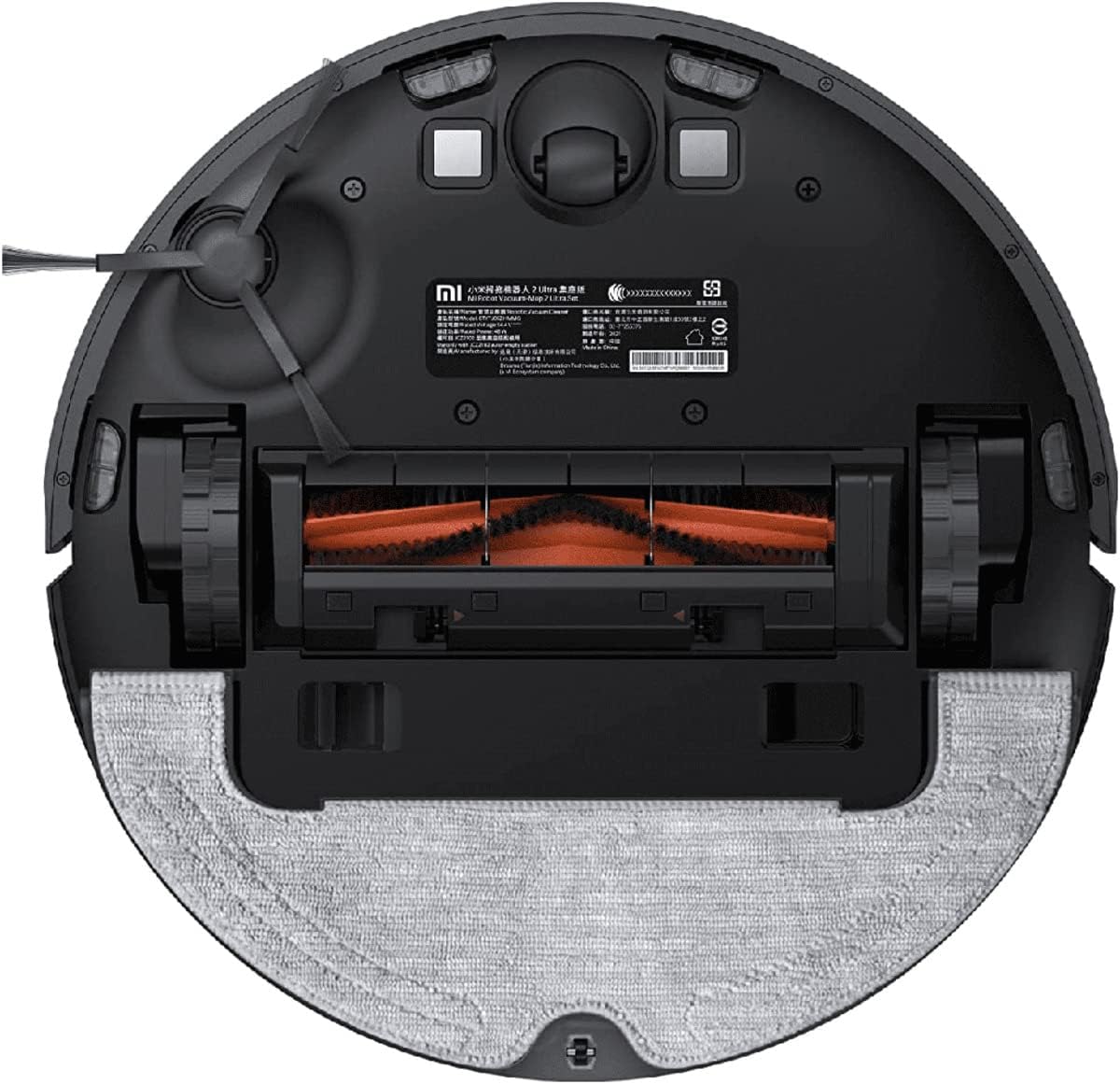
Imatge: Part inferior view of the robot vacuum, displaying the main brush, side brush, and mop pad attachment.
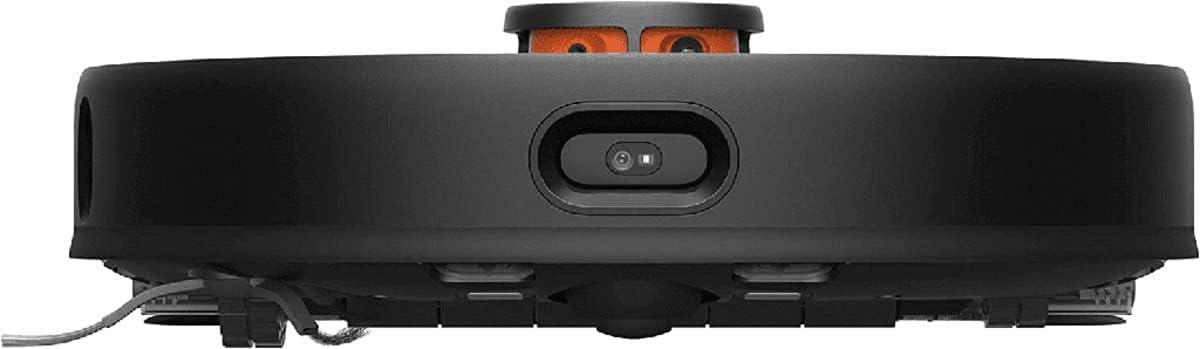
Imatge: Frontal view of the robot vacuum, highlighting the 3D obstacle avoidance sensors.
Guia de configuració
1. Col·locació de la base de càrrega
Place the charging dock on a hard, level surface against a wall. Ensure there is at least 0.5 meters of clear space on both sides and 1.5 meters in front of the dock for the robot to easily return and dock.

Image: The robot vacuum approaching its charging dock, which may also feature an auto-empty function.
2. Càrrega inicial
Connect the power cable to the charging dock and plug it into a power outlet. Place the robot vacuum onto the charging dock. The robot will automatically turn on and begin charging. For first-time use, ensure the robot is fully charged before starting a cleaning cycle.
3. Instal·lació i connexió de l'aplicació
Descarrega't el Mi Home/Xiaomi Home app from your device's app store. Follow the in-app instructions to add your Xiaomi Robot Vacuum-Mop 2 Ultra. This will allow you to control the robot, view maps, set cleaning schedules, and access advanced features.
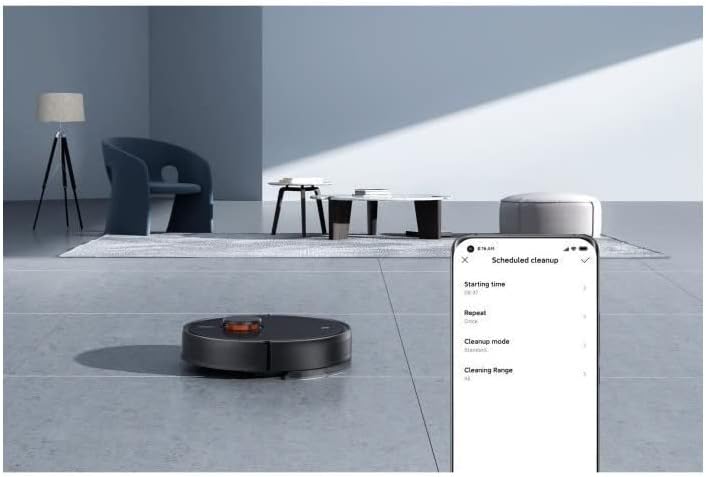
Image: A smartphone screen displaying the Mi Home app interface for setting up a scheduled cleanup.
Instruccions de funcionament
Modes de neteja
The robot vacuum offers various cleaning modes to suit your needs:
- Mode d'aspiració: For dry debris and dust. The powerful 4000 Pa suction ensures effective cleaning.
- Mode de fregat: For wet cleaning of hard floors. The electronic control water tank provides three levels of water flow for different cleaning requirements.
- Mode aspiradora i fregona: Aspiració i fregat simultanis per a una neteja completa.
- Neteja de punts: Indica al robot que netegi una petita zona específica de manera intensiva.
- Neteja de zones: Allows you to define specific areas on the map for the robot to clean.

Image: An internal diagram illustrating the powerful suction and brush mechanism of the robot vacuum.
Scheduling Cleaning
Use the Mi Home app to set up daily or weekly cleaning schedules. You can customize the cleaning mode and target areas for each scheduled task.

Image: The Mi Home app displaying options for scheduling cleaning tasks, including time and frequency.
Navegació i evitació d'obstacles
The robot utilizes new-generation LDS laser navigation to accurately scan your home environment and create precise maps. Its 3D obstacle avoidance technology detects objects like toys and cables, slowing down and diverting to prevent collisions.

Image: The robot vacuum using its laser navigation system to map the room, shown with blue lines indicating its scanning path.

Image: The robot vacuum detecting and avoiding common household obstacles such as toys and power cables, indicated by blue light beams.
Gestió de mapes
The Mi Home app allows you to view and manage the maps created by your robot. You can set virtual walls, no-go zones, and designate specific rooms for cleaning.

Image: A smartphone screen showing the Mi Home app with a detailed floor plan map generated by the robot vacuum.
Manteniment
Un manteniment regular garanteix la longevitat i el rendiment òptim del vostre robot aspirador.
- Dust Compartment: Empty the dust compartment after each cleaning cycle. Wash it with water if necessary and allow it to air dry completely before reinserting.
- Pinzell principal: Remove the main brush and clean any tangled hair or debris using the provided cleaning tool. It is recommended to clean it weekly.
- Raspall lateral: Check the side brush for tangled hair or damage. Clean or replace as needed.
- Coixinet de fregona: Remove and wash the mop pad after each mopping session. Replace it regularly for best mopping results.
- Sensors: Wipe the cliff sensors, wall sensors, and charging contacts with a soft, dry cloth to remove dust and debris.
- Bateria: To prolong battery life, ensure the robot is charged when not in use. Avoid leaving it completely discharged for extended periods.

Imatge: Superior view of the robot vacuum with its top cover open, revealing the dustbin compartment for easy access and cleaning.
Resolució de problemes
If you encounter any issues with your robot vacuum, refer to the following common problems and solutions:
| Problema | Causa possible | Solució |
|---|---|---|
| El robot no s'encén. | Low battery or not properly docked. | Place the robot on the charging dock and ensure it is charging. |
| El robot es queda encallat sovint. | Too many obstacles (cables, small objects) or dirty sensors. | Clear the cleaning area of obstacles. Clean the cliff and wall sensors. |
| Mal rendiment de neteja. | Full dustbin, tangled main brush, or dirty filter. | Empty the dustbin. Clean the main brush and filter. |
| El robot no pot tornar a la base de càrrega. | Charging dock is blocked or moved. | Ensure the charging dock is in an accessible location and not moved during cleaning. |
| Problemes de connexió de l'aplicació. | Wi-Fi signal weak or incorrect network settings. | Ensure your Wi-Fi is 2.4GHz. Restart your router and the robot. Re-pair the device in the app. |
Especificacions
| Característica | Detall |
|---|---|
| Marca | Xiaomi |
| Nom del model | Mi Robot Vacuum-Mop 2 Ultra |
| Número de model | XM200063 |
| Potència d'aspiració | 4000 Pa |
| Capacitat de la bateria | 5200 mAh |
| Durada de la bateria | Up to 150 minutes (240 m² in standard mode) |
| Sistema de navegació | Navegació làser SUD |
| Evitar els obstacles | tecnologia 3D |
| Water Tank Control | Electronic, 3 levels of water flow |
| Volum de la paperera | 550ml (internal) |
| Dust Collection Capacity (with Auto-Empty Station) | 4 litres |
| Nivell de soroll | 44 dB |
| Dispositius compatibles | Telèfons intel·ligents, Amazon Echo, Google Home |
| Dimensions | 35.3 x 35.3 x 9.9 cm |
| Pes | 3.6 kg |
Garantia i Suport
Your Xiaomi Robot Vacuum-Mop 2 Ultra comes with a standard manufacturer's warranty. For detailed warranty terms and conditions, please refer to the warranty card included in your package or visit the official Xiaomi support website. For technical support, troubleshooting assistance, or spare parts, please contact Xiaomi customer service or your local authorized dealer.
Podeu trobar més informació i recursos de suport a la pàgina oficial de Xiaomi. weblloc: www.mi.com/global/service/support/


