1. Introducció
This manual provides instructions for the safe and efficient operation of your MIFA S2118 WildRod Portable Bluetooth Speaker. Please read this manual thoroughly before using the product and retain it for future reference.
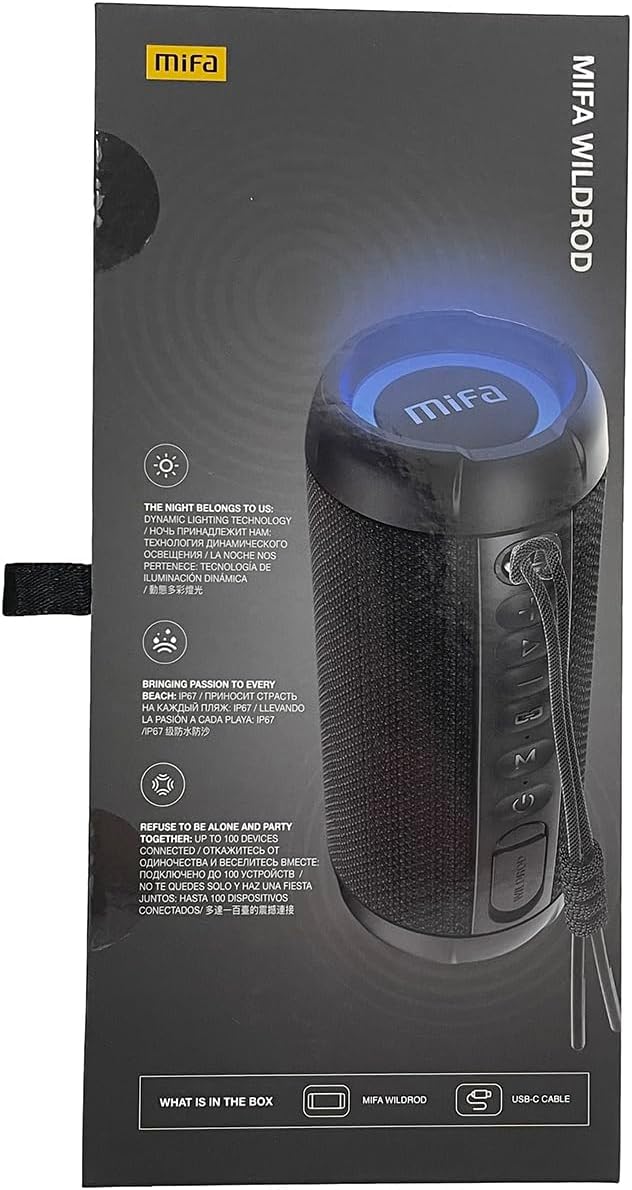
2. Contingut del paquet
Verifiqueu que tots els elements siguin presents al paquet:
- MIFA WildRod Speaker
- Cable USB-C
- Manual d'usuari (aquest document)
3. Producte acabatview
The MIFA S2118 WildRod is a portable Bluetooth speaker designed for outdoor use, featuring robust construction and dynamic audio capabilities.
Característiques principals:
- IP67 impermeable i a prova de pols: Designed to withstand immersion in water up to 1 meter for 30 minutes and protected against dust ingress.
- Potència de sortida de 30 W: Delivers clear and powerful sound with a 2-way speaker system, including a racetrack-shaped woofer and a separate tweeter.
- Dynamic LED Light: Features 16.8 million Aurora colors and 36 mixed color flashing lights that synchronize with music.
- Bluetooth 5.3: Per a una connectivitat sense fil estable.
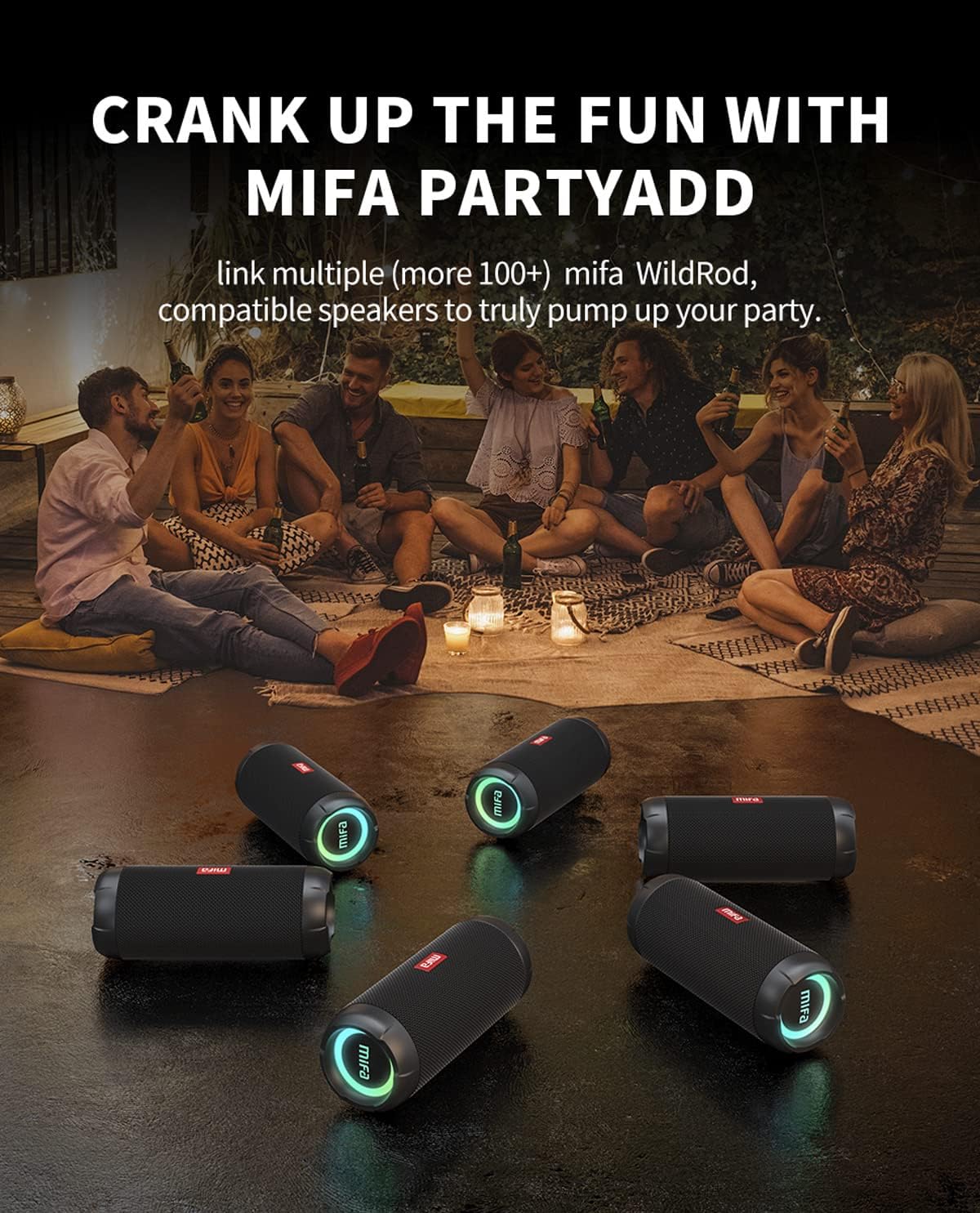
- MIFA PartyAdd: Allows linking multiple (100+) compatible speakers for synchronized audio.
- 12 hores de joc: Equipped with a 5000mAh lithium battery.
- Múltiples opcions d'entrada: Supports Bluetooth and Micro SD card playback.


4. Configuració
4.1 Càrrega inicial
- Before first use, fully charge the speaker using the provided USB-C cable.
- Connect the USB-C cable to the charging port on the speaker and the other end to a compatible USB power adapter (not included).
- L'indicador LED mostrarà l'estat de càrrega i s'apagarà o canviarà de color quan estigui completament carregat.

5. Instruccions de funcionament
5.1 Encès/Apagat
- Per engegar-lo, premeu i manteniu premut el botó d'engegada fins que l'indicador lluminós s'il·lumini.
- Per apagar-lo, premeu i manteniu premut el botó d'engegada fins que l'indicador lluminós s'apagui.
5.2 Vinculació Bluetooth
- Assegureu-vos que l'altaveu estigui encès i en mode d'emparellament Bluetooth (l'indicador lluminós parpellejarà).
- Al dispositiu (telèfon intel·ligent, tauleta, etc.), activeu el Bluetooth i cerqueu els dispositius disponibles.
- Select "MIFA S2118" or "MIFA WildRod" from the list of devices.
- Once paired, the speaker will indicate a successful connection, and the indicator light will become solid.
5.3 Controls de reproducció
- Reproduir/pausa: Premeu el botó Reproduir/Pausa.
- Pujar el volum: Premeu el botó Volum +.
- Baixar el volum: Premeu el botó de volum -.
- Pista següent: Mantingueu premut el botó Volum +.
- Pista anterior: Mantingueu premut el botó de volum -.
5.4 modes de llum LED
The speaker features dynamic LED lights. Refer to the specific button on your speaker (often marked with a light icon) to cycle through different light modes or turn them off.
5.5 MIFA PartyAdd (True Wireless Stereo Pairing)
To connect multiple MIFA WildRod speakers for a synchronized audio experience:
- Assegureu-vos que tots dos altaveus estiguin encesos i no connectats a cap dispositiu Bluetooth.
- On one speaker, press the PartyAdd button (or designated TWS button). It will enter pairing mode.
- Repetiu el procés amb el segon altaveu.
- Once connected, the speakers will indicate successful pairing. You can then connect your device to one of the speakers via Bluetooth.

Reproducció de targeta Micro SD 5.6
Inseriu una targeta Micro SD amb àudio files into the designated slot. The speaker will automatically switch to Micro SD card playback mode. Use the playback controls to manage your music.
6. Manteniment
- Neteja: Utilitzeu un suau, damp drap per netejar l'exterior de l'altaveu. No utilitzeu productes químics agressius ni netejadors abrasius.
- Emmagatzematge: Guardeu l'altaveu en un lloc fresc i sec, allunyat de la llum solar directa i de temperatures extremes.
- Cura de la bateria: Per allargar la durada de la bateria, carregueu completament l'altaveu abans de períodes llargs d'inactivitat. Eviteu esgotar completament la bateria amb freqüència.
7. Solució De Problemes
| Problema | Causa possible | Solució |
|---|---|---|
| L'altaveu no s'encén. | Bateria baixa. | Carregueu l'altaveu completament. |
| No es pot emparellar per Bluetooth. | L'altaveu no està en mode d'emparellament; el Bluetooth del dispositiu està desactivat; massa lluny de l'altaveu. | Ensure speaker is in pairing mode. Turn device Bluetooth off and on. Move device closer to speaker. |
| Sense so. | Volume too low; device not connected; incorrect input source. | Increase volume on both speaker and device. Re-pair Bluetooth. Check if Micro SD card is inserted. |
| Distorsió del so. | Volum massa alt; bateria baixa. | Baixa el volum. Carrega l'altaveu. |
8. Especificacions
- Nom del model: WildRod
- Número de model de l'article: S2118
- Marca: MIFA
- Potència de sortida màxima dels altaveus: 30 watts
- Resposta de freqüència: 20000 Hz
- Tecnologia de connectivitat: USB (for charging), Bluetooth 5.3
- Mode de sortida d'àudio: estèreo
- Entrada Voltage: 5 Volts
- Tipus de muntatge: Taula
- Material: Waterproof and dustproof plastic with LED lights
- Tipus d'altaveu: A l'aire lliure
- Bateries: 1 bateria de ions de liti (inclosa)
- Dimensions del producte: 7 x 7 x 19 cm
- Pes: 600 g
- Classificació impermeable: IP67
- Classificació a prova de pols: IP6X
- Temps de joc: Fins a 12 hores
9. Informació de seguretat
⚠ Avís: For proper use and trouble-free operation, please read this user manual carefully first.
- For first use, a full charge is recommended.
- Utilitzeu i emmagatzemeu el producte a temperatura ambient.
- No deixeu caure el producte per evitar danys.
- No exposar el producte al foc, altes temperatures, llum solar directa, etc.
- Do not use organic solvents or other chemical products to clean the product.
- Do not allow small particles to enter the product.
- Maintain moderate speaker volume to avoid temporary or permanent hearing impairment.
- Do not disassemble the product or make modifications to the structure or any of its parts.
- Mantenir el producte fora de l'abast dels nens.
- If the battery is not replaced correctly, there will be an explosion accident, and it can only be replaced with the same type of battery.
- Batteries (battery packs) cannot be exposed to conditions such as light, fire, or overheating.
10. Garantia i Suport
MIFA products are covered by a limited warranty. For detailed warranty information and support, please visit the official MIFA weblloc o contacteu amb el servei d'atenció al client.
- Fabricant: MIFA INNOVATIONS LLC
- Weblloc: www.mifa.net
- Contacte: 4007-881-899


