1. Configuració inicial
1.1 Connexió d'alimentació
Connect the power adapter to the DC IN jack on the back of the unit and then plug it into a standard wall outlet. The unit will power on and the display will illuminate.
A backup battery (1 C-type, included) is installed to maintain time settings during a power outage. This battery does not power the display or alarm functions.
1.2 Configuració de l'hora
- Manteniu premut el botó CONJUNT DE RELLOTGE botó. Els dígits de l'hora parpellejaran.
- Utilitza el TUNE+ or TUNE- botons per ajustar l'hora.
- Premeu CONJUNT DE RELLOTGE de nou. Els dígits dels minuts parpellejaran.
- Utilitza el TUNE+ or TUNE- botons per ajustar els minuts.
- Premeu CONJUNT DE RELLOTGE per confirmar.
Per canviar entre el format de 12 hores i el de 24 hores, premeu la tecla FM STO/BT button while the time is displayed.
1.3 Connexió de l'antena FM
Extend the FM wire antenna located at the back of the unit for optimal radio reception. Position it away from other electronic devices to minimize interference.
2. Instruccions de funcionament
2.1 Controls bàsics sobreview

Image: Front and top view of the iTOMA CKS718 Alarm Clock Radio, showing the digital display and control buttons.
- SLEEP/TIME ZONE: Activates sleep timer or sets time zone.
- CONJUNT DEL RELOJ: Estableix l'hora.
- AL1 / AL2: Configura l'alarma 1 i l'alarma 2.
- BT: Activa el mode d'emparellament Bluetooth.
- TUNE- / VOL-: Decreases frequency/volume.
- SNOOZE / VOL+: Activates snooze, increases volume.
- TUNE+ / FM: Increases frequency/switches to FM mode.
- FM MEM / PAIR: Stores FM presets or initiates Bluetooth pairing.
- FM STO / BT: Scans and stores FM stations or switches to Bluetooth mode.
- LED: Controls the night light.
- DIMMER: Ajusta la brillantor de la pantalla.
2.2 Configuració d'alarma

Image: The alarm clock radio showing options for dual alarms and different alarm schedules (All-7-Day, Weekday, Weekend, Single day).
The unit features two independent alarms (AL1 and AL2) with customizable settings.
- Mantén premut AL1 or AL2. The alarm time will flash.
- Ús TUNE+ or TUNE- per configurar l'hora de l'alarma desitjada.
- Premeu AL1 or AL2 again to select the alarm source (FM radio or buzzer).
- Premeu AL1 or AL2 a third time to select the alarm schedule: All-7-Day, Weekday (Mon-Fri), Weekend (Sat-Sun), or Single Day.
- Premeu AL1 or AL2 per confirmar.
Quan soni l'alarma, premeu DORMITAR to temporarily silence it for 10 minutes. To turn off the alarm, press the corresponding AL1 or AL2 botó.
2.3 Funcionament de la ràdio FM

Image: The alarm clock radio displaying FM radio functionality, including frequency range (FM 87.5 - FM 108) and adjustable volume.
The unit features an FM radio with a frequency range of 87.5 MHz to 108.0 MHz.
- Premeu el botó FM botó per entrar al mode de ràdio FM.
- Ús TUNE+ or TUNE- to manually tune to a station.
- To auto-scan and store stations, press and hold FM STO/BT. The radio will scan and save up to 20 preset stations.
- To recall a preset station, press FM MEM/PAIR repetidament.
- Ajusteu el volum amb VOL+ or VOL-.
2.4 Connectivitat Bluetooth
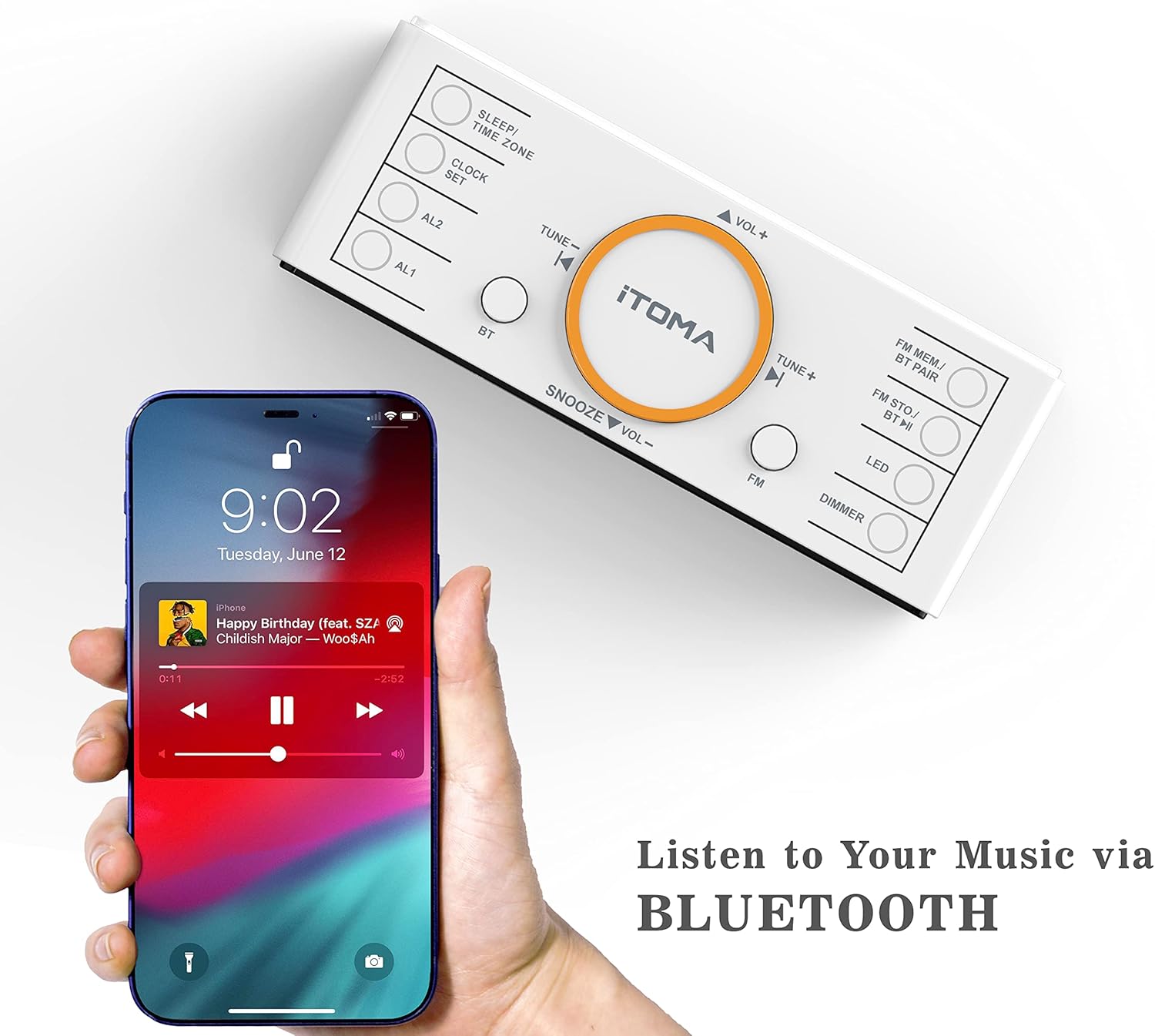
Image: The alarm clock radio next to a smartphone, illustrating the Bluetooth music streaming feature.
The iTOMA CKS718 supports Bluetooth 5.1 for wireless audio streaming.
- Premeu el botó BT button to enter Bluetooth pairing mode. The Bluetooth indicator on the display will flash.
- On your smartphone or other Bluetooth device, enable Bluetooth and search for "iTOMA CKS718".
- Select the device to pair. Once connected, the Bluetooth indicator will stop flashing and remain solid.
- You can now play audio from your device through the alarm clock radio.
2.5 Display and Dimmer

Image: The alarm clock radio demonstrating its automatic and three-level manual dimmer settings (Bright, Medium, Dim) for the 1.4-inch LED display.
The 1.4-inch white LED display offers clear visibility and adjustable brightness.
- Premeu el botó DIMMER button repeatedly to cycle through 3 manual brightness levels (Bright, Medium, Dim).
- An automatic dimmer function is also available, which adjusts the display brightness based on ambient light conditions.
2.6 Funció de llum nocturna

Image: The alarm clock radio with its base illuminated by a soft orange night light in a dark room.
The unit includes a soft orange night light with two adjustable levels.
- Premeu el botó LED button repeatedly to cycle through the two night light brightness levels or turn it off.
2.7 port de càrrega USB
Image: The iTOMA CKS718 Alarm Clock Radio with a smartphone connected to its USB charging port, indicating active charging.
An additional USB port (5V 1A) is located on the back of the unit, allowing you to charge your smartphone or other small electronic devices.
3. Cura i Manteniment
- Neteja: Use a soft, dry cloth to clean the unit. Do not use liquid cleaners or abrasive materials.
- Col·locació: Place the unit on a stable, flat surface. Avoid direct sunlight, extreme temperatures, and high humidity.
- Ventilació: Assegureu-vos que hi hagi una ventilació adequada al voltant de la unitat per evitar el sobreescalfament. No bloquegeu les obertures de ventilació.
- Cable d'alimentació: Regularly inspect the power cord for any damage. If damaged, discontinue use and contact support.
4. Guia de resolució de problemes
| Problema | Possible solució |
|---|---|
| La unitat no s'encén | Ensure the power adapter is securely connected to both the unit and a working wall outlet. Check if the outlet has power. |
| L'alarma no sona | Verify that the alarm is enabled (alarm icon visible on display) and the alarm time is correctly set. Check alarm volume. |
| Mala recepció de ràdio FM | Fully extend and reposition the FM wire antenna. Move the unit away from other electronic devices that may cause interference. |
| El dispositiu Bluetooth no es pot emparellar | Ensure the unit is in Bluetooth pairing mode (flashing BT icon). Make sure your device's Bluetooth is enabled and within range. Try restarting both devices. |
| Display is too bright/dim | Premeu el botó DIMMER button to adjust the brightness manually or activate the auto-dimmer function. |
5. Especificacions del producte
- Marca: iTOMA
- Model: CKS 718
- Visualització: 1.4-inch White LED
- Bluetooth: Versió 5.1
- Freqüència de ràdio FM: 87.5 - 108.0 MHz
- Presets FM: Up to 20 stations
- Sortida de càrrega USB: 5V 1A
- Font d'alimentació: Cable d'alimentació de CA.
- Bateria de seguretat: 1 x C-type (included)
- Dimensions: 15.8 cm (llargada) x 8.9 cm (alçada)
- Característiques especials: Dual Alarm, Snooze Function, Sleep Timer, Auto/Manual Dimmer, 2-Level Night Light
6. Garantia i Suport
This iTOMA product is covered by a standard manufacturer's warranty. Please refer to the warranty card included in your product packaging for specific terms and conditions.
For technical support, troubleshooting assistance, or warranty claims, please contact iTOMA customer service through their official weblloc web o la informació de contacte proporcionada amb la compra.


