Introducció
Gràcies per la compraasing the iTOMA CKS718-NA Alarm Clock Radio. This manual provides detailed instructions for setting up, operating, and maintaining your new device. Please read this manual thoroughly before use to ensure proper functionality and to maximize your experience with the product.
Característiques clau
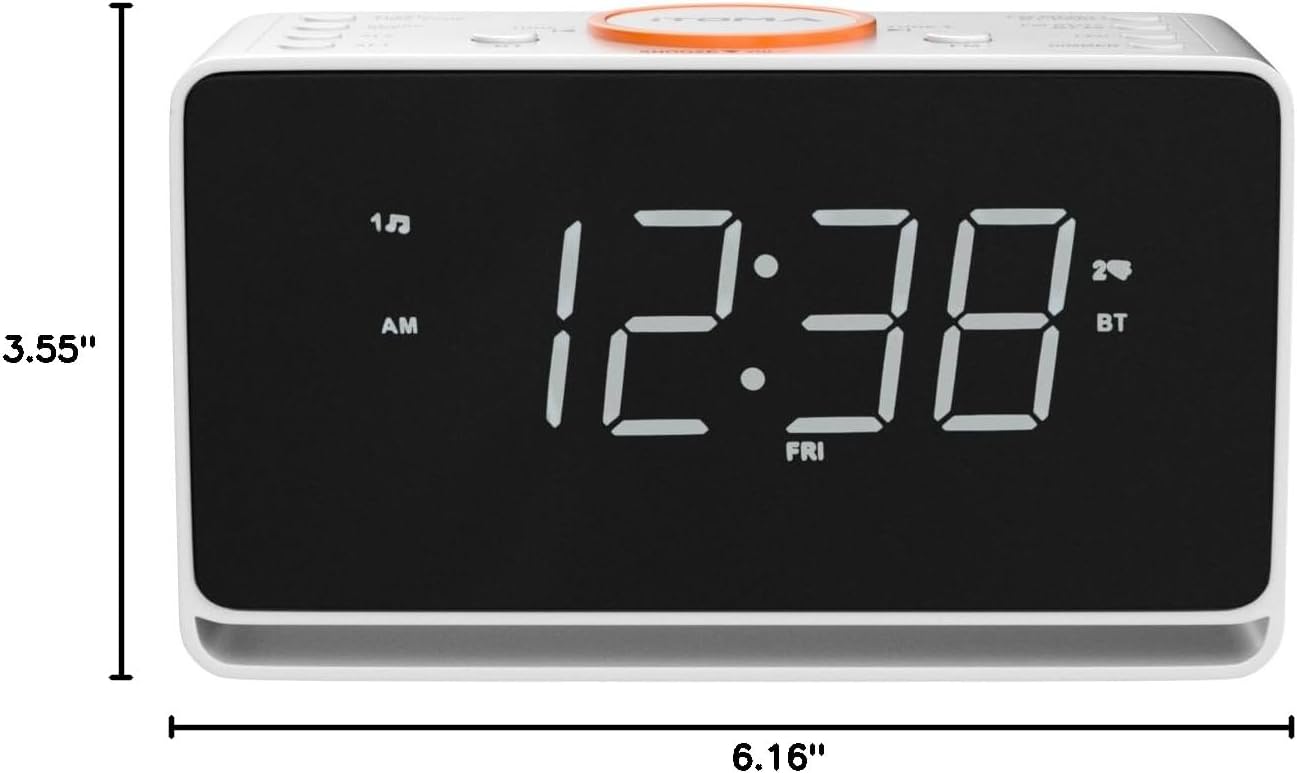
- 1.4-inch White LED Display: Large, clear display for easy readability from a distance. Supports 12/24 hour format.
- Connectivitat Bluetooth: Seamlessly stream your favorite audio from Bluetooth-enabled devices.
- Ràdio FM: Enjoy FM radio with 20 programmable preset stations (87.5MHz to 108.0MHz). An external FM wire antenna is included for enhanced reception.
- Sistema d'alarma dual: Set two independent alarms with options to wake up to FM radio or a buzzer. Features snooze and crescendo wake-up control.
- Alarm Week Modes: Choose from four alarm modes: every day, single day only, weekdays only, or weekends only.
- Auto & Manual Dimmer: Adjust the LED display brightness with 3 levels or use the automatic dimmer function.
- Llum nocturna: Integrated 2-level soft orange night light for added convenience.
- Port de càrrega USB: A 1A 5V USB port allows convenient charging of your smartphone or other smart devices.
- Bateria de seguretat: A CR2032 battery (not included) ensures time and alarm settings are retained during power interruptions.
- Configuració de l'hora automàtica: The clock automatically sets itself to the correct year, month, date, day, and time upon initial plug-in and after power interruptions.
Producte acabatview


Vídeo oficial del producte
Aquest vídeo ofereix una visió generalview of the iTOMA Alarm Clock Radio, highlighting its features and ease of use, including the USB charging port and display options.
Guia de configuració
- Desembalatge: Carefully remove the alarm clock radio from its packaging. Ensure all components are present: the main unit, power adapter, and FM wire antenna.
- Connexió d'alimentació: Plug the power adapter into the DC IN jack on the back of the unit, then plug the adapter into a standard wall outlet. The display will light up, and the clock will automatically set the correct time and date.
- Install Backup Battery (Optional but Recommended): For time and alarm retention during power outages, insert one CR2032 battery (not included) into the battery compartment on the bottom of the unit. Ensure correct polarity (+/-).
- Antena FM: Uncoil the FM wire antenna and extend it for optimal radio reception. Position it away from other electronic devices for best results.
Instruccions de funcionament
Configuració de l'hora i la data
- The clock automatically sets the time and date upon initial power connection.
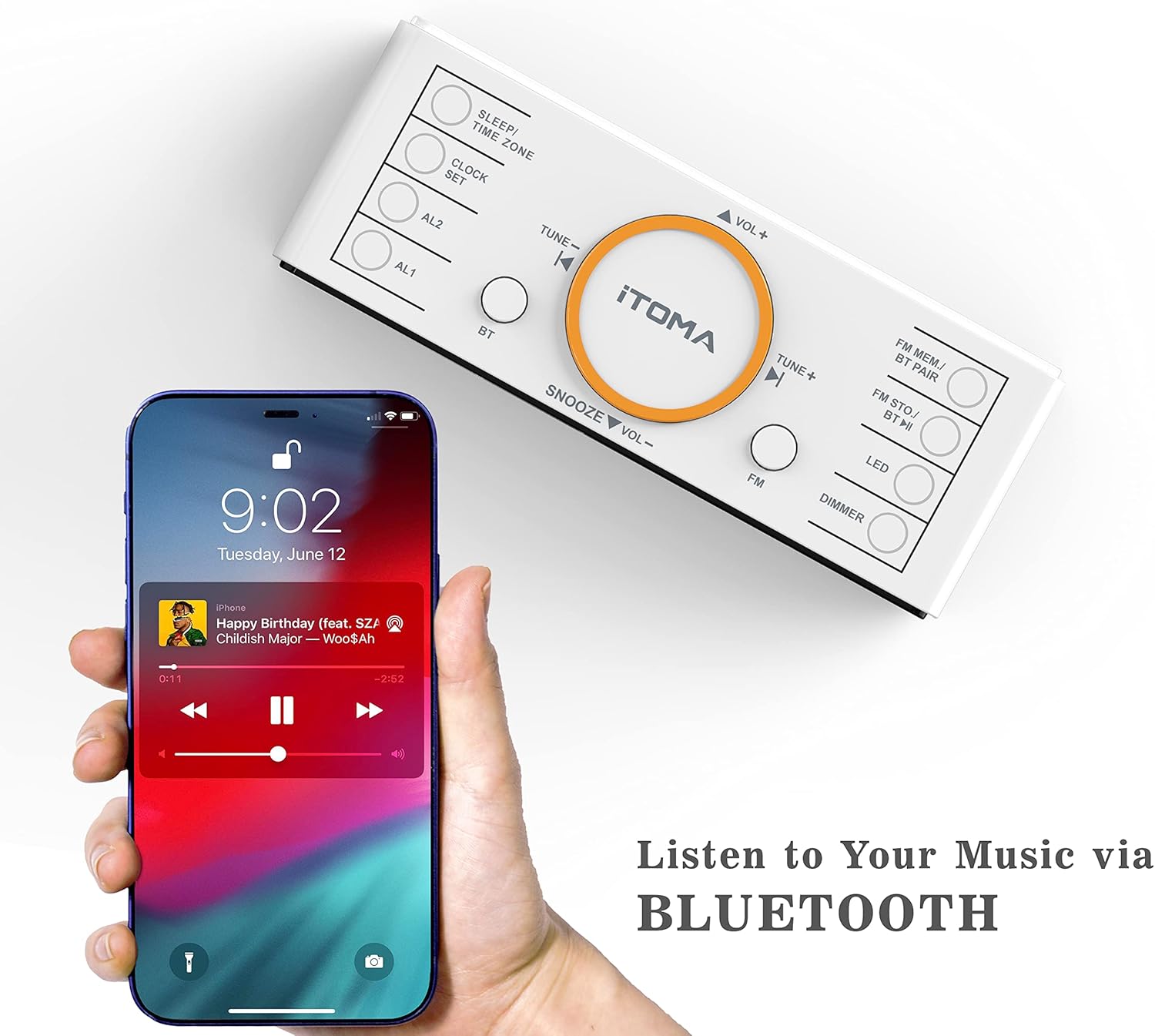
- To manually adjust, press and hold the CONJUNT DE RELLOTGE botó. Utilitza el TUNE+ or TUNE- buttons to adjust values (Year, Month, Date, Hour, Minute, 12/24H format). Press CONJUNT DE RELLOTGE per confirmar cada configuració.
- To adjust the Time Zone, press and hold the SOM/ZONA HORÀRIA botó. Ús TUNE+ or TUNE- per seleccionar la teva zona horària.
Setting Alarms (AL1 / AL2)
- Mantén premut AL1 or AL2 botó per entrar al mode de configuració d'alarma.
- Ús TUNE+ or TUNE- to set the alarm hour and minute. Press the respective alarm button (AL1 or AL2) per confirmar.
- Select the alarm source (FM radio or Buzzer) and desired alarm mode (Every Day, Weekdays, Weekends, Single Day).
- To activate/deactivate an alarm, briefly press AL1 or AL2. The alarm indicator will appear/disappear on the display.
- Quan soni l'alarma, premeu el botó DORMITAR button to temporarily silence it. The alarm will sound again after 9 minutes.
- Per aturar l'alarma completament, premeu qualsevol altre botó (per exemple, FM or BT). The alarm will automatically stop after 1 hour if not manually turned off.
Funcionament de la ràdio FM
- Premeu el botó FM botó per encendre la ràdio.
- Ús TUNE+ or TUNE- to manually tune to a station. Press and hold to auto-scan for the next available station.
- To save a preset, press and hold FM MEM/BT PAIR. Ús TUNE+ or TUNE- per seleccionar un número preestablert (P01-P20) i, a continuació, premeu FM MEM/BT PAIR de nou per confirmar.
- To recall a preset, briefly press FM STO/BT HI repeatedly to cycle through saved stations.
Funcionament Bluetooth
- Premeu el botó BT button to switch to Bluetooth mode. The Bluetooth indicator will flash.
- On your device, enable Bluetooth and search for "iTOMA CKS718-NA". Select it to pair.
- Un cop emparellat, l'indicador Bluetooth deixarà de parpellejar i es mantindrà fix. Ara pots reproduir àudio en streaming des del dispositiu.
- Utilitza el VOL+ i VOL- buttons on the clock or your device to adjust volume.
Dimmer Control and Night Light
- Premeu el botó DIMMER button to cycle through 3 brightness levels (L-1, L-2, L-3) and an auto-dimmer mode (-AU-).
- Premeu el botó LED button to turn the orange night light on/off or adjust its 2 brightness levels.
Càrrega USB
- Connect your smartphone or other USB-powered device to the USB charging port (1A 5V) on the back of the clock.
- The clock radio will charge your device even when the clock is in standby mode.
Manteniment
- Neteja: Use a soft, dry cloth to clean the surface of the unit. Do not use abrasive cleaners or solvents, as they may damage the finish.
- Eliminació de pols: Regularly dust the display and buttons to maintain clear visibility and functionality.
- Substitució de la bateria: If the backup battery is installed, replace it annually or when the clock fails to retain time during power outages.
Resolució de problemes
| Problema | Causa possible | Solució |
|---|---|---|
| La pantalla del rellotge està en blanc o no funciona. | Power adapter not connected or faulty; power outage. | Ensure power adapter is securely plugged in. Check power outlet. If power outage, ensure backup battery is installed. |
| L'alarma no sona. | Alarm not activated; alarm volume too low; incorrect alarm time/mode. | Ensure alarm indicator is visible on display. Increase alarm volume. Verify alarm time and mode settings. |
| Mala recepció de ràdio FM. | FM antenna not extended; interference from other devices. | Fully extend and reposition the FM wire antenna. Move the unit away from other electronic devices. |
| El dispositiu Bluetooth no es pot emparellar. | Bluetooth mode not selected; device too far; interference. | Ensure the clock is in Bluetooth mode. Keep devices within 30 feet. Try restarting both devices. |
| La càrrega per USB és lenta o no funciona. | Cable issue; device requires higher current; port overloaded. | Try a different USB cable. Ensure your device is compatible with 1A 5V charging. Avoid charging multiple high-power devices simultaneously if using a multi-port adapter. |
Especificacions
| Característica | Detall |
|---|---|
| Marca | iTOMA |
| Número de model | CKS718-NA |
| Tipus de visualització | 1.4" White LED |
| Font d'alimentació | Elèctric amb cable |
| Dimensions del producte | 6.22" d'amplada x 3.58" d'alçada |
| Pes de l'article | 1.26 lliures (0.57 kg) |
| Material | Plàstic |
| Bateria de seguretat | 1 CR2032 (no inclosa) |
| Sortida de càrrega USB | 1A 5V |
| Interval de freqüència FM | 87.5 MHz - 108.0 MHz |
Garantia i Suport
For warranty information or technical support, please refer to the product packaging or contact iTOMA customer service directly. You can also visit the official iTOMA Store on Amazon per a recursos addicionals i dades de contacte.


