1. Producte acabatview
The EVGA GeForce RTX 3080 FTW3 Ultra Gaming graphics card is engineered for high-performance computing and gaming. It features advanced NVIDIA Ampere architecture, offering significant improvements in graphics processing and efficiency.
Característiques principals:
- Resolució màxima digital: 7680 x 4320 pixels, supporting high-fidelity visual experiences.
- Real Boost Clock: 1800 MHz, providing enhanced clock speeds for demanding applications.
- Memory Detail: 12288 MB GDDR6X, ensuring ample memory for complex textures and high-resolution gaming.
- Real-Time RAY TRACING: Delivers cutting-edge, hyper-realistic graphics in supported games.
- iCX3 Technology: Features triple fans and 9 iCX3 thermal sensors for superior cooling performance and reduced acoustic noise.
- All-Metal Backplate: Provides structural rigidity and aids in heat dissipation.
- Adjustable ARGB LED: Customizable lighting to match your system's aesthetic.
- PCI Express® Gen 4: High-speed interface for optimal data transfer.
- Microsoft DirectX® 12 Ultimate: Supports the latest graphics APIs for advanced rendering.
- NVIDIA DLSS: AI-powered rendering that boosts frame rates with uncompromised image quality.
- NVIDIA® GeForce Experience™: Optimizes game settings and provides driver updates.
- NVIDIA G-SYNC™: Delivers smooth, tear-free gameplay at refresh rates up to 360 Hz.
- NVIDIA GPU Boost™: Dynamically maximizes clock speeds based on workload and temperature.
- Preparat per a la realitat virtual: Optimized for virtual reality experiences.
- Suport de visualització: Supports 4K 120Hz HDR, 8K 60Hz HDR, and Variable Refresh Rate as specified in HDMI 2.1.
2. Configuració i instal·lació
Proper installation of your EVGA GeForce RTX 3080 FTW3 Ultra Gaming graphics card is crucial for optimal performance and system stability. Always ensure your system is powered off and unplugged before beginning installation.
Passos d'instal·lació:
- Prepareu el vostre sistema: Power down your computer and unplug all cables. Open your PC case.
- Localitza la ranura PCIe: Identifica una ranura PCI Express x16 disponible a la placa base.
- Treure les cobertes de les ranures: Traieu les cobertes de les ranures d'expansió necessàries de la carcassa de l'ordinador.
- Inseriu la targeta gràfica: Alineeu amb cura la targeta gràfica amb la ranura PCIe i premeu fermament fins que quedi ben col·locada. Assegureu-vos que el clip de retenció quedi encaixat al seu lloc.
- Targeta segura: Feu servir cargols per fixar la targeta gràfica a la carcassa de l'ordinador.
- Connectar l'alimentació: Connect three 8-pin PCIe power connectors from your power supply to the corresponding ports on the graphics card. Ensure all connections are firm.
- Tanca el cas: Close your PC case, reconnect all cables, and power on your system.
- Instal·leu els controladors: Once your operating system loads, install the latest NVIDIA drivers from the official NVIDIA website or via NVIDIA GeForce Experience.

Image: General diagram illustrating the steps for graphics card installation into a PC case.
3. Instruccions de funcionament
After successful installation, your EVGA GeForce RTX 3080 FTW3 Ultra Gaming graphics card is ready for operation. To maximize its potential, follow these guidelines:
Driver and Software Management:
- Experiència NVIDIA GeForce: Install NVIDIA GeForce Experience to automatically optimize game settings, record gameplay, and keep your drivers up-to-date.
- EVGA Precision X1: Download and install EVGA Precision X1 software for advanced monitoring, fan control, and customizable ARGB LED lighting effects. This software allows fine-tuning of performance parameters.
Recomanacions d'ús:
- Jocs: For optimal gaming performance, ensure your display is connected to one of the graphics card's output ports (DisplayPort or HDMI). Adjust in-game settings to balance visual quality and frame rate according to your preference.
- Creació de continguts: Leverage the GPU's power for tasks such as video editing, 3D rendering, and graphic design. Ensure your software is configured to utilize the NVIDIA GPU for accelerated processing.
- Configuració de diversos monitors: The card supports multiple displays. Connect additional monitors to the available DisplayPort or HDMI outputs. Configure display settings within your operating system.
4. Manteniment
Regular maintenance helps prolong the lifespan and maintain the performance of your graphics card.
Neteja:
- Eliminació de pols: Periodically clean dust from the fans and heatsink using compressed air. Ensure the system is powered off and unplugged before cleaning. Hold the fan blades gently to prevent them from spinning too fast during cleaning.
- Flux d'aire de la caixa: Ensure your PC case has adequate airflow to prevent heat buildup. Clean case fans and filters regularly.
Manteniment del programari:
- Actualitzacions de controladors: Regularly update your graphics drivers through NVIDIA GeForce Experience or the NVIDIA website. Driver updates often include performance optimizations and bug fixes.
- Actualitzacions de firmware: Check the EVGA website for any available firmware updates for your specific graphics card model.
5. Solució De Problemes
Si teniu problemes amb la targeta gràfica, consulteu els passos habituals següents per a la resolució de problemes:
Problemes comuns i solucions:
- Sense pantalla/Pantalla negra:
- Assegureu-vos que el cable del monitor estigui connectat correctament a la targeta gràfica i al monitor.
- Verifiqueu que la targeta gràfica estigui completament col·locada a la ranura PCIe.
- Check that all three 8-pin PCIe power connectors are securely attached to the graphics card.
- Si és possible, prova amb un cable de pantalla o monitor diferent.
- Inestabilitat/Avaries del sistema:
- Assegureu-vos que la vostra font d'alimentació (PSU) compleixi amb el consum mínim d'aiguatagels requisits del vostre sistema, inclosa la targeta gràfica.
- Actualitza els controladors gràfics a la versió més recent.
- Monitor GPU temperatures using EVGA Precision X1 or similar software. Excessive heat can cause instability.
- Check for any conflicting software or background applications.
- Poor Performance/Low Frame Rates:
- Verify that the latest graphics drivers are installed.
- Check in-game settings; reduce demanding options like ray tracing or resolution if necessary.
- Assegureu-vos que la CPU i la RAM no estiguin congestionant la GPU.
- Monitor GPU utilization and temperatures to ensure the card is operating as expected.
- ARGB LED Not Working:
- Ensure EVGA Precision X1 software is installed and running.
- Check the ARGB settings within EVGA Precision X1.
6. Especificacions
Detailed technical specifications for the EVGA GeForce RTX 3080 FTW3 Ultra Gaming graphics card.
| Especificació | Valor |
|---|---|
| Resolució de pantalla màxima | 7680 x 4320 píxels |
| Velocitat de memòria | 19000 MHz |
| Coprocessador gràfic | NVIDIA GeForce RTX 3080 |
| Xipset Brand | NVIDIA |
| Descripció de la targeta | NVIDIA GeForce RTX 3080 |
| Mida RAM de la targeta gràfica | 12 GB |
| Marca | EVGA |
| Sèrie | RTX 3080 12GB FTW3 |
| Número de model de l'article | 12G-P5-4877-KL |
| Pes de l'article | 4.66 lliures |
| Dimensions del producte | 11.81 x 2.75 x 5.38 polzades |
| Dimensions de l'article LxWxH | 11.81 x 2.75 x 5.38 polzades |
| Fabricant | EVGA |
| ASIN | B09Q3DH7V3 |
| Data de primera disponibilitat | 11 de gener de 2022 |
| Interfície de sortida de vídeo | HDMI |
| Graphics Processor Manufacturer | NVIDIA |
7. Garantia i Suport
Your EVGA GeForce RTX 3080 FTW3 Ultra Gaming graphics card comes with comprehensive support and warranty coverage.
- Garantia: This product includes a 3-year warranty from EVGA. Please retain your proof of purchase for warranty claims.
- Suport tècnic: For technical assistance, driver downloads, or software inquiries, please visit the official EVGA website or contact EVGA's technical support team.
- Recursos en línia: Additional resources, FAQs, and community forums can be found on the EVGA support pages.
8. Visuals del producte

Image: The EVGA GeForce RTX 3080 FTW3 Ultra Gaming graphics card displayed alongside its retail packaging.

Imatge: Frontal view de la targeta gràfica, mostraasing its triple-fan design with the ARGB LEDs turned off.

Imatge: Frontal view of the graphics card, highlighting the customizable ARGB LED lighting in operation.

Imatge: Side profile of the graphics card, showing the heatsink and power connectors with LEDs off.

Imatge: Side profile of the graphics card, illustrating the illuminated ARGB LED strip.
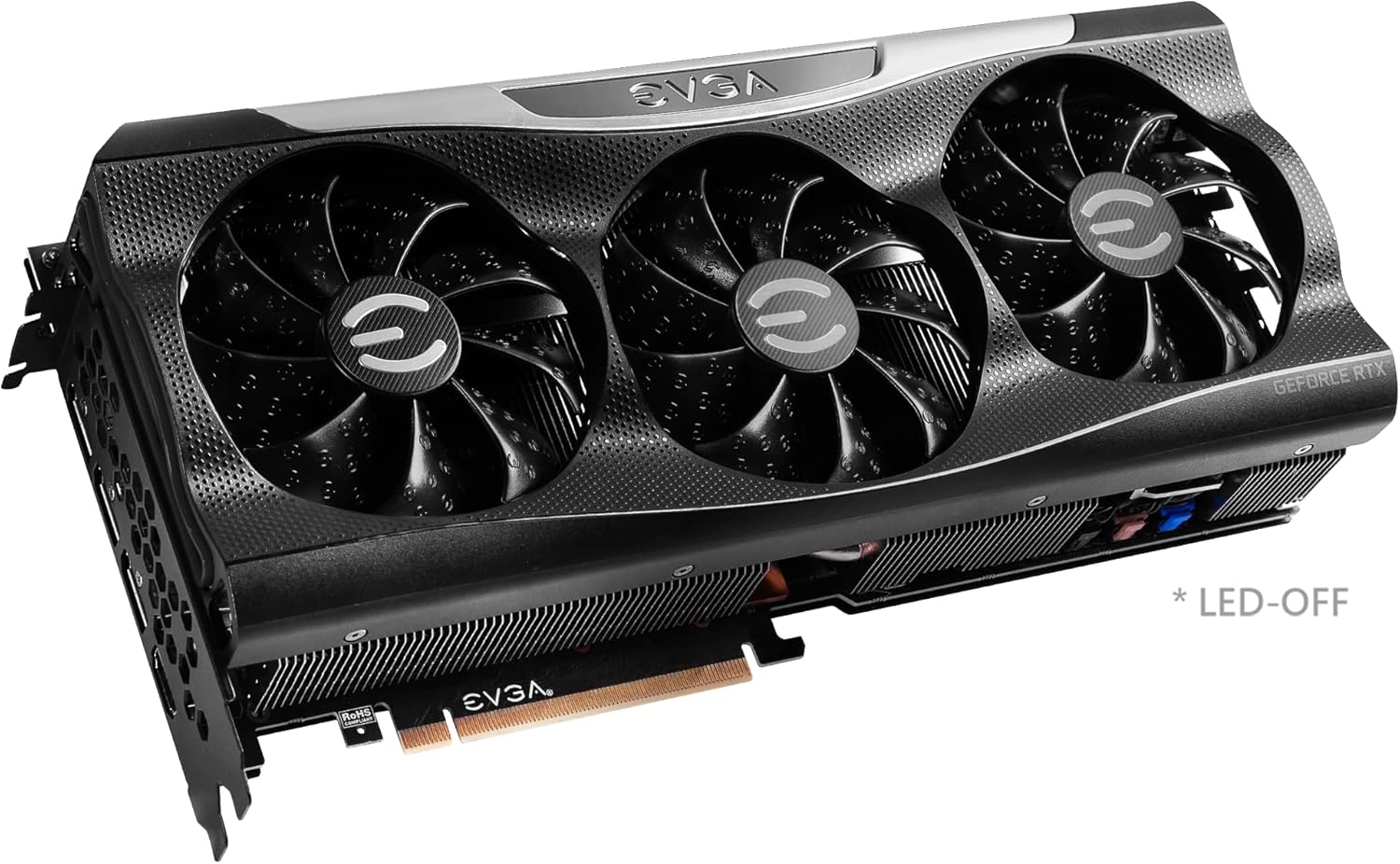
Image: Close-up of the graphics card's output ports, including DisplayPort and HDMI connectors.

Imatge: Part posterior view of the graphics card, showing the metal backplate and illuminated EVGA logo.

Image: Branding for the EVGA GeForce RTX 3080 12GB FTW3 and XC3 Series.

Image: Visual representation of the 2nd Gen RT Cores, 3rd Gen Tensor Cores, and New Streaming Multiprocessors (SM) technology.

Image: A chart comparing the 12GB memory of the RTX 3080 to the 10GB memory of a previous model.

Image: Diagram detailing the iCX3 Interactive Cooling system, showing thermal contact surface, triple fans, and smart cut-outs for improved airflow.

Image: A comprehensive list of features and detailed specifications for the graphics card.
9. Vídeos oficials de productes
Video: An unboxing and installation guide for the EVGA GeForce RTX 3080 FTW3 Ultra 12GB graphics card, provided by Systematic Hardware.


