1. Introducció
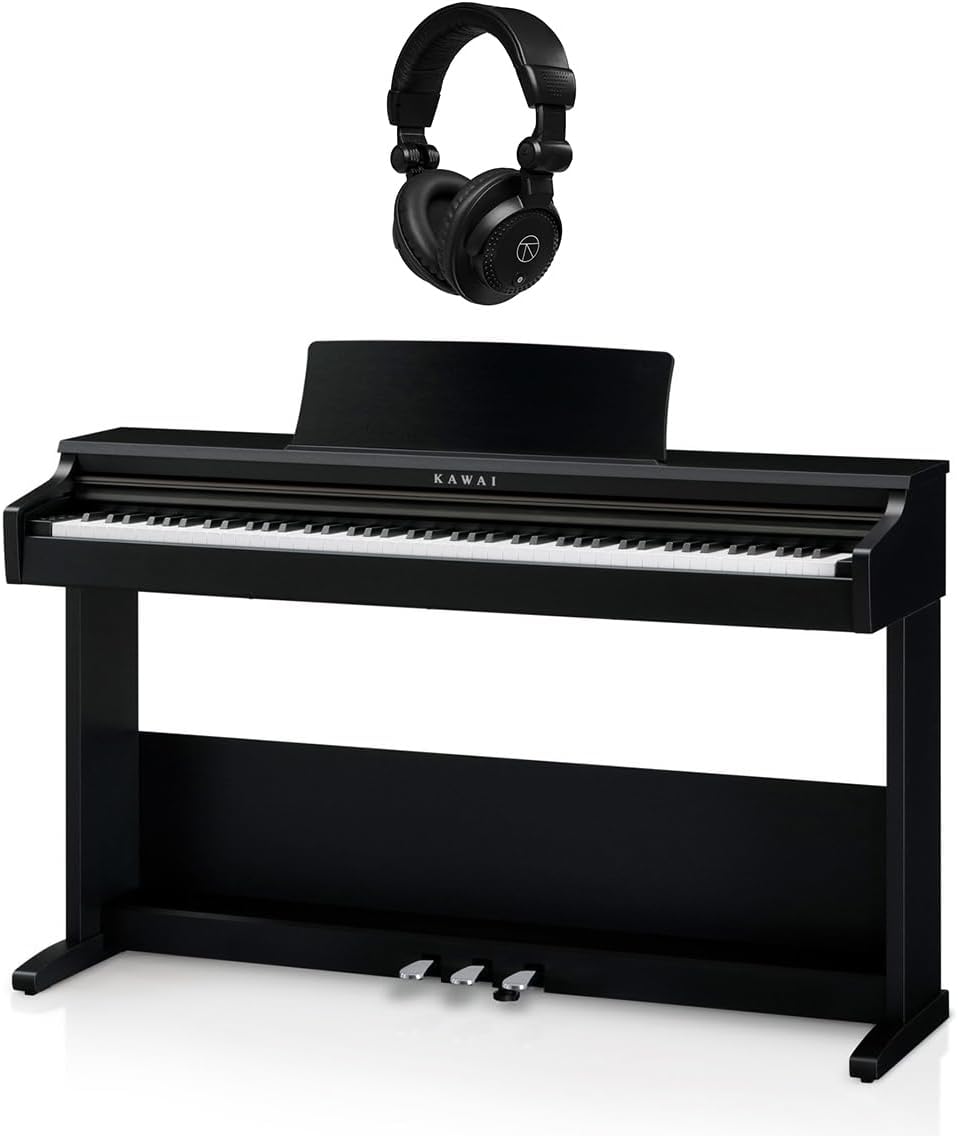
Welcome to the user manual for your new Kawai KDP75 Digital Piano. This instrument combines Kawai's renowned acoustic piano heritage with advanced digital technology, offering an authentic playing experience. This manual provides essential information for setting up, operating, maintaining, and troubleshooting your KDP75 Digital Piano and its bundled accessories, including the TAPH100 Closed-Back Studio Monitor Headphones.
2. Producte acabatview
2.1 Característiques clau
- Responsive Hammer Compact (RHC) Action: Provides a realistic acoustic piano touch with 88 grade-weighted keys and matte surfaces.
- Harmonic Imaging Technology: Delivers rich, detailed sound from the Shigeru Kawai SK-EX concert grand piano, with 88-key stereo sampllengüeta
- Connectivitat: Features USB-MIDI for computer connection and standard headphone jacks for private practice.
- Virtual Technician: Allows customization of piano tone with 13 adjustable parameters via the PianoRemote app.
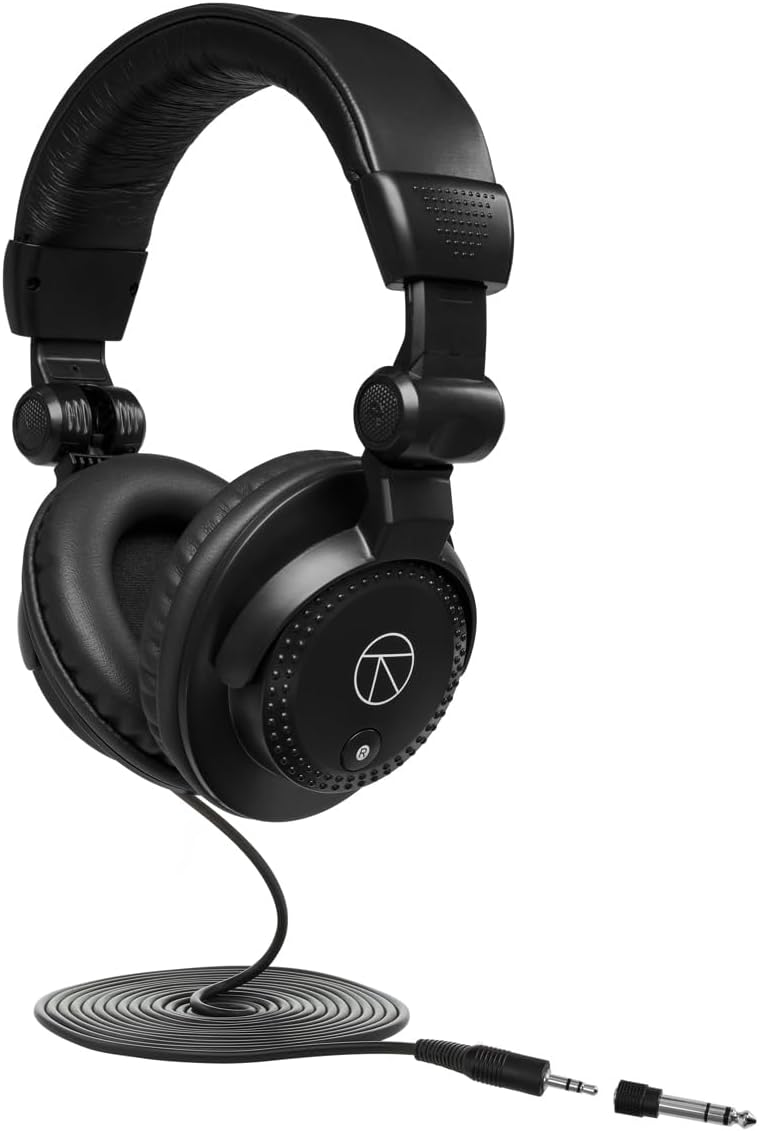
- Accessoris empaquetats: Includes a matching bench, pedals, AC adapter, power cable, headphone hook, and TAPH100 Closed-Back Studio Monitor Headphones.
2.2 Components



3. Configuració
3.1 Desembalatge i muntatge
The Kawai KDP75 is a substantial instrument. It is highly recommended that dues persones handle the unpacking and assembly process to prevent injury or damage to the unit. Carefully remove all components from the packaging. Follow the detailed assembly instructions provided in the separate assembly guide included with your piano. Ensure all screws and fasteners are securely tightened before use.
3.2 Connexió d'alimentació
- Connect the supplied AC adapter to the DC IN jack located on the rear of the piano.
- Connecteu l'adaptador de CA a una presa de corrent estàndard.
- Ensure the power cable is not strained or placed where it can be tripped over.
3.3 Headphone Connection
The KDP75 features 3.5mm headphone jacks for private practice. Connect the TAPH100 headphones to either of the headphone jacks located on the front left underside of the piano. The headphone hook can be attached to the side of the piano for convenient storage.
3.4 USB-MIDI Connection
To connect the KDP75 to a computer for MIDI applications, use a standard USB-B to USB-A cable (not included). The USB-MIDI port is located on the rear panel. This allows the piano to function as a MIDI controller or to receive MIDI data from software.
4. Instruccions de funcionament
4.1 Encès/Apagat
Premeu el botó [PODER] button located on the left side of the keyboard to turn the piano on. Press and hold the [PODER] button for a few seconds to turn the piano off.
4.2 Selecció de so
The KDP75 offers a variety of instrument sounds. Use the dedicated sound buttons (e.g., [PIANO], [ÒRGAN], [CORDES]) or the function button combined with specific keys to select different sounds. Refer to the Quick Reference Guide for a full list of sound selections and their corresponding key combinations.
4.3 Control de volum
Ajusteu el volum principal amb el botó [VOLUM] slider located on the left side of the keyboard. Ensure the volume is set to a comfortable listening level before playing.
4.4 Using the Pedals
The KDP75 features three integrated pedals: Soft, Sostenuto, and Damper (Sustain). These pedals function similarly to those on an acoustic grand piano, allowing for expressive control over your performance.
- Pedal esquerre (suau): Reduces the volume and slightly alters the tone.
- Pedal del mig (Sostenuto): Sustains only the notes held down at the moment the pedal is pressed.
- Pedal dret (D)amper/Sostenible): Sustains all notes played while the pedal is pressed.
4.5 Virtual Technician and PianoRemote App
The KDP75 supports the Kawai PianoRemote app, available for smart devices. This app allows you to access the Virtual Technician feature, which provides 13 adjustable parameters to fine-tune the piano's sound characteristics, such as Damper Resonance, String Resonance, and Key-off Effect. Download the app from your device's app store and connect via USB-MIDI for enhanced control.
5. Manteniment
5.1 Neteja
To clean the piano's surface, use a soft, dry cloth. For stubborn dirt, slightly dampen the cloth with water and a mild, non-abrasive cleaner, then wipe dry immediately. Avoid using chemical solvents, waxes, or abrasive cleaners, as these can damage the finish. For the keys, wipe gently with a soft, damp cloth. Do not use alcohol-based cleaners on the keys.
5.2 Emmagatzematge i medi ambient
Store the piano in a stable environment, away from direct sunlight, extreme temperatures, and high humidity. Avoid placing the piano near heat sources or in areas with significant temperature fluctuations, as this can affect the instrument's components and finish.
6. Solució De Problemes
| Problema | Causa possible | Solució |
|---|---|---|
| No hi ha so dels altaveus/auriculars. | Volume too low; power not connected; headphones not fully inserted. | Increase volume; check power connection; ensure headphones are fully plugged in. |
| Some keys do not produce sound or feel stuck. | Internal mechanism issue; debris under keys. | Gently try to dislodge any visible debris. If problem persists, contact Kawai customer support for service. Do not attempt to repair yourself. |
| Piano does not power on. | Power cable loose; power outlet not working. | Check power cable connection at both ends; try a different power outlet. |
| La connexió MIDI no funciona. | Incorrect cable; driver issue; software settings. | Ensure correct USB-MIDI cable is used; check computer's device manager for driver status; verify MIDI settings in your software. |
If you encounter issues not listed here or if the suggested solutions do not resolve the problem, please contact Kawai customer support or an authorized service center.
7. Especificacions
| Característica | Detall |
|---|---|
| Nom del model | KDP75 |
| Nombre de claus | 88 |
| Acció del teclat | Responsive Hammer Compact (RHC) |
| Motor de so | Harmonic Imaging (HI) |
| Sons interns | SK-EX Concert Grand Piano, various other instruments |
| Connectivitat | USB-MIDI, 3.5mm Headphone Jacks |
| Programari compatible | PianoRemote, PiaBookPlayer |
| Font d'alimentació | Elèctric amb cable |
| Pes de l'article | 118.9 lliures (aprox. 53.9 kg) |
| Dimensions del producte | 62.5 x 25.5 x 15 polzades (aprox. 158.75 x 64.77 x 38.1 cm) |
| UPC | 192223197657 |
8. Garantia i Suport
8.1 Informació de la garantia
The Kawai KDP75 Digital Piano comes with a 3-year manufacturer's warranty. This warranty covers defects in materials and workmanship under normal use. Please retain your proof of purchase for warranty claims. For full details regarding warranty terms and conditions, refer to the warranty card included with your product or visit the official Kawai weblloc.
8.2 Atenció al client
For technical assistance, service, or inquiries regarding your Kawai KDP75 Digital Piano, please contact Kawai customer support. Contact information can typically be found on the official Kawai weblloc web o a la documentació que s'inclou amb el producte.
Recursos en línia: For additional support, FAQs, and software updates, visit the official Kawai weblloc: www.kawai-global.com


