Introducció
This manual provides comprehensive instructions for the setup, operation, and maintenance of your LMP USB-C Numeric Keyboard 106. Please read this manual thoroughly before using the product to ensure proper functionality and longevity. Keep this manual for future reference.
Contingut del paquet
Verifiqueu que tots els elements siguin presents al paquet:
- LMP USB-C Numeric Keyboard 106
- Cable USB-C integrat
Configuració
Follow these steps to connect your keyboard to a compatible device:
- Descomprimir el teclat: Traieu amb cura el teclat del seu embalatge.
- Identifica el connector USB-C: Locate the USB-C connector at the end of the integrated cable.
- Connecta't al dispositiu: Plug the USB-C connector into an available USB-C port on your computer, tablet, or smartphone.
- Instal·lació del controlador (si cal): Most modern operating systems will automatically detect and install the necessary drivers. If prompted, follow the on-screen instructions.
- Verifica la connexió: Once connected, the keyboard should be ready for use. Test by typing in a text editor.
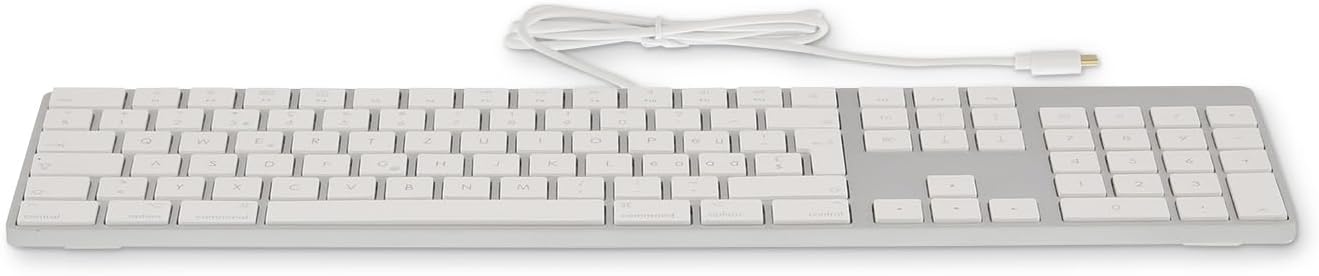
Imatge: Frontal view of the LMP USB-C Numeric Keyboard 106, showing the full layout including the numeric keypad.

Imatge: Costat esquerre view of the LMP USB-C Numeric Keyboard 106, highlighting the integrated USB-C cable extending from the keyboard.
Instruccions de funcionament
The LMP USB-C Numeric Keyboard 106 functions as a standard 106-key layout keyboard. It is designed for ease of use with various operating systems that support USB-C input devices.
Funcions bàsiques de la clau
- Tecles alfanumèriques: Standard typing keys for letters, numbers, and symbols.
- Teclat numèric: Dedicated section for numerical input and calculations.
- Tecles de funció (F1-F12): Perform various system-specific functions, often in combination with the Fn clau.
- Tecles modificadores: Inclou Canvi, Control, Opció/Alt, i Command/Windows keys for system commands and shortcuts.
- Tecles de navegació: tecles de fletxa, Casa, Final, Amunt pàgina, Pàgina avall for document navigation.
Disseny ergonòmic
The keyboard features an ergonomic design intended to provide a comfortable typing experience during extended use. The key layout and profile are optimized to reduce strain.

Image: The LMP USB-C Numeric Keyboard 106 integrated into a complete desktop workstation, demonstrating its use with a monitor, tablet, and other accessories.
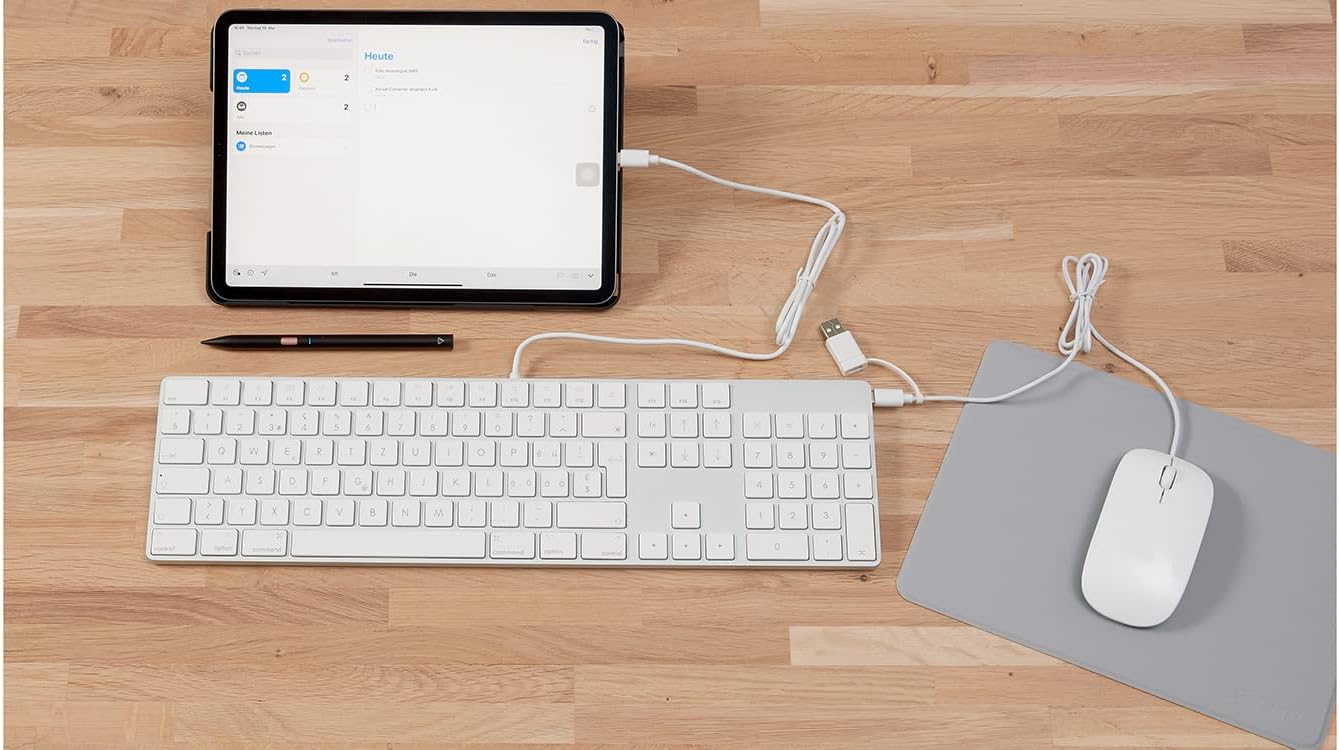
Image: The LMP USB-C Numeric Keyboard 106 connected via its USB-C cable to an iPad, illustrating its compatibility with tablet devices.
Manteniment i cura
Un manteniment adequat garanteix la longevitat i el rendiment òptim del teclat.
- Neteja: Utilitzeu un drap suau i sense pelusa lleugerament dampNetegeu la superfície del teclat amb aigua o una solució de neteja suau. Eviteu productes químics agressius, productes de neteja abrasius o humitat excessiva.
- Eliminació de pols: Feu servir aire comprimit per eliminar la pols i les restes que hi ha entre les tecles.
- Emmagatzematge: Quan no l'utilitzeu, guardeu el teclat en un lloc net i sec, allunyat de la llum solar directa i de temperatures extremes.
- Eviteu els vessaments: Mantingueu els líquids allunyats del teclat per evitar danys als components interns.
Resolució de problemes
If you encounter issues with your LMP USB-C Numeric Keyboard 106, refer to the following common solutions:
| Problema | Solució |
|---|---|
| Keyboard is not recognized by the device. |
|
| Les tecles no responen o s'escriuen incorrectament. |
|
| Numeric keypad is not working. |
|
Especificacions
| Característica | Detall |
|---|---|
| Marca | LMP |
| Número de model | W126584806 |
| Tecnologia de connectivitat | USB-C |
| Nombre de claus | 106 |
| Material | Alumini |
| Color | Plata/negre |
| Característiques especials | Ergonòmic |
| Dispositius compatibles | Smartphone, Tablet, Computer (via USB-C) |
| Ports USB 2.0 | 1 (Passthrough, if available) |
Garantia i Suport
For warranty information and technical support, please refer to the documentation provided with your purchase or visit the official LMP weblloc web. No intenteu reparar el dispositiu vosaltres mateixos, ja que això podria anul·lar la garantia.
For further assistance, please contact LMP customer service.


