1. Instruccions de seguretat importants
Please read all instructions carefully before using the Baseus A7 Handheld Vacuum. Keep this manual for future reference.
- Do not use the vacuum cleaner near water or in wet conditions.
- Do not vacuum flammable or combustible materials, hot ashes, or sharp objects.
- Mantingueu els cabells, la roba solta, els dits i totes les parts del cos lluny de les obertures i les parts mòbils.
- Feu servir només el cable de càrrega proporcionat pel fabricant.
- No feu funcionar l'aspiradora amb un cable o endoll danyats.
- Ensure the filter is properly installed before use.
- Aquest aparell no està pensat per ser utilitzat per persones (inclosos nens) amb capacitats físiques, sensorials o mentals reduïdes, o amb manca d'experiència i coneixements, tret que hagin rebut la supervisió o instruccions sobre l'ús de l'aparell per una persona responsable de la seva seguretat.
- Els nens han de ser supervisats per assegurar-se que no juguin amb l'aparell.
2. Contingut del paquet
Verifiqueu que tots els elements siguin presents al paquet:

Figura 2.1: Components inclosos
- Baseus A7 Handheld Vacuum Cleaner
- Flagship Flexible Extender Tube
- Silicone Brush / Precision Extensions (2-in-1 Crevice Tool)
- Cable de càrrega USB-C
- Storage Cloth Bag
- Filtre HEPA (preinstal·lat o de recanvi)
- Manual d'usuari
- Targeta de garantia
3. Producte acabatview
The Baseus A7 is a portable, cordless handheld vacuum designed for efficient cleaning in various environments, including cars, carpets, and other small areas. It features two suction levels and a USB-C rechargeable battery.

Figure 3.1: Suction Power and Runtime
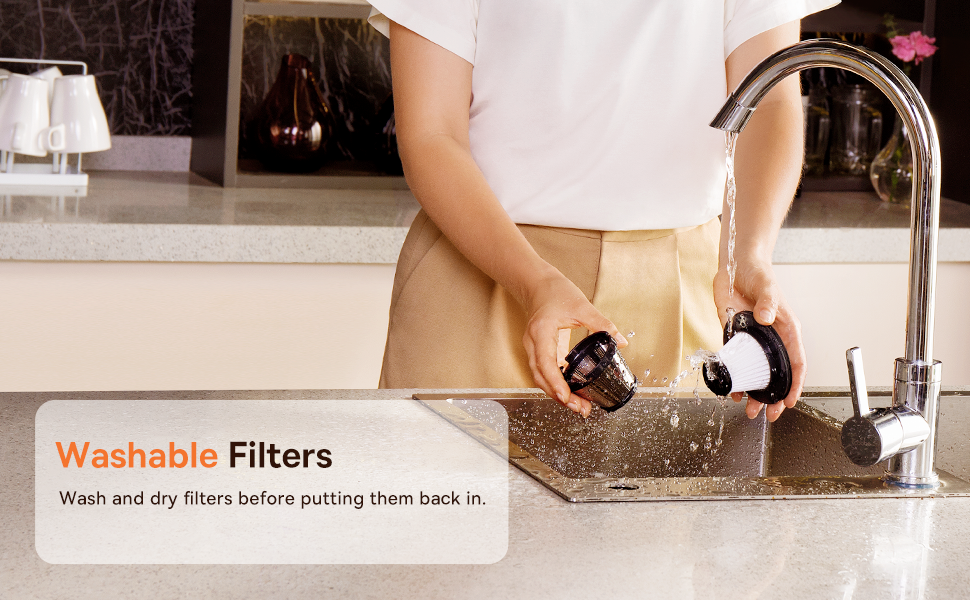
Figure 3.2: Powerful and Portable Design
Característiques principals:
- Sense fil i portàtil: Designed for easy handling and use in various locations.
- Two Suction Levels: Standard (4500PA) for general cleaning and High (8000PA) for tougher debris.
- USB-C recarregable: Convenient charging with a modern USB-C port.
- Filtració HEPA: Captura la pols fina i els al·lèrgens.
- 500ml Dust Box: Large capacity for extended cleaning sessions.
4. Configuració i càrrega
4.1 Càrrec inicial
Before first use, fully charge the vacuum cleaner. The charging time is approximately 3 to 3.5 hours.
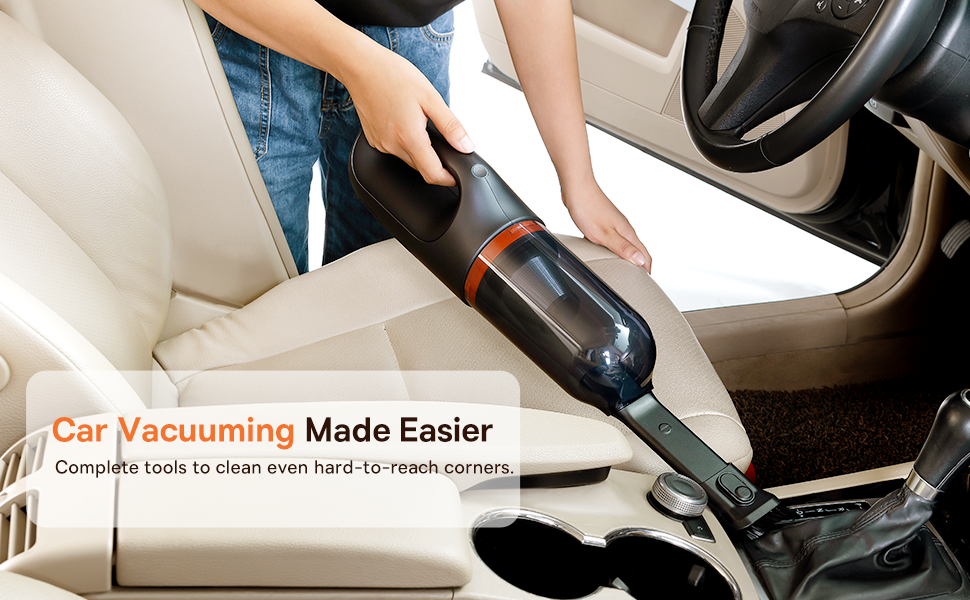
Figura 4.1: Càrrega USB-C
- Connect the provided USB-C charging cable to the charging port on the vacuum cleaner.
- Connecteu l'altre extrem del cable a un adaptador de corrent USB compatible (no inclòs) o a un port USB.
- The indicator light will show charging status (refer to the device for specific light patterns).
- Once fully charged, disconnect the vacuum from the power source.
4.2 Col·locació d'accessoris
Select the appropriate attachment for your cleaning task and firmly attach it to the vacuum's suction inlet.
- Flexible Extender Tube: For reaching deep or awkward spaces.
- 2-in-1 Crevice Tool (Silicone Brush/Precision Extensions): Use the narrow end for tight corners and crevices, or slide the brush attachment forward for delicate surfaces.
5. Instruccions de funcionament
5.1 Power On/Off and Suction Levels
- To turn on the vacuum, press the power button. It will start in Standard suction mode (4500PA).
- Press the power button again to switch to High suction mode (8000PA).
- Premeu el botó d'engegada una tercera vegada per apagar l'aspirador.
5.2 Aplicacions de neteja
The Baseus A7 is versatile for various cleaning tasks:

Figure 5.1: Versatile Cleanups

Figure 5.2: Car Vacuuming Made Easier
- Interiors de cotxes: Use the crevice tool for tight spots between seats and the flexible tube for under seats.
- Household Surfaces: Effective for quick cleanups on tables, countertops, and furniture.
- Pèl d'animals: Can be used for light pet hair removal on upholstery.
- Keyboards and Electronics: Use the brush attachment for delicate cleaning.
For optimal performance, ensure the dust box is not overfilled and the filter is clean.
6. Manteniment
6.1 Buidar la caixa de pols
Empty the dust box regularly to maintain suction power and prevent blockages.
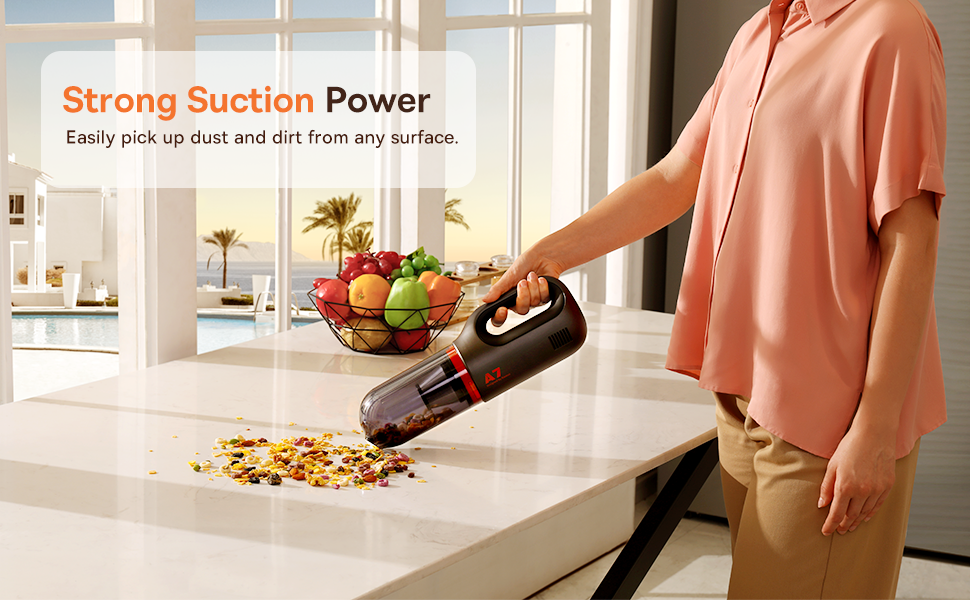
Figure 6.1: Easy to Empty Dust Box
- Assegureu-vos que l'aspiradora estigui apagada.
- Twist or unlatch the dust box from the main body of the vacuum (refer to device for specific mechanism).
- Carefully empty the collected debris into a trash receptacle.
- Reattach the dust box securely.
6.2 Neteja del filtre
The HEPA filter is washable and should be cleaned periodically to ensure efficient filtration and suction.

Figure 6.2: Washing the HEPA Filter
- Remove the dust box and then carefully remove the HEPA filter.
- Rinse the filter under cool, running water until clean. Do not use detergents.
- Deixeu que el filtre s'assequi completament a l'aire durant almenys 24 hores abans de tornar-lo a introduir a l'aspiradora. No feu servir l'aspiradora amb un filtre humit.
- Ensure the filter is fully dry and properly seated before reassembling the vacuum.
7. Solució De Problemes
If you encounter issues with your Baseus A7 vacuum, refer to the following common problems and solutions:
| Problema | Causa possible | Solució |
|---|---|---|
| Sense alimentació / No s'encén | La bateria està esgotada. | Charge the vacuum fully (approx. 3-3.5 hours). |
| Potència d'aspiració feble | La caixa de pols està plena. El filtre està obstruït. Attachment is not properly sealed. | Buideu la caixa de pols. Clean and dry the HEPA filter. Ensure attachments are firmly connected. |
| El buit s'atura inesperadament | La bateria és baixa. Protecció contra sobreescalfament activada. | Recarregueu la bateria. Turn off the vacuum and let it cool down for 30 minutes before resuming use. |
| L'indicador de càrrega no funciona | Problema amb el cable o l'adaptador de càrrega. Problema amb el port de càrrega. | Try a different USB-C cable and power adapter. Ensure the cable is fully inserted. If the issue persists, contact customer support. |
Si el problema persisteix després de provar aquestes solucions, poseu-vos en contacte amb el servei d'atenció al client de Baseus.
8. Especificacions
| Característica | Detall |
|---|---|
| Marca | Baseus |
| Nom del model | A7 |
| Característica especial | HEPA, Portable |
| Tipus de filtre | Cartutx (HEPA) |
| Sense fils | Sí |
| Capacitat | 500 mil·lilitres |
| Wattage | 120 watts |
| Temps de càrrega | 3 - 3.5 hores |
| Usos recomanats | Car, Carpet, Household |
| Factor de forma | Portàtil |
| Color | Negre |
| Dimensions del producte | 4 cm de llargada x 3 cm d'amplada x 13 cm d'alçada |
| Tipus de bateria | Ió de liti (2 piles incloses) |
| Nivell de soroll | 75 decibels |
| Ampedat | 1.4 Amps |
| Nombre de velocitats | 2 |
| Pes de l'article | 3.43 lliures |
| Font d'alimentació | Funciona amb bateria |
9. Garantia i Suport
The Baseus A7 Handheld Vacuum comes with a warranty to ensure your satisfaction.
- Garantia: Includes a 1-year warranty card and a 3-year guarantee. Please refer to the warranty card included in your package for specific terms and conditions.
- Atenció al client: For any questions, technical assistance, or warranty claims, please contact Baseus customer support through their official weblloc web o la informació de contacte que apareix a la targeta de garantia.
10. Vídeo del producte
Watch the official product video for a visual guide on the Baseus A7 Handheld Vacuum's features and usage.
Video 10.1: Baseus A7 Handheld Vacuum Overview and Demonstration. This video showcases the vacuum's design, suction capabilities, and how to use its various attachments for different cleaning scenarios.


