1. Producte acabatview
The INPHIC DR01 Bluetooth Mouse is a versatile and ergonomic input device designed for seamless multi-device connectivity. It supports 2.4G wireless, Bluetooth 5.0, and Bluetooth 4.0 modes, allowing connection to up to three different devices. Featuring a silent click design and a built-in rechargeable battery, it offers a comfortable and quiet user experience for various computing environments.

Figure 1: The INPHIC DR01 Bluetooth Mouse shown alongside its USB Nano-receiver.
2. Instruccions de seguretat
Please read and follow these safety instructions carefully to ensure proper use and longevity of your INPHIC DR01 mouse:
- Do not operate the device in extremely high or low temperatures (0°C - 40°C, 40%-65% RH).
- Avoid exposing the device to humid environments.
- Si el producte està exposat a temperatures fora del rang especificat, apagueu immediatament l'interruptor d'alimentació (desconnecteu el cable USB del ratolí amb cable) fins que la temperatura s'estabilitzi dins del rang de funcionament especificat.
- Do not charge rechargeable products in humid environments. Ensure that the charging cable, keyboard, mouse, and USB ports are dry and free of debris during charging.
- If the product's connection cable or charging cable is damaged in any way, stop using it immediately.
- Aquest producte no conté peces que puguin ser reparades per l'usuari. Si el producte no funciona correctament, poseu-vos en contacte amb el servei d'atenció al client.
- No intenteu modificar o reparar el producte vosaltres mateixos, ja que això anul·larà la garantia.
- Si els productes recarregables no s'utilitzen durant un període llarg, primer cal carregar-los completament, apagar l'interruptor d'alimentació i guardar-los en un lloc fresc i sec. Carregueu el producte cada tres mesos per evitar danys a la bateria durant llargs períodes sense alimentació.

Figure 2: Important safety instructions and warnings for the device.
3. Contingut del paquet
The INPHIC DR01 Bluetooth Mouse package includes the following items:
- 1 x Wireless Mouse (Model: DR01)
- 1 x USB Nano-receiver
- 1 x cable de càrrega
- 1 x Manual d'usuari
4. Característiques del producte
The INPHIC DR01 mouse is equipped with several features designed for enhanced usability and performance:
4.1 Connectivitat multidispositiu
The mouse supports three connection modes: 2.4GHz Wireless, Bluetooth 5.0, and Bluetooth 4.0. This allows you to pair and switch between up to three different devices seamlessly, such as laptops, desktops, tablets, and smartphones.
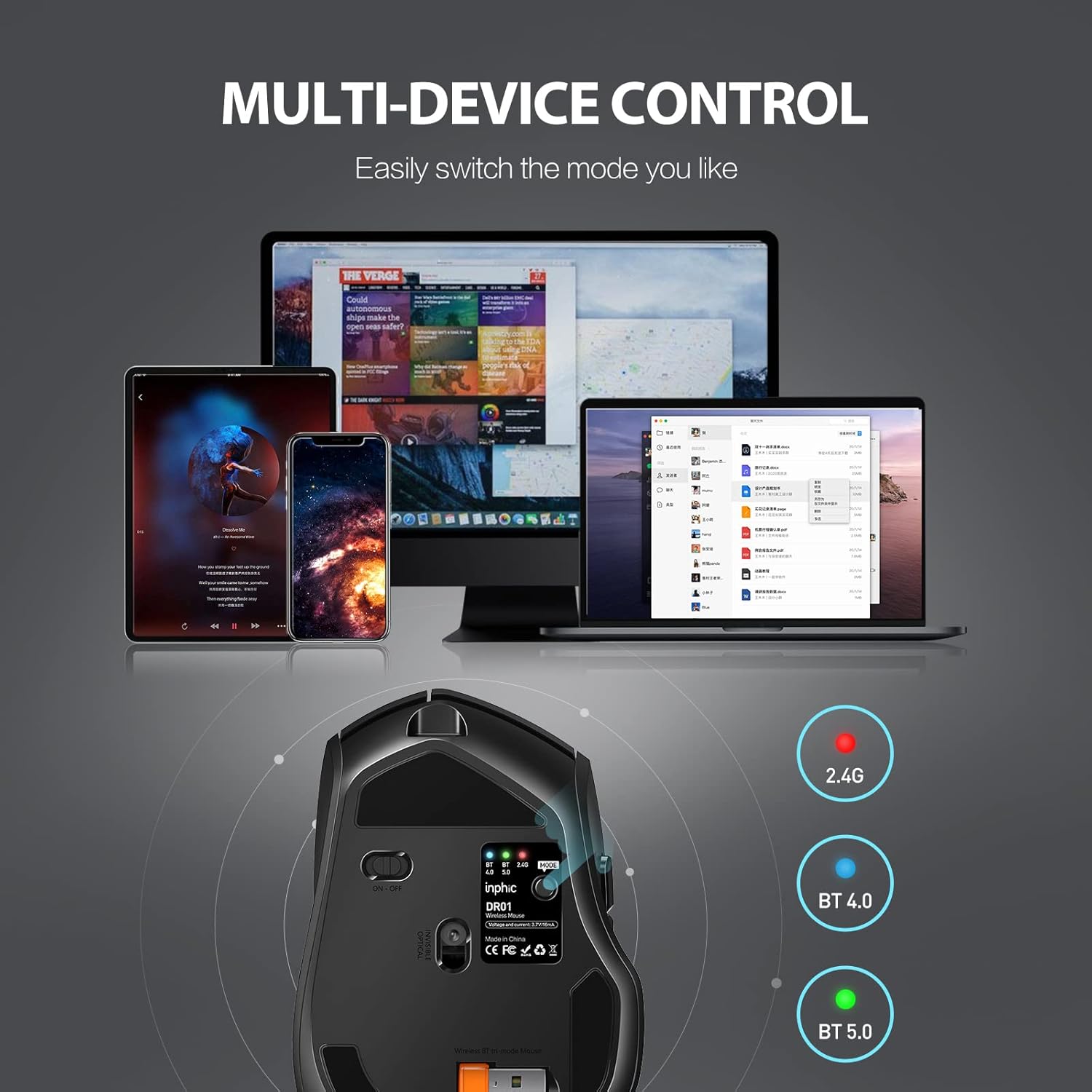
Figure 3: The mouse's multi-device control feature, allowing easy switching between connected devices.
4.2 Bateria recarregable
Equipped with a built-in 500mAh rechargeable battery, the mouse offers extended usage. A full charge takes approximately 2-3 hours and can last for 1-2 months depending on usage. Charging indicators provide clear status updates.
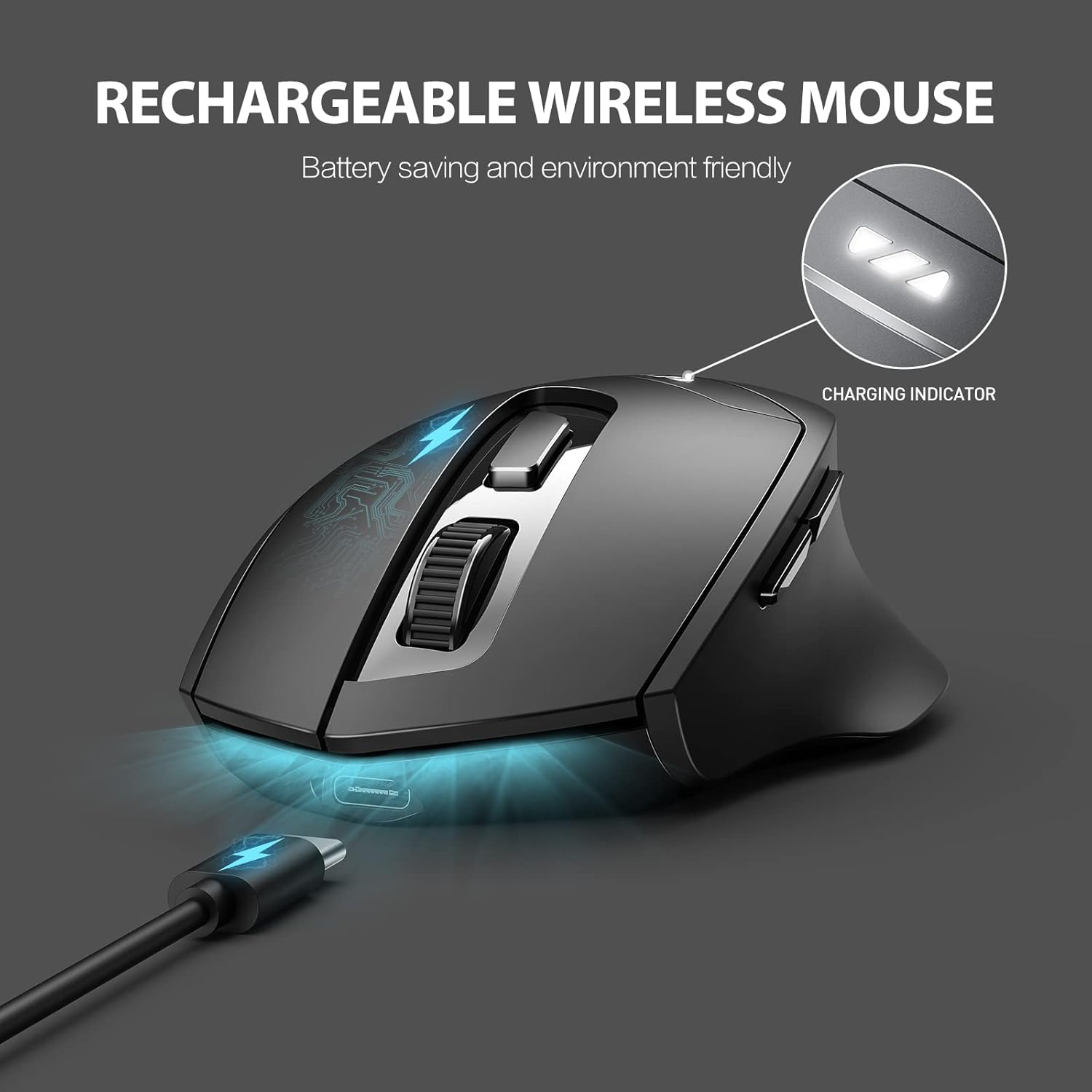
Figure 4: The rechargeable feature of the wireless mouse, highlighting the charging indicator lights.
4.3 Ultra-Silent Clicks
The left and right mouse buttons are designed for ultra-silent operation, reducing click noise by up to 90%. This feature is ideal for quiet environments, ensuring you can work or study without disturbing others.
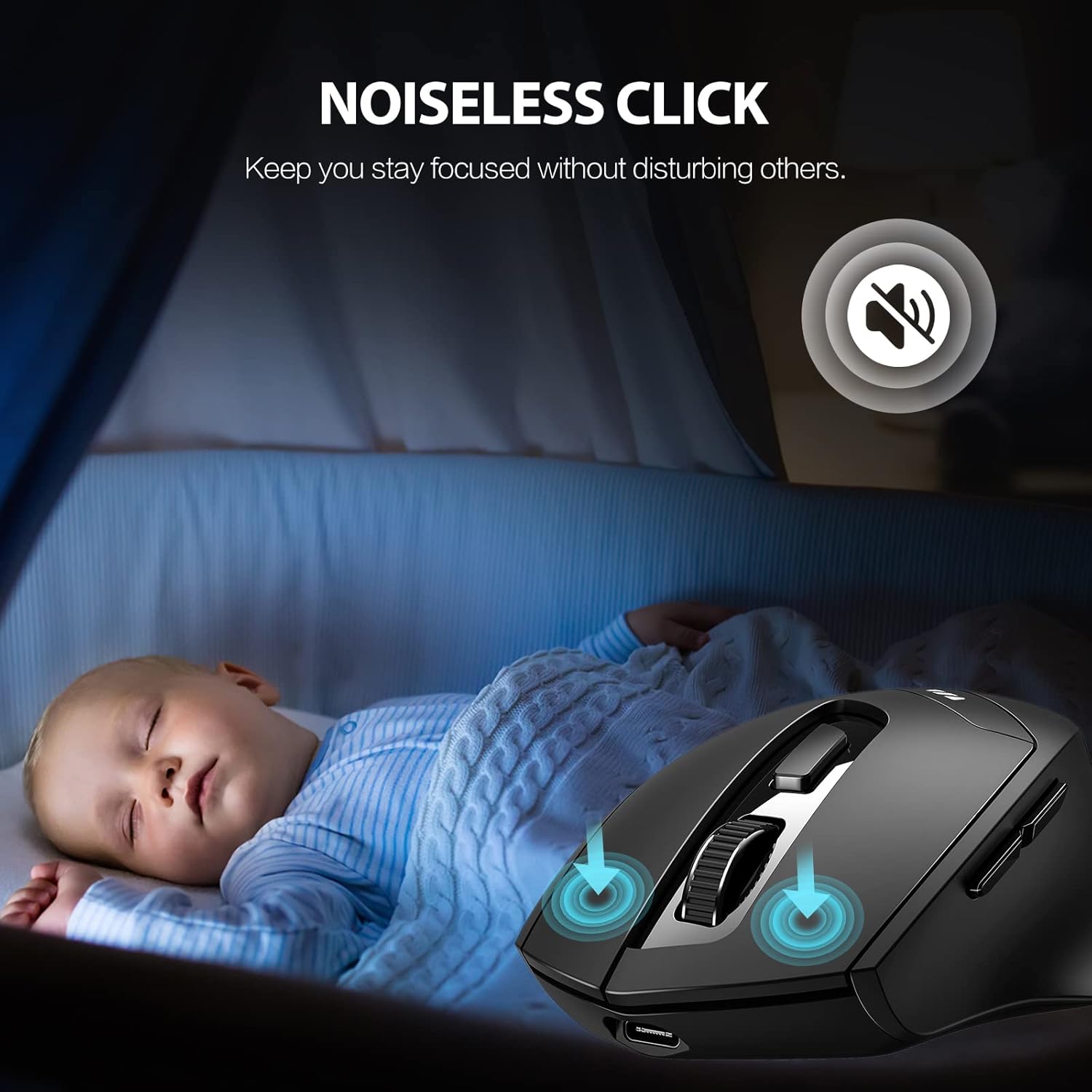
Figure 5: The noiseless click feature of the mouse, designed to maintain focus without disturbance.
4.4 Disseny ergonòmic
The mouse features a curved design and a sweat-resistant matte finish, providing a comfortable grip that fits naturally in the palm of your hand. This ergonomic shape helps reduce strain during prolonged use.
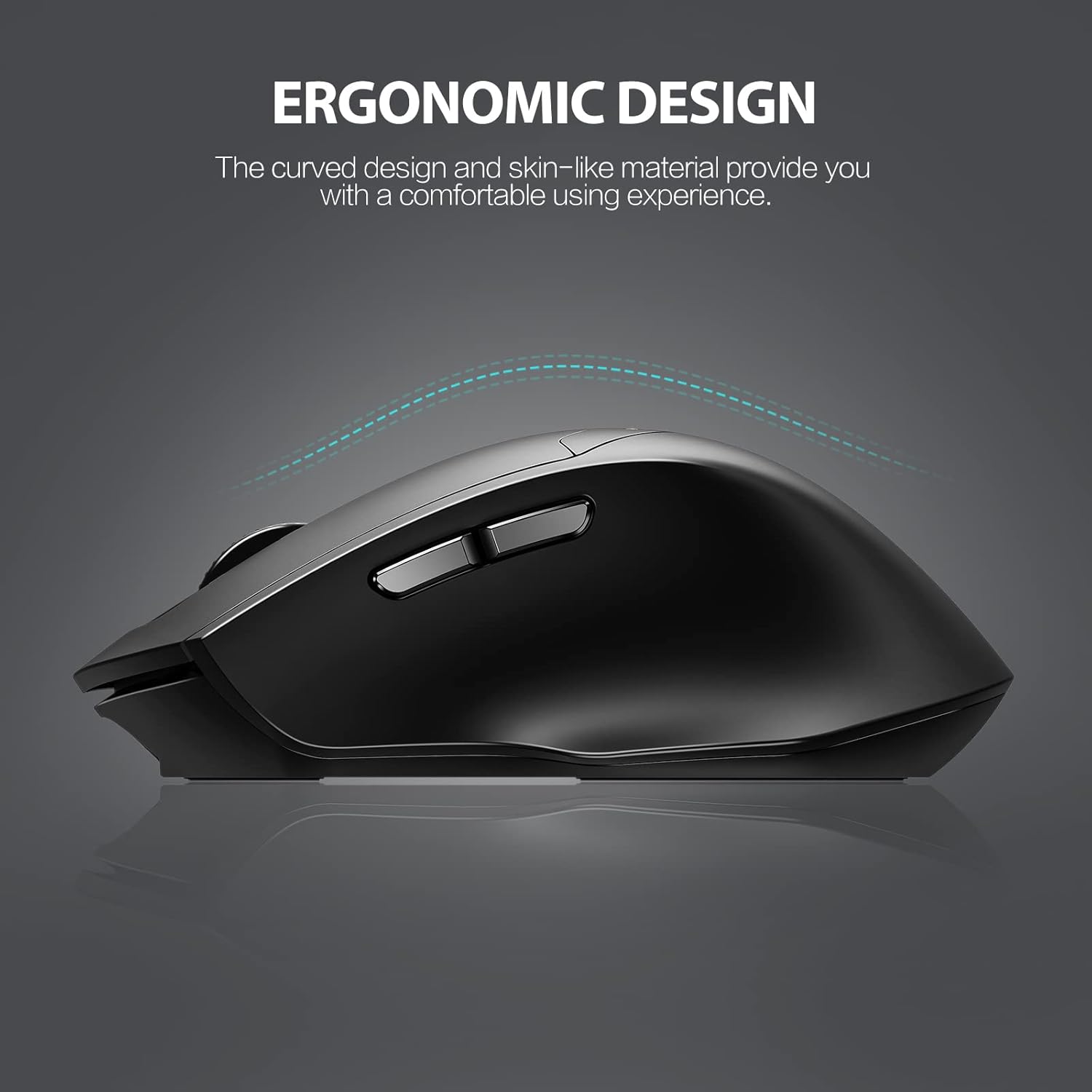
Figure 6: The ergonomic design of the mouse, emphasizing its comfortable curved shape.
4.5 Component acabatview
Familiarize yourself with the key components of the mouse:
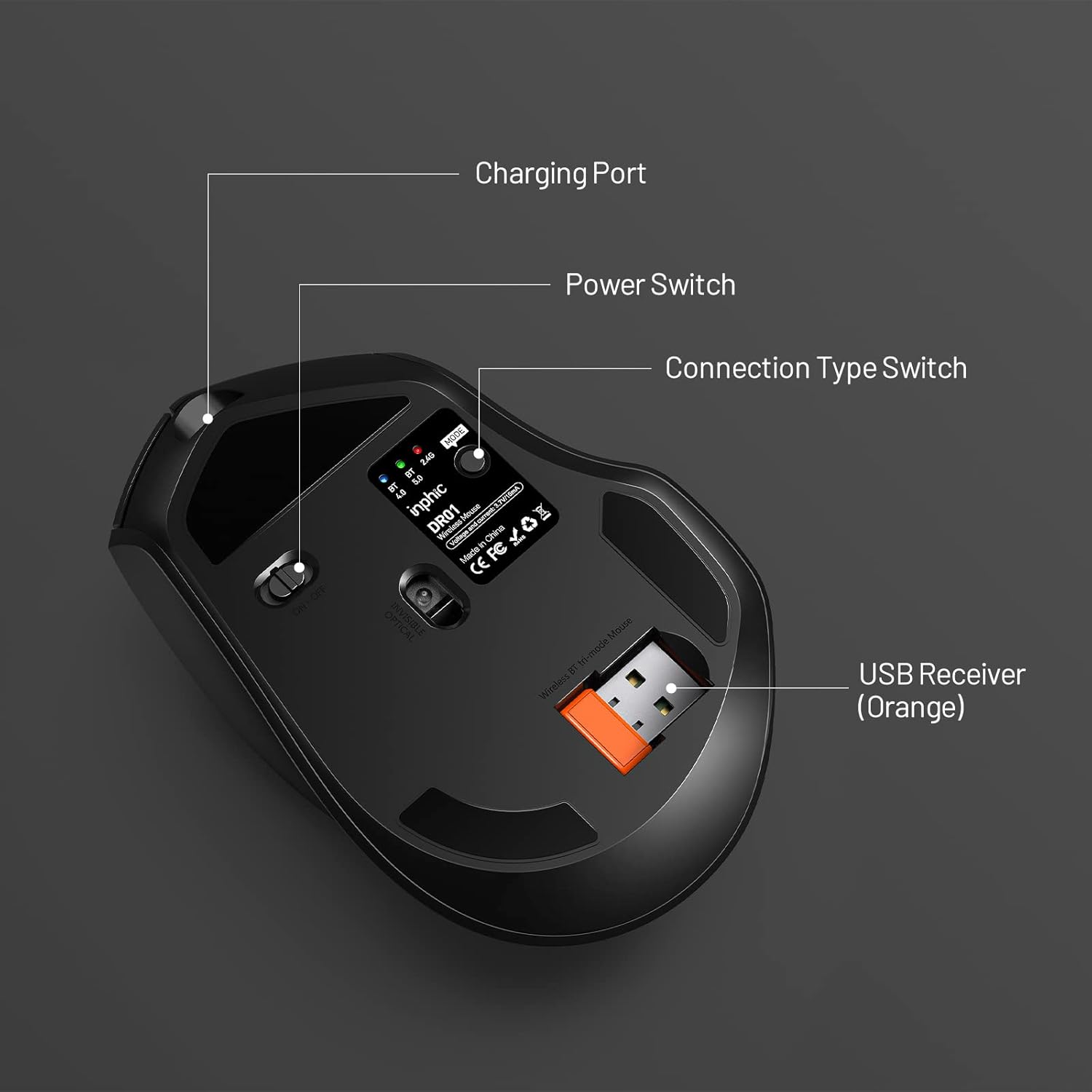
Figure 7: Labeled diagram of the mouse's underside, showing the charging port, power switch, connection type switch, and USB receiver storage.
4.6 Dimensions
The physical dimensions of the mouse are approximately 112mm (length) x 75mm (width) x 42mm (height).
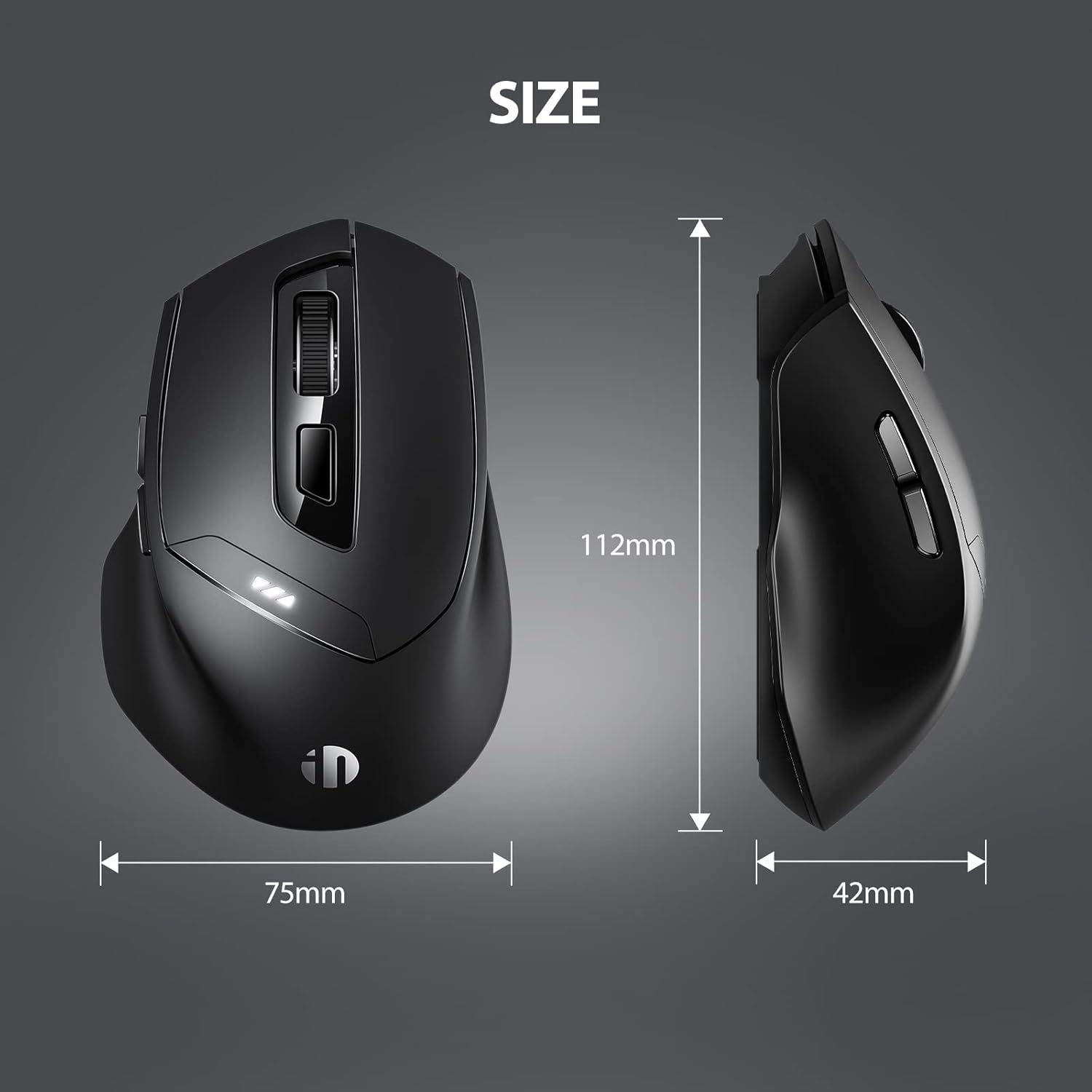
Figure 8: Diagram illustrating the precise dimensions of the mouse.
5. Configuració i connexió
The INPHIC DR01 mouse offers three distinct connection modes: 2.4G Wireless, Bluetooth 5.0, and Bluetooth 4.0. Follow these steps to connect your mouse to your device:
5.1 Connexió sense fil 2.4G
- Locate the USB Nano-receiver stored in the compartment on the bottom of the mouse.
- Plug the USB Nano-receiver into an available USB port on your computer or device.
- Turn on the mouse using the power switch on its bottom.
- Press the "Connection Type Switch" button on the bottom of the mouse until the 2.4G indicator light (red) is active. The mouse should automatically connect to the receiver.
5.2 Bluetooth Connection (BT 4.0 / BT 5.0)
- Turn on the mouse using the power switch on its bottom.
- Press the "Connection Type Switch" button on the bottom of the mouse to select either BT 4.0 (blue light) or BT 5.0 (green light).
- Al dispositiu (portàtil, tauleta, telèfon intel·ligent), aneu a la configuració de Bluetooth.
- Cerca new devices. The mouse should appear as "INPHIC Mouse" or similar.
- Select the mouse to pair. Once paired, the corresponding Bluetooth indicator light will remain solid.
Note: The mouse can be paired with two different Bluetooth devices (one on BT 4.0 and one on BT 5.0) in addition to the 2.4G wireless connection, allowing for quick switching between three devices.
6. Instruccions de funcionament
Once connected, the INPHIC DR01 mouse functions as a standard computer mouse. It features six buttons for various operations:
- Botó esquerre de clic: Selecció i activació estàndard.
- Botó dret: Context menu access.
- Roda de desplaçament: Desplaça't amunt/avall, fes clic amb el botó central.
- Botó d'ajust de DPI: Located near the scroll wheel, cycles through DPI settings.
- Botó Endavant: (Left side) Navigates forward in web navegadors o file exploradors.
- Botó enrere: (Left side) Navigates backward in web navegadors o file exploradors.
6.1 Ajust de DPI
The mouse offers three adjustable DPI settings: 800, 1200, and 1600. DPI (Dots Per Inch) determines the sensitivity of the mouse cursor. To change the DPI, press the DPI adjustment button located near the scroll wheel. The red gear at the scroll wheel will flash with different frequencies to indicate the current DPI setting:
- 800 DPI: Slower cursor movement, suitable for precise tasks.
- 1200 DPI: Medium cursor movement, general use.
- 1600 DPI: Faster cursor movement, suitable for quick navigation.
7. Càrrega i bateria
The INPHIC DR01 mouse is powered by a rechargeable lithium metal battery. To ensure optimal performance and battery life, follow these guidelines:
- Càrrega: Connect the provided charging cable to the mouse's charging port (refer to Figure 7) and to a USB power source (e.g., computer USB interface, 5V/500mA adapter).
- Indicador de càrrega: During charging, three white lights will flash circularly. Once fully charged, these three white lights will remain steadily on.
- Volum baixtage Petició: When the battery is low, a red light will flash slowly to indicate that charging is required.
- Temps de càrrega: Normalment, una càrrega completa triga entre 2 i 3 hores.
- Use Time (per charge): A fully charged mouse can last for 1-2 months, depending on usage intensity.
To conserve battery life, the mouse will enter sleep mode after 3 seconds or 10 minutes of no operation. Press any button to wake it up. You can also switch the power button on the back of the mouse to the "OFF" position when not in use for extended periods.
8. Manteniment
Proper maintenance will extend the lifespan of your INPHIC DR01 mouse:
- Neteja: Feu servir un drap suau i sec per netejar el ratolí. Eviteu utilitzar productes químics agressius o materials abrasius.
- Emmagatzematge: When not in use for a long time, turn off the mouse and store it in a cool, dry place.
- Càrrega: Recharge the mouse every three months even if not in use to prevent battery degradation.
- Eviteu les gotes: Protect the mouse from drops and impacts, which can damage internal components.
9. Solució De Problemes
If you encounter issues with your INPHIC DR01 mouse, refer to the following common problems and solutions:
9.1 Problemes de connexió
- El ratolí no respon: Ensure the mouse is turned on and fully charged. Check if the correct connection mode (2.4G, BT 4.0, or BT 5.0) is selected via the switch on the bottom of the mouse.
- La xarxa sense fil 2.4G no es connecta: Ensure the USB Nano-receiver is securely plugged into a working USB port. Try a different USB port. Re-pair by turning the mouse off and on, then selecting 2.4G mode.
- Bluetooth no connectat: Ensure Bluetooth is enabled on your device. Remove any previous pairings of the mouse from your device's Bluetooth settings and attempt to pair again. Make sure you select the correct BT 4.0 or BT 5.0 mode on the mouse.
- USB receiver location: The USB receiver is typically built into the bottom of the mouse for storage.
9.2 Problemes de rendiment
- Cursor erràtic o no es mou suaument: Check the surface you are using the mouse on. A clean, non-reflective surface is ideal. Adjust the DPI setting to a lower value if the cursor is too fast, or a higher value if it's too slow. Ensure the optical sensor on the bottom of the mouse is clean.
- Botons que no responen: Ensure the mouse is fully charged. If using 2.4G, try re-inserting the USB receiver. If using Bluetooth, try re-pairing the device.
9.3 Charging and Battery Issues
- El ratolí no carrega: Ensure the charging cable is properly connected to both the mouse and the power source. Try a different USB port or charging adapter. Use a 5V/500mA USB interface for charging.
- La bateria es descarrega ràpidament: Ensure the mouse is turned off when not in use for extended periods. Reduce the DPI setting if not needed, as higher DPI can consume more power.
9.4 Preguntes de compatibilitat
- MacBook compatibility: This mouse is compatible with MacBook. If your MacBook only has Type-C ports, you will need a Type-C to USB-A adapter (not included) to use the USB Nano-receiver. Bluetooth connection works directly.
10. Especificacions
| Característica | Detall |
|---|---|
| Model de producte | DR01 |
| Mètode de connexió | Sense fil 2.4G, Bluetooth 5.0, Bluetooth 4.0 |
| Distància de transferència | Fins a 33 peus (10 m) |
| Nombre de botons | 6 |
| DPI ajustable | 800 / 1200 / 1600 |
| Durada de la pulsació de tecles | 3,000,000 times (Silent) |
| Temps de càrrega | 2-3 hores |
| Use Time (per charge) | 1-2 mesos |
| Tipus de bateria | 1 bateria de metall de liti (inclosa) |
| Dimensions del producte | 4.41 x 2.95 x 1.65 polzades (112 x 75 x 42 mm) |
| Pes de l'article | 2.96 unces |
| Compatibilitat | Windows 7/8/10/Mac/iOS/Android, desktops, laptops, tablets, mobile phones, MacBook, iPad |
| Tecnologia de detecció de moviment | Òptic |
11. Garantia i Suport
INPHIC offers a 100% worry-free 12-month warranty for this product. For any questions, technical support, or warranty claims, please contact INPHIC customer service through the retailer where you purchased the product or visit the official INPHIC weblloc per obtenir informació de contacte d'assistència.
Si us plau, conserveu el comprovant de compra per motius de garantia.


