Introducció
El Logitech MX Keys Mini és un teclat il·luminat sense fil compacte i minimalista dissenyat per a creadors. Ofereix una experiència d'escriptura superior amb tecles Perfect Stroke, retroil·luminació intel·ligent i compatibilitat amb diversos dispositius i sistemes operatius. Aquest manual proporciona informació essencial per configurar, utilitzar, mantenir i solucionar problemes del teclat.
Què hi ha a la caixa
- Mini teclat Logitech MX Keys
- Cable de càrrega USB-C
- Document d'informació important

Imatge: El teclat Logitech MX Keys Mini, el cable de càrrega USB-C i la documentació tal com s'inclouen.
Configuració
1. Càrrega del teclat
Abans del primer ús, carregueu completament el teclat MX Keys Mini amb el cable de càrrega USB-C inclòs. Connecteu un extrem del cable al port USB-C de la part posterior del teclat i l'altre extrem a una font d'alimentació USB-C (per exemple, un ordinador o un adaptador de paret).
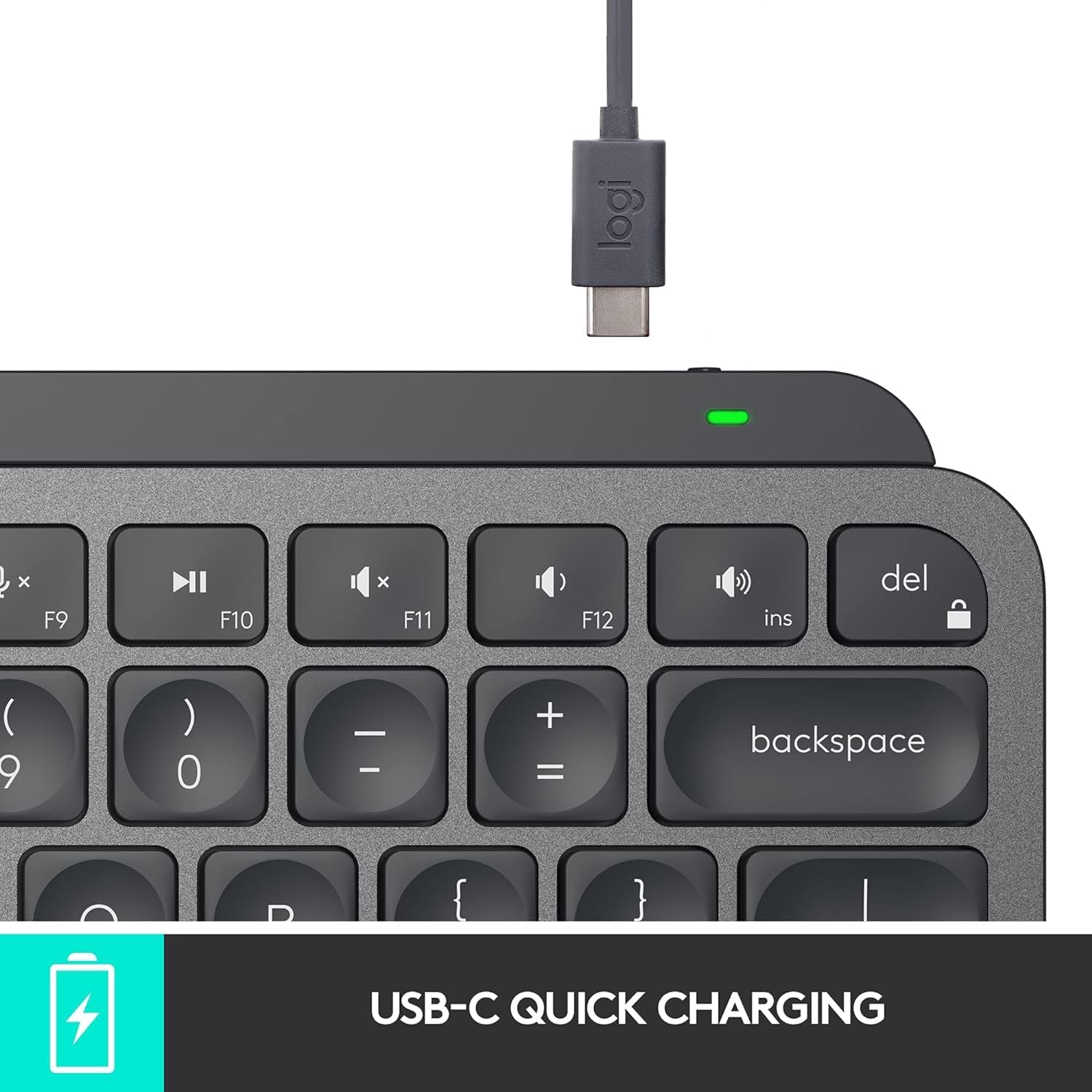
Imatge: El port de càrrega USB-C del teclat Logitech MX Keys Mini amb el cable de càrrega inserit.
2. Connexió a dispositius (Bluetooth)
- Enceneu el teclat amb l'interruptor d'encesa situat a la part posterior.
- Premeu i manteniu premuda una de les tecles Easy-Switch (F1, F2 o F3) durant tres segons fins que l'indicador LED que hi ha a sobre de la tecla comenci a parpellejar ràpidament. Això indica el mode d'emparellament.
- Al dispositiu (ordinador, tauleta, telèfon intel·ligent), obriu la configuració de Bluetooth i seleccioneu "MX Keys Mini" de la llista de dispositius disponibles.
- Seguiu les instruccions que apareixen a la pantalla per completar el procés d'emparellament. L'indicador LED s'il·luminarà fixament durant 5 segons i després s'apagarà, cosa que indica que l'emparellament s'ha realitzat correctament.
- Repetiu el procés per a un màxim de dos dispositius més utilitzant les altres tecles Easy-Switch.
L'MX Keys Mini admet Bluetooth Low Energy i és compatible amb els sistemes operatius Apple macOS, iOS, Windows, Linux i Android.

Imatge: El teclat Logitech MX Keys Mini demostra la connectivitat multidispositiu amb tres sistemes operatius diferents.
Opcional: Receptor USB Logi Bolt
Per a una connexió sense fil segura i d'alt rendiment, podeu utilitzar un receptor USB LogiBolt (es ven per separat). Connecteu el receptor a un port USB de l'ordinador i emparelleu el teclat amb el programari Logitech Options.
Característiques
- Tecles de traç perfecte: Les tecles tenen una forma esfèrica que s'adapta a la forma de la punta dels dits, cosa que proporciona una experiència d'escriptura satisfactòria i precisa.
- Tecles intel·ligents: Tecles integrades per a dictat de veu a text, activar/desactivar el so del micròfon i accés a emojis.
- Factor de forma minimalista: Un disseny compacte que promou una millor postura i permet una posició més ergonòmica del ratolí.
- Il·luminació intel·ligent: Les tecles retroil·luminades s'il·luminen automàticament quan s'acosten les mans i ajusten la brillantor en funció de les condicions de llum ambiental.
- Multidispositiu i multisistema operatiu: Canvia perfectament entre fins a tres dispositius emparellats en diversos sistemes operatius.
- Compatibilitat de flux: Funciona amb ratolins compatibles amb Logitech Flow (com ara MX Master 3 o MX Anywhere 3) per escriure en diversos ordinadors en un flux de treball fluid.
- USB-C recarregable: Bateria de llarga durada amb una còmoda càrrega USB-C.

Imatge: Una imatge superior view del teclat Logitech MX Keys Mini que destaca les seves característiques principals i el seu disseny.
Instruccions de funcionament
Canvi entre dispositius
Per canviar entre els dispositius emparellats, només cal que premeu la tecla Easy-Switch corresponent (F1, F2 o F3) una vegada. El teclat es connectarà instantàniament al dispositiu seleccionat.
Control intel·ligent d'il·luminació
La retroil·luminació del teclat s'ajusta automàticament a la llum ambiental. Podeu ajustar la brillantor manualment amb les tecles de retroil·luminació dedicades (F4 i F5) a la fila superior. Per desactivar la retroil·luminació i estalviar bateria, podeu utilitzar el programari Logitech Options.

Imatge: El teclat Logitech MX Keys Mini demostra la seva funció de retroiluminació intel·ligent, que il·lumina les tecles amb poca llum.
Ús de les tecles intel·ligents
- Dictat (F6): Premeu per activar el dictat de veu a text en aplicacions compatibles.
- Silenciar/Activar micròfon (F7): Silencia o activa ràpidament el micròfon durant les trucades o les gravacions.
- Emoji (F8): Accedeix al menú d'emojis per inserir-los ràpidament.
Programari d'opcions de Logitech
Baixeu i instal·leu el programari Logitech Options des de la pàgina oficial de Logitech. weblloc per personalitzar el teclat. Aquest programari us permet:
- Reassignar les tecles de funció a accions específiques o dreceres de teclat.
- Ajusteu la configuració de la retroiluminació, inclosa la desactivació per allargar la durada de la bateria.
- Gestiona les connexions dels dispositius Easy-Switch.
- Activa la funcionalitat Flow amb ratolins compatibles.
Manteniment
Durada de la bateria i càrrega
L'MX Keys Mini ofereix fins a 10 dies de durada de la bateria amb una càrrega completa i la retroiluminació activada o fins a 5 mesos amb la retroiluminació desactivada. Recarrega el teclat amb el cable USB-C subministrat quan l'indicador de bateria mostri poca energia.
Neteja
Per netejar el teclat, netegeu suaument les tecles i la superfície amb un drap suau i sense borrissol. Eviteu utilitzar productes químics agressius o materials abrasius.
Resolució de problemes
Problemes de connectivitat
- Assegureu-vos que el teclat estigui carregat i encès.
- Verifiqueu que el Bluetooth estigui habilitat al vostre dispositiu.
- Torna a emparellar el teclat mantenint premuda una tecla Easy-Switch fins que parpellegi i, a continuació, seleccionant-la a la configuració de Bluetooth del dispositiu.
- Si feu servir un receptor LogiBolt, assegureu-vos que estigui connectat correctament i que el teclat estigui emparellat mitjançant Logitech Options.
La retroiluminació no funciona
- Comproveu el nivell de la bateria; la retroiluminació pot estar desactivada quan la bateria està baixa.
- Assegureu-vos que la retroiluminació no estigui apagada o desactivada manualment al programari Logitech Options.
- Verifiqueu que el sensor de llum ambiental no estigui obstruït.
Especificacions
| Marca | Logitech |
| Número de model | 920-010388 |
| Tecnologia de connectivitat | Bluetooth, USB-C |
| Dispositius compatibles | Ordinador portàtil (i altres dispositius amb Bluetooth) |
| Descripció del teclat | Membrana |
| Característica especial | Retroil·luminat, recarregable |
| Color | Grafit |
| Dimensions del producte | 11.65" de llargada x 5.19" d'amplada x 0.83" d'alçada (29.59 x 13.18 x 2.11 cm) |
| Pes de l'article | 1.5 lliures (0.68 kg) |
| Bateries | Necessita 1 bateria de polímer de liti (inclosa) |
Garantia i Suport
Per obtenir informació sobre la garantia, assistència tècnica i recursos addicionals, consulteu el "Document d'informació important" inclòs a l'embalatge del producte o visiteu el lloc web d'assistència oficial de Logitech. weblloc. Logitech ofereix assistència al client i recursos per garantir un rendiment òptim del producte.