1. Introducció
Gràcies per la compraasing the Acogedor Wireless Bluetooth Speaker. This manual provides detailed instructions for the proper setup, operation, and maintenance of your speaker. Please read this manual thoroughly before use to ensure optimal performance and longevity of your device.

Imatge 1.1: Frontal view of the Acogedor Wireless Bluetooth Speaker, showcasing its wood grain finish and central speaker driver.
2. Contingut del paquet
Si us plau, comproveu el contingut del paquet en desembalar-lo. Si falta algun article o hi ha algun malmès, poseu-vos en contacte amb el servei d'atenció al client.
- Acogedor Wireless Bluetooth Speaker
- Charging Cable (USB to Micro USB)
- Manual d'usuari (aquest document)

Image 2.1: The Acogedor Wireless Bluetooth Speaker shown alongside its included USB charging cable.
3. Producte acabatview
3.1 Components de l'altaveu
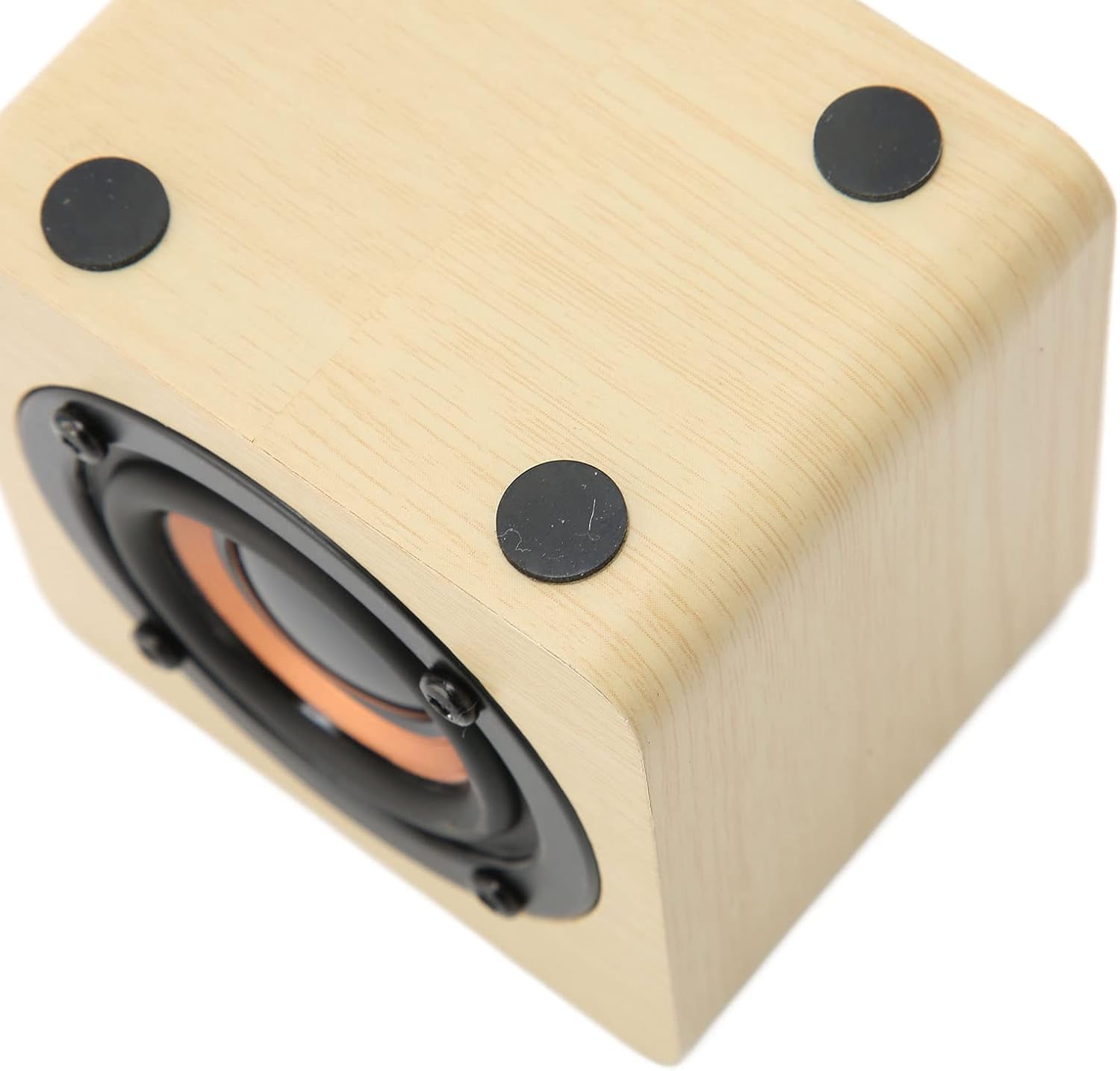
Image 3.1: Rear control panel of the speaker, featuring power, volume, play/pause buttons, and the 5V IN charging port.
The speaker features a compact design with a wood grain finish. The control panel is located on the rear of the device.
3.2 Funcions del tauler de control
- Botó d'engegada (⏻): Manteniu premut per encendre/apagar.
- Puja el volum (+): Premeu per augmentar el volum.
- Baixar el volum (-): Premeu per reduir el volum.
- Play/Pause Button (⏸): Premeu per reproduir o posar en pausa l'àudio.
- 5V IN Port: Port micro USB per carregar l'altaveu.
- Llum indicadora: (Small dot near 5V IN) Indicates charging status and Bluetooth pairing status.
4. Configuració
4.1 Càrrega inicial
Abans del primer ús, carregueu completament l'altaveu.
- Connecteu l'extrem petit del cable de càrrega USB inclòs al 5V EN port de l'altaveu.
- Connecteu l'extrem més gran del cable de càrrega USB a un adaptador de corrent USB (no inclòs) o al port USB d'un ordinador.
- The indicator light will illuminate during charging. It will turn off or change color when charging is complete.
- Una càrrega completa sol trigar entre 2 i 3 hores i proporciona entre 6 i 8 hores de reproducció.

Image 4.1: Visual representation of the speaker's charging process and battery life.
5. Instruccions de funcionament
5.1 Encès/Apagat
- Per encendre, premeu i manteniu premut Botó d'engegada (⏻) for approximately 3 seconds. The indicator light will flash, indicating it's ready for pairing.
- Per apagar-lo, manteniu premut el botó Botó d'engegada (⏻) for approximately 3 seconds. The indicator light will turn off.
5.2 Vinculació Bluetooth
The speaker uses Bluetooth 4.2 for wireless connection.
- Ensure the speaker is powered on and the indicator light is flashing, indicating it is in pairing mode.
- Al dispositiu (telèfon intel·ligent, tauleta, ordinador portàtil, etc.), activeu el Bluetooth i cerqueu els dispositius disponibles.
- Select "Acogedor Speaker" (or similar name) from the list of found devices.
- Once paired, the indicator light on the speaker will stop flashing and remain solid. You will hear an audible confirmation.
- L'altaveu intentarà tornar a connectar-se automàticament amb l'últim dispositiu emparellat quan s'engegui.

Image 5.1: Illustration of the speaker establishing a wireless Bluetooth connection.
The speaker is compatible with a wide range of devices, including smartphones, tablets, desktops, and laptops.

Image 5.2: Icons depicting the speaker's compatibility with various devices such as desktop PCs, laptops, cell phones, and tablets.
Reproducció d'àudio 5.3
- After successful pairing, start playing audio from your connected device.
- Premeu el botó Botó Reproduir/Pausa (⏸) on the speaker to pause or resume playback.
- Utilitza el Puja el volum (+) i Baixar el volum (-) buttons to adjust the speaker's volume. You can also control volume from your connected device.
6. Manteniment
- Mantingueu l'altaveu allunyat de l'aigua, la humitat i les temperatures extremes.
- Netegeu l'altaveu amb un drap suau i sec. No utilitzeu productes de neteja abrasius ni dissolvents.
- Eviteu deixar caure o sotmetre l'altaveu a forts impactes.
- When not in use for extended periods, charge the speaker at least once every three months to maintain battery health.
7. Solució De Problemes
| Problema | Possible solució |
|---|---|
| L'altaveu no s'encén. | Ensure the speaker is fully charged. Connect it to a power source using the charging cable. |
| No es pot emparellar amb un dispositiu Bluetooth. |
|
| Sense so o amb un volum baix. |
|
| Mala qualitat de so o connexió intermitent. |
|
8. Especificacions
| Característica | Detall |
|---|---|
| Nom del model | Acogedor27nf3wmq5i-12 |
| Marca | Acogedor |
| Tecnologia de connectivitat | Bluetooth, USB |
| Tecnologia de comunicació sense fils | Bluetooth 4.2 |
| Tipus d'altaveu | Portàtil, a l'aire lliure |
| Font d'alimentació | Battery Powered (Built-in 1200mAh Lithium Battery) |
| Durada de la bateria | 6-8 hores (amb una càrrega completa) |
| Mode de sortida d'àudio | estèreo |
| Mida de l'altaveu | 77 mil·límetres |
| Mètode de control | Touch (buttons on control panel) |
| Dimensions del producte | 0.3"D x 0.3"W x 0.3"H (Note: This dimension seems incorrect based on images, likely a data entry error. Actual dimensions are typically larger for a speaker of this type.) |
| Pes de l'article | 8.8 unces |
| Material | Wood Grain Cabinet |
| Dispositius compatibles | Ordinador de sobretaula, portàtil, reproductor MP3, projector, telèfon intel·ligent, tauleta, televisió |
Note: Product specifications are subject to change without prior notice.
9. Garantia i Suport
For warranty information or technical support, please refer to the contact details provided with your purchase or visit the official Acogedor weblloc web. Conserveu el comprovant de compra per a reclamacions de garantia.
Fabricant: Acogedor


