Introducció
Welcome to the user manual for your new boAt Airdopes 441 Truly Wireless Earbuds. These earbuds are designed to provide an immersive audio experience with advanced features for your convenience. Please read this manual carefully to ensure proper use and maintenance of your device.
Les característiques clau inclouen:
- Up to 30 hours of total playback (5 hours per charge + 25 hours with charging case).
- 6mm audio drivers for immersive sound.
- IWP (Insta Wake N’ Pair) Technology for seamless instant connection.
- IPX7 water and sweat resistance.
- Advanced capacitive touch controls.
- Bluetooth v5.0 for stable wireless connectivity.
- Port de càrrega USB tipus C.
Configuració
Contingut del paquet
Abans de començar, assegureu-vos que tots els elements estiguin presents al paquet:
- 1 x TWS Earbuds (boAt Airdopes 441)
- 1 x Cable de càrrega (USB tipus C)
- 1 x Manual d'usuari
- 2 x Additional Earbuds (ear tips)
Càrrega dels auriculars i la funda
It is recommended to fully charge the earbuds and the charging case before first use.
- Col·loca els dos auriculars a l'estoig de càrrega. Assegura't que estiguin correctament col·locats a les seves ranures respectives.
- Connecteu el cable de càrrega USB tipus C al port de càrrega de la carcassa i l'altre extrem a una font d'alimentació USB (per exemple, un adaptador de paret, un port USB de l'ordinador).
- The LED indicator on the charging case will show charging status. Once fully charged, the indicator will change or turn off depending on the model.
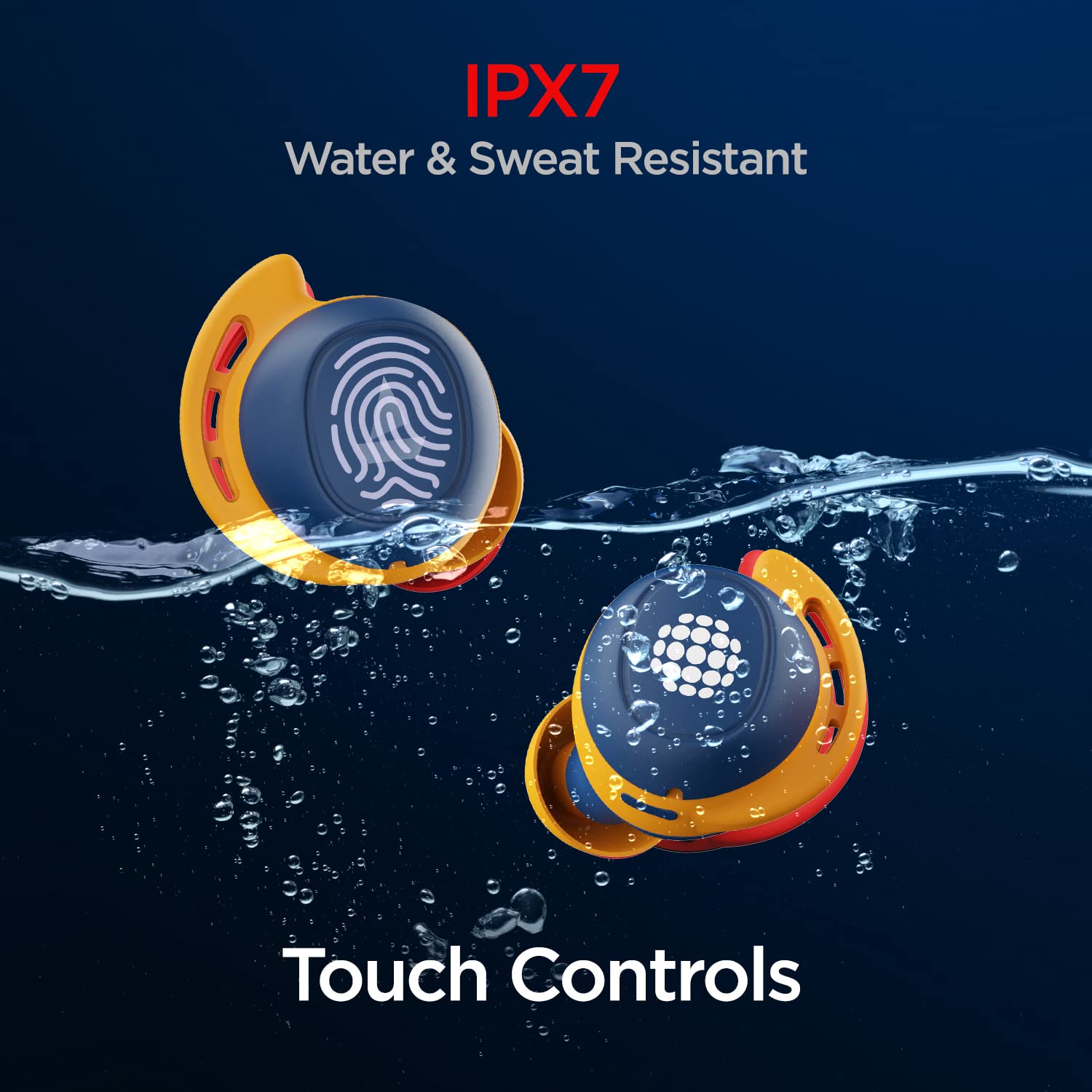
Image: boAt Airdopes 441 earbuds placed in their charging case, illustrating the charging process.

Image: Visual representation of the Airdopes 441's battery life, highlighting up to 30 hours of total playback and 5 hours per single charge.
Initial Pairing (IWP Technology)
The Airdopes 441 feature Insta Wake N’ Pair (IWP) Technology for quick and seamless connection.
- Obriu la tapa de la caixa de càrrega. Els auriculars s'encendran automàticament i entraran en mode de vinculació.
- Al dispositiu (telèfon intel·ligent, tauleta, etc.), activeu el Bluetooth.
- Cerca "Airdopes 441" in the list of available Bluetooth devices and select it to connect.
- Once connected, you will hear an audio prompt, and the LED indicator on the earbuds will confirm successful pairing.

Image: Illustration of the IWP Technology, showing a smartphone successfully paired with the Airdopes 441 upon opening the charging case.
Instruccions de funcionament
Encès/Apagat
- Encès: Open the charging case lid. The earbuds will automatically power on. Alternatively, long-press the touch control on both earbuds for 3 seconds.
- Apagar: Place the earbuds back into the charging case and close the lid. They will automatically power off. Alternatively, long-press the touch control on both earbuds for 5 seconds.
Controls tàctils
The Airdopes 441 feature intuitive capacitive touch controls on each earbud.
| Funció | Acció |
|---|---|
| Reproducció/pausa de música | Un sol toc a qualsevol dels auriculars. |
| Pista següent | Toqueu dues vegades l'auricular dret. |
| Pista anterior | Toqueu dues vegades l'auricular esquerre. |
| Respondre/Finalitzar la trucada | Un sol toc a qualsevol dels auriculars. |
| Rebutja la trucada | Premeu llargament qualsevol dels auriculars durant 2 segons. |
| Activa l'Assistent de veu | Toqueu tres vegades qualsevol dels auriculars. |

Image: Demonstrating the one-touch voice assistant feature of the Airdopes 441.
Portant els auriculars
For optimal sound quality and a secure fit, ensure the earbuds are properly seated in your ears.
- Identifica els auriculars esquerre (E) i dret (R).
- Introduïu suaument cada auricular al canal auditiu i gireu-lo lleugerament per fixar-lo.
- Experiment with the different sizes of ear tips provided to find the most comfortable and secure fit.

Imatge: Detallada view of the Airdopes 441 earbuds, highlighting their design for a secure and comfortable fit.
Manteniment
Neteja i cura
- Netegeu regularment els auriculars i l'estoig de càrrega amb un drap suau, sec i sense borrissol.
- Traieu les puntes de les orelles i netegeu-les per separat amb aigua i sabó suau si cal, assegurant-vos que estiguin completament seques abans de tornar-les a col·locar.
- No utilitzeu netejadors abrasius, alcohol ni dissolvents químics.
- Mantingueu nets els contactes de càrrega tant dels auriculars com de la funda per garantir una càrrega correcta.
Resistència a l'aigua i la suor (IPX7)
The Airdopes 441 are IPX7 rated, meaning they are protected against immersion in water up to 1 meter for up to 30 minutes. This makes them suitable for workouts and light rain.
- Do not intentionally submerge the earbuds in water for extended periods or beyond the specified depth.
- Assegureu-vos que els auriculars estiguin completament secs abans de tornar-los a col·locar a l'estoig de càrrega per evitar que es facin malbé.
- La caixa de càrrega és no resistent a l'aigua.

Image: Visual demonstration of the Airdopes 441's IPX7 water and sweat resistance.
Emmagatzematge
Quan no els utilitzeu, guardeu els auriculars a la seva funda de càrrega per protegir-los i mantenir-los carregats.
- Emmagatzemar en un lloc fresc i sec, lluny de la llum solar directa i de temperatures extremes.
- Eviteu deixar caure els auriculars i la funda ni sotmetre'ls a impactes forts.
Resolució de problemes
If you encounter any issues with your Airdopes 441, refer to the following common problems and solutions:
Els auriculars no s'emparellan/es connecten
- Assegureu-vos que els dos auriculars estiguin carregats.
- Make sure Bluetooth is enabled on your device and the earbuds are within range (typically 10 meters).
- Try placing the earbuds back in the case, closing the lid, waiting a few seconds, and then opening it again to re-initiate IWP.
- Forget "Airdopes 441" from your device's Bluetooth settings and try pairing again.
- Perform a factory reset (refer to the official boAt support website for specific instructions if needed, as this varies by model).
Només funciona un auricular
- Assegureu-vos que els dos auriculars estiguin carregats.
- Torna a col·locar els dos auriculars a l'estoig de càrrega, tanca la tapa i torna-la a obrir. Sovint això els torna a sincronitzar.
- Netegeu els contactes de càrrega dels dos auriculars i de l'interior de la funda.
- Try re-pairing the earbuds with your device after forgetting the previous connection.
Sense so ni volum baix
- Comprova el nivell de volum tant al dispositiu connectat com als auriculars.
- Assegureu-vos que els auriculars estiguin correctament col·locats a les orelles.
- Prova de reproduir àudio des d'una altra aplicació o font.
- Netegeu qualsevol residu dels broquets i les puntes dels auriculars.
Especificacions
Detailed technical specifications for the boAt Airdopes 441:
| Característica | Detall |
|---|---|
| Nom del model | Airdopes 441 |
| Tecnologia de connectivitat | Bluetooth v5.0 |
| Tipus de controlador d'àudio | Controlador dinàmic de 6 mm |
| Temps total de reproducció | Up to 30 Hours (5 hours per charge + 25 hours with case) |
| Classificació de resistència a l'aigua | IPX7 (Water and Sweat Resistant) |
| Tipus de control | Controls tàctils capacitius |
| Assistència de veu | Yes (One-touch activation) |
| Interfície de càrrega | USB tipus C |
| Pes de l'article | 50 grams |
| Dimensions del producte | 7 x 3.8 x 3.1 cm |
| Tipus de bateria | Polímer de liti (inclòs) |

Image: Internal components of the Airdopes 441, highlighting the 6mm audio drivers for immersive sound.
Garantia i Suport
Your boAt Airdopes 441 comes with a 1 any de garantia des de la data de compra. Aquesta garantia cobreix els defectes de fabricació.
For warranty claims, technical support, or any other inquiries, please contact boAt customer service through their official weblloc web o les dades de contacte que figuren a l'embalatge del producte.
Si us plau, conserveu el rebut de compra com a comprovant de compra a efectes de garantia.
For more information, visit the official boAt weblloc: www.boat-lifestyle.com


