1. Introducció
This manual provides detailed instructions for the setup, operation, and maintenance of your Eseesmart YL-P10BF Fingerprint Smart Padlock. This device offers multiple unlocking methods including fingerprint recognition, mobile application control via Bluetooth, and traditional physical keys. It is designed for various indoor and temporary outdoor applications, featuring a long shackle and IP65 weather resistance.

Image 1.1: Eseesmart YL-P10BF Fingerprint Smart Padlock with included keys and mobile app interface.
2. Contingut del paquet
Si us plau, verifiqueu que tots els elements siguin presents al vostre paquet:
- 1 x Fingerprint Padlock
- 2 x Physical Keys
- 1 cable USB (tipus C)
- 1 x Manual d'usuari
3. Característiques del producte
- Smart Unlocking: Unlock using your fingerprint, the mobile application, or physical keys.
- Capacitat d'empremta digital: Stores up to 15 unique fingerprints.
- Connectivitat Bluetooth: Connects to a mobile application for advanced control and monitoring.
- Long Shackle Design: Enhanced versatility for various locking scenarios.
- Construcció duradora: Stainless steel shackle and zinc alloy body for tamper resistència.
- Resistència a la intempèrie: IP65 rating provides protection against dust and water.
- Durada de la bateria ampliada: 160mAh lithium battery offers up to 12 months standby time or 2000 unlocks per charge.

Image 3.1: The padlock supports three unlocking methods: mobile application, fingerprint, and physical keys.
4. Guia de configuració
4.1 Càrrega inicial
Before first use, fully charge the padlock using the provided USB Type-C cable. Connect the cable to the charging port located under the protective cover on the padlock and to a standard USB power source (e.g., computer, wall adapter). The charging indicator lights will illuminate during charging and turn off when fully charged.

Image 4.1: The padlock can be recharged using a USB Type-C cable from various power sources.
4.2 Instal·lació i emparellament de l'aplicació
Download the 'eSmartLock' mobile application from your device's app store (available for Android and iOS). Follow the in-app instructions to create an account and pair your padlock via Bluetooth. Ensure Bluetooth is enabled on your smartphone.
4.3 Fingerprint Registration
The padlock supports up to 15 fingerprints. The first fingerprint registered will be the administrator fingerprint.
4.3.1 Registering the Administrator Fingerprint
- Press and hold the fingerprint sensor until the blue indicator light flashes.
- Place your finger on the sensor, lift, and repeat several times as prompted by the indicator lights (typically 5-10 times) until the registration is complete. A green light indicates successful registration.
4.3.2 Adding Additional User Fingerprints (2nd to 15th)
- Use the mobile application to add new fingerprints. Navigate to 'User Management' and select 'Add Fingerprint'.
- Follow the on-screen prompts in the app and place the user's finger on the padlock's sensor repeatedly until registration is complete.
Video 4.2: This video demonstrates the process of registering fingerprints and managing users via the mobile application.
5. Funcionament
5.1 Desbloqueig del cadenat
- Desbloqueig de les empremtes digitals: Place a registered finger on the sensor. A green light indicates successful recognition, and the shackle will release.
- Mobile App Unlock: Open the 'eSmartLock' app, ensure Bluetooth connection, and tap the 'Unlock' button.
- Desbloqueig de la clau: Insert one of the provided physical keys into the keyhole located under the protective cover and turn to unlock.
5.2 Deleting Fingerprints / Factory Reset
To delete all registered fingerprints and restore the padlock to factory default settings:
- Ensure the padlock is unlocked.
- Press and hold the fingerprint sensor for approximately 10 seconds until the blue light flashes rapidly, then turns red.
- Release the sensor. All fingerprints are now deleted. The padlock is reset and ready for new administrator fingerprint registration.
5.3 Mobile App Functions
The 'eSmartLock' app provides additional functionalities:
- Authorization Management: Grant temporary or permanent access to other users.
- Gestió d'usuaris: Add or remove user fingerprints.
- History Record: View the last 1000 unlock activities, including time and method.
- Unlock Position: Track the location of the last unlock (requires phone GPS).
- Anti-lost Mode: Helps locate the padlock if misplaced within Bluetooth range.
- Unbind Smart Lock: Disconnect the padlock from your account.
6. Manteniment
6.1 Gestió de la bateria
The padlock features a low power consumption design. When the battery level drops below 20%, the red indicator light will flash to remind you to recharge. Connect the padlock to a USB power source using the Type-C cable. The padlock remains locked when the battery is depleted.
6.2 Resistència a la intempèrie
The padlock has an IP65 weatherproof rating, protecting it from dust and water splashes. A protective cover is included for the fingerprint reading area to enhance durability. While suitable for temporary outdoor use, prolonged exposure to extreme weather conditions is not recommended.
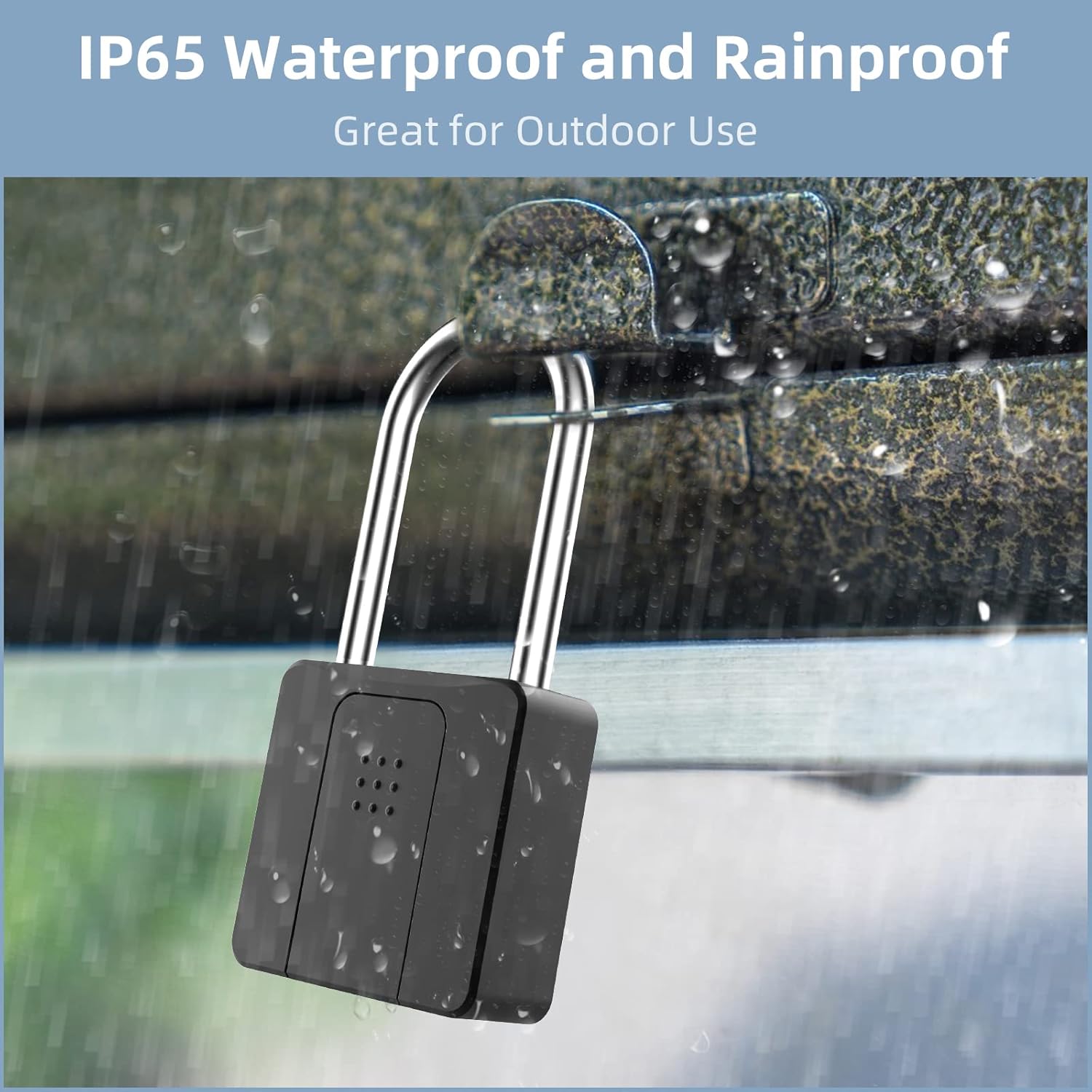
Image 6.1: The IP65 rating ensures the padlock is protected against dust and water, suitable for outdoor use.
7. Solució De Problemes
- Empremta digital no reconeguda: Ensure your finger is clean and dry. Try repositioning your finger on the sensor. If issues persist, re-register the fingerprint or use the app/key for unlocking.
- Padlock Not Responding: Check the battery level. If low, charge the padlock. If completely unresponsive, try connecting to a power source.
- Problemes de connectivitat de l'aplicació: Ensure Bluetooth is enabled on your phone and the padlock is within range. Restart the app or your phone if necessary.
- Forgotten Administrator Fingerprint: If the administrator fingerprint is forgotten or not working, you may need to perform a factory reset (Section 5.2) and re-register all fingerprints.
8. Especificacions
| Característica | Especificació |
|---|---|
| Marca | Eseesmart |
| Nom del model | YL-P10BF |
| Tipus de bloqueig | Biomètric |
| Característiques especials | APP Control, Fingerprint, Outdoor Waterproof, With keys |
| Material | Stainless Steel, Zinc alloy |
| Dimensions de l'article (L x A x A) | 2.3 x 0.8 x 4.6 polzades |
| Pes de l'article | 14 unces (0.4 quilograms) |
| Protocol de connectivitat | Bluetooth |
| Tipus de controlador | Android, iOS |
| Tipus de bateria | 1 bateria de ions de liti (inclosa) |
| Usos recomanats | Outdoor and Indoor, Garden gates, Farm gates, Fences, Tool garage, etc. |

Image 8.1: Dimensions of the Eseesmart YL-P10BF Smart Padlock.

Imatge 8.2: Ex.amples of common applications for the Eseesmart Smart Padlock.
9. Garantia i Suport
Eseesmart is committed to providing quality products and support. Your YL-P10BF Fingerprint Smart Padlock comes with the following:
- Política de devolució de 30 dies: Es pot retornar o canviar en un termini de 30 dies des de la compra.
- Garantia de 180 dies: A 180-day warranty covers manufacturing defects and ensures product functionality.
- Manteniment de per vida: Eseesmart provides lifetime maintenance support for your product.
For further assistance or inquiries, please refer to the contact information provided with your purchase or visit the official Eseesmart weblloc.


