Introducció
This manual provides detailed instructions for the setup, operation, and maintenance of your UrbanX KBM030 Rechargeable Bluetooth Keyboard and Mouse Combo. Please read this manual thoroughly before use to ensure optimal performance and longevity of your device.
Contingut del paquet
- UrbanX KB030 Bluetooth Keyboard
- UrbanX M030 Bluetooth Mouse
- Cable de càrrega USB
- Welcome Guide (this manual)
Producte acabatview
The UrbanX KBM030 combo includes a full-size Bluetooth keyboard and an ergonomic Bluetooth mouse, designed for broad compatibility and comfortable use across various operating systems.

Image: The UrbanX KBM030 Bluetooth Keyboard and Mouse Combo. This image displays both the full-size keyboard and the ergonomic mouse, showcasing el seu elegant disseny negre.
Característiques del teclat
- Disseny a mida completa: Provides a complete set of keys for efficient typing.
- Low-Profile Claus: Designed for quiet and comfortable typing.
- System-Specific Function Keys: Optimized for Windows, Android, and Mac OS.
- Bateria recarregable: Built-in Li-polymer battery for extended use.

Image: The UrbanX keyboard positioned in front of a tablet displaying a flowchart. This illustrates the keyboard's use with mobile devices for productivity.

Image: Keyboard showing compatibility with iOS, Android, and Windows operating systems. This image highlights the keyboard's versatility across different platforms.

Image: Close-up of a keyboard key demonstrating the X-structure mechanism. This illustrates the design for comfortable and consistent keystrokes.

Image: The keyboard with dimensions indicating its light, slim, and portable design. Measurements are shown as 24.7cm / 9.72in length, 15cm / 6in width, and 0.5cm / 0.2in thickness.
Funcions del ratolí
- Disseny ergonòmic: Reduces stress during prolonged use.
- DPI ajustable: Three sensitivity levels (800, 1200, 1600 DPI) for precise control.
- Bateria recarregable: Built-in Li-polymer battery, charged via Micro USB.

Image: Diagram illustrating the mouse's 3-grade DPI switch (800, 1200, 1600 DPI). This shows how users can easily adjust mouse sensitivity.
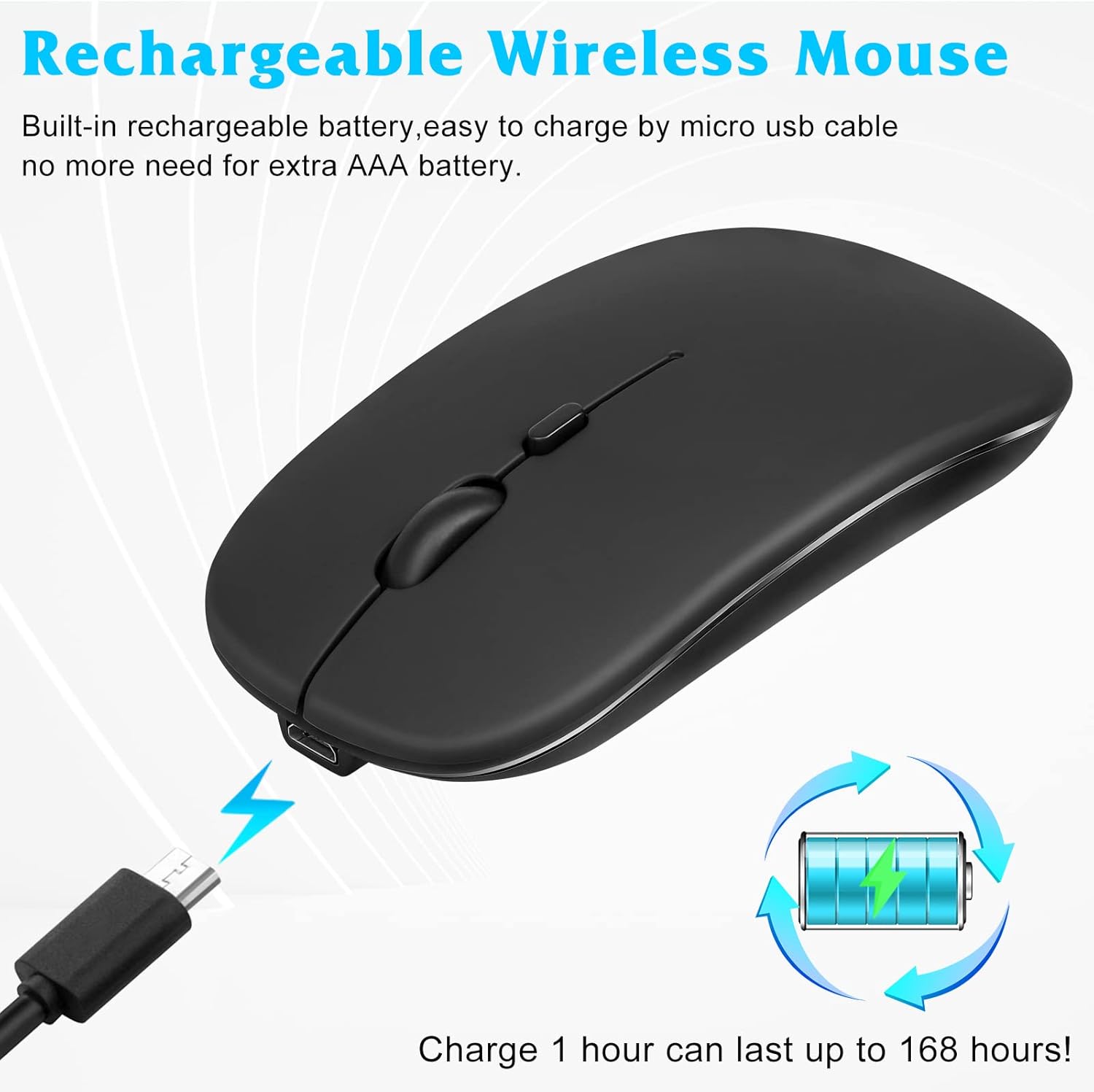
Image: The mouse connected to a USB charging cable, with an icon indicating its rechargeable battery. This highlights the convenience of not needing disposable AAA batteries.
Guia de configuració
1. Càrrega dels dispositius
Before initial use, fully charge both the keyboard and the mouse. Use the provided USB charging cable to connect the devices to a USB power source (e.g., computer USB port, USB wall adapter).
- The keyboard's "Charge" indicator light will illuminate during charging and turn off when fully charged.
- The mouse's indicator light will show charging status.
2. Bluetooth Pairing - Keyboard
- Turn on the keyboard by sliding the "OFF/ON" switch to "ON". The "Power" indicator light will briefly illuminate.
- Press the "Connect" button on the keyboard. The "BT" (Bluetooth) indicator light will start blinking, indicating it's in pairing mode.
- Al dispositiu (ordinador, tauleta, telèfon intel·ligent), aneu a la configuració de Bluetooth.
- Activa el Bluetooth i cerca els dispositius disponibles.
- Select "Bluetooth Keyboard" or a similar name from the list of found devices.
- Follow any on-screen prompts to complete the pairing process. You may be asked to enter a code displayed on your screen using the keyboard and press Enter.
- Once paired, the "BT" indicator light will stop blinking.
3. Bluetooth Pairing - Mouse
- Turn on the mouse by sliding the power switch on its underside to "ON".
- Press and hold the Bluetooth pairing button (usually located on the underside or top near the scroll wheel) for a few seconds until the indicator light starts blinking.
- Al dispositiu, aneu a la configuració de Bluetooth.
- Activa el Bluetooth i cerca els dispositius disponibles.
- Select "Bluetooth Mouse" or a similar name from the list.
- Once paired, the indicator light will stop blinking.
4. System Compatibility and Special Notes
The keyboard and mouse are compatible with Windows, Android, and Mac OS. For optimal functionality, ensure your device's operating system is up to date.

Image: Instructions for connecting the mouse to an iPad or iPhone. It shows the steps to enable Bluetooth and AssistiveTouch in iOS settings. Ensure your iOS is 13 or above for mouse support.
- For iOS Devices (iPad/iPhone): Ensure your iOS version is 13.0 or above for full mouse functionality. You may need to enable "AssistiveTouch" in Accessibility settings for the mouse to work correctly.
- Tecles de funció: The keyboard features system-specific function keys. Use the Fn key in combination with other keys to switch between operating system modes (e.g., Fn + Q for Android, Fn + W for Windows, Fn + E for iOS).
Instruccions de funcionament
Ús del teclat
- Mecanografia: El low-profile tecles ofereixen una experiència d'escriptura còmoda i tranquil·la.
- Tecles de funció: Access common functions like volume control, media playback, and copy/paste using the dedicated function keys. These keys are often activated by pressing the Fn simultàniament amb la tecla de funció desitjada (F1-F12).
- OS Mode Switching: To optimize function keys for your operating system, press Fn + Q for Android, Fn + W for Windows, or Fn + E per a iOS.
Ús del ratolí
- Clicking and Scrolling: Standard left/right click and scroll wheel functionality.
- Ajust de DPI: Press the DPI button (usually located near the scroll wheel) to cycle through the three sensitivity levels: 800, 1200, and 1600 DPI. Adjust to your preference for cursor speed and precision.
Gestió d'energia
- Mode de repòs automàtic: Both the keyboard and mouse will enter sleep mode after a period of inactivity to conserve battery. Press any key on the keyboard or move/click the mouse to wake them up.
- Apagar: For extended periods of non-use, slide the "OFF/ON" switch on both devices to "OFF" to completely power them down and save battery.
Manteniment
- Neteja: Feu servir un drap suau, sec i sense borrissol per netejar les superfícies del teclat i el ratolí. Per a la brutícia persistent, netegeu lleugeramentampNetegeu el drap amb aigua o una solució de neteja suau. Eviteu l'excés d'humitat.
- Cura de la bateria: To prolong battery life, avoid fully discharging the devices frequently. Recharge them when the low battery indicator appears. Do not expose batteries to extreme temperatures.
- Emmagatzematge: When not in use for a long time, store the devices in a cool, dry place. Ensure they are powered off to prevent battery drain.
- Eviteu líquids: Keep the keyboard and mouse away from liquids to prevent damage to internal components.
Resolució de problemes
Device Not Connecting/Pairing
- Assegurar l'energia: Check if both the keyboard and mouse are turned on and have sufficient battery charge.
- Torna a entrar al mode d'emparellament: For the keyboard, press the "Connect" button. For the mouse, press and hold its pairing button.
- Dispositiu Bluetooth: Ensure Bluetooth is enabled on your host device (computer, tablet, phone) and it's discoverable.
- Oblida el dispositiu: If previously paired, try "forgetting" or "removing" the device from your host device's Bluetooth list and then attempt to pair again.
- Distància: Ensure the devices are within the operating range (up to 33 feet or 10 meters).
- Interferència: Allunyeu-vos d'altres dispositius sense fil que puguin causar interferències.
Keyboard Typing Incorrectly or Not Responding
- Nivell de bateria: Recarrega el teclat.
- OS Mode: Ensure the correct operating system mode is selected (Fn + Q/W/E).
- Torna a emparellar: Try unpairing and re-pairing the keyboard.
Mouse Cursor Jumpy or Not Moving
- Nivell de bateria: Recarrega el ratolí.
- Superfície: Feu servir el ratolí sobre una superfície neta i no reflectant.
- Configuració de DPI: Adjust the DPI setting to see if it improves responsiveness.
- Torna a emparellar: Try unpairing and re-pairing the mouse.
- iOS AssistiveTouch: For iOS devices, ensure AssistiveTouch is enabled in Accessibility settings.
Durada de la bateria curta
- Temps de càrrega: Assegureu-vos que els dispositius estiguin completament carregats.
- Ús: Battery life varies with usage intensity.
- Apagar: Remember to turn off devices when not in use for extended periods.
Especificacions
| Marca | UrbanX |
| Número de model | KBM030 |
| Tecnologia de connectivitat | Bluetooth |
| Dispositius compatibles | LG K92 5G, Laptop, Mobile Phone, Smartphone, Tablet (Windows, Android, Mac OS) |
| Descripció del teclat | Ergonomic, Full-Size, Low-Profile Les claus |
| Nivells de DPI del ratolí | 800, 1200, 1600 DPI |
| Tipus de bateria | Rechargeable Lithium Ion (2 included) |
| Durada de la bateria del teclat | Fins a 6 mesos (basat en un ús de 2 hores/dia) |
| Durada de la bateria del ratolí | Fins a 4 mesos (basat en un ús de 2 hores/dia) |
| Distància d'operació | Fins a 33 peus (10 metres) |
| Dimensions del producte (total) | 15.16 x 5.47 x 1.3 polzades |
| Pes de l'article (total) | 10 unces |
| Fabricant | Urban Extreme LLC |
Garantia i Suport
Your UrbanX KBM030 Rechargeable Bluetooth Keyboard and Mouse Combo comes with a 90-day warranty. For any questions, technical support, or warranty claims, please contact UrbanX customer service.
Refer to the contact information provided in your purchase documentation or visit the official UrbanX weblloc de suport.
