1. Producte acabatview
The DXPICR Smart Watch is a versatile wearable device designed for both Android and iOS phones. It features a full touch screen and offers a wide range of functionalities including Bluetooth call capabilities, smart notifications, comprehensive fitness tracking, and health monitoring. This manual provides detailed instructions for setup, operation, and maintenance of your device.

Figure 1.1: DXPICR Smart Watch with its intuitive interface showing various application icons and a phone dial pad.
The watch is equipped with a 1.7-inch large screen, offering a clear and expansive display. Its borderless design enhances the visual experience. Users can personalize the watch face by choosing from various pre-installed options or by uploading their own photos.
2. Primers passos
2.1 Contingut del paquet
- DXPICR Smart Watch (Model: SB-gjpl-005)
- Cable de càrrega
- Manual d'usuari
- Screen Protectors (one pre-applied)
2.2 Configuració inicial i connexió de l'aplicació
To begin using your DXPICR Smart Watch, follow these steps to connect it with your smartphone via the companion application.
- Descarrega l'aplicació: Scan the QR code in the manual or search for the recommended application (e.g., "HuaWise Fit" as mentioned in customer reviews) in your mobile App Store (compatible with iOS 8.0/Android OS 4.4 or above).
- Activa el Bluetooth: Activa el Bluetooth al teu telèfon intel·ligent.
- Emparellar el rellotge: Open the downloaded app. Navigate to the device pairing section and select "Add a device." The app will search for available devices. Select "Y20 GT" or a similar device name to connect.
- Enable Call Function (Optional): For call functionality, swipe down on the watch screen to access quick settings. Ensure the 'call' function switch is turned on.
- Connect Call Bluetooth: On your phone's Bluetooth settings page, locate and connect to "Y20 GT_Phone" (or similar). This separate Bluetooth connection enables the watch's call and audio features.
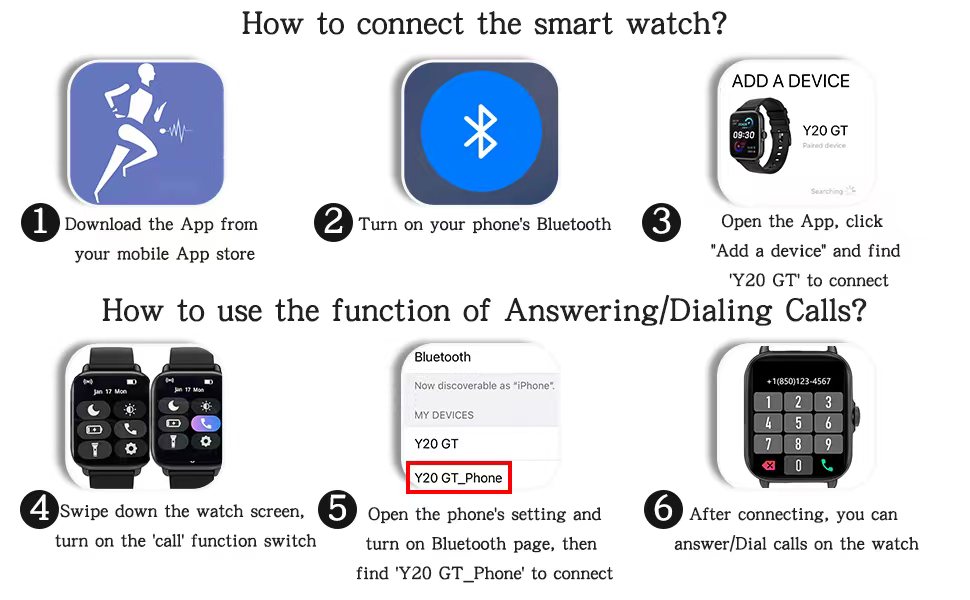
Figure 2.1: Step-by-step guide for connecting the smart watch and activating its call features.
3. Instruccions de funcionament
3.1 Navegació bàsica
- Llisca cap amunt/avall: Desplaça't pels menús i les notificacions.
- Llisca cap a l'esquerra/dreta: Accedeix a diferents widgets o funcions ràpides.
- Toca: Selecciona un element o confirma una acció.
- Botó lateral: Premeu per tornar a la pantalla d'inici o activar el dispositiu.
3.2 Bluetooth Call and Smart Notifications
Once connected, the watch allows you to answer or dial calls directly from your wrist. It also vibrates to notify you of incoming messages and app notifications (e.g., Facebook, WhatsApp, Twitter).

Figure 3.1: Answering or dialing calls directly from your wrist for convenience.
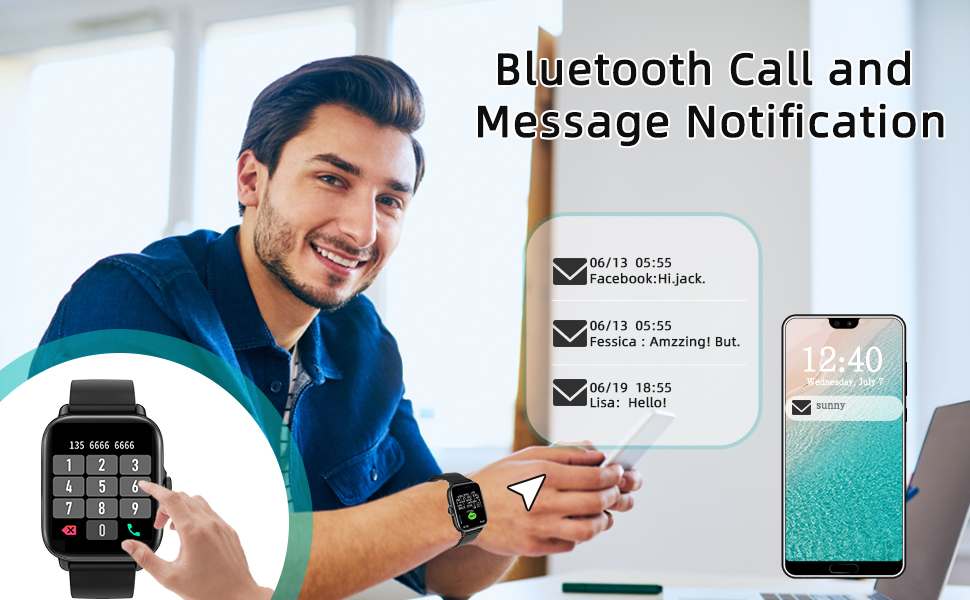
Figure 3.2: Receiving message and app notifications directly on your smart watch.
3.3 Modes esportius i seguiment d'activitat
The watch supports 28 sports modes, including walking, running, cycling, swimming, and more. It tracks real-time data such as steps, calories burned, distance, and active hours, helping you monitor your exercise performance.

Figure 3.3: Tracking your fitness activities with detailed metrics for various sports modes.

Figure 3.4: Visual representation of the 28 available sport modes for comprehensive activity tracking.
3.4 Daily Physical Health Monitoring
The built-in heart rate sensor and intelligent algorithm allow for continuous monitoring of heart rate, blood oxygen (SpO2), and sleep quality. All-day measurement records are accessible in the companion app.

Figure 3.5: Monitoring your heart rate in real-time and viewincorporant dades històriques.

Figure 3.6: Detailed sleep monitoring, including awake time, light sleep, and deep sleep phases.
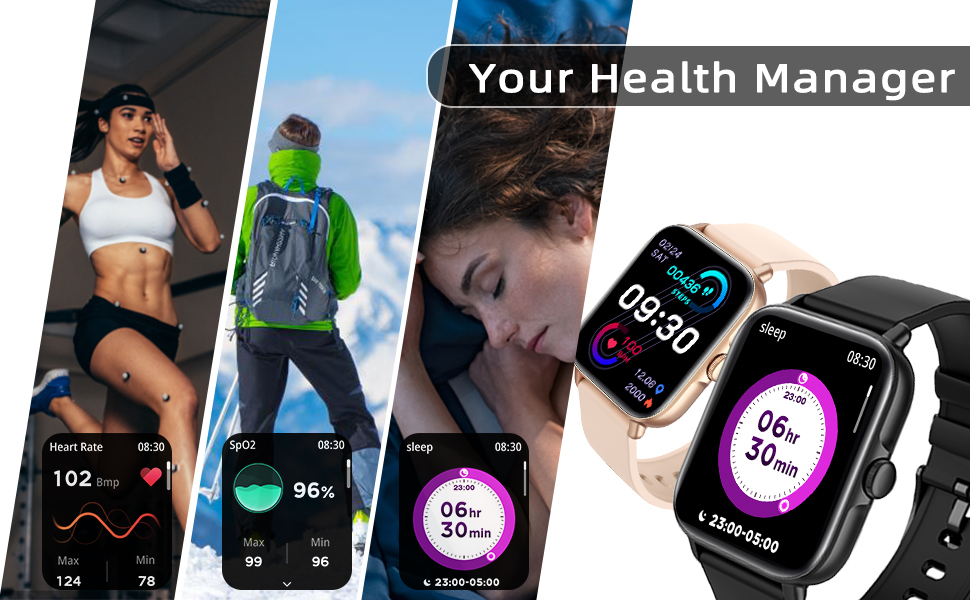
Figure 3.7: Comprehensive health data tracking, including heart rate, blood oxygen, and sleep patterns.
3.5 Altres funcions pràctiques
- Assistent de veu AI: Interactua amb el teu rellotge mitjançant ordres de veu.
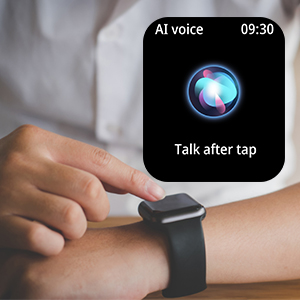
Figure 3.8: Activating the AI voice assistant.
- Control de música: Controla la reproducció de música al teu telèfon intel·ligent directament des del rellotge.
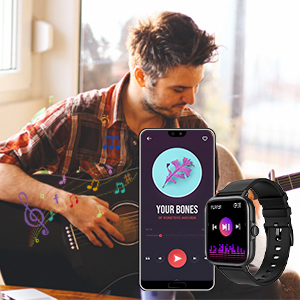
Figure 3.9: Controlling music playback.
- Control de la càmera: Fes servir el rellotge com a disparador remot per a la càmera del telèfon.
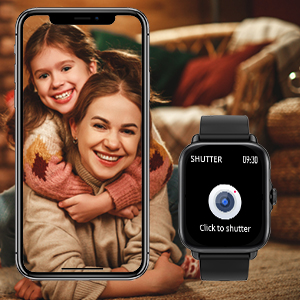
Figure 3.10: Remote camera control.
- Pronòstic del temps: View condicions meteorològiques actuals i previsions.
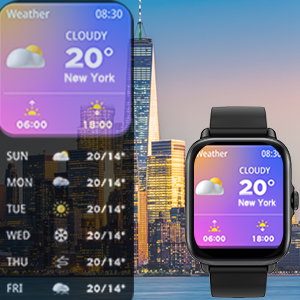
Figure 3.11: Checking local weather.
- Recordatoris de sedentarisme: Rebre alertes per moure's després de períodes d'inactivitat.
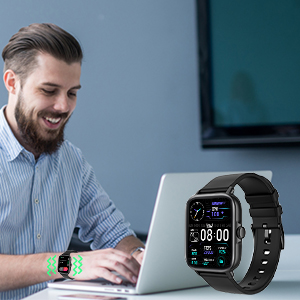
Figure 3.12: Sedentary reminder notification.
- Cerca el telèfon: Localitza el telèfon perdut activant una alarma des del rellotge.
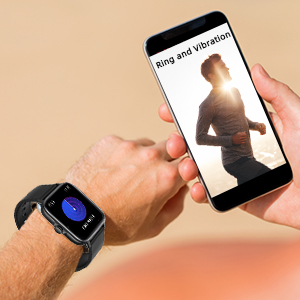
Figure 3.13: Using the Find Phone feature.
- Llanterna: Turn the watch screen into a bright light source.
- Despertador i cronòmetre: Set alarms and use the stopwatch function.
3.6 Durada i càrrega de la bateria
The DXPICR Smart Watch is equipped with a Lithium Polymer battery. A full charge typically provides up to 10 days of battery life with normal use and up to 30 days of standby time. Charging takes approximately 2 hours.

Figure 3.14: Battery performance and charging duration.
4. Manteniment
- Neteja: Netegeu regularment la pantalla i la corretja del rellotge amb un drap suau i sec. Per a la brutícia persistent, netegeu lleugerament.amp cloth can be used, ensuring no moisture enters the charging port or speaker.
- Càrrega: Use only the provided charging cable. Ensure the charging contacts on the watch and cable are clean and dry before charging.
- Resistència a l'aigua: The watch is waterproof, suitable for daily use and light water exposure (e.g., hand washing, rain). Avoid hot water, saunas, or diving, as extreme temperatures and high-pressure water can compromise the seal.
- Emmagatzematge: Guardeu el rellotge en un lloc fresc i sec quan no l'utilitzeu. Eviteu la llum solar directa o les temperatures extremes.
5. Solució De Problemes
| Problema | Causa possible | Solució |
|---|---|---|
| El rellotge no s'encén | Bateria baixa; mal funcionament del dispositiu. | Carrega el rellotge durant almenys 30 minuts. Si encara no s'encén, contacta amb l'atenció al client. |
| Cannot connect to phone via Bluetooth | Bluetooth off; incorrect pairing; app issue. | Ensure phone's Bluetooth is on. Restart both watch and phone. Forget previous pairings and try again. Ensure both "Y20 GT" and "Y20 GT_Phone" are connected. |
| La funció de trucada no funciona | "Y20 GT_Phone" Bluetooth not connected; call function disabled on watch. | Verify "Y20 GT_Phone" is connected in phone's Bluetooth settings. Check watch quick settings to ensure call function is enabled. |
| No s'han rebut notificacions | App notification permissions not granted; app not running in background. | Check app permissions in phone settings. Ensure the app is allowed to run in the background and send notifications. |
| Dades de salut inexactes | Rellotge no portat correctament; obstrucció del sensor. | Ensure the watch is snug but comfortable on your wrist, about one finger's width above the wrist bone. Clean the sensor on the back of the watch. |
6. Especificacions
| Característica | Detall |
|---|---|
| Nom del model | DXPICR Smart Watch |
| Número de model | SB-gjpl-005 |
| Mida de la pantalla | 1.7 polzades |
| Tipus de visualització | Pantalla tàctil completa |
| Connectivitat | Bluetooth 4.0 i versions posteriors |
| Compatibilitat de sistemes operatius | iOS 8.0 and Above, Android 4.4 and Above |
| Tipus de bateria | Polímer de liti |
| Durada de la bateria (ús típic) | Fins a 10 dies |
| Temps d'espera | Fins a 30 dies |
| Temps de càrrega | Aproximadament 2 hores |
| Pes | 3.52 unces (0.1 quilograms) |
| Dimensions (paquet) | 6.54 x 3.03 x 1.14 polzades |
| Característiques especials | Bluetooth Call, Smart Notifications, 28 Sports Modes, Heart Rate Monitor, Sleep Monitor, Blood Oxymeter (SpO2), Music Player, Camera Control, Sedentary Reminder, Alarm Clock, Stopwatch, Weather, Flashlight, AI Voice Assistant, Find Phone, Customizable Watch Faces. |
| GPS | No |
| Entrada de la interfície humana | Esfera, pantalla tàctil |
| Color | Negre |
7. Garantia i Suport
The DXPICR Smart Watch comes with a 12-month warranty from the date of purchase. For any inquiries, technical assistance, or warranty claims, please utilize the 24-hour customer service available through the companion application. Detailed support information can be found within the app's "User Manual" and "Binding Guide" sections.
For further assistance, please refer to the contact information provided in your product packaging or the official DXPICR weblloc.


