Introducció
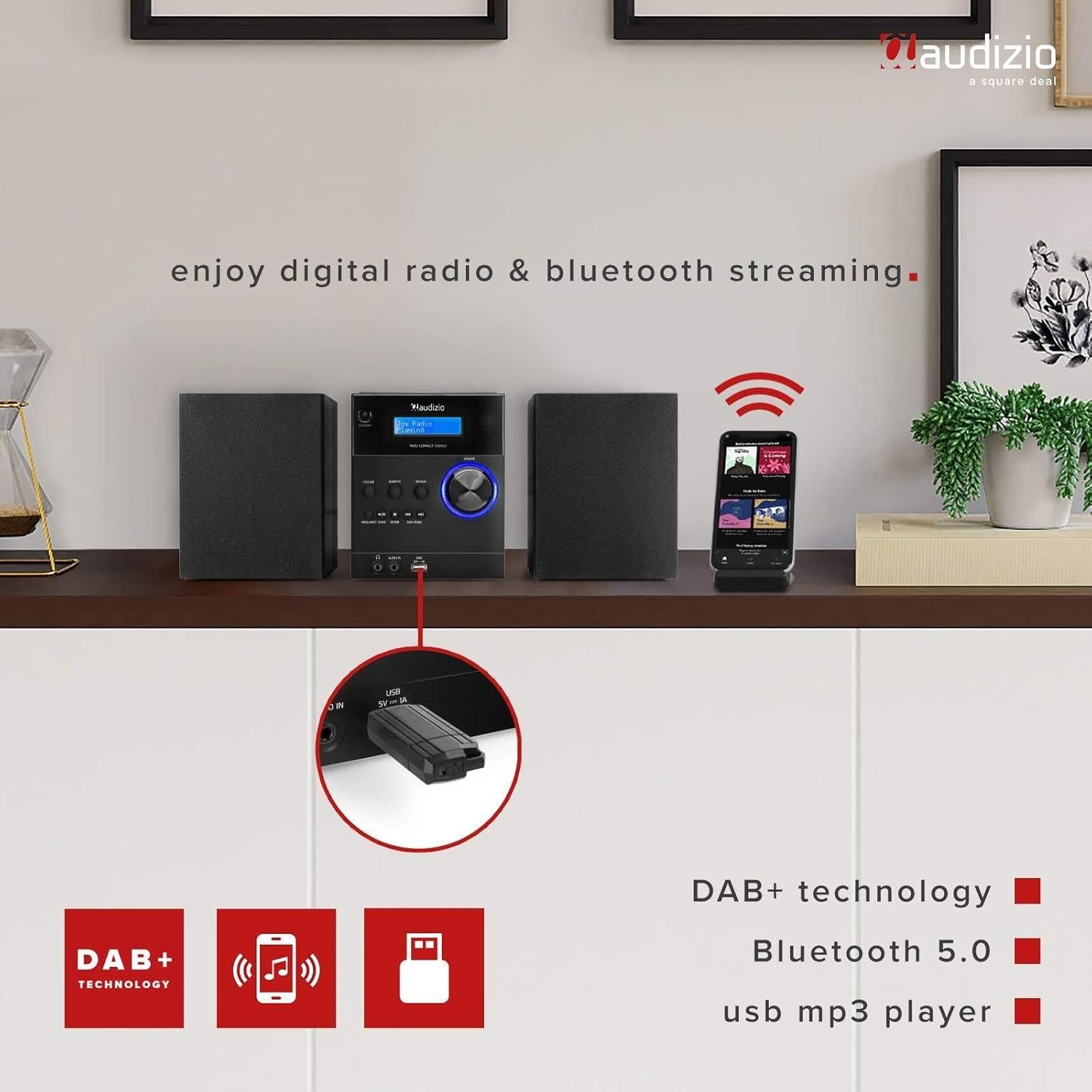
The Audizio Metz Stereo Set is a versatile audio system designed for home use, offering multiple playback options. It integrates DAB+ and FM radio tuners, a CD player, Bluetooth wireless connectivity, and a USB port for MP3 playback. Additionally, it features an AUX input for external devices, an alarm clock, and a sleep timer function. This manual provides comprehensive instructions for the safe and efficient setup, operation, and maintenance of your Audizio Metz Stereo Set.
Informació de seguretat
- Llegiu atentament totes les instruccions abans d'utilitzar el dispositiu.
- Conserveu el manual com a referència futura.
- No exposeu la unitat a la pluja ni a la humitat per evitar incendis o descàrregues elèctriques.
- Assegureu-vos que la ventilació sigui adequada; no obstruïu cap obertura de ventilació.
- Col·loqueu la unitat sobre una superfície plana i estable.
- Utilitzeu només accessoris/accessoris especificats pel fabricant.
- Desendolleu la unitat durant les tempestes llamps o quan no l'utilitzeu durant llargs períodes.
- Demaneu tot el servei a personal de servei qualificat.
Contingut del paquet
Please check that all items listed below are present in the packaging:
- Audizio Metz Stereo Unit
- 2 x altaveus
- Control remot
- Cable d'alimentació
- Manual d'usuari

Image: The Audizio Metz Stereo Set, including the main unit, two speakers, and the remote control.
Producte acabatview: Controls i connexions
Controls del panell frontal
Imatge: Detallada view of the front panel, showing the LCD display, control buttons, and input ports.
- Botó d'espera: Encén o apaga la unitat.
- CD/USB Button: Selects CD or USB playback mode.
- Botó DAB/FM: Selects DAB+ or FM radio mode.
- BT/AUX Button: Selects Bluetooth or AUX input mode.
- Botó Reproduir/Pausa: Controla la reproducció de CD, USB i Bluetooth.
- Botó d'aturada: Stops playback for CD and USB.
- Menu/Info/Scan Button: Accesses menu options, displays information, or initiates station scan.
- Botó Enter: Confirma les seleccions del menú.
- Skip/Tune Buttons: Navigates tracks, stations, or menu options.
- Pom de volum: Ajusta el nivell de sortida d'àudio.
- Presa d'auriculars (3.5 mm): For private listening with headphones.
- Audio In (3.5mm): Connecta fonts d'àudio externes.
- Port USB: Per connectar unitats flaix USB per a la reproducció d'MP3.
- Pantalla LCD: Shows current mode, station information, track details, and menu options.
Connexions del panell posterior

Image: The rear panel of the main unit, highlighting the speaker connection terminals and power input.
- Terminals d'altaveus: Connect the left and right speakers.
- Entrada d'alimentació: Connecteu el cable d'alimentació de CA.
- Antena FM/DAB: For radio signal reception.
Configuració
1. Connexió dels altaveus
Connect the included speakers to the corresponding speaker terminals on the rear of the main unit. Ensure that the positive (+) terminal on the unit connects to the positive (+) terminal on the speaker, and the negative (-) terminal on the unit connects to the negative (-) terminal on the speaker. Incorrect polarity can affect sound quality.
2. Connexió d'alimentació
Plug the power cable into the AC power input on the rear of the main unit, then connect the other end to a standard wall outlet (230V/50Hz). The unit will enter standby mode.
3. Configuració de l'antena
Extend the telescopic antenna fully for optimal reception of both DAB+ and FM radio signals. Adjust its position if reception is poor.
Instruccions de funcionament
Encès/Apagat
Premeu el botó En espera button on the front panel or remote control to switch the unit on or off. When powered on, the LCD display will illuminate.
Operació de ràdio DAB+
- Premeu el botó DAB/FM button repeatedly until "DAB Radio" appears on the display.
- The unit will automatically scan for available DAB+ stations upon first use. If needed, press Menu/Info/Scan and select "Full Scan".
- Utilitza el Saltar/sintonitzar buttons to browse through the list of available stations.
- Per desar una emissora com a predefinida, manteniu premut el botó Memòria button on the remote, then use the number buttons to select a preset slot (1-10) and press Entra.
- Per recuperar una predefinició, premeu la tecla Memòria button briefly, then select the preset number.
Funcionament de la ràdio FM
- Premeu el botó DAB/FM button repeatedly until "FM Radio" appears on the display.
- Per cercar automàticament la següent emissora disponible, manteniu premut el botó Escaneja button. To manually tune, use the Saltar/sintonitzar botons.
- To save an FM station as a preset, press and hold the Memòria button on the remote, then use the number buttons to select a preset slot (1-10) and press Entra.
- Per recuperar una predefinició, premeu la tecla Memòria button briefly, then select the preset number.
Vinculació i reproducció Bluetooth
- Premeu el botó BT/AUX button repeatedly until "Bluetooth" appears on the display. The unit will enter pairing mode, indicated by a flashing Bluetooth icon.
- Al telèfon intel·ligent, la tauleta o un altre dispositiu amb Bluetooth, activeu el Bluetooth i cerqueu els dispositius disponibles.
- Select "Audizio Metz" from the list of devices to pair. Once connected, the Bluetooth icon will stop flashing.
- You can now stream audio from your device to the stereo set. Use the unit's or your device's controls for playback (Play/Pause, Skip).

Image: The stereo set demonstrating Bluetooth connectivity with a smartphone.
Reproducció de CD
- Gently open the top-loading CD compartment cover.
- Place a CD (CD-R/RW compatible) onto the spindle with the label side facing up. Close the cover securely.
- Premeu el botó CD / USB button repeatedly until "CD" mode is selected. The unit will begin reading the CD and playback will start automatically.
- Utilitza el Reproduir/Pausa, Atureu-vos, i Saltar botons per controlar la reproducció.

Image: The top-loading CD player with a disc in place, ready for playback.
Reproducció de MP3 per USB
- Inseriu una unitat flash USB que contingui MP3 files into the USB port on the front panel. Ensure the USB drive is formatted to FAT32.
- Premeu el botó CD / USB button repeatedly until "USB" mode is selected. The unit will read the files and begin playback.
- Utilitza el Reproduir/Pausa, Atureu-vos, i Saltar botons per controlar la reproducció.

Image: A USB flash drive connected to the front USB port for MP3 playback.
Entrada AUX
- Connect an external audio device (e.g., an MP3 player) to the Entrada d'àudio 3.5mm jack on the front panel using a 3.5mm audio cable (not included).
- Premeu el botó BT/AUX repetidament fins que se seleccioni el mode "AUX".
- Control playback from your external audio device. The volume can be adjusted using the unit's volume knob.
Alarm and Sleep Timer Functions
The Audizio Metz Stereo Set includes an alarm clock and a sleep timer. These functions can be accessed and configured via the Menú button on the unit or the dedicated buttons on the remote control (TIMER, SLEEP, ALARM). Follow the on-screen prompts to set your desired alarm time, source (e.g., radio, buzzer), and sleep timer duration.

Image: Visual representation of the clock, sleep timer, and alarm features.
Ús d'auriculars
To listen privately, plug 3.5mm headphones into the headphone jack on the front panel. The sound output from the speakers will automatically be muted.
Control remot
The included remote control provides convenient access to all functions of the stereo set. Ensure batteries are correctly inserted. Point the remote control towards the main unit's front panel for optimal response.

Image: The remote control for the Audizio Metz Stereo Set, showing all buttons.
Manteniment
- Neteja: Use a soft, dry cloth to clean the exterior surfaces of the unit and speakers. Do not use liquid cleaners, aerosols, or abrasive chemicals.
- Compartiment de CD: Keep the CD compartment free of dust and debris. Avoid touching the CD lens.
- Emmagatzematge: Si guardeu la unitat durant un període prolongat, desendolleu-la de la presa de corrent i guardeu-la en un lloc fresc i sec.
Resolució de problemes
| Problema | Possible causa/solució |
|---|---|
| Sense poder | Check if the power cable is securely connected to the unit and the wall outlet. Ensure the wall outlet is functional. Press the Standby button. |
| Sense so | Verify speaker connections. Adjust the volume level. Ensure headphones are not plugged in if sound is desired from speakers. Confirm the correct audio source is selected. |
| Mala recepció de ràdio | Adjust the position and extension of the antenna. Try rescanning for stations in DAB+ or FM mode. |
| El CD no es reprodueix | Ensure the CD is inserted correctly with the label side up. Clean the CD if it is dirty or scratched. Verify the CD is compatible (CD-R/RW). |
| USB drive not playing | Ensure the USB drive is formatted to FAT32. Check that the files are in MP3 format. Try a different USB drive. |
| Problemes de vinculació de Bluetooth | Ensure the unit is in Bluetooth mode. Enable Bluetooth on your device and search for "Audizio Metz". Move your device closer to the stereo set. Disconnect from other Bluetooth devices. |
| El comandament a distància no funciona | Check the battery orientation and replace batteries if necessary. Ensure there is a clear line of sight between the remote and the unit's IR receiver. |
Especificacions
| Característica | Detall |
|---|---|
| Marca | Audizio |
| Model | Metz |
| Stereo Unit Dimensions (W x H x D) | 140 x 210 x 175 mm |
| Speaker Dimensions (per speaker, W x H x D) | 130 x 125 x 175 mm |
| Pes (conjunt) | 2.5 kg |
| Potència de sortida | 30 watts |
| Voltage | 220 Volts |
| Tipus de potència | Elèctric per cable |
| Interfície del maquinari | Àudio de 3.5 mm, USB |
| Dispositius compatibles | Smartphone, tauleta |
| Mode de sortida d'àudio | estèreo |
| Format d'àudio compatible | MP3 |
| Configuració envoltant | 2.0 |
| Connectivitat | Bluetooth |
| DAB+ Presets | 10 |
| Presets FM | 10 |
| Conector d'auriculars | 3.5 mm |
| Entrada de línia AUX | 3.5 mm |
Garantia i Suport
The Audizio Metz Stereo Set comes with a 2-year warranty from the date of purchase. This warranty covers manufacturing defects and ensures the product functions as intended under normal use. For warranty claims, technical support, or any inquiries, please contact your original retailer or the Audizio customer service department. Please retain your proof of purchase for warranty validation.


