1. Introducció
Welcome to the user manual for your new BLU F91 5G smartphone. This guide provides detailed instructions on how to set up, operate, maintain, and troubleshoot your device. The BLU F91 5G is designed to offer a seamless and powerful mobile experience with its advanced features, including 5G connectivity, a long-lasting battery, a vibrant Full HD+ display, and a versatile quad-camera system.

Imatge: Anvers i revers view of the BLU F91 5G smartphone, showcasinel seu disseny elegant i el mòdul de càmera.
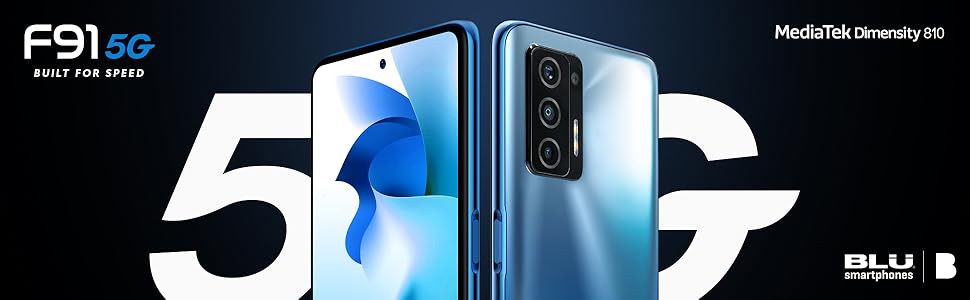
Image: Promotional graphic highlighting the BLU F91 5G's speed capabilities.
2. Què hi ha a la caixa
Upon opening your BLU F91 5G package, please verify that all the following items are included:
- BLU F91 5G Smartphone
- Protector de pantalla (preaplicat o inclòs per separat)
- Estoig resistent
- Guia ràpida
- Sticker Charger (Power Adapter)
- Type-C Cable (USB-C)
- Auriculars
- SIM Key (Ejector Tool)

Image: All items included in the BLU F91 5G retail packaging.
3. Configuració
3.1 Inserció de la targeta SIM
The BLU F91 5G is an unlocked GSM device. It is compatible with T-Mobile, Metro PCS, and other GSM carriers. It is not compatible with AT&T, Cricket, or CDMA networks like Verizon, Sprint, and Boost Mobile.
- Localitza la safata de la targeta SIM al lateral del telèfon.
- Insert the SIM key (ejector tool) into the small hole next to the tray and press gently until the tray pops out.
- Place your Nano-SIM card(s) into the designated slots on the tray. Ensure the gold contacts are facing down and the notched corner aligns correctly.
- Empenyeu amb cura la safata cap al telèfon fins que encaixi al seu lloc.
3.2 Engegada inicial i configuració bàsica
- Press and hold the Power button (located on the right side of the phone) until the BLU logo appears.
- Segueix les instruccions que apareixen a la pantalla per seleccionar l'idioma, connectar-te a una xarxa Wi-Fi i configurar el teu compte de Google.
- You may be prompted to transfer data from an old device or set up as a new phone.
3.3 Càrrega del dispositiu
Your BLU F91 5G comes with a 5,000mAh battery, providing up to 3 days of usage. It supports 18W Quick Charging and 10W Wireless Charging.
- Càrrega per cable: Connect the provided Type-C cable to the phone's charging port and the other end to the included power adapter. Plug the adapter into a wall outlet.
- Càrrega sense fils: Place the phone face up on a compatible 10W wireless charging pad (sold separately). Ensure the phone is centered on the pad for optimal charging.
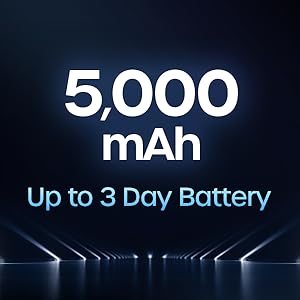
Image: Illustration of the 5,000 mAh battery capacity and its extended life.
4. Operating Your BLU F91 5G
4.1 Sistema operatiu Android 11
Your BLU F91 5G runs on Android 11, offering intuitive controls, enhanced privacy features, and improved performance. Navigate through apps, customize your home screen, and manage notifications with ease.

Image: The Android 11 operating system logo.
4.2 Visualització i elements visuals
Experience boundless views on the 6.8-inch Full HD+ Infinity Dot Display. With a resolution of 1920 x 1080 pixels and a 91.7% screen-to-body ratio, content appears vibrant and immersive.

Image: Details of the BLU F91 5G's display specifications.
Sistema de 4.3 càmeres
Capture stunning photos and videos with the Quad A.I. 48MP Samsung GM1 sensor camera. The rear camera setup includes:
- 48MP HD Main Camera: Samsung GM1, 6P lens, f/1.79 large aperture.
- 5MP Wide-Angle Camera: 115° wide angle, 4P lens, f/2.4 aperture.
- Càmera macro de 2MP: 4cm focus, 3P lens, f/2.4 aperture.
- Càmera de profunditat de 2MP: Objectiu 3P, obertura f/2.4.
The front-facing camera allows for high-quality selfies.
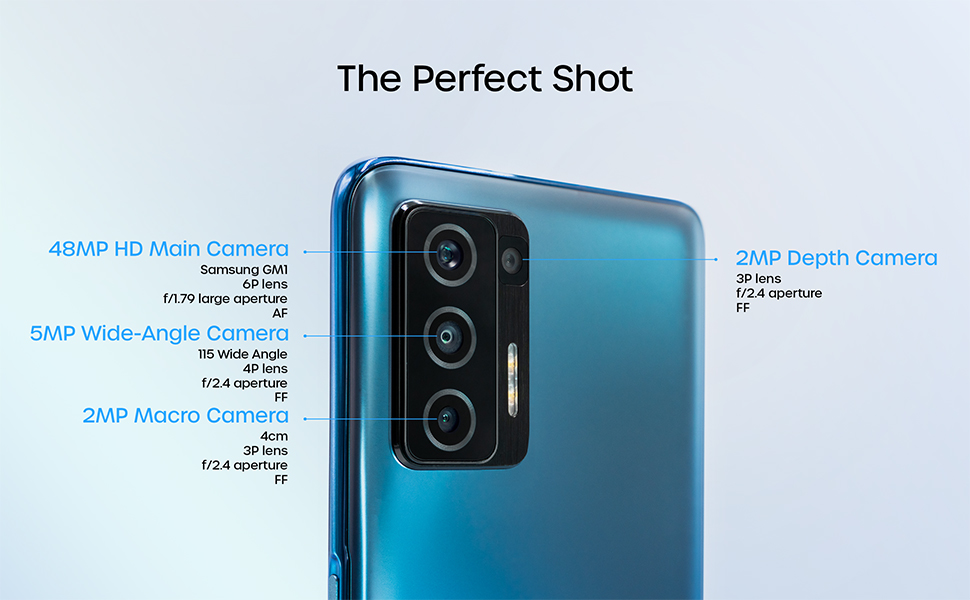
Image: Detailed breakdown of the BLU F91 5G's quad-camera system.
4.4 NFC and Contactless Payments
The BLU F91 5G is NFC capable, allowing you to make secure contactless payments using built-in Android Pay. Simply tap your phone at compatible payment terminals.
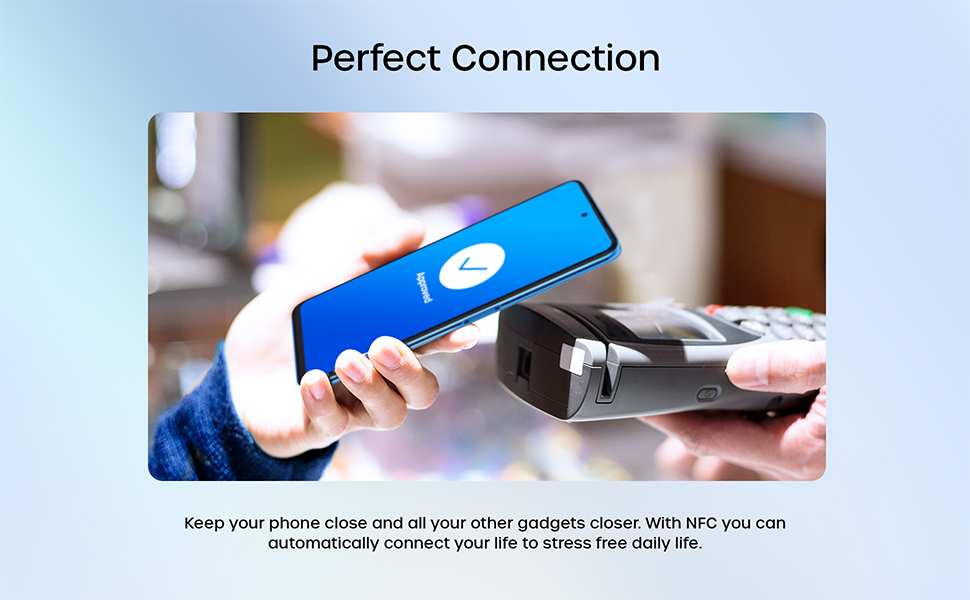
Image: Demonstrating NFC functionality for contactless payments.
4.5 Rendiment i emmagatzematge
Powered by the MediaTek Dimensity 810 Octa-Core 2.4GHz processor and 8GB of RAM, the F91 5G delivers smooth performance for multitasking and gaming. With 128GB of internal memory, you have ampespai per a aplicacions, fotos i vídeos.
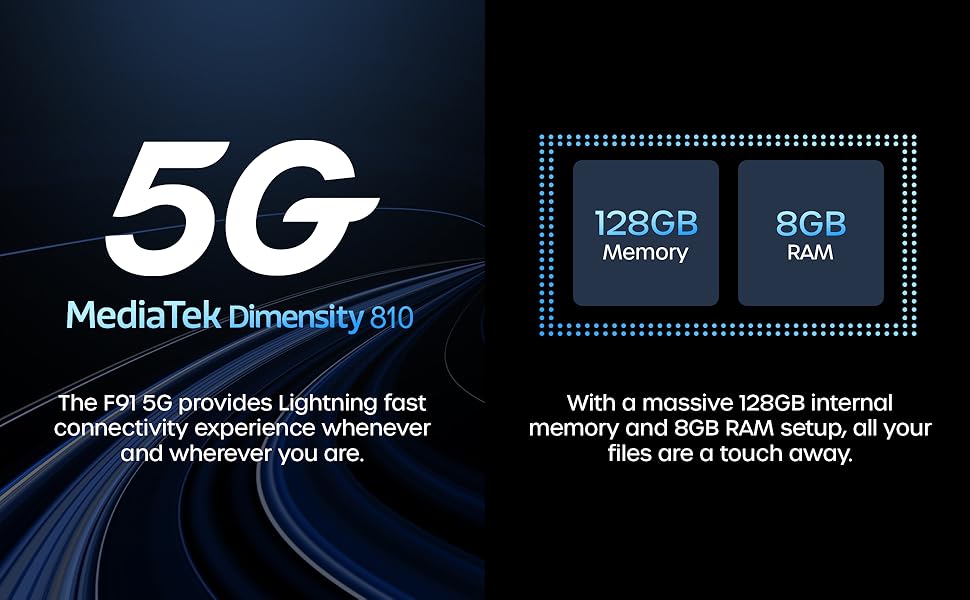
Imatge: Més deview of the BLU F91 5G's processor, RAM, and storage capabilities.
4.6 Funcions de seguretat
The BLU F91 5G includes modern security features to protect your data, such as facial recognition for convenient unlocking.
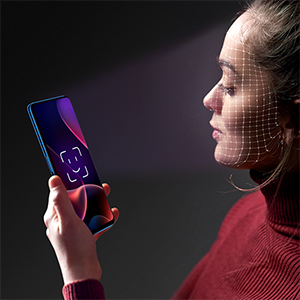
Image: Demonstrating the facial recognition unlock feature.
5. Manteniment
5.1 Neteja del vostre dispositiu
To keep your BLU F91 5G in optimal condition, regularly clean its surfaces. Use a soft, lint-free cloth. For stubborn smudges, slightly dampNetegeu el drap amb aigua o amb un netejador de pantalles dissenyat per a electrònica. Eviteu productes químics agressius o materials abrasius.
5.2 Actualitzacions de programari
Ensure your device is always running the latest software version for optimal performance, security, and new features. You can check for updates by navigating to Configuració > Sistema > Actualització del sistema.
5.3 Cura de la bateria
Per allargar la vida útil de la bateria de 5,000 mAh:
- Eviteu temperatures extremes.
- No deixeu que la bateria es descarregui completament amb freqüència.
- Feu servir el carregador i el cable originals per a una càrrega òptima.
5.4 Gestió d'emmagatzematge
Amb 128 GB d'emmagatzematge intern, tens ampespai. No obstant això, regularment es review les aplicacions, fotos i vídeos instal·lats. Suprimeix els innecessaris files or transfer them to cloud storage or a computer to maintain optimal performance.
6. Solució De Problemes
This section addresses common issues you might encounter with your BLU F91 5G. If you experience problems not covered here, please refer to the official BLU support resources.
| Problema | Possible solució |
|---|---|
| El dispositiu no s'encén | Assegureu-vos que la bateria estigui carregada. Connecteu el carregador i espereu uns minuts abans d'intentar tornar-lo a engegar. Si no respon, feu un reinici forçat mantenint premut el botó d'engegada durant 10-15 segons. |
| Senyal de xarxa deficient / Sense servei | Check if your SIM card is properly inserted. Verify that your carrier is supported (GSM only, not compatible with AT&T, Cricket, Verizon, Sprint, Boost Mobile). Try restarting the phone. If the issue persists, contact your mobile carrier. |
| Les aplicacions es bloquegen o es bloquegen | Close and reopen the app. Clear the app's cache (Settings > Apps & notifications > [App Name] > Storage & cache > Clear cache). Ensure the app and your phone's software are up to date. |
| La bateria s'esgota ràpidament | Reduce screen brightness, disable unnecessary background apps, turn off Wi-Fi/Bluetooth/GPS when not in use. Check battery usage in Settings to identify power-hungry apps. |
| El telèfon és lent o no respon | Clear cache, restart the device. Free up storage space by deleting old files or uninstalling unused apps. Consider a factory reset as a last resort (Nota: Això esborrarà totes les dades). |
7. Especificacions
Below are the key technical specifications for the BLU F91 5G smartphone:
| Característica | Detall |
|---|---|
| Nom del model | F91 5G |
| Número de model de l'article | F0030UU |
| Sistema operatiu | Android 11.0 |
| Processador | MediaTek Dimensity 810 Octa-Core 2.4GHz (Cortex A76) |
| RAM | 8 GB |
| Emmagatzematge intern | 128 GB |
| Mida de la pantalla | 6.8 polzades |
| Resolució de visualització | 1920 x 1080 (Full HD+) |
| Càmera principal | 48MP Quad Camera (Samsung GM1 sensor) |
| Càmera frontal | Càmera selfie de 16 MP |
| Capacitat de la bateria | 5000 mAh (Milliampaquesta hora) |
| Carregant | 18W Quick Charging, 10W Wireless Charging |
| Connectivitat | 5G, LTE, GSM, HSPA, Bluetooth, NFC, USB, Wi-Fi, GPS |
| Compatibilitat amb operadors sense fil | Unlocked for GSM Carriers (T-Mobile, Metro PCS, etc.) |
| Color | Oceanic Blue |
| Pes de l'article | 0.176 unces (aprox. 4.99 g) |
| Dimensions | 7.32 x 3.94 x 2.05 polzades (dimensions del paquet) |
8. Garantia i Suport
The BLU F91 5G comes with a US Warranty. For specific warranty terms, conditions, and duration, please refer to the warranty card included in your product packaging or visit the official BLU Products website. For technical support, software updates, or further assistance, please contact BLU customer service through their official channels.
You can find more information and support resources on the official BLU weblloc: www.bluproducts.com


