1. Introducció
Thank you for choosing the Prechen 19.5-inch 1600x900 LED Monitor. This monitor is designed to provide a high-quality visual experience for various applications, including office work, multimedia, and gaming. Featuring a 1600x900 resolution TN panel, 60Hz refresh rate, and built-in speakers, it offers a versatile display solution. This manual provides detailed instructions for setup, operation, maintenance, and troubleshooting to ensure optimal performance and longevity of your device.

Figura 1: Frontal view of the Prechen 19.5-inch LED Monitor.
2. Informació important de seguretat
Please read all safety warnings and instructions carefully before using this monitor to prevent damage or injury.
- Do not expose the monitor to rain or moisture to avoid fire or electric shock.
- No obriu el monitor casing. No hi ha peces a l'interior que l'usuari pugui reparar. Demaneu totes les tasques de manteniment a personal de servei qualificat.
- Col·loqueu el monitor sobre una superfície estable i plana per evitar que caigui.
- Assegureu-vos que hi hagi una ventilació adequada al voltant del monitor. No bloquegeu les obertures de ventilació.
- Feu servir només l'adaptador de corrent que s'inclou amb el monitor.
- Desconnecteu l'endoll de la presa de corrent si no heu d'utilitzar el monitor durant un període prolongat.
- Avoid placing the monitor near heat sources such as radiators, heat registers, stoves, or other products (including amplificadors) que produeixen calor.
3. Contingut del paquet
Si us plau, comproveu el contingut del paquet per assegurar-vos que tots els elements hi són i no estan danyats:
- Prechen 19.5-inch LED Monitor
- Adaptador d'alimentació
- Cable HDMI
- Manual d'usuari

Figure 2: Included accessories: Monitor, Power Adapter, HDMI Cable, and User Manual.
4. Guia de configuració
4.1 Muntatge del suport
- Traieu amb cura els components del monitor i del suport de l'embalatge.
- Attach the stand base to the stand neck, securing it with the provided screw (if applicable).
- Align the assembled stand with the mounting slot on the back of the monitor and gently push until it clicks into place or secure with screws as per the stand design.
4.2 Connexió del monitor
El monitor admet connexions HDMI i VGA.
- Connexió d'alimentació: Connect the power adapter to the monitor's DC IN port, then plug the adapter into a power outlet.
- Connexió de vídeo (HDMI): Connect one end of the HDMI cable to the HDMI port on your computer or device, and the other end to the HDMI port on the monitor.
- Connexió de vídeo (VGA): Connect one end of the VGA cable to the VGA port on your computer or device, and the other end to the VGA port on the monitor.
- Connexió d'àudio: If using a VGA connection and external speakers, connect an audio cable from your computer's audio output to the monitor's audio input port. The built-in speakers will function automatically with HDMI.

Figure 3: Monitor back panel with input ports and control buttons.

Figure 4: Multiple connection options for the monitor.
5. Instruccions de funcionament
5.1 Engegada/apagada
Press the power button located on the back of the monitor to turn it on or off. The power indicator light will illuminate when the monitor is on.
5.2 Ús del menú OSD
The On-Screen Display (OSD) menu allows you to adjust various monitor settings. The control buttons are located on the back of the monitor (refer to Figure 3).
- MENÚ: Premeu per obrir el menú OSD.
- UP/DOWN (Volume Up/Down): Use to navigate through menu options or adjust values.
- ENTER (Switch): Press to confirm a selection or enter a sub-menu.
- EXIT (Return): Press to exit the current menu or return to the previous level.
5.3 Ajust de la configuració de la pantalla
Navegueu pel menú OSD per ajustar paràmetres com ara:
- Brillantor/Contrast: Ajusta la luminància i el contrast generals de la pantalla.
- Configuració de color: Modifiqueu la temperatura del color, els nivells RGB o seleccioneu els modes de color preestablerts.
- Selecció d'entrada: Canvia manualment entre les fonts d'entrada HDMI i VGA.
- Relació d'aspecte: Choose between 16:9 (widescreen) or 4:3 (standard) display modes.
- Nitidez: Adjust the clarity of the image.
5.4 Configuració d'àudio
The monitor features two built-in speakers. You can adjust the volume using the OSD menu or the dedicated volume buttons on the back of the monitor.
6. Manteniment i cura
Una cura i un manteniment adequats allargaran la vida útil del vostre monitor.
- Neteja de la pantalla: Netegeu suaument la pantalla amb un drap suau i sense borrissol. Per a marques difícils, dampen the cloth slightly with water or a non-ammonia, non-alcohol based screen cleaner. Never spray cleaner directly onto the screen.
- Neteja de la Casing: Feu servir un drap suau i sec per netejar el monitor casing. Eviteu utilitzar productes de neteja o dissolvents abrasius.
- Emmagatzematge: Si guardeu el monitor durant un període prolongat, desconnecteu-lo de l'alimentació i guardeu-lo en un lloc fresc i sec, preferiblement en el seu embalatge original.
7. Solució De Problemes
If you encounter problems with your monitor, please refer to the following table for common issues and solutions.
| Problema | Causa possible | Solució |
|---|---|---|
| Sense poder | Power cable not connected; Power outlet faulty; Monitor off. | Ensure power cable is securely connected. Try a different power outlet. Press the power button on the monitor. |
| Sense senyal | Cable de vídeo no connectat; Font d'entrada incorrecta seleccionada; L'ordinador no emet el senyal. | Check HDMI/VGA cable connection. Select the correct input source via the OSD menu. Ensure your computer is on and outputting video. |
| No hi ha so dels altaveus integrats | Volume too low/muted; Incorrect audio output selected on PC; Audio cable not connected (for VGA). | Increase monitor volume. Check PC audio settings to ensure monitor is selected as output. For VGA, ensure audio cable is connected. |
| La imatge és borrosa o distorsionada | Resolució incorrecta; Problema amb el cable. | Set your computer's display resolution to 1600x900. Try a different video cable. |
8. Especificacions del producte
| Característica | Especificació |
|---|---|
| Marca | Prechen |
| Mida de la pantalla | 19.5 polzades |
| Tipus de visualització | LED |
| Resolució de visualització màxima | 1600 x 900 |
| Freqüència d'actualització | 60 Hz |
| Temps de resposta | 5 mil·lisegons |
| Relació d'aspecte | 16:9 |
| Tecnologia de connectivitat | HDMI, VGA |
| Característiques especials | Altaveus incorporats |
| Compatibilitat de muntatge VESA | 100 x 100 mm |
9. Muntatge VESA
The Prechen monitor supports VESA standard mounting (100 x 100 mm), allowing you to mount it on a wall or an articulating arm for flexible viewing options. This feature makes the monitor lightweight and easy to install in various setups.
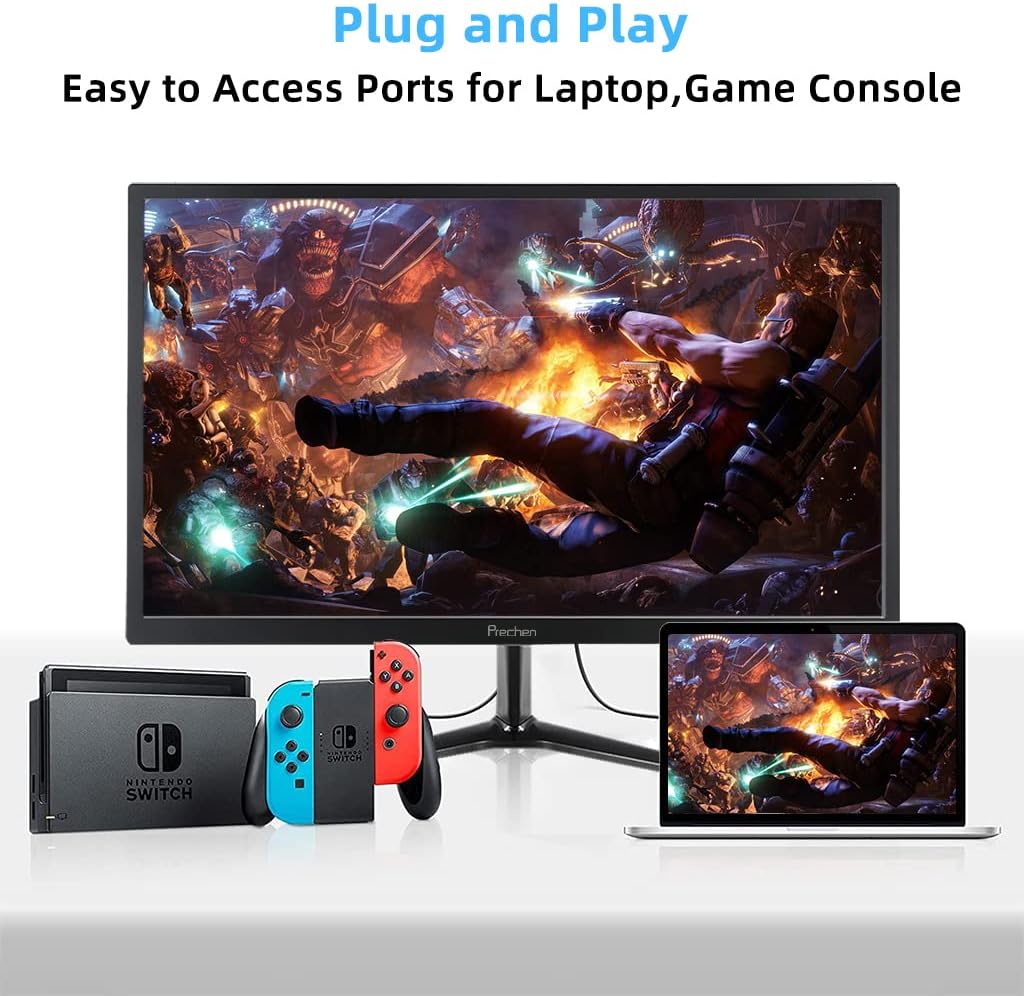
Figure 5: VESA mount dimensions on the monitor back.

Figura 6: Example of VESA mounting with an articulating arm.
10. Garantia i Suport
Each Prechen product is covered by a one-year warranty from the date of purchase, which includes a one-month refund and exchange policy. This warranty covers manufacturing defects and issues arising from normal use.
For any questions, technical support, or warranty claims, please contact Prechen customer service. Please have your product model and purchase information ready when contacting support.
Contact information for customer service can typically be found on the product packaging or the official Prechen weblloc.


