1. Introducció
The FULAO Mini Hidden Camera S104 is a compact and versatile security camera designed for discreet surveillance in various indoor and outdoor settings. It features Full HD 1080P video recording, strong night vision capabilities with invisible infrared light, and a flexible lens for adjustable orientation. This camera supports Wi-Fi connectivity for live streaming and motion detection alerts, as well as local recording to a Micro SD card without a network connection. It is ideal for monitoring homes, offices, shops, and warehouses, or for use as a nanny cam or baby monitor.
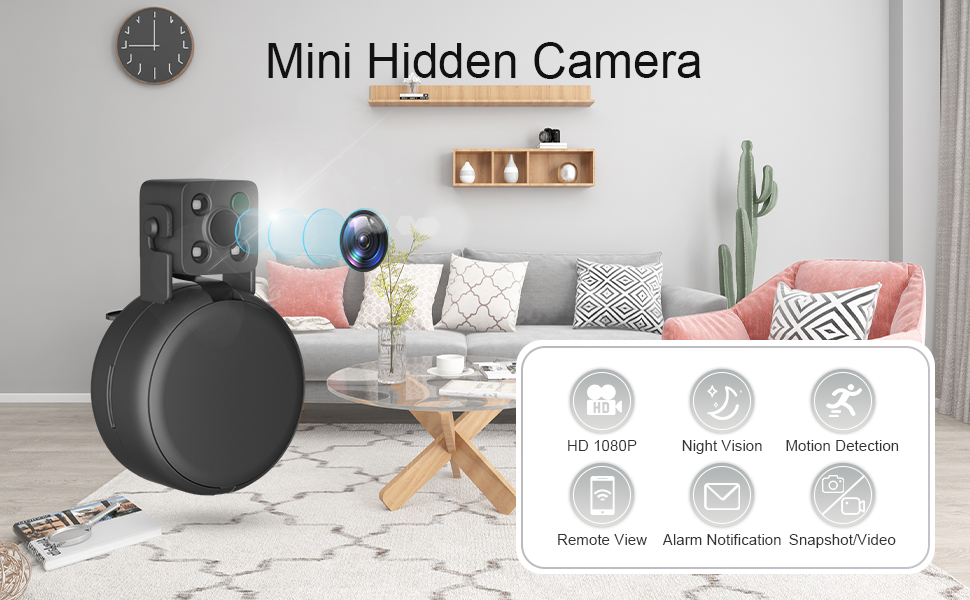
Imatge 1.1: FULAO Mini Hidden Camera S104 highlighting its key features: HD 1080P, Night Vision, Motion Detection, Remote View, Alarm Notification, and Snapshot/Video capabilities.
2. Què hi ha a la caixa
En obrir el paquet, assegureu-vos que hi hagi tots els elements següents:
- Small Security Camera (FULAO Mini Hidden Camera S104)
- Stickers for mounting
- Cable de càrrega USB
- Manual d'instruccions
3. Producte acabatview
Familiarize yourself with the components of your FULAO Mini Hidden Camera S104:
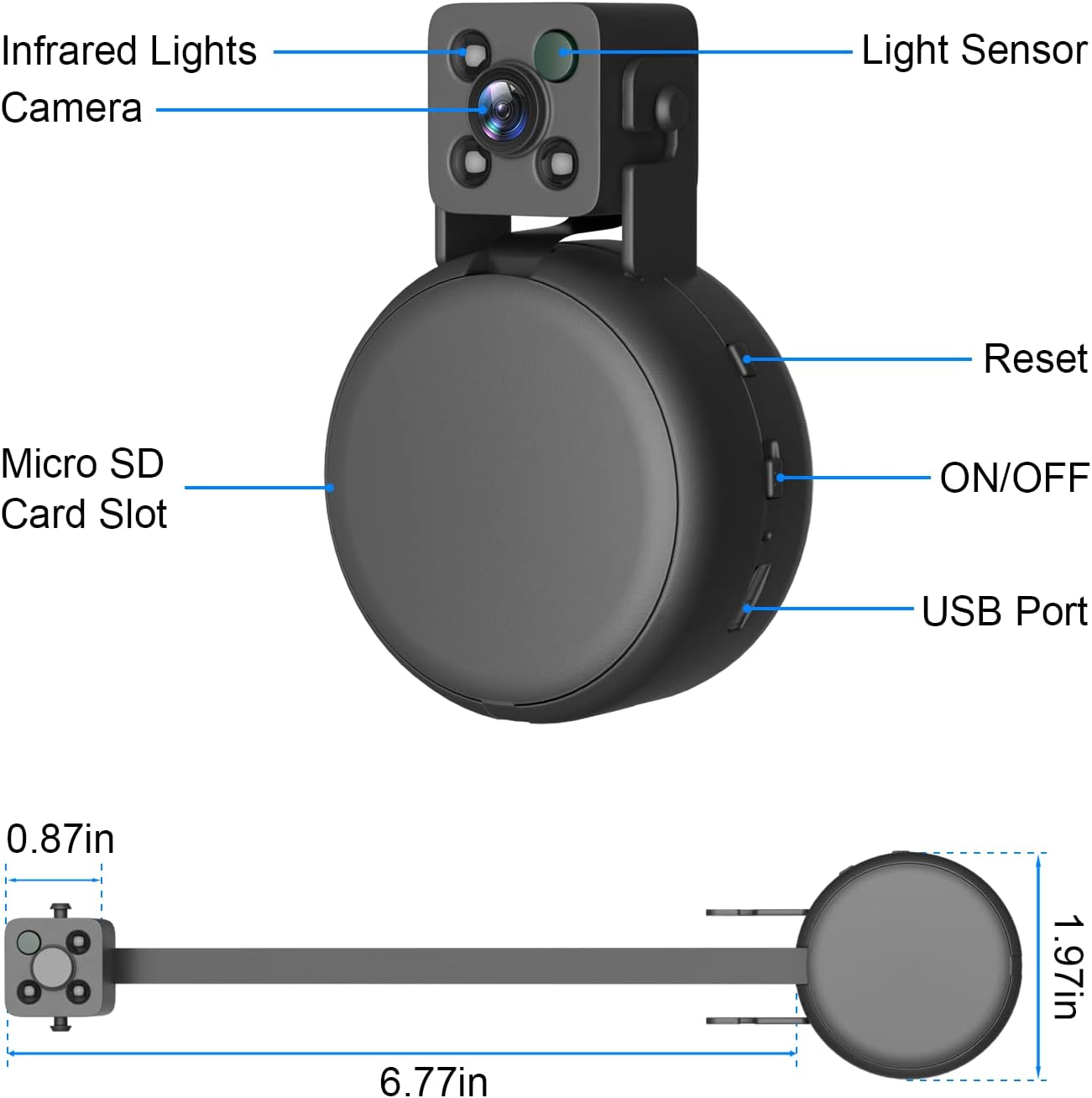
Imatge 3.1: Detailed diagram of the FULAO Mini Hidden Camera S104, showing its various components and their locations.
- Llums infrarojos: Provide illumination for night vision without being visible to the human eye.
- Lent de la càmera: The main lens for capturing video and images. Features a flexible cable for adjustable positioning.
- Sensor de llum: Detects ambient light levels to automatically switch between day and night vision modes.
- Botó de restabliment: Used to reset the camera to its factory default settings.
- Interruptor ON / OFF: Powers the camera on or off.
- Ranura per a targetes Micro SD: Insert a Micro SD card (up to 256GB, not included) for local video storage.
- Port USB: Used for charging the camera's internal battery and for power supply.
4. Guia de configuració
Follow these steps to set up your FULAO Mini Hidden Camera S104 and connect it to your Wi-Fi network:
4.1 Encès inicial
- Carregar la càmera: Before first use, fully charge the camera using the provided USB cable. Connect it to a 5V USB power adapter (not included).
- Encès: Locate the ON/OFF switch and slide it to the "ON" position.
- Llum indicadora: Wait for the red indicator light to slowly flash. If it does not flash, please reset the camera using the reset button.
4.2 Instal·lació de l'aplicació i connexió Wi-Fi
The FULAO Mini Hidden Camera S104 uses the "HomeEye" application for remote viewing and control. Ensure your smartphone is connected to a 2.4GHz Wi-Fi network before proceeding, as the camera only supports 2.4GHz Wi-Fi.
- Descarregar l'aplicació: Download and install the "HomeEye" app from your smartphone's app store (iOS App Store or Google Play Store).
- Connect to Camera Hotspot: Go to your phone's Wi-Fi settings and connect to the camera's direct hotspot, which will typically appear as "AYS-XXX" (where XXX is a unique identifier). This is a temporary connection for initial setup.
- Inicia l'aplicació: Open the "HomeEye" app. The device should be automatically detected and added. Tap "OK" to confirm.
- Configura el Wi-Fi: Within the app, navigate to the Wi-Fi settings. Select your home's 2.4GHz Wi-Fi network from the list and enter the correct password.
- Configuració de la xarxa: The camera will attempt to connect to your home Wi-Fi network. Keep the camera close to your router during this process. The connection may take 1-2 minutes.
- Verificació: Once connected, the camera's indicator light may change, and the app should display a "Set success" message. You can then view el feed en directe.
Vídeo 4.1: Official FULAO setup video demonstrating the steps to connect the camera to your Wi-Fi network using the mobile application.
5. Instruccions de funcionament
5.1 Live Streaming and Remote View
Once connected to your home Wi-Fi, you can view live video remotely from anywhere using the "HomeEye" app on your smartphone. Open the app, select your camera, and the live feed will appear. This allows you to monitor your home or office in real-time.

Imatge 5.1: Live video streaming from the FULAO Mini Hidden Camera S104 vieweditat en un telèfon intel·ligent.
5.2 SD Card Recording (Without Wi-Fi)
The camera can record video directly to a Micro SD card even without a Wi-Fi network connection. Simply insert a formatted Micro SD card (up to 256GB, not included) into the slot before powering on the device. The camera will automatically begin recording. This ensures continuous surveillance even if network issues occur.

Imatge 5.2: Examples of scenarios where the camera can record video to an SD card without an active Wi-Fi connection.
5.3 Motion Detection Alerts and Recording
The FULAO Mini Hidden Camera S104 features a motion sensor. When motion is detected within its field of view, your smartphone will receive a push notification through the "HomeEye" app. You can also configure the camera to record short video clips to the Micro SD card simultaneously when motion is detected (refer to "Alarm Video" settings in the app).

Imatge 5.3: Illustration of the motion detection alarm and recording feature of the camera.
5.4 Visió nocturna
The camera is equipped with invisible infrared lights, enabling clear video recording in low-light or complete darkness up to 5 meters. The light sensor automatically activates night vision mode when necessary.
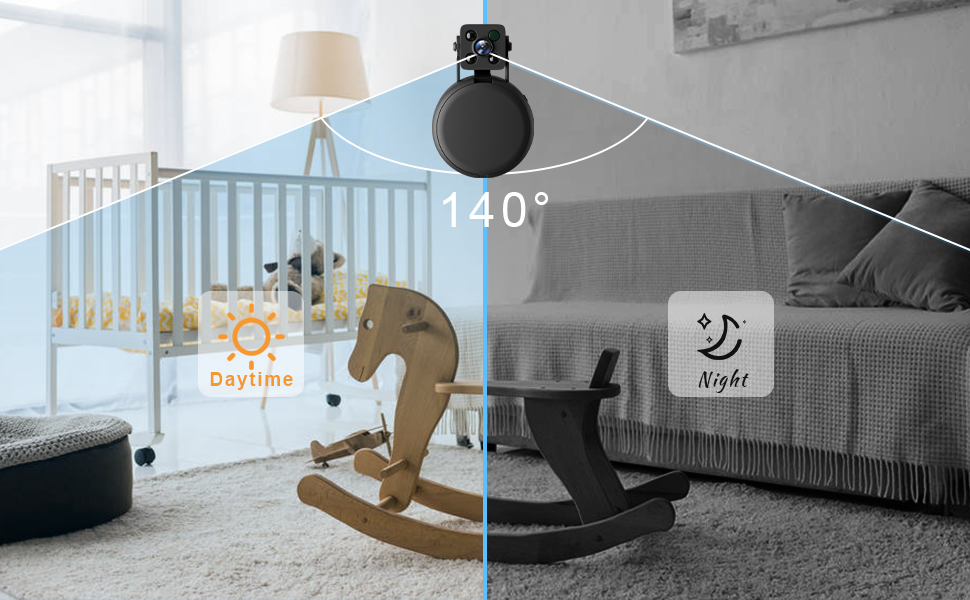
Imatge 5.4: The camera's 140-degree wide-angle view in both daytime and night vision modes.
6. Manteniment
- Neteja: Feu servir un drap suau i sec per netejar la lent i el cos de la càmera. Eviteu utilitzar netejadors líquids o materials abrasius.
- Emmagatzematge: Quan no la feu servir durant períodes prolongats, guardeu la càmera en un lloc fresc i sec, allunyat de la llum solar directa i de temperatures extremes.
- Cura de la bateria: Per allargar la durada de la bateria, eviteu descarregar-la completament amb freqüència. Carregueu-la regularment, fins i tot si no l'utilitzeu constantment.
- Actualitzacions de firmware: Check the "HomeEye" app periodically for any available firmware updates to ensure optimal performance and security.
7. Solució De Problemes
| Problema | Causa possible | Solució |
|---|---|---|
| La càmera no s'encén. | Low battery or faulty power source. | Ensure the camera is fully charged. Try a different USB cable or power adapter. |
| No es pot connectar a la Wi-Fi. | Incorrect Wi-Fi password, 5GHz network, or camera too far from router. | Verify Wi-Fi password. Ensure you are connecting to a 2.4GHz network. Move the camera closer to the router. Reset the camera and try setup again. |
| App shows "Offline" or no live feed. | Loss of Wi-Fi connection, camera powered off, or app issue. | Check camera power and Wi-Fi connection. Restart the app. If issues persist, reset the camera and reconfigure. |
| La targeta SD no grava. | SD card not inserted correctly, not formatted, or full. | Ensure SD card is properly inserted. Format the SD card via the app or a computer. Check if the SD card has sufficient free space. |
| Motion detection alerts not received. | Motion detection settings disabled, app notifications blocked, or poor network. | Enable motion detection in the app settings. Check phone notification settings for the "HomeEye" app. Ensure stable Wi-Fi connection. |
8. Especificacions
| Característica | Detall |
|---|---|
| Marca | FULAO |
| Nom del model | S104 |
| Tecnologia de connectivitat | Sense fil (Wi-Fi 2.4 GHz) |
| Característiques especials | Motion Sensor, Night Vision (Invisible Infrared LED Lights) |
| Ús interior/exterior | Interior |
| Dispositius compatibles | Smartphone |
| Mètode de control | App (HomeEye) |
| Tipus d'alerta | Només moviment |
| Font de llum | infrarojos |
| Classificació impermeable | IP54 |
| Resolució de captura de vídeo | 1080p |
| Velocitat de fotogrames | 15-20 fps |
| Viewangle ing | 140 graus |
| Tipus d'enfocament | Enfocament automàtic |
| Tipus de zoom | Zoom digital |
| Tecnologia del sensor fotogràfic | CMOS |
| Font d'alimentació | Funciona amb bateria |
| Voltage | 5 Volts |
| Format de captura de vídeo | MP4 |
| Gamma de visió nocturna | 5 metres |
| Dimensions de l'article | 3 x 3 x 4 polzades |
| Max Micro SD Card Support | 256GB (Not Included) |
9. Garantia i Suport
FULAO provides the following warranty and support for this product:
- Garantia de devolució de diners: 30-Day Money Back.
- Substitució gratuïta: 180-Day Free Replacement.
- For any issues or inquiries, please contact FULAO customer support.


