1. Introducció
This manual provides detailed instructions for the setup, operation, and maintenance of your Rapoo E9700M Wireless Keyboard. Please read this manual thoroughly before using the product to ensure proper functionality and to prevent damage.

Image 1.1: The Rapoo E9700M Wireless Keyboard. This image shows the keyboard from an angled perspective, highlighting its slim profile and dark gray finish.
2. Contingut del paquet
Verifiqueu que tots els elements siguin presents al paquet:
- Rapoo E9700M Wireless Keyboard
- Cable de càrrega USB-C
- Nano USB Receiver (typically stored in the keyboard's battery compartment)
- Guia d'inici ràpid (aquest document serveix com a guia completa)
3. Característiques
- Multi-Mode Wireless Connectivity: Supports Bluetooth 3.0, 5.0, and 2.4 GHz for stable transmission up to 10 meters.
- Smart Switching: Automatically pairs and connects to multiple devices, allowing one-click switching.
- Disseny ultra prim: Constructed with an aluminum alloy for stability and durability.
- Bateria recarregable: Integrated eco-friendly lithium battery eliminates the need for disposable batteries.
- Tecles d'accés directe multimèdia: Dedicated keys for quick access to multimedia functions.
- DE-Layout QWERTZ: German keyboard layout.
4. Configuració
4.1. Càrrega del teclat
Before initial use, fully charge the keyboard. Connect the supplied USB-C cable to the keyboard's charging port and the other end to a USB power source (e.g., computer USB port, USB wall adapter).
- El llum indicador de càrrega s'il·luminarà durant la càrrega.
- La llum s'apagarà o canviarà de color un cop estigui completament carregada.
4.2. Connexió mitjançant una xarxa sense fil de 2.4 GHz
- Locate the Nano USB receiver, typically stored in a compartment on the underside of the keyboard.
- Plug the Nano USB receiver into an available USB port on your computer.
- Turn on the keyboard using the power switch (usually located on the side or back).
- Premeu el botó Fn + 4 key combination to activate 2.4 GHz mode. The corresponding indicator light will blink.
- Your computer should automatically detect and install the necessary drivers. The keyboard is ready for use.

Imatge 4.2: De dalt a baix view of the Rapoo E9700M keyboard, showing the German (DE-Layout QWERTZ) key arrangement. Note the function keys with blue icons for connectivity modes.
4.3. Connexió mitjançant Bluetooth
The keyboard supports two Bluetooth channels (Bluetooth 1 and Bluetooth 2).
- Enceneu el teclat amb l'interruptor d'alimentació.
- Premeu Fn + 1 for Bluetooth 1 or Fn + 2 for Bluetooth 2. The corresponding indicator light will blink slowly.
- Per entrar al mode de vinculació, manteniu premut Fn + 1 or Fn + 2 for 3 seconds until the indicator light blinks rapidly.
- On your device (PC, Mac, smartphone, tablet), open Bluetooth settings and search for new devices.
- Select "Rapoo E9700M" from the list of available devices.
- Follow any on-screen prompts to complete the pairing process. The indicator light will stop blinking once connected.
4.4. Canviar entre dispositius connectats
The Rapoo E9700M allows seamless switching between up to three connected devices (one 2.4 GHz and two Bluetooth devices).
- Premeu Fn + 1 per canviar al dispositiu Bluetooth 1.
- Premeu Fn + 2 per canviar al dispositiu Bluetooth 2.
- Premeu Fn + 4 to switch to the 2.4 GHz wireless connection.
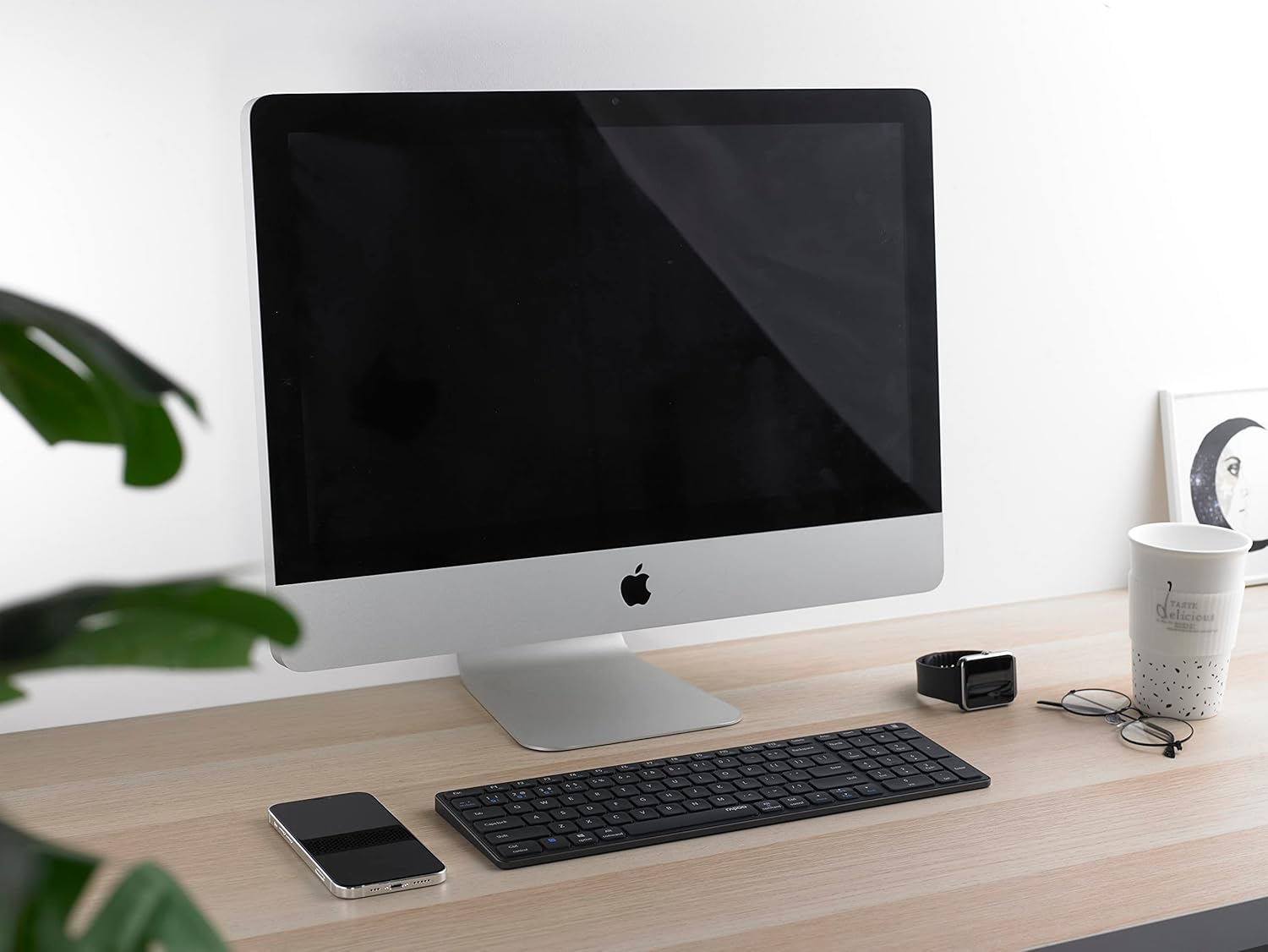
Image 4.4: The Rapoo E9700M keyboard positioned on a desk next to an iMac, demonstrating its compatibility with macOS devices.
5. Instruccions de funcionament
5.1. Tecles d'accés directe multimèdia
The keyboard features multimedia hotkeys for quick access to various functions. These keys are typically activated by pressing the Fn key simultaneously with the corresponding function key (F1-F12).
| Combinació de tecles | Funció |
|---|---|
| Fn + F1 | Reproductor multimèdia |
| Fn + F2 | Baixa el volum |
| Fn + F3 | Puja el volum |
| Fn + F4 | Silenciar |
| Fn + F5 | Pista anterior |
| Fn + F6 | Pista següent |
| Fn + F7 | Reproduir/Pausa |
| Fn + F8 | Atureu-vos |
| Fn + F9 | Pàgina d'inici |
| Fn + F10 | Correu electrònic |
| Fn + F11 | El meu ordinador |
| Fn + F12 | Preferits |
5.2. Llums indicadores
The keyboard has indicator lights to show connection status and battery level:
- Bluetooth 1/2/4 (2.4G) Indicator: Blinks slowly when searching for connection, blinks rapidly when in pairing mode, solid when connected.
- Indicador de bloqueig de majúscules: Illuminates when Caps Lock is active.
- Indicador d'estat de la bateria: Illuminates when charging, blinks when battery is low.
6. Manteniment
To ensure the longevity and optimal performance of your Rapoo E9700M keyboard, follow these maintenance guidelines:
- Neteja: Use a soft, dry cloth to wipe the surface of the keyboard. For stubborn dirt, slightly dampNetegeu el drap amb aigua o un netejador suau i no abrasiu. Eviteu la humitat excessiva.
- Emmagatzematge: Guardeu el teclat en un lloc fresc i sec, allunyat de la llum solar directa i de temperatures extremes.
- Eviteu líquids: Do not expose the keyboard to liquids. In case of accidental spills, immediately power off the keyboard and allow it to dry completely before reuse.
- Receptor USB: When not in use, store the Nano USB receiver in its designated compartment within the keyboard to prevent loss.

Image 6.1: The underside of the Rapoo E9700M keyboard, showing the smooth aluminum finish and regulatory markings. The USB receiver compartment is typically located here.
7. Solució De Problemes
Si teniu problemes amb el teclat, consulteu els problemes i solucions més comuns següents:
- El teclat no respon:
- Assegureu-vos que el teclat estigui encès.
- Comproveu el nivell de la bateria i carregueu-la si cal.
- Verify the correct connection mode (2.4 GHz, Bluetooth 1, or Bluetooth 2) is selected using Fn + 1/2/4.
- For 2.4 GHz, ensure the Nano USB receiver is securely plugged into a working USB port.
- Per al Bluetooth, assegureu-vos que el Bluetooth estigui activat al dispositiu i que el teclat estigui emparellat. Intenteu tornar a emparellar si cal.
- Try connecting to a different USB port or device to rule out port/device issues.
- Connexió amb retard o intermitent:
- Reduce the distance between the keyboard and your device (maximum 10 meters).
- Remove any obstacles that might interfere with the wireless signal (e.g., large metal objects).
- Avoid using the keyboard near other strong wireless interference sources (e.g., Wi-Fi routers, other wireless devices).
- Assegureu-vos que el teclat estigui completament carregat.
- Les tecles no funcionen o s'escriuen incorrectament:
- Netegeu el teclat per eliminar qualsevol residu que pugui estar obstruint les tecles.
- Reinicieu l'ordinador/dispositiu.
- If using Bluetooth, try unpairing and re-pairing the keyboard.
8. Especificacions
| Característica | Detall |
|---|---|
| Marca | Rapoo |
| Model | E9700M |
| Tecnologia de connectivitat | Bluetooth 3.0, Bluetooth 5.0, 2.4 GHz Wireless (USB-C, WLAN) |
| Dispositius compatibles | Laptop, PC, Smart TV, Gaming Console, Smartphone, Tablet |
| Descripció del teclat | Multimèdia |
| Característica especial | Multimedia Hotkeys, Rechargeable Battery |
| Color | Gris fosc |
| Estil | Clàssic |
| Material | Alumini |
| Components inclosos | Keyboard, USB-C Cable, Nano USB Receiver |
| Disseny | DE-Layout (QWERTZ) |
9. Garantia i Suport
Rapoo products are designed with quality and reliability in mind. For warranty information and technical support, please refer to the warranty card included with your product or visit the official Rapoo weblloc web. Conserveu el comprovant de compra per a reclamacions de garantia.
For further assistance, please contact Rapoo customer support through their official channels.


