1. Introducció
Welcome to the world of Ultimate Ears. The WONDERBOOM EXC is a super-portable Bluetooth speaker designed to deliver surprisingly big sound with clear, crisp audio and rich bass. Its robust and waterproof design makes it ideal for use in various environments, from indoor relaxation to outdoor adventures. This manual will guide you through the essential steps to get the most out of your speaker.
2. Configuració
2.1. Càrrega de l'altaveu
Before first use, ensure your WONDERBOOM EXC is fully charged. Connect the included micro USB cable to the charging port located at the bottom of the speaker. Plug the other end into a compatible USB power source. The charging indicator light will illuminate during charging and turn off when fully charged. A full charge takes approximately 10 hours.

Image: The WONDERBOOM EXC speaker with its waterproof charging port revealed at the bottom.
2.2. Encès / apagat
To power on your WONDERBOOM EXC, press and hold the power button located on the bottom of the speaker. You will hear an audible sound, and a white indicator light will appear, confirming the speaker is on and ready for use. To power off, press and hold the same button until the light turns off and you hear a power-off sound.

Image: The base of the WONDERBOOM EXC speaker, highlighting the power button and brand engraving.
2.3. Emparellament Bluetooth
To connect your WONDERBOOM EXC to a device via Bluetooth:
- Ensure your speaker is powered on.
- Activa el Bluetooth al teu dispositiu d'àudio (telèfon intel·ligent, tauleta, ordinador).
- On the WONDERBOOM EXC, press and hold the Bluetooth pairing button (small button near the power button on the bottom) until you hear a pairing sound and the indicator light starts blinking rapidly.
- On your device, select "WONDERBOOM EXC" from the list of available Bluetooth devices.
- Once connected, you will hear a confirmation sound from the speaker, and the indicator light will turn solid white.
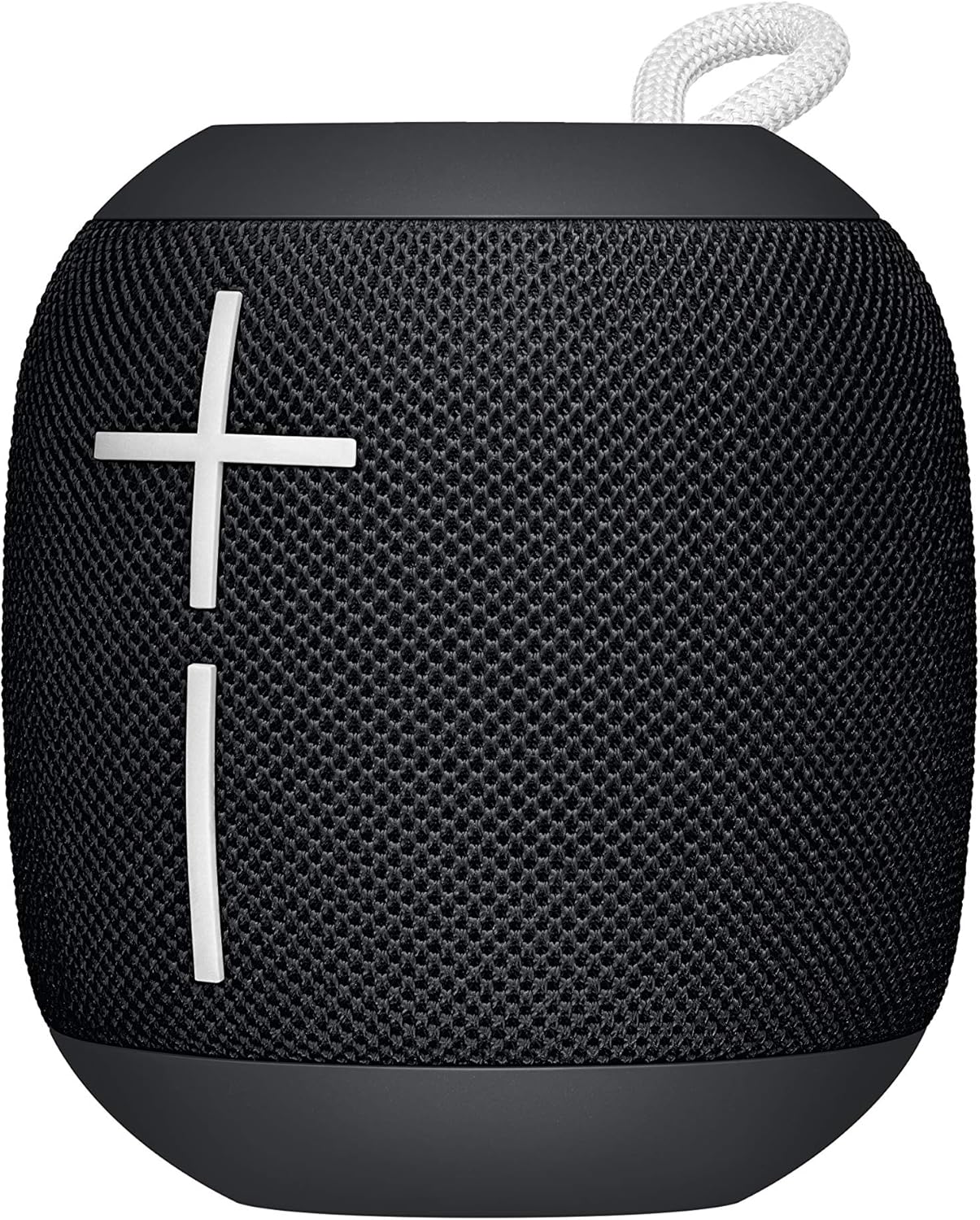
Image: The WONDERBOOM EXC speaker, showcasing its prominent volume control buttons.
3. Funcionament de l'altaveu
3.1. Control de volum
Adjust the volume directly on the WONDERBOOM EXC using the large '+' and '-' buttons on the front mesh of the speaker. Alternatively, you can control the volume from your connected audio device.

Image: The WONDERBOOM EXC speaker, highlighting its intuitive volume controls.
3.2. Control de reproducció
The WONDERBOOM EXC features a multi-function button (the Ultimate Ears logo button on the top surface) for convenient playback control:
- Premeu una vegada: Reproducció/pausa de música.
- Press twice quickly: Saltar a la pista següent.
3.3. Double Up (Pairing Two WONDERBOOM EXC Speakers)
For an even bigger sound experience, you can wirelessly connect two WONDERBOOM EXC speakers together:
- Ensure both WONDERBOOM EXC speakers are powered on and connected to your audio device.
- On both speakers, simultaneously press and hold the multi-function button (Ultimate Ears logo button on top) for about 3 seconds.
- You will hear a confirmation sound from both speakers, indicating they are now paired and playing in sync.
4. Manteniment
4.1. Waterproof Design and Cleaning
The WONDERBOOM EXC boasts an IPX7 waterproof rating, meaning it can be immersed in water up to 1 meter for 30 minutes. It also floats, making it perfect for poolside or beach use. If the speaker gets dirty, simply rinse it with clean water. Ensure the charging port cover is securely closed before exposing the speaker to water.

Image: The WONDERBOOM EXC speaker floating on water, showcasing el seu disseny impermeable.
5. Solució De Problemes
If you encounter any issues with your WONDERBOOM EXC, try the following steps:
- Sense energia: Ensure the speaker is fully charged. Connect it to a power source and allow it to charge for a few minutes before attempting to power on again.
- No es pot emparellar: Make sure Bluetooth is enabled on your device and the speaker is in pairing mode (blinking indicator light). Try turning Bluetooth off and on again on your device. If the issue persists, restart both the speaker and your device.
- Sense so: Check the volume levels on both the speaker and your connected device. Ensure the speaker is properly paired and not connected to another device.
- Qualitat de so baixa: Move the speaker closer to your device to ensure it's within Bluetooth range (up to 40 meters). Avoid obstacles that might interfere with the signal.
- L'altaveu no respon: Feu un restabliment suau prement i mantenint premut el botó d'engegada durant 15 segons.
Per obtenir més ajuda, consulteu la secció d'assistència o poseu-vos en contacte amb el servei d'atenció al client.
6. Especificacions
| Característica | Detall |
|---|---|
| Nom del model | WONDERBOOM EXC |
| Tipus d'altaveu | Woofer |
| Tecnologia de connectivitat | Bluetooth |
| Tecnologia de comunicació sense fils | Bluetooth |
| Interval Bluetooth | 40 metres |
| Durada de la bateria | 10 hores |
| Temps de càrrega | 10 hores |
| Nivell de resistència a l'aigua | IPX7 (resistent a l'aigua) |
| Dimensions del producte | 3.68 "P x 4.02" W x 3.68" H |
| Pes de l'article | 15 unces (425 grams) |
| Components inclosos | WONDERBOOM EXC, micro USB cable |
| Fabricant | Logitech |

Image: Dimensional diagram of the WONDERBOOM EXC speaker.
7. Garantia i Suport
7.1. Informació de la garantia
The Ultimate Ears WONDERBOOM EXC comes with a Limited Warranty. Please refer to the warranty card included in your product packaging or visit the official Ultimate Ears weblloc web per obtenir els termes i condicions detallats sobre la cobertura de la garantia i les reclamacions.
7.2. Atenció al client
For technical support, product inquiries, or warranty claims, please visit the Botiga Ultimate Ears a Amazon or the official Ultimate Ears support website. You may also find helpful FAQs and troubleshooting guides online.


