Introducció
This manual provides detailed instructions for the setup, operation, and maintenance of your BISOFICE H5 Handheld POS Terminal. Please read this manual thoroughly before using the device to ensure proper functionality and to prevent damage. Keep this manual for future reference.
Producte acabatview
The BISOFICE H5 is a versatile handheld POS terminal designed for various business applications, integrating a barcode scanner, thermal printer, and robust communication capabilities within an Android 8.1 operating system.
Característiques principals:
- Android 8.1 OS for smooth and stable operation.
- Compact and wireless design with a 2550mAh rechargeable battery.
- Built-in 58mm thermal receipt printer with a printing speed of over 75mm/s.
- Intelligent payment terminal with 3G, WiFi, BT4.0, and WCDMA network support.
- 2MP focus camera for 1D/2D barcode scanning.
- 5.0-inch IPS touchscreen display (1280x720 resolution).
- NFC function compliant with ISO/ICE 14443 A & B protocol, supporting MIFARE standard cards.
General View:

Dimensions del dispositiu:

Operació portàtil:

Funcionalitat NFC:
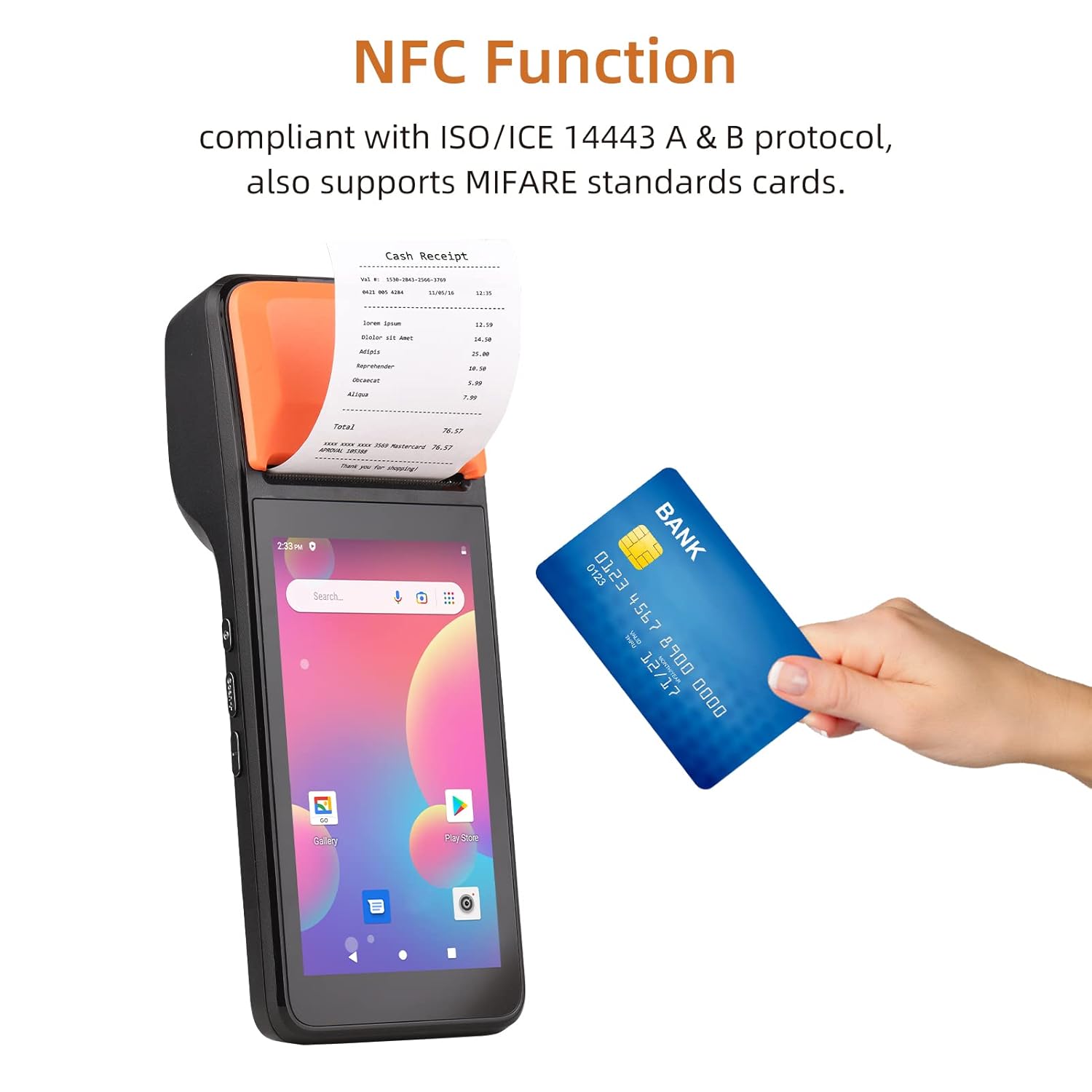
Thermal Printer Details:

Camera and Barcode Reader:

Especificacions
The following table details the technical specifications of the BISOFICE H5 Handheld POS Terminal:
| Característica | Detall |
|---|---|
| Model | H5 |
| CPU | MTK Dual CPU, 4-core 1.3GHz |
| Sistema operatiu | Android 8.1 |
| Memòria | 8 GB de ROM + 1 GB de RAM |
| Mostra | 5.0" HD IPS (1280x720), G+FF features, Touch Screen |
| Impressora | High-speed 58mm thermal printer, >75mm/s print speed, 58x40mm paper roll |
| Càmera posterior | 2 million focus camera (2MP), supports 1D/2D barcode recognition |
| Bateria | 8.8V, 2550mAh Lithium ion polymer Battery |
| Temps de càrrega | 2 hores |
| Temps de descàrrega | 30 hores |
| Temps d'espera | 85 hores |
| Comunicació sense fils | GSM: B2/B3/B5/B8; WCDMA: B1/B2/B5/B8 |
| WiFi | 2.4G, support IEEE 802.11 a/b/g/n |
| Bluetooth | BT2.1/3.0/4.0 BLE |
| NFC | Yes, compliant with ISO/ICE 14443 A & B protocol |
| Ranura per a targeta SIM | Standard SIM card holder |
| Interfície de comunicació | Type-C (supports OTG) |
| Charger Input/Output | Input: AC 100-240V, Output: 5V, 2A |
| Dimensions (LxWxH) | 20.83 x 7.62 x 8.89 cm |
| Pes de l'article | 499 g |
| Components inclosos | PDA Machine, Type-C Cable, Thermal Paper Roll |

Guia de configuració
1. Càrrega del dispositiu
Before first use, fully charge the device. Connect the provided Type-C cable to the device's charging port and the other end to the AC adapter. Plug the adapter into a power outlet. The charging indicator will illuminate. A full charge takes approximately 2 hours.
2. Installing the SIM Card (Optional)
If you require 3G network connectivity, install a standard SIM card:
- Locate the SIM card slot, usually under the battery cover or on the side.
- Insert the standard SIM card into the slot with the metal contacts facing down, ensuring it clicks into place.
- Tanqueu la coberta de manera segura.
3. Loading Thermal Paper Roll
The device uses 58mm wide thermal paper rolls with a maximum diameter of 40mm.
- Open the printer cover by gently pushing the latch or button.
- Insert the thermal paper roll with the printing surface facing the print head. Ensure the paper feeds smoothly.
- Estireu una petita quantitat de paper més enllà de la vora de tall.
- Tanqueu la coberta de la impressora fermament fins que encaixi al seu lloc.
4. Encès / apagat
- Per encendre: Press and hold the power button (typically on the side) until the screen illuminates.
- Per apagar: Press and hold the power button until a power-off menu appears. Select "Power off" and confirm.
Instruccions de funcionament
1. Basic Android Navigation
The BISOFICE H5 operates on Android 8.1. Navigate using the 5.0-inch touchscreen:
- Toca: Per seleccionar un element o obrir una aplicació.
- Llisca: To scroll through lists or screens.
- Pessigar: To zoom in or out (if supported by the application).
- Botó d'inici: Torna a la pantalla d'inici.
- Botó enrere: Torna a la pantalla anterior.
- Botó d'aplicacions recents: Mostra les aplicacions utilitzades recentment.
2. Connexió a xarxes
- Wi-Fi: Vés a Configuració > Xarxa i Internet > Wi-FiActiveu el Wi-Fi, seleccioneu la xarxa que vulgueu i introduïu la contrasenya si se us demana.
- 3G/Mobile Data: If a SIM card is installed, go to Configuració > Xarxa i Internet > Xarxa mòbil i assegureu-vos que les dades mòbils estiguin habilitades.
- Bluetooth: Vés a Configuració > Dispositius connectats > Bluetooth. Turn Bluetooth on to pair with other devices.
3. Using the Barcode Scanner
The device features a 2MP camera and CCD 1D reader for scanning barcodes.
- Open an application that supports barcode scanning (e.g., a POS application or a dedicated scanner app).
- Point the camera/scanner lens at the barcode, ensuring it is within the focus area.
- The device will typically emit a sound or vibrate upon successful scan.
4. Printing Receipts/Labels
The integrated thermal printer allows for quick printing of receipts or labels.
- Ensure thermal paper is correctly loaded.
- Within your POS or printing application, select the print option.
- Confirm print settings if prompted (e.g., number of copies).
- The device will automatically print the document. Tear off the receipt using the serrated edge.
5. Using NFC Function
The NFC function enables contactless transactions and data exchange.
- Ensure NFC is enabled in Settings > Connected devices > NFC.
- Open an application that supports NFC (e.g., a payment app).
- Hold the NFC-enabled card or device near the NFC reader area (typically near the printer section) until the transaction is confirmed.
Manteniment
1. Neteja del dispositiu
- Feu servir un drap suau, sec i sense borrissol per netejar l'exterior del dispositiu.
- For the touchscreen, use a screen cleaner specifically designed for electronic displays. Do not spray cleaner directly onto the screen.
- Eviteu l'ús de productes químics agressius, dissolvents o materials abrasius.
2. Printer Head Maintenance
Regularly clean the thermal print head to ensure clear print quality.
- Apagueu el dispositiu abans de netejar-lo.
- Obriu la coberta de la impressora.
- Gently wipe the print head with an alcohol swab or a soft cloth dampamb alcohol isopropílic.
- Allow the print head to dry completely before closing the cover and powering on the device.
3. Cura de la bateria
- Eviteu exposar el dispositiu a temperatures extremes.
- No descarregueu completament la bateria amb freqüència. Carregueu-la abans que baixi massa.
- If storing the device for an extended period, charge the battery to about 50% and store it in a cool, dry place.
Resolució de problemes
| Problema | Causa possible | Solució |
|---|---|---|
| El dispositiu no s'encén. | Low battery; device crash. | Charge the device for at least 30 minutes. If still unresponsive, perform a forced restart (refer to device documentation for specific key combination, usually holding power button for 10-15 seconds). |
| No es pot imprimir. | No paper; paper jammed; printer cover not closed; print head dirty; application error. | Check and load paper. Clear any paper jams. Ensure printer cover is securely closed. Clean the print head. Restart the printing application or the device. |
| Poca qualitat d'impressió. | Dirty print head; low quality thermal paper; paper loaded incorrectly. | Clean the print head. Use high-quality thermal paper. Ensure paper is loaded correctly with the thermal side facing the print head. |
| L'escàner de codi de barres no funciona. | Poor lighting; barcode damaged; scanner lens dirty; application not active. | Ensure adequate lighting. Check barcode for damage. Clean the scanner lens. Ensure the scanning application is open and active. |
| No network connection (Wi-Fi/3G). | Wi-Fi/Mobile data off; incorrect password; out of range; SIM card issue. | Check Wi-Fi/Mobile data settings. Re-enter Wi-Fi password. Move closer to the Wi-Fi router. Reinsert SIM card or check its activation status. |
Garantia i Suport
For warranty information and technical support, please refer to the warranty card included with your product or contact BISOFICE customer service through their official website or the retailer where the product was purchased. Please have your product model (H5) and serial number ready when contacting support.


