Introducció
This manual provides comprehensive instructions for the operation, maintenance, and troubleshooting of your MONODEAL Portable CD Player (Model MD-602). Please read this manual thoroughly before using the device to ensure proper functionality and to maximize your listening experience.

Image: The MONODEAL Portable CD Player shown with included earphones, USB-C charging cable, and AUX cable.
Contingut del paquet
Verifiqueu que tots els elements siguin presents al paquet:
- 1 x MONODEAL Portable CD Player (MD-602)
- 1 cable AUX de 3.5 mm a 3.5 mm
- 1 x cable de càrrega USB a tipus C
- 1 x Manual d'usuari
- 1 x Auriculars

Image: A visual representation of the MONODEAL CD player and its included accessories: dual AUX cable, USB-C charging cable, wired earphones, and the user manual.
Producte acabatview: Components and Controls
Familiarize yourself with the various parts and controls of your CD player:
Imatge: Frontal view of the MONODEAL Portable CD Player, highlighting the central control panel with playback buttons (Play/Pause, Skip, Stop), Bluetooth button, Program/FM button, A-B Repeat button, and the LED display.
- Pantalla LED: Shows track number, time, mode, and battery status.
- Play/Pause Button (▶⏸): Inicia o posa en pausa la reproducció de CD.
- Botó d'aturada (■): Atura la reproducció de CD.
- Previous/Next Track Buttons (◀◀ / ▶▶): Skips to the previous or next track. Hold to fast forward/rewind.
- Bluetooth Button (Ⓑ): Activa el mode d'emparellament Bluetooth.
- PROG/FM Button: Used for programming tracks or switching to FM transmitter mode.
- Botó AB: Activates A-B repeat function.
- Botó EQ: Cycles through equalizer sound effects.
- Control de volum: Rotary dial on the side to adjust volume.
- Interruptor d'alimentació (ON/OFF): Slides to turn the device on or off.
- Entrada DC 5V: Per carregar el dispositiu.
- Headphone Jacks (x2): Two 3.5mm audio output jacks for wired headphones.
- Interruptor premut: Locks all buttons to prevent accidental operation.

Imatge: Un primer pla view of the side of the CD player, clearly showing the two 3.5mm headphone output jacks, allowing two users to listen simultaneously.
Configuració
1. Càrrega del dispositiu
The MONODEAL MD-602 has a built-in 2000mAh rechargeable battery. Before first use, or when the battery is low, charge the device using the provided USB to Type-C charging cable.
- Connect the Type-C end of the cable to the DC 5V input port on the CD player.
- Connect the USB-A end of the cable to a USB power adapter (not included), a computer USB port, or a car charger.
- The charging indicator light will illuminate during charging and turn off when fully charged. A full charge typically takes 3-4 hours and provides up to 10 hours of playback.
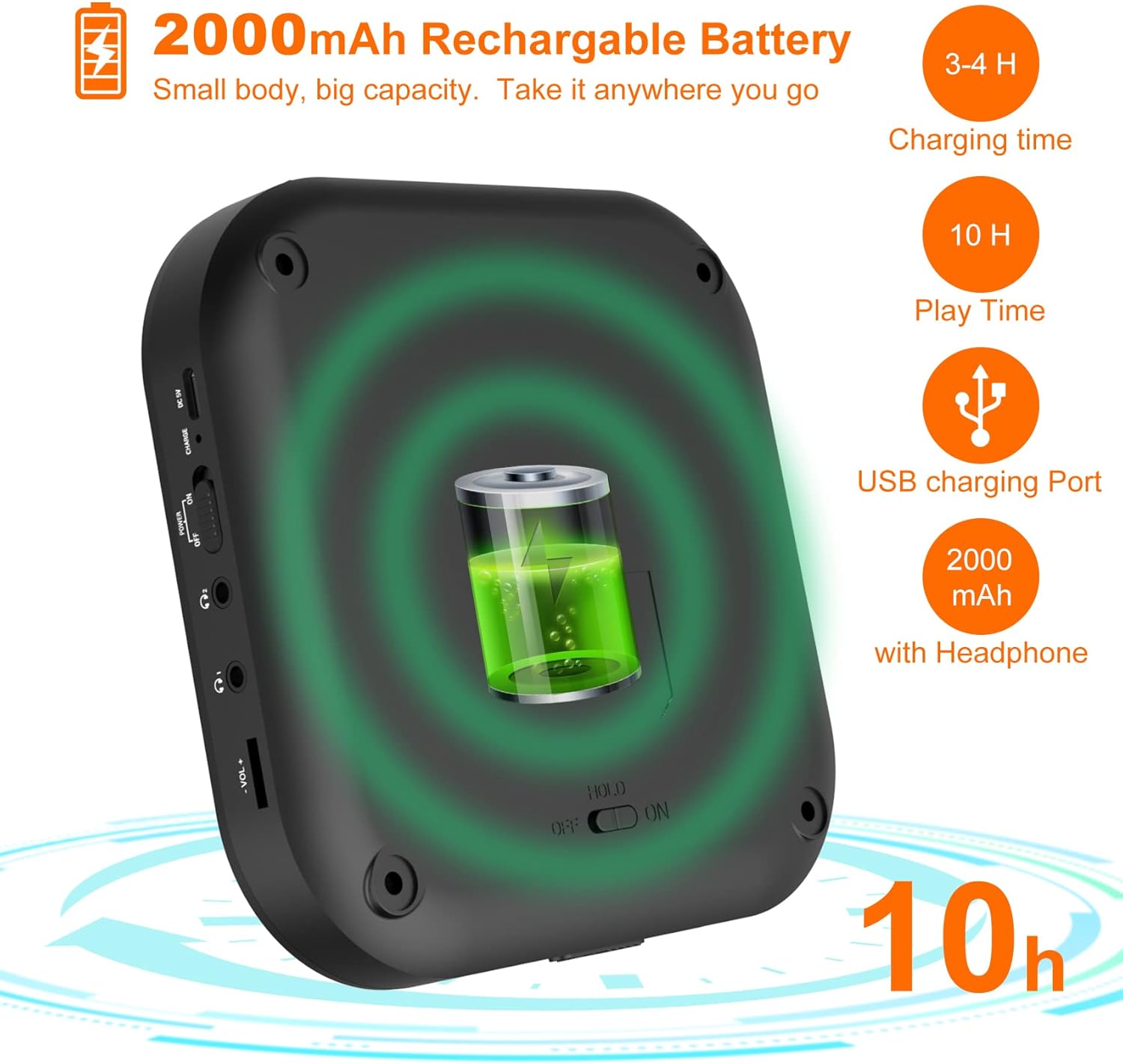
Image: A diagram illustrating the 2000mAh rechargeable battery capacity, showing a charging time of 3-4 hours and a playback time of 10 hours.
2. Inserció d'un CD
- Gently slide the CD compartment door open.
- Place the CD onto the spindle with the label side facing up. Ensure the CD is securely seated.
- Close the CD compartment door firmly until it clicks.
The player supports CD, CD-R, CD-RW, MP3, and HDCD disc formats.
3. Encès / apagat
Feu lliscar el PODER switch to the "ON" position to turn on the CD player. Slide it to "OFF" to power down the device.
Instruccions de funcionament
1. Basic CD Playback
- After inserting a CD and powering on, the player will automatically begin reading the disc and start playback.
- Premeu el botó Play/Pause (▶⏸) button to pause playback. Press it again to resume.
- Premeu el botó Atura (■) botó per aturar la reproducció.
- Premeu Previous/Next Track (◀◀ / ▶▶) per saltar pistes.
- Aguanta Previous/Next Track (◀◀ / ▶▶) per avançar o rebobinar ràpidament dins d'una pista.
- Adjust volume using the rotary dial on the side.
2. Play Modes and Sound Effects

Image: A visual guide to the 5 available play modes (Play in order, Repeat a track, Repeat all, A-B repeat, Shuffle) and 5 sound effects (BBS, Pop, Jazz, Rock, Classic).
- Funció de repetició: Premeu el botó MODE button repeatedly to cycle through play modes:
- Repeat 1 (repeats current track)
- Repeat All (repeats entire disc)
- Shuffle (plays tracks in random order)
- Intro (plays first 10 seconds of each track)
- Normal Play (plays tracks in order)
- AB Repetició: Premeu el botó AB button once to set the start point (A). Press it again to set the end point (B). The player will repeatedly play the section between A and B. Press AB a third time to cancel.
- Equalitzador (EQ): Premeu el botó EQ button to cycle through different sound effects: BBS, Pop, Jazz, Rock, Classic.
- Funció de reprendre: The player will automatically resume playback from where it was last stopped when powered on again.
3. Connexió Bluetooth
The MD-602 can connect to Bluetooth headphones or speakers (it cannot connect to car Bluetooth systems).
Video: An instructional video demonstrating how to connect the MONODEAL MD-602 CD player to Bluetooth devices.

Image: A step-by-step visual guide detailing the five steps required to successfully connect Bluetooth headphones or speakers to the CD player.
- Turn on your Bluetooth headphone/speaker and ensure its Bluetooth function is activated and in pairing mode.
- Premeu el botó Bluetooth (Ⓑ) button on the CD player. If Bluetooth is off, press the Play button to turn it on.
- Select the "BT Search" option and press the Play (▶⏸) button. The player will start searching for nearby Bluetooth devices.
- Premeu el botó Play (▶⏸) button to select the name of your device from the list. The blinking Bluetooth icon on the screen indicates searching; a solid icon indicates a successful connection.
- After successful pairing, press the Bluetooth (Ⓑ) button to return to the play interface.
Nota: To avoid interference, ensure other paired Bluetooth devices (like cell phones) have their Bluetooth function turned off when connecting new devices to the CD player.
4. FM Transmitter Function (for Car Use)
The MD-602 features a built-in FM transmitter to play CDs through your car's FM radio.

Image: A visual guide demonstrating two methods to connect the CD player to a car audio system: via AUX connection and via FM transmission, showing the FM frequency 87.5MHz.
- Mentre reproduïu un CD, premeu el botó PROG/FM button. The FM transmitter frequency will appear on the display.
- Premeu el botó PROG/FM button again to cycle through the available FM frequencies: 87.5, 88.5, 93.6, 103, 107.1 MHz, and OFF. Select a frequency you prefer.
- Tune your car's FM radio to the exact same frequency selected on the CD player.
- You can now listen to your CD through your car's speakers.
5. Connexió AUX
Use the provided 3.5mm AUX cable to connect the CD player to external speakers or a car audio system with an AUX input.
- Connect one end of the 3.5mm AUX cable to the AUX output port on the CD player.
- Connect the other end to the AUX input port on your external speaker or car audio system.
- Ensure your external device is set to AUX input mode.
Manteniment
- Neteja: Use a soft, dry cloth to clean the exterior of the CD player. For the lens, use a specialized CD lens cleaning kit. Do not use abrasive cleaners or solvents.
- Emmagatzematge: Store the device in a cool, dry place away from direct sunlight, high temperatures, and humidity.
- Cura del disc: Manipuleu els CD per les vores. Manteniu-los nets i sense ratllades per garantir una reproducció òptima.
- Cura de la bateria: For long-term storage, charge the battery to about 50% every few months to prolong its lifespan.
Resolució de problemes
| Problema | Possible causa/solució |
|---|---|
| El reproductor no s'encén. |
|
| Sense so o so distorsionat. |
|
| El CD salta o no es reprodueix. |
|
| Problemes de connexió Bluetooth. |
|
Especificacions
| Característica | Detall |
|---|---|
| Dimensions del producte | 2 x 5.5 x 5.5 polzades |
| Pes de l'article | 1.09 lliures |
| Número de model | MD-602 |
| Bateries | Cal 1 bateria de ions de liti (integrada de 2000 mAh) |
| Tecnologia de connectivitat | AUX, Bluetooth, FM Transmitter |
| Característiques especials | Anti-Skip Protection, Wireless, Portable, Built-in Stereo Speakers, Dual Headphone Jacks, Resume Function, A-B Repeat |
| Formats de disc compatibles | CD, CD-R, CD-RW, MP3, HDCD |
Garantia i Suport
MONODEAL products are designed for reliability and performance. For warranty information and technical support, please refer to the contact details provided with your product packaging or visit the official MONODEAL weblloc.
For common inquiries, please refer to the troubleshooting section of this manual.


