1. Guia de configuració
Follow these steps to set up your JOLIKE MP3 Player for first-time use.
1.1 Càrrega inicial
Before first use, fully charge the device. Connect the provided Type-C charging cable to the MP3 player's USB port and the other end to a USB power adapter (not included) or a computer's USB port.

Image: The JOLIKE MP3 player shown with its included accessories: a Type-C charging cable, wired headphones, and an AUX cable. This illustrates the components necessary for initial setup and use.
1.2 Encès/Apagat
- Per engegar: premeu i manteniu premut el botó ON/OFF button located on the side of the device until the screen illuminates.
- Per apagar: premeu i manteniu premut el botó ON/OFF button until a power-off prompt appears, then confirm.
1.3 Expansió de memòria
The MP3 player has a built-in 32GB memory. For additional storage, you can insert a TF (microSD) card into the TF card slot on the side of the device. The player supports TF cards up to 128GB.

Image: A graphic illustrating the MP3 player's 32GB internal storage and its capability to expand up to 128GB using a TF card. This highlights the device's ampla capacitat d'emmagatzematge.
1.4 Connexió de dispositius d'àudio
- Auriculars amb cable: Plug your 3.5mm wired headphones into the headphone jack located at the bottom of the device.
- Dispositius Bluetooth: For wireless audio, refer to the "Bluetooth Pairing" section under Operating.
1.5 Transferència de música i Files
- Per USB: Connect the MP3 player to your computer using the Type-C charging cable. The device will appear as a removable disk. You can then drag and drop music files (MP3, WMA, APE, FLAC, WAV, AAC-LC, ACELP) and other supported files directly onto the device or its inserted TF card.
- LINE-IN Recording: The player supports LINE-IN recording, allowing you to copy music directly from a smartphone or other audio source using an AUX cable. Connect the AUX cable from your smartphone's audio output to the MP3 player's AUX input. Follow the on-screen prompts to initiate recording.

Image: The MP3 player connected to a smartphone via an AUX cable, demonstrating the LINE-IN recording feature. This allows direct transfer of audio from another device.
2. Instruccions de funcionament
This section details how to use the various functions of your JOLIKE MP3 Player.
2.1 Navegació per la interfície
The MP3 player features a 2.4-inch full touch screen for intuitive navigation. Tap icons to open applications and swipe to scroll through menus. Physical volume buttons (+/-) are located on the side for quick audio adjustments.

Image: A hand interacting with the full touch screen of the MP3 player, demonstrating its ease of use and responsive interface.
2.2 Reproducció de música
- From the main menu, tap the "Music" icona.
- Navega per la teva música per artista, àlbum, cançons, llistes de reproducció o carpetes.
- Tap a song to begin playback. Use the on-screen controls (play/pause, next/previous track, volume) or the physical volume buttons.
- The player supports various audio formats including MP3, WMA, APE, FLAC, WAV, AAC-LC, and ACELP, offering Hi-Fi lossless sound quality.
2.3 Vinculació Bluetooth
The MP3 player features Bluetooth 5.3 for stable and fast wireless connections to Bluetooth speakers or headsets.
- From the main menu, tap the "Bluetooth" icona.
- Turn on Bluetooth. The player will automatically search for nearby Bluetooth devices.
- Select your desired device from the list to pair. Once paired, audio will be routed wirelessly.
- Nota: This MP3 player cannot pair with smartphones via Bluetooth. It is designed to connect to Bluetooth audio output devices only.

Image: The MP3 player positioned next to a soundbar, illustrating its Bluetooth 5.0 capability for wireless audio streaming. The text "Upgraded Bluetooth 5.0" is visible, emphasizing faster and more stable data transfer.
Video: A short demonstration of the JOLIKE MP3 player's features, including its full touch screen, built-in speaker, line-in recording, and large storage capacity. This video provides a quick visual overview of the product's key functionalities.
2.4 Ràdio FM
- Toqueu "Radio" icon from the main menu.
- Ensure wired headphones are connected as they act as the antenna for FM reception.
- Use the on-screen controls to scan for stations, save favorites, or manually tune.
2.5 Gravadora de veu
- Toqueu "Record" icona.
- Tap the record button to start recording. Tap again to pause/resume, and stop to save.
- Recordings are saved in the device's memory and can be accessed via the "Folder" or "Record" menu.
2.6 Altres funcions
The MP3 player includes several other useful features:
- Fotos: View images by tapping the "Photo" icona.
- Pel·lícula: Play videos by tapping the "Movie" icona.
- Llibre electrònic: Llegeix el text files (XT format only) by tapping the "EBook" icona.
- Despertador: Set alarms via the "Configuració" menú.
- Cronòmetre: Access the stopwatch function via the "Configuració" menú.
- Altaveu integrat: The device has a built-in HD speaker, allowing you to listen to audio without headphones.
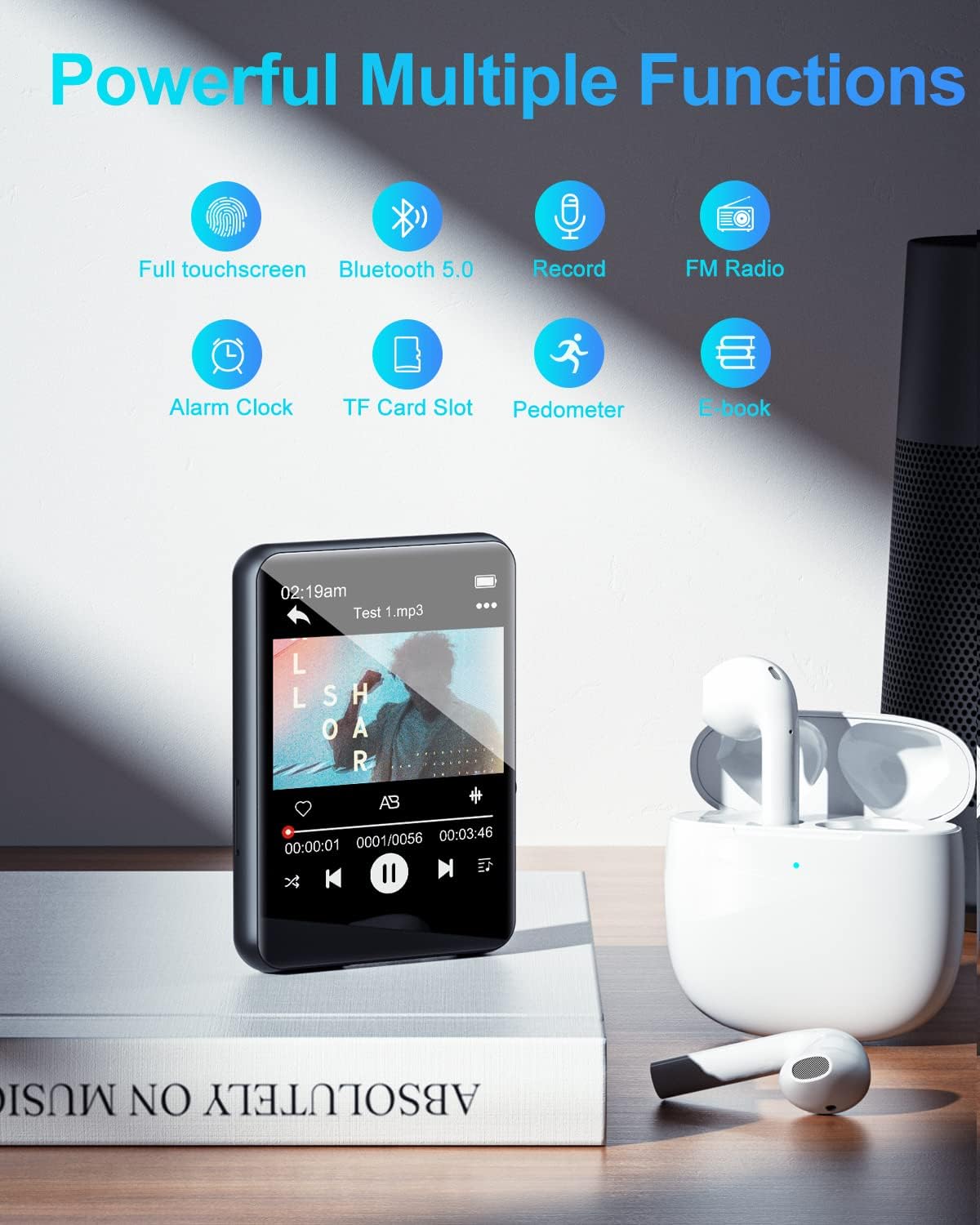
Image: The MP3 player's screen showing icons for its multiple functions, such as full touchscreen, Bluetooth, record, FM radio, alarm clock, TF card slot, pedometer, and e-book. This provides a visual summary of the device's capabilities.
3. Manteniment
Proper care and maintenance will extend the lifespan of your JOLIKE MP3 Player.
3.1 Neteja del dispositiu
- Feu servir un drap suau, sec i sense borrissol per netejar la pantalla i la carcassa del reproductor.
- Avoid using abrasive cleaners, solvents, or aerosol sprays, as they may damage the surface.
- No exposeu el dispositiu a una humitat excessiva.
3.2 Cura de la bateria
- To maintain battery health, avoid fully discharging the battery frequently.
- Carregueu el dispositiu regularment, fins i tot si no l'esteu fent servir, per evitar una descàrrega profunda.
- Guardeu el dispositiu en un lloc fresc i sec quan no el feu servir durant períodes prolongats.
3.3 Emmagatzematge i manipulació
- Keep the MP3 player away from extreme temperatures, direct sunlight, and high humidity.
- Eviteu deixar caure el dispositiu o sotmetre-lo a forts impactes.
- Protect the screen from scratches by using a screen protector or carrying case.
4. Solució De Problemes
If you encounter issues with your JOLIKE MP3 Player, refer to the solutions below. For more detailed assistance, please consult the official Guia de resolució de problemes (PDF).
4.1 El dispositiu no s'encén
- Assegureu-vos que el dispositiu estigui completament carregat. Connecteu-lo a una font d'alimentació i deixeu-lo carregar durant almenys 30 minuts abans d'intentar tornar-lo a encendre.
- Manteniu premut el botó ON/OFF button for an extended period (e.g., 10-15 seconds) to perform a hard reset.
4.2 Problemes de connexió Bluetooth
- Ensure Bluetooth is enabled on both the MP3 player and the target audio device (speaker/headset).
- Make sure the audio device is in pairing mode.
- Move the MP3 player closer to the Bluetooth device to ensure it's within range.
- Prova de desvincular i tornar a vincular els dispositius.
- Remember, the MP3 player cannot pair with smartphones via Bluetooth.
4.3 Sense so o volum baix
- Check the volume level on the MP3 player using the physical volume buttons or on-screen controls.
- If using wired headphones, ensure they are fully plugged into the headphone jack. Test with another pair of headphones if possible.
- If using Bluetooth, ensure the paired device's volume is also adjusted.
- Comproveu que l'àudio file el format és compatible amb el reproductor.
4.4 Storage Full Message
- Elimineu-les innecessàries files from the device's internal storage.
- Consider inserting a TF card (up to 128GB) to expand storage capacity.
- Transferència files a un ordinador per alliberar espai.
5. Especificacions del producte
| Característica | Detall |
|---|---|
| Marca | JOLIKE |
| Nom del model | M4s-32GB |
| Dimensions del producte | 0.3 x 1.8 x 2.6 polzades |
| Pes de l'article | 5.6 unces |
| Capacitat d'emmagatzematge de memòria | 32 GB (ampliable fins a 128 GB amb targeta TF) |
| Mida de la pantalla | 2.38 Inches (2.4-inch full touch TFT screen) |
| Tecnologia de connectivitat | Bluetooth 5.3 |
| Característiques especials | FM Radio, Voice Recorder, E-book (XT only), Alarm Clock, Stopwatch, Built-in HD Speaker, LINE-IN Recording |
| Dispositius compatibles | Headphones, Earphones, Bluetooth Speakers, Bluetooth Headsets |
| Tipus de suport | Micro SD |
| Components inclosos | Earphone, Type-C Charging Cable, AUX Cable |
| Bateria | Necessita 1 bateria de ions de liti |
6. Garantia i Suport
JOLIKE provides a 12 mesos de garantia for this product, ensuring quality and customer satisfaction.
If you have any questions, require technical assistance, or need to claim warranty service, please contact our customer service center. We are committed to providing quick and satisfactory answers to all inquiries.
For more information about JOLIKE products and support, you may visit the official JOLIKE Store on Amazon.


