1. Introducció
This manual provides essential information for the setup, operation, and maintenance of your Xiaomi Mi Smart Band 6. Designed to enhance your daily fitness and health monitoring, the Mi Smart Band 6 offers a range of features from activity tracking to sleep analysis. Please read this manual carefully to ensure proper use and to maximize the benefits of your device.

Image 1.1: The Xiaomi Mi Smart Band 6, showcasing its display with various health and time indicators.
2. Què hi ha a la caixa
Upon unboxing your Xiaomi Mi Smart Band 6, verify that all components are present:
- Mi Smart Band 6 device (x1)
- Black TPU Strap (x1)
- Manual d'usuari (x1)
- Magnetic Charging Cable (x1)
3. Especificacions
Detailed technical specifications for the Xiaomi Mi Smart Band 6:
| Mostra | 1.56-inch AMOLED, 152 x 486 resolution, 326 PPI, up to 450 nits brightness |
| Dimensions | 47.4 x 18.6 x 12.7 mm |
| Pes | 12.8 g |
| Resistència a l'aigua | 5 ATM (fins a 50 metres) |
| Connectivitat | Bluetooth 5.0 |
| Bateria | 125 mAh Lithium-ion Polymer, up to 14 days typical use |
| Carregant | Càrrega magnètica |
| Material de la corretja | TPU (adjustable length: 155-219 mm) |
| Material de la caixa | Tempered glass with anti-fingerprint coating, PC plastic case |
| Temperatura de funcionament | 0 ℃ ~ 45 ℃ |
| Sistemes compatibles | Android 5.0 o iOS 10.0 i posterior |
| Número de model | BHR4951GL |
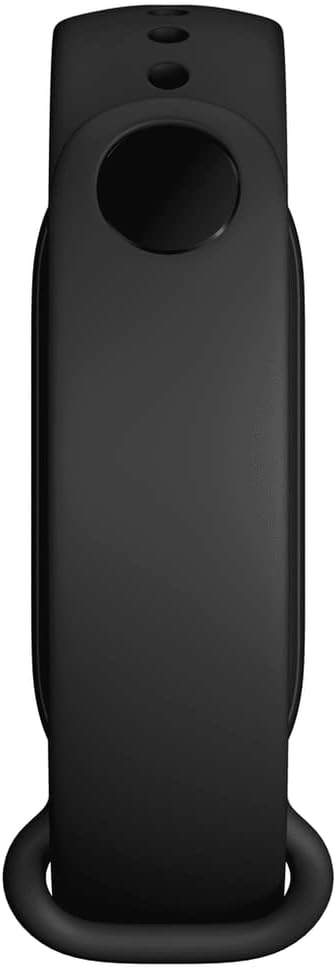
Image 3.1: The back of the Mi Smart Band 6, highlighting the sensors and charging contacts.
4. Configuració
4.1 Càrrega del dispositiu
Before first use, fully charge your Mi Smart Band 6. Connect the magnetic charging cable to the charging contacts on the back of the band and plug the USB end into a power adapter or computer USB port. The band will display a charging icon.
4.2 Instal·lació de l'aplicació
To use all features of the Mi Smart Band 6, you need to install the companion app on your smartphone:
- Scan the QR code in the included manual or search for "Mi Wear" or "Mi Fit" in your smartphone's app store (Google Play Store for Android, Apple App Store for iOS).
- Baixeu i instal·leu l'aplicació.
- Creeu un compte o inicieu sessió si ja en teniu un.
4.3 Emparellament amb el telèfon intel·ligent
Follow these steps to pair your Mi Smart Band 6 with your smartphone:
- Assegureu-vos que el Bluetooth estigui habilitat al vostre telèfon intel·ligent.
- Open the Mi Wear or Mi Fit app.
- Navigate to the "Profile" or "Devices" section and select "Add device" or "+ ".
- Choose "Band" from the list of device types.
- The app will search for nearby devices. Select "Mi Smart Band 6" when it appears.
- Confirm the pairing request on both your smartphone and the band.
5. Instruccions de funcionament
5.1 Pantalla i navegació
The Mi Smart Band 6 features a full-screen AMOLED display. Navigate through menus and functions using touch gestures:
- Llisca cap amunt/avall: Scroll through main menu options (e.g., Status, PAI, Heart Rate, Workout, Notifications).
- Llisca cap a l'esquerra/dreta: Access quick functions or widgets (e.g., Music Control, Weather, Notifications).
- Toca: Select an item or enter a sub-menu.
- Swipe Right (from left edge): Torneu a la pantalla anterior.

Image 5.1: The Mi Smart Band 6 display, showing its expanded screen area for more information at a glance.
5.2 Seguiment de l'aptitud física
The band supports 30 fitness modes to track your workouts. To start a workout:
- Swipe up or down on the band's display to find the "Workout" option.
- Tap to enter the workout menu.
- Select your desired activity (e.g., Outdoor Running, Cycling, Swimming, HIIT).
- Tap "Go" to begin tracking. The band will record duration, heart rate, calories burned, and other relevant metrics.
- To end a workout, swipe right from the left edge or press and hold the button (if applicable) and confirm to stop.
Supported workout modes include: Treadmill, Freestyle, Outdoor Running, Cycling, Walking, Swimming, Rowing Machine, Elliptical, Indoor Cycling, Yoga, Jump Rope, Dance, Indoor Fitness, Gym, HIIT, Core Training, Stretching, Bowling, Badminton, Boxing, Stepper, Pilates, Basketball, Volleyball, Table Tennis, Cricket, Ice Skating, Kickboxing, Street Dance, Zumba.
5.3 Vigilància de la salut
The Mi Smart Band 6 offers comprehensive health monitoring features:
- Monitorització de la freqüència cardíaca: Provides all-day manual heart rate tracking, resting heart rate, and heart rate curve analysis.
- Monitorització de la SpO2: Measures blood oxygen saturation levels, crucial for overall health assessment.
- Monitorització del son: Tracks deep sleep, light sleep, Rapid Eye Movement (REM) sleep, and naps. It also assesses breathing quality during sleep.
- Seguiment de la salut de les dones: Records and provides reminders for menstrual cycles and ovulation phases.
- Monitorització de l'estrès: Helps you understand your stress levels throughout the day.
- Exercicis de respiració: Guided breathing exercises to help reduce stress.
- PAI Vitality Index: Personal Activity Intelligence score, a comprehensive measure of your physiological activity.
- Inactivity Alerts: Et recorda que has de moure't després de períodes d'inactivitat.
- Comptador de passos: Tracks your daily steps and helps you set goals.

Image 5.2: The companion app interface, illustrating sleep and activity tracking data.
5.4 Funcions intel·ligents
Beyond health and fitness, the Mi Smart Band 6 offers several smart functionalities:
- Notificacions: Rep alertes de trucades, missatges i notificacions d'aplicacions directament al teu canell.
- Control de música: Controla la reproducció de música al teu telèfon intel·ligent connectat.
- Control de la càmera: Use the band as a remote shutter for your smartphone camera.
- Alarms, Timer, Stopwatch: Set alarms, use a timer, or activate a stopwatch directly from the band.
- Pronòstic del temps: View condicions meteorològiques actuals i previsions.

Image 5.3: The Mi Smart Band 6 with a personalized watch face, demonstrating the clear AMOLED display.
6. Manteniment
6.1 Neteja
Regularly clean your Mi Smart Band 6 to ensure optimal performance and hygiene:
- Netegeu la pantalla i la corretja amb un drap suauamp tela.
- Eviteu utilitzar productes químics o materials abrasius.
- Assegureu-vos que els contactes de càrrega estiguin nets i secs abans de carregar.
6.2 Resistència a l'aigua
The Mi Smart Band 6 has a 5 ATM water resistance rating, meaning it can withstand pressures equivalent to a depth of 50 meters. This makes it suitable for showering, swimming in pools, and shallow-water activities. However, it is not recommended for hot showers, saunas, or diving, as steam and high-pressure water jets may compromise the seal.
6.3 Cura de la bateria
Per allargar la durada de la bateria:
- Eviteu temperatures extremes.
- Carregueu el dispositiu regularment, però eviteu deixar-lo completament descarregat durant períodes prolongats.
- Disable unnecessary features if you need to conserve battery.
7. Solució De Problemes
If you encounter issues with your Mi Smart Band 6, try the following solutions:
- Band not turning on: Assegureu-vos que la corretja estigui completament carregada. Connecteu-la al carregador durant almenys 10 minuts.
- No es pot emparellar: Make sure Bluetooth is enabled on your phone and the band is within range. Restart both the band and your phone. Try unpairing and re-pairing through the app.
- Dades inexactes: Ensure the band is worn snugly on your wrist, about one finger's width above your wrist bone. Clean the sensors regularly.
- Notificacions que no apareixen: Check app permissions on your phone to ensure the Mi Wear/Mi Fit app has access to notifications. Verify that notifications are enabled within the app settings for the band.
- La pantalla no respon: Try restarting the band. If unresponsive, allow the battery to fully drain and then recharge it.
Per a problemes persistents, consulteu el suport oficial de Xiaomi. weblloc o contacteu amb el servei d'atenció al client.
8. Garantia i Suport
8.1 Informació de la garantia
The Xiaomi Mi Smart Band 6 typically comes with a Garantia del fabricant de 2 anys. This warranty covers defects in materials and workmanship under normal use. Please retain your proof of purchase for warranty claims. The warranty does not cover damage caused by misuse, accidents, unauthorized modifications, or normal wear and tear.
8.2 Atenció al client
For further assistance, technical support, or warranty claims, please visit the official Xiaomi support website or contact their customer service department. Contact information can usually be found on the Xiaomi weblloc web o a l'embalatge del producte.


