1. Introducció
Thank you for choosing the Morecam Wireless Video Doorbell Camera with Chime. This device provides enhanced home security and convenience, allowing you to monitor your doorstep, communicate with visitors, and receive alerts directly on your smartphone. This manual will guide you through the setup, operation, and maintenance of your new doorbell camera.

Image 1.1: Morecam Wireless Video Doorbell Camera and Chime with smartphone view.
2. Producte acabatview
2.1 Característiques clau
- 1080P HD Video & 2K Resolution: Clear and detailed video monitoring.
- Detecció humana: Advanced PIR motion detection to minimize false alerts.
- Visió nocturna: Visibilitat millorada en condicions de poca llum.
- Àudio de 2 vies: Communicate directly with visitors from your smartphone.
- Funciona amb bateria: Long-lasting battery for wireless convenience.
- Campana sense fil: Receive indoor alerts when the doorbell is pressed.
- Resistència a la intempèrie IP65: Disseny resistent per a ús a l'aire lliure en diverses condicions meteorològiques.
- Múltiples opcions d'emmagatzematge: Supports cloud storage (with trial) and local Micro SD card (up to 128GB, not included).
2.2 Contingut del paquet
- Càmera de timbre de vídeo sense fil Morecam
- Campana sense fil
- Suport de muntatge
- Cargols de muntatge i ancoratges de paret
- Tornavís de seguretat
- Cable de càrrega USB
- Manual d'usuari
3. Guia de configuració
Follow these steps for easy self-installation and initial setup of your Morecam doorbell camera.
- Charge the Doorbell Camera: Before installation, fully charge the doorbell camera using the provided USB cable. A full charge ensures optimal performance and battery life.
- Download the CloudEdge App: Cerca "CloudEdge" in your smartphone's app store (iOS or Android) and download the application. This app is essential for controlling and monitoring your doorbell camera.
- Connect to Wi-Fi and Scan QR Code: Open the CloudEdge app, create an account, and follow the in-app instructions to add your device. You will be prompted to connect the doorbell to your 2.4GHz Wi-Fi network and scan a QR code displayed on your phone with the doorbell camera.
- Instal·leu el timbre de la porta: Secure the mounting bracket to your desired location using the provided screws and wall anchors. Then, attach the doorbell camera to the bracket and secure it with the special security screwdriver to prevent theft.

Image 3.1: Visual guide for the four-step self-installation process.
4. Instruccions de funcionament
4.1 Viu View i àudio bidireccional
Open the CloudEdge app to access the live video feed from your doorbell camera at any time. Use the microphone icon in the app to enable two-way audio, allowing you to speak with visitors at your door and hear their responses.

Image 4.1: Demonstrates the two-way audio feature, allowing communication with visitors.
4.2 Detecció de moviment i alertes
The doorbell camera features smart PIR human detection. When motion is detected, you will receive instant message alerts on your smartphone. You can adjust the sensitivity of the motion detection within the CloudEdge app settings to suit your environment.

Image 4.2: Illustrates the smart human detection feature and instant message alerts.

Image 4.3: Diagram showing the range and functionality of smart PIR motion detection.
4.3 Visió nocturna
The doorbell camera is equipped with night vision capabilities, providing clear video footage even in complete darkness. This ensures continuous monitoring of your property 24/7.
4.4 Opcions d'emmagatzematge de vídeo
Your Morecam doorbell camera offers two primary storage methods for recorded video:
- Emmagatzematge al núvol: A 7-day free trial is typically available. Cloud storage allows you to access recordings from anywhere with an internet connection.
- Local Micro SD Card: The device supports a Micro SD card up to 128GB (not included) for local storage of recordings. This provides a reliable backup and continuous recording without a subscription.

Image 4.4: Depicts the two available storage options: Cloud Storage and Micro SD card.
4.5 Video Quality Demonstration
The doorbell camera provides high-definition video quality, ensuring clear identification of visitors and events.
Video 4.5: A short demonstration of the J1 doorbell camera's video quality, showcasing clarity and detail.
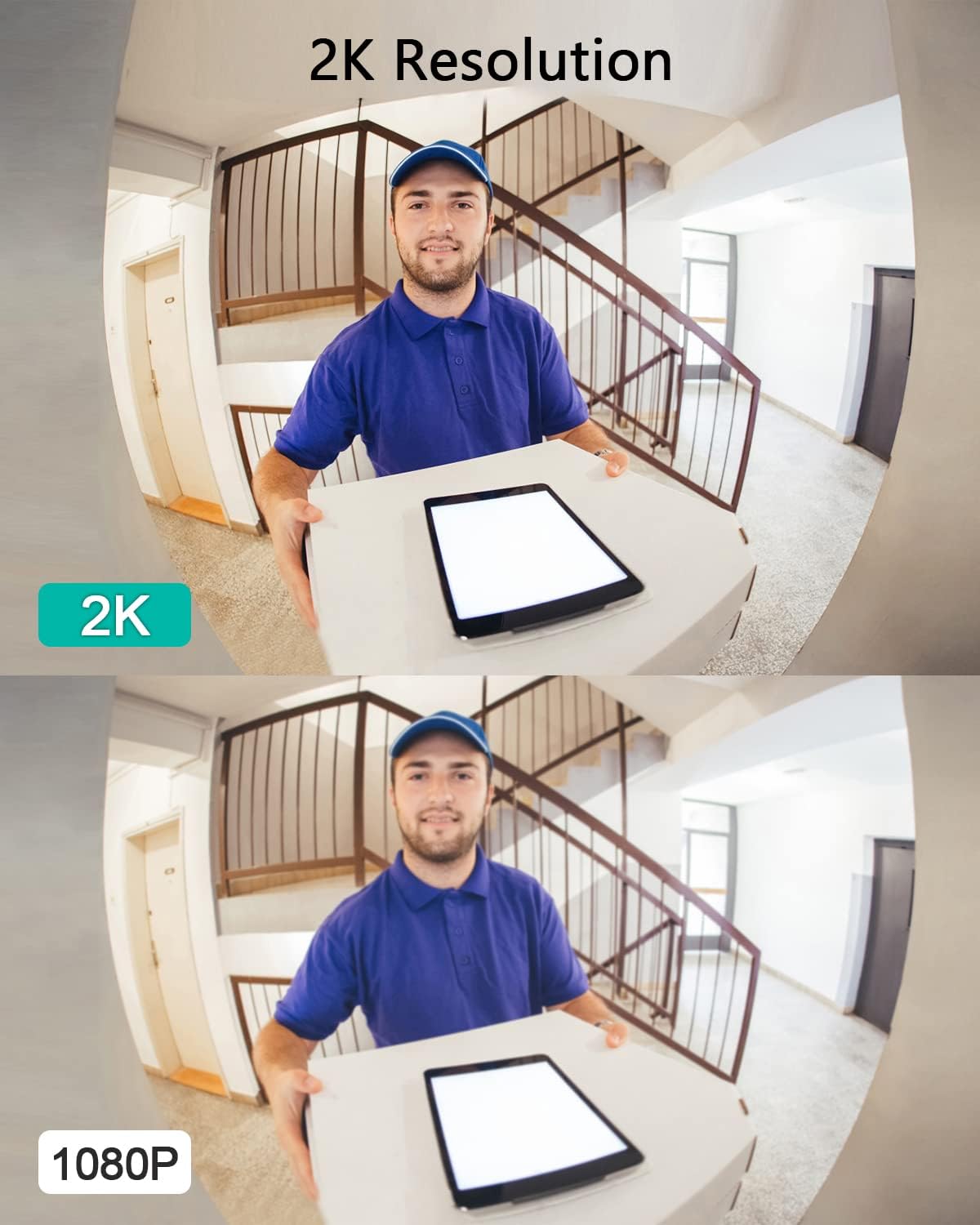
Image 4.6: Comparison illustrating the superior clarity of 2K resolution over 1080P.
5. Manteniment
5.1 Càrrega de la bateria
The doorbell camera is powered by a rechargeable battery. When the battery level is low, you will receive a notification via the CloudEdge app. Disconnect the doorbell from its mounting bracket and charge it using the provided USB cable. A full charge can last up to 120 days depending on usage and motion detection frequency.

Image 5.1: Highlights the long standby time and stable connection of the doorbell camera.
5.2 Resistència a la intempèrie
The Morecam doorbell camera is rated IP65 for weather resistance, meaning it is protected against dust and low-pressure water jets. While designed for outdoor use, avoid submerging the device in water or exposing it to extreme weather conditions for prolonged periods.

Image 5.2: Illustrates the IP65 weather resistance, showing protection against rain, snow, and dust.
5.3 Neteja
To maintain optimal performance, periodically clean the camera lens and the doorbell surface with a soft, dry cloth. Do not use abrasive cleaners or solvents.
6. Solució De Problemes
- El timbre no es connecta a la Wi-Fi:
- Ensure your Wi-Fi network is 2.4GHz. The doorbell does not support 5GHz networks.
- Check your Wi-Fi signal strength at the installation location. If weak, consider moving your router or using a Wi-Fi extender.
- Verify that you have entered the correct Wi-Fi password.
- Try resetting the doorbell camera and repeating the setup process in the CloudEdge app. - Poor video quality or grainy images:
- Ensure the camera lens is clean and free from dust or smudges.
- Check your Wi-Fi connection stability. A weak or unstable connection can affect video streaming quality.
- Verify that the camera is set to its highest resolution (2K) in the app settings. - Battery not holding charge or draining quickly:
- Ensure the doorbell is fully charged before initial use. Charging can take several hours.
- Frequent motion detections, live view access, and two-way audio usage can reduce battery life. Adjust motion detection sensitivity and recording duration in the app.
- Ensure the charging cable and adapter are functioning correctly. - Sense alertes de detecció de moviment:
- Check the motion detection settings in the CloudEdge app. Ensure it is enabled and sensitivity is set appropriately.
- Verify that app notifications are enabled on your smartphone.
- Ensure there are no obstructions blocking the camera's view o el sensor PIR. - El timbre no sona:
- Ensure the chime is plugged into a power outlet and is within range of the doorbell camera.
- Check the chime's pairing status with the doorbell. Refer to the chime's specific instructions for re-pairing if necessary.
7. Especificacions
| Característica | Detall |
|---|---|
| Número de model | J1 |
| Resolució de captura de vídeo | 1080p, 2K |
| Tecnologia de connectivitat | Sense fil (Wi-Fi) |
| Font d'alimentació | Funciona amb bateria |
| Capacitat de la bateria | 5000 milionsampabans de l'hora (mAh) |
| Gamma de visió nocturna | 32 peus |
| Característiques especials | 2-Way Audio, HD Resolution, Night Vision, Human Detection |
| Ús interior/exterior | A l'aire lliure |
| Classificació de protecció internacional | IP65 |
| Dimensions del producte | 2.2 x 1.4 x 5.3 polzades |
| Pes de l'article | 15.5 unces |
8. Garantia i Suport
Morecam is committed to providing high-quality products and excellent customer service. For warranty information, technical assistance, or any product-related inquiries, please contact our professional technical support team. We aim for quick responses and solutions tailored to your needs.
- Professional Technical Team
- Resposta ràpida
- Support Tailored to Your Needs
Please refer to the product packaging or Morecam's official website for specific contact details and the most up-to-date warranty policy.


