1. Introducció
This manual provides detailed instructions for the setup, operation, and maintenance of your Alvoxcon Wireless Lapel Microphone System, Model UM310. This system is designed to provide clear audio recording for various applications, including online meetings, podcasting, vlogging, and vocal recording, across multiple platforms such as PC, Mac, and Android devices.

Figura 1.1: Acabatview of the Alvoxcon Wireless Lapel Microphone System, including the transmitter with an attached microphone, the USB receiver, and a USB-C adapter.
2. Contingut del paquet
Si us plau, verifiqueu que tots els elements que s'enumeren a continuació estiguin inclosos al vostre paquet:
- 1x USB-Type-C Adapter
- 2x cable de càrrega
- 1x Compact Short Mic
- 2x cordó
- 1x receptor USB
- 2x Lapel Clip Mic
- 2x transmissor
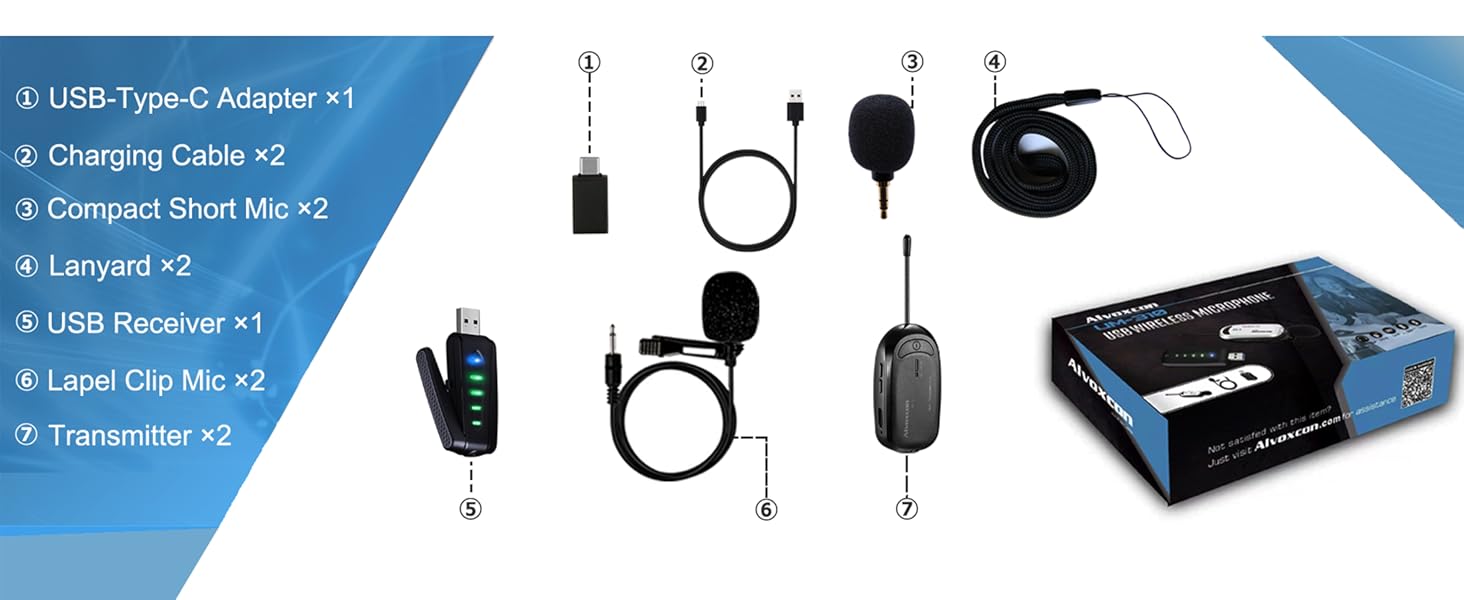
Figura 2.1: Visual representation of the components included in the Alvoxcon Wireless Lapel Microphone System package.
3. Guia de configuració
3.1 Càrrega dels dispositius
Before initial use, ensure both the transmitter and receiver are fully charged. Use the provided charging cables to connect them to a USB power source. The charging indicator will show the charging status.
3.2 Connexió a dispositius
The Alvoxcon Wireless Lapel Microphone System offers broad compatibility with various devices.
3.2.1 Computer (Windows/MacBook)
- Plug the USB receiver directly into an available USB port on your PC or MacBook.
- The system is plug-and-play; no additional drivers are required.
- Ensure the microphone is selected as the input device in your computer's sound settings.

Figura 3.1: The USB receiver connected to a laptop, demonstrating plug-and-play functionality for computer use.
3.2.2 Telèfon Android
- Attach the included USB-Type-C adapter to the USB receiver.
- Plug the adapter with the receiver into your Android phone's USB-C port.
- For video recording on Android, it is recommended to use a third-party camera application like 'Open Camera' to ensure proper microphone input selection.

Figura 3.2: The USB receiver connected to an Android smartphone using the provided USB-C adapter.
3.2.3 External Speaker
- Connect the USB receiver to a USB power source (e.g., a power bank, not included).
- Use an AUX cable (not included) to connect the 3.5mm AUX output of the USB receiver to the AUX input of your speaker.
- This setup allows for sound projection from the microphone through the speaker.
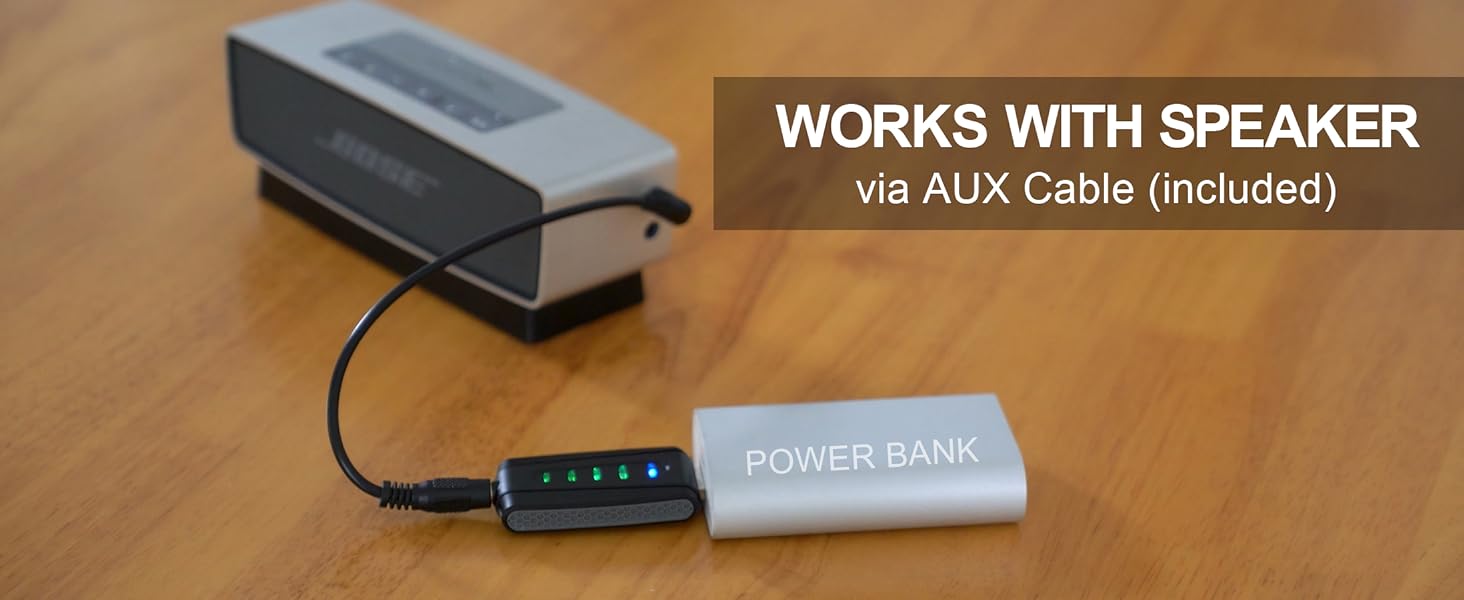
Figura 3.3: The USB receiver connected to an external speaker for audio output, powered by a separate USB power source.
3.3 Emparellament automàtic
The wireless system is designed for automatic pairing. Once both the transmitter and receiver are powered on, they will automatically connect. The indicator lights on both devices will confirm a successful connection.

Figura 3.4: A user demonstrating the wide compatibility of the microphone system with various platforms like Mac OS, Windows, Android, and PS4, highlighting its plug-and-play nature.
4. Instruccions de funcionament
4.1 Com posar-se el micròfon
The Alvoxcon system offers flexible options for wearing the microphone:
- Simple Clip: Attach the transmitter directly to your clothing using its integrated clip.
- Portàtil: Hold the transmitter as a compact handheld microphone.
- Hidden Clip (Lavalier): Use the included lapel clip microphone, connecting it to the transmitter's MIC input, and clip it to your collar or shirt. The transmitter can then be clipped to your belt or pocket.
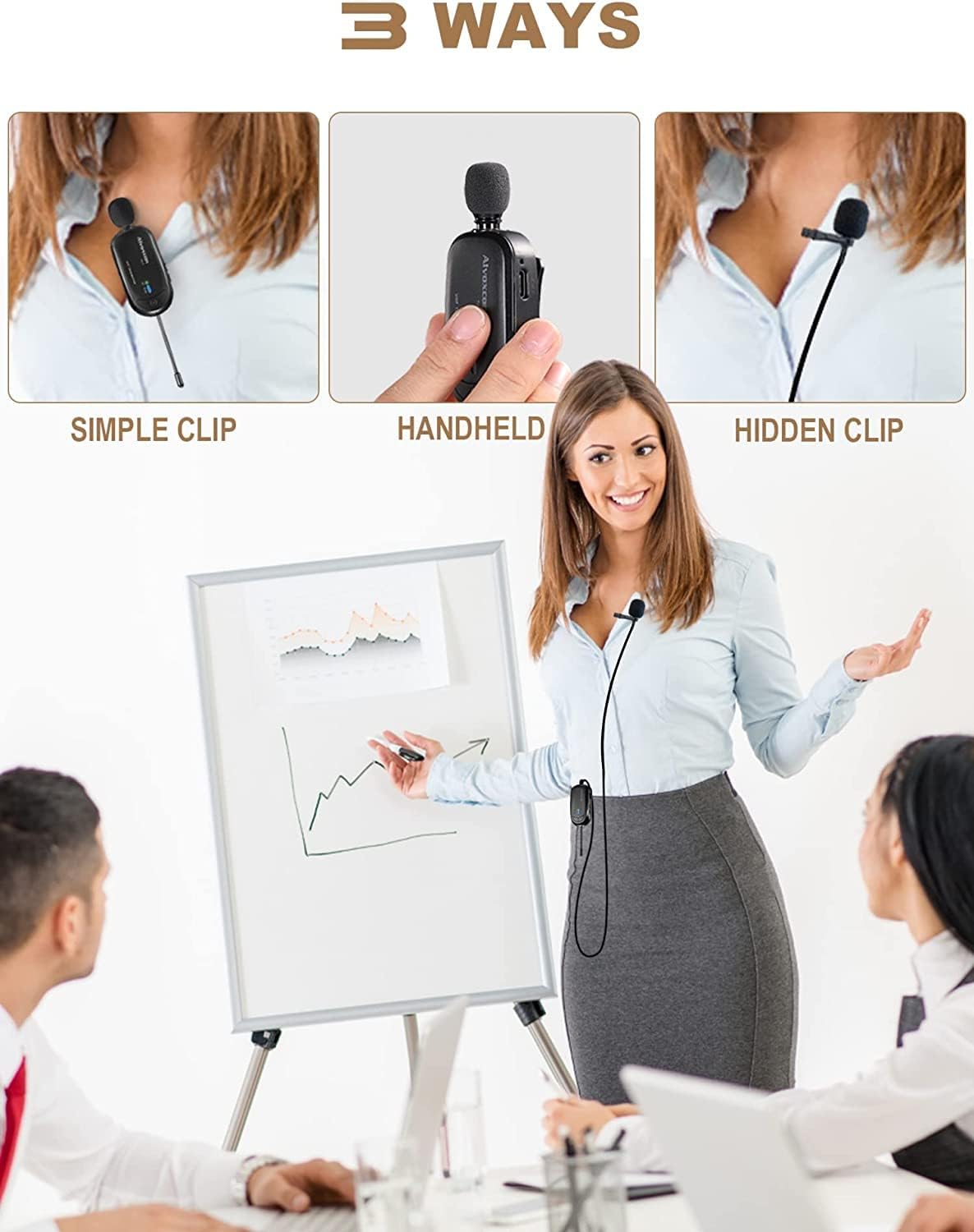
Figura 4.1: Demonstrates the three primary methods for wearing the microphone: directly clipped, held as a handheld mic, or used with the external lavalier mic for a hidden setup.
4.2 Control de volum
The transmitter features volume control buttons (+/-) allowing you to adjust the microphone's input level directly. This helps optimize audio quality and prevent distortion.
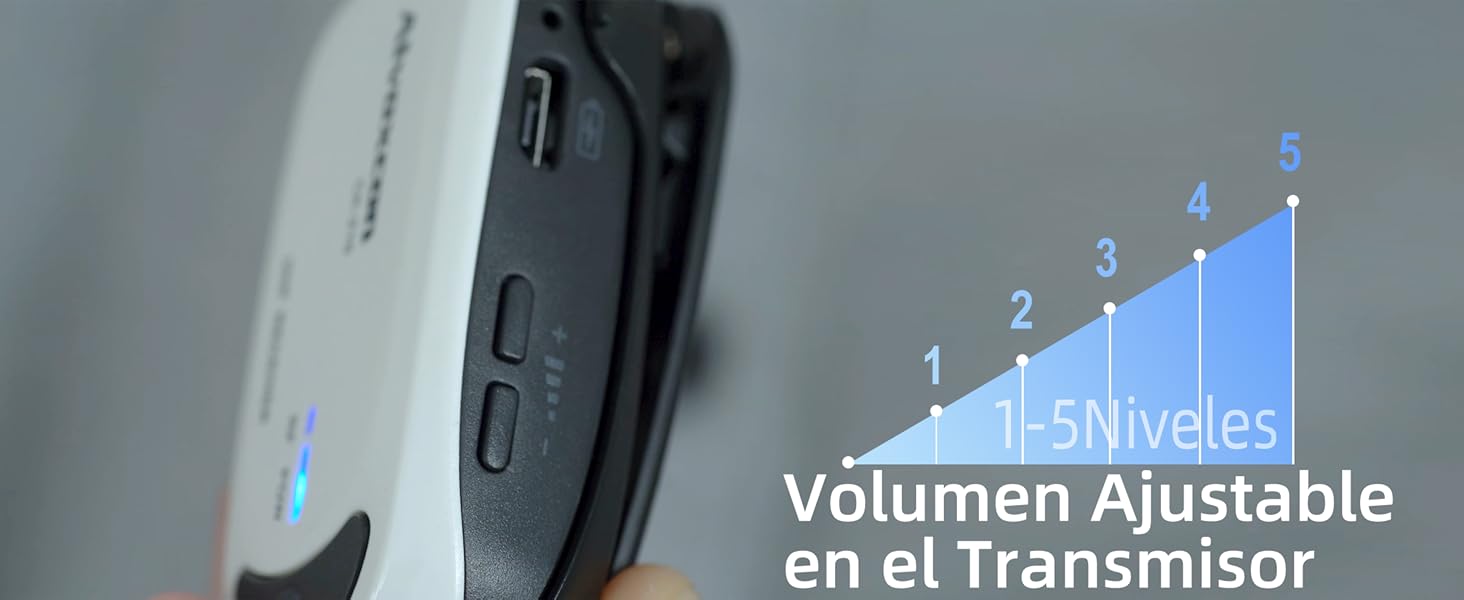
Figura 4.2: Un primer pla view of the transmitter, highlighting the volume control buttons and indicating adjustable levels from 1 to 5.
4.3 Monitorització en temps real
The USB receiver includes a 3.5mm AUX earphone jack. Connect headphones to this jack to monitor your audio in real-time without latency. This feature is particularly useful for ensuring optimal sound quality during recording or live streaming.

Figura 4.3: A user monitoring audio output via headphones connected to the USB receiver, while recording with an Android phone. Note: For Android video recording, an app like 'Open Camera' is recommended.
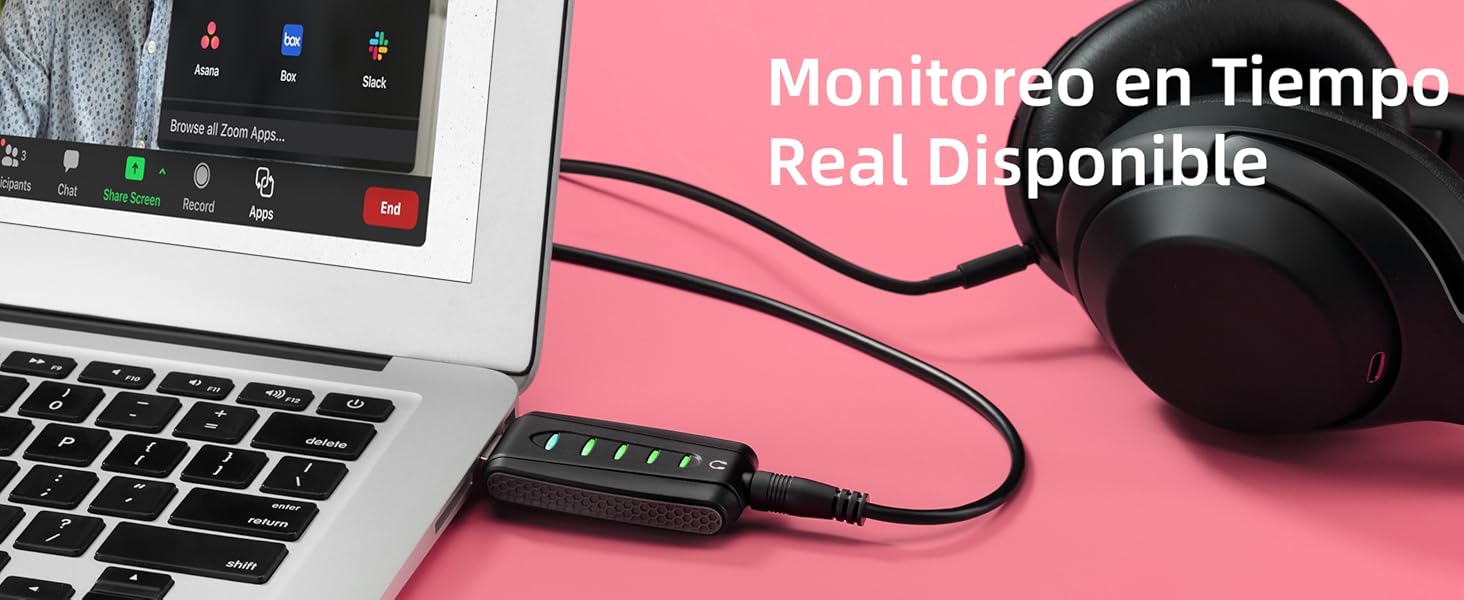
Figura 4.4: A setup showing real-time audio monitoring with headphones connected to the USB receiver, which is plugged into a laptop during an online meeting.
5. Manteniment
5.1 Neteja
Wipe the devices with a soft, dry cloth. Avoid using harsh chemicals or abrasive materials, as these can damage the surface and internal components. Ensure no moisture enters the ports.
5.2 Emmagatzematge
Store the microphone system in a cool, dry place away from direct sunlight and extreme temperatures. When not in use for extended periods, ensure the devices are fully charged before storage and periodically recharge them to maintain battery health.
5.3 Cura de la bateria
The system uses Lithium Polymer batteries. To prolong battery life:
- Avoid fully discharging the batteries regularly.
- Do not expose batteries to high temperatures.
- Feu servir només els cables de càrrega proporcionats.
6. Solució De Problemes
- Sense sortida de so:
- Ensure both transmitter and receiver are powered on and paired (indicator lights are solid).
- Check volume levels on both the transmitter and the connected device.
- Verify the microphone is selected as the input device in your computer's sound settings or the recording app.
- For Android, try using a third-party camera app like 'Open Camera'.
- Interferències/Mala qualitat del so:
- Ensure the transmitter and receiver are within the specified operating range (up to 100ft).
- Minimitzar els obstacles entre l'emissor i el receptor.
- Avoid using the system near strong Wi-Fi routers or other UHF wireless devices that might cause interference.
- Check for proper connection of the lavalier microphone to the transmitter.
- Dispositiu no reconegut:
- Proveu de connectar el receptor USB a un port USB diferent.
- Restart your computer or Android device.
- Ensure the USB-C adapter is securely connected when using with Android.
- La bateria no es carrega:
- Verify the charging cable is properly connected to both the device and the power source.
- Proveu un altre adaptador d'alimentació o port USB.
- Ensure the charging cables are not damaged.
7. Especificacions
| Característica | Detall |
|---|---|
| Nom del model | UM310 |
| Dimensions de l'article (L x A x A) | 3.07 x 0.79 x 2.01 polzades |
| Pes de l'article | 7 unces (aprox. 0.44 lliures) |
| Font d'alimentació | Battery Powered with USB |
| Tipus de bateria | 2 bateries de polímer de liti (incloses) |
| Material | Acrilonitril butadiè estirè (ABS) |
| Ràtio senyal / soroll | 80 dB |
| Plataforma de maquinari | Portàtil, PC, Smartphone |
| Nombre de canals | 1 |
| Tecnologia de connectivitat | UHF, USB |
| Tipus de connector | USB |
| Característica especial | Control de volum |
| Dispositius compatibles | Smartphone, Laptop |
| Patró polar | Omnidireccional |
| Usos recomanats | Voice Recording, Video Recording, Streaming, Speech, Video Conference |
8. Garantia i Suport
8.1 Informació de la garantia
Specific warranty details may vary by region and retailer. Please refer to your purchase documentation or contact Alvoxcon customer support for precise warranty terms and conditions.
8.2 Atenció al client
For any questions, technical assistance, or support needs regarding your Alvoxcon Wireless Lapel Microphone System, please contact the seller or Alvoxcon customer service. Contact information can typically be found on the product packaging or the official Alvoxcon weblloc.

