Producte acabatview
The Glorious GMMK 2 Gaming Keyboard Base is a full-size, barebones mechanical keyboard kit designed for customization. It features hot-swappable switch sockets, RGB backlighting, and a durable metal build, allowing users to personalize their typing and gaming experience.
Les característiques clau inclouen:
- 5-Pin Hotswap Versatility: Experience effortless switch customization with support for mechanical switches from Glorious, Cherry, Kailh, Gateron, Glorious Panda Switches, and more.
- Top-Grade Metal Build: Our modular keyboard base is designed with a sleek, low-profile look and a premium brushed finish. It provides robust coverage, ensuring maximum strength and durability.
- Experiència sonora immersiva: Lubricated stabilizers deliver a consistent sound profile. The thick interior keyboard foam acts as a dampener, eliminating base ping.
- Il·luminació RGB vibrant: Immerse yourself in a colorful world with a selection of 16.8 million RGB options. Effortlessly switch between 18 pre-installed lighting effects using shortcuts.
- Compatibilitat millorada: Engineered to adapt to your unique requirements, seamlessly working with Windows, Mac OS, and Linux. The removable USB-C cord streamlines connectivity.
Muntatge i muntatge
This section guides you through the assembly of your Glorious GMMK 2 keyboard base. As a barebones kit, switches and keycaps are sold separately and must be installed by the user.
1. Installing Mechanical Switches
The GMMK 2 supports 5-pin hot-swappable mechanical switches. Ensure the switch pins are straight before insertion to avoid damage.

Image: The Glorious GMMK 2 barebones keyboard base, showing the empty switch sockets and vibrant RGB underglow. This image illustrates the starting point for assembly.

Imatge: Un primer pla view of Glorious Panda mechanical switches, which are compatible with the GMMK 2's hot-swappable sockets. These switches provide a satisfying tactile feedback.
- Align the pins on the bottom of each mechanical switch with the corresponding holes on the keyboard's PCB (Printed Circuit Board).
- Gently press the switch down until it clicks into place. Ensure it is seated firmly and flush with the plate.
- Repeat for all desired keys.
2. Installing Keycaps
Once all switches are installed, you can attach your preferred keycaps.

Image: A fully assembled Glorious GMMK 2 keyboard featuring pink and purple keycaps and a matching coiled cable, demonstrating a customized setup. Keycaps and switches are sold separately.
- Align the cross-shaped stem on the underside of each keycap with the stem on the top of the installed switch.
- Press the keycap down firmly until it is securely attached.
- Repeat for all keys.
3. Connexió del teclat
Connect the keyboard to your computer using the provided USB-C cable.
- Inseriu l'extrem USB-C del cable al port del teclat.
- Insert the USB-A end of the cable into an available USB port on your computer.
- El sistema operatiu hauria de reconèixer automàticament el teclat.
Guia de vídeo de configuració
Video: This official Glorious PC Gaming video demonstrates how to customize the GMMK 2 keyboard with different switches and keycaps, providing a visual guide for the assembly process.
Funcionament del teclat
The Glorious GMMK 2 offers various functionalities and customization options.
Personalització de la il·luminació RGB
The keyboard features vibrant RGB illumination with 16.8 million color options. You can switch between 18 pre-installed lighting effects using keyboard shortcuts. For advanced per-key backlighting customization and key remapping, use the Glorious Core software.
- Glorious Core Software: Requires Windows 7 or higher. Download from the official Glorious weblloc.
- QMK Open-Source Configurator: For advanced users, QMK allows for custom keymaps.
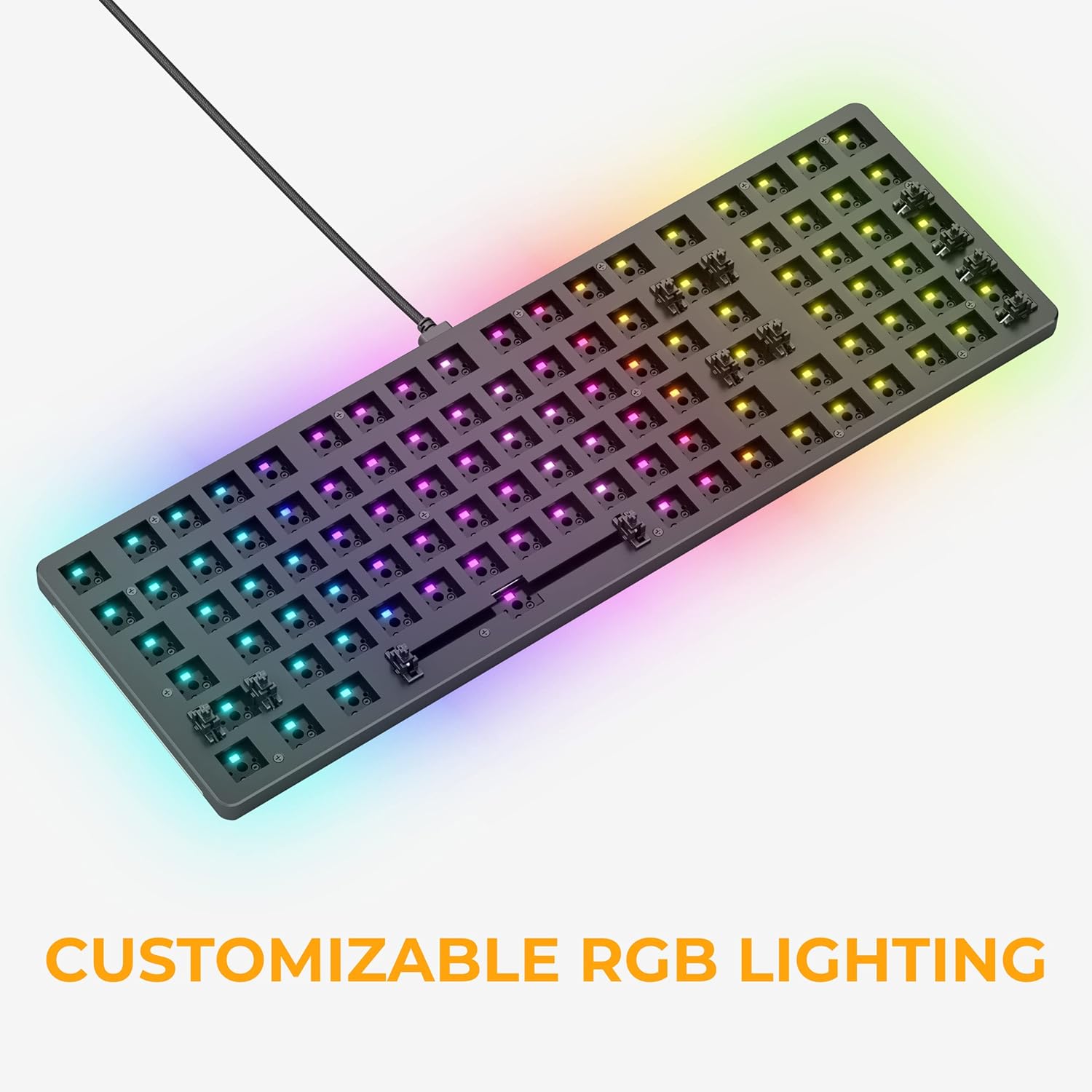
Image: The Glorious GMMK 2 keyboard showcasing its customizable RGB lighting, which can be adjusted to various colors and effects to match user preferences.
Compatibilitat
The GMMK 2 is engineered for broad compatibility:
- Sistemes operatius: Windows, Mac OS, Linux.
- Dispositius: Desktop PCs, Laptops, PS4, PS5, Xbox.
Manteniment
To ensure the longevity and optimal performance of your Glorious GMMK 2 keyboard, follow these maintenance tips:
- Neteja regular: Use compressed air to remove dust and debris from between keycaps. For deeper cleaning, remove keycaps and gently wipe the keyboard surface with a soft, damp tela.
- Cura del canvi: The hot-swappable design allows for easy switch replacement. If a switch feels inconsistent, it can be replaced without soldering.
- Stabilizer Lubrication: The keyboard features lubricated stabilizers for a consistent sound profile. Over time, if the stabilizers begin to feel scratchy or sound different, re-lubrication may be considered by advanced users.
- Gestió de cables: Utilize the removable USB-C cable to prevent strain on the port and cable.
Resolució de problemes
Per a problemes i solucions habituals, consulteu la Guia oficial de resolució de problemes:
Descarrega la guia de resolució de problemes (PDF)
If you encounter issues not covered in the guide, please contact Glorious customer support.
Especificacions
| Característica | Detall |
|---|---|
| Marca | Gloriosa |
| Sèrie | Glorious GMMK 2 Full Size Barebones ANSI - Black |
| Número de model | GLO-GMMK2-96-RGB-B |
| Plataforma de maquinari | Ordinador portàtil, Linux, PC |
| Sistema operatiu | Linux, Mac OS 9, Supported Gaming Console, Windows 10, Windows 11 |
| Pes de l'article | 2.76 lliures |
| Dimensions del producte | 14.8 x 4.9 x 1.5 polzades |
| Color | Negre |
| Font d'alimentació | USB |
| Tecnologia de connectivitat | USB-C |
| Descripció del teclat | Jocs |
| Usos recomanats | Jocs |
| Característica especial | 5-Pin Hot Swap Support |
| Nombre de claus | 99 |
| Il·luminació del teclat | RGB |
Garantia i Suport
Informació de la garantia
Gloriosa ofereix una 2 anys de garantia on all Glorious electronic devices. This includes hassle-free return and replacement for eligible products.
Atenció al client
For any questions, concerns, or assistance with your Glorious GMMK 2 keyboard, please visit the official Glorious Store or contact their customer support team.


