Introducció
This manual provides essential information for the safe and efficient operation of your Tristar DH-5424 Dehumidifier. Please read these instructions carefully before use and keep them for future reference.
Indoor humidity levels can significantly impact your health and home environment. Excessive humidity promotes the growth of dust mites and mold, which can lead to respiratory illnesses or allergies. It can also cause damage to furniture, clothing, and tile grout. Conversely, overly dry air can irritate respiratory passages and trigger asthma. The ideal indoor humidity level is generally between 40% and 60%. The Tristar DH-5424 dehumidifier is designed to help you maintain this optimal humidity level, ensuring a more comfortable and healthier living space.
The Tristar DH-5424 dehumidifier has a dehumidification capacity of 16 liters per day, making it suitable for rooms up to 30 m². It operates efficiently with 260 W power consumption and maintains a quiet operation at approximately 44 decibels.
1. Configuració
1.1 Desembalatge
- Traieu amb cura el deshumidificador del seu embalatge.
- Traieu tots els materials d'embalatge, incloses les pel·lícules o cintes protectores.
- Inspeccioneu la unitat per detectar qualsevol signe de danys. Si està danyada, no la feu funcionar i poseu-vos en contacte amb el servei d'atenció al client.
1.2 Col·locació
- Place the dehumidifier on a firm, level surface to prevent vibrations and noise.
- Ensure there is at least 20 cm (8 inches) of clear space around all sides of the unit to allow for proper airflow. Do not block the air inlet or outlet.
- Position the unit away from heat sources, direct sunlight, and areas prone to splashing water.
- The dehumidifier is designed for indoor use in rooms up to 30 m².
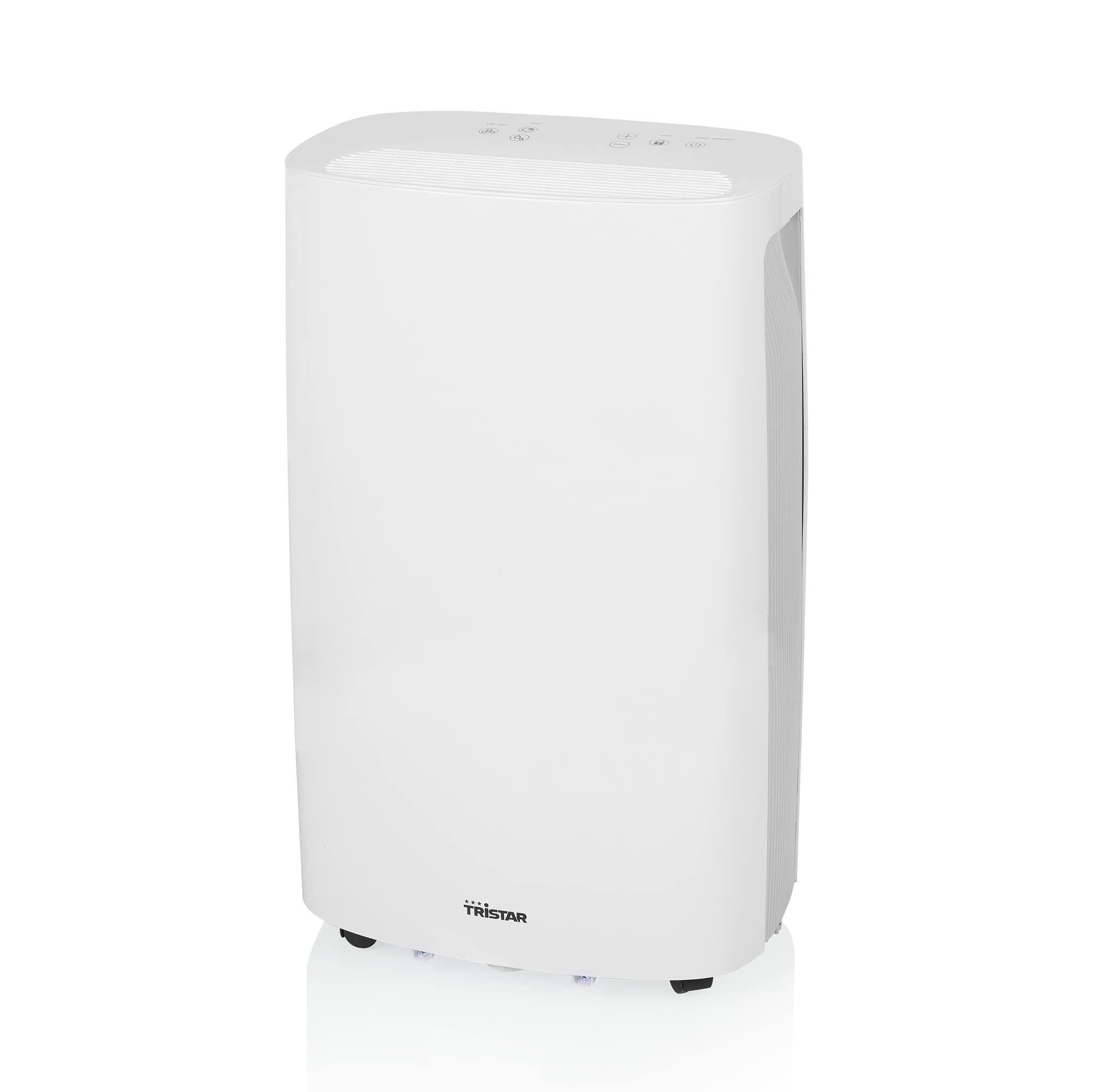
Figura 1: Davant view of the Tristar DH-5424 Dehumidifier. This image shows the compact design of the unit, suitable for various indoor environments.
1.3 Connexió d'alimentació
- Assegureu-vos que el cable d'alimentació no estigui danyat.
- Connecteu el cable d'alimentació a una presa de corrent amb connexió a terra amb el volum correctetage (240 volts).
- No utilitzeu cables d'extensió ni endolls múltiples amb aquest aparell.
2. Instruccions de funcionament
2.1 Tauler de control acabatview
The control panel is located on the top of the unit and features an LED display and various buttons for setting functions.
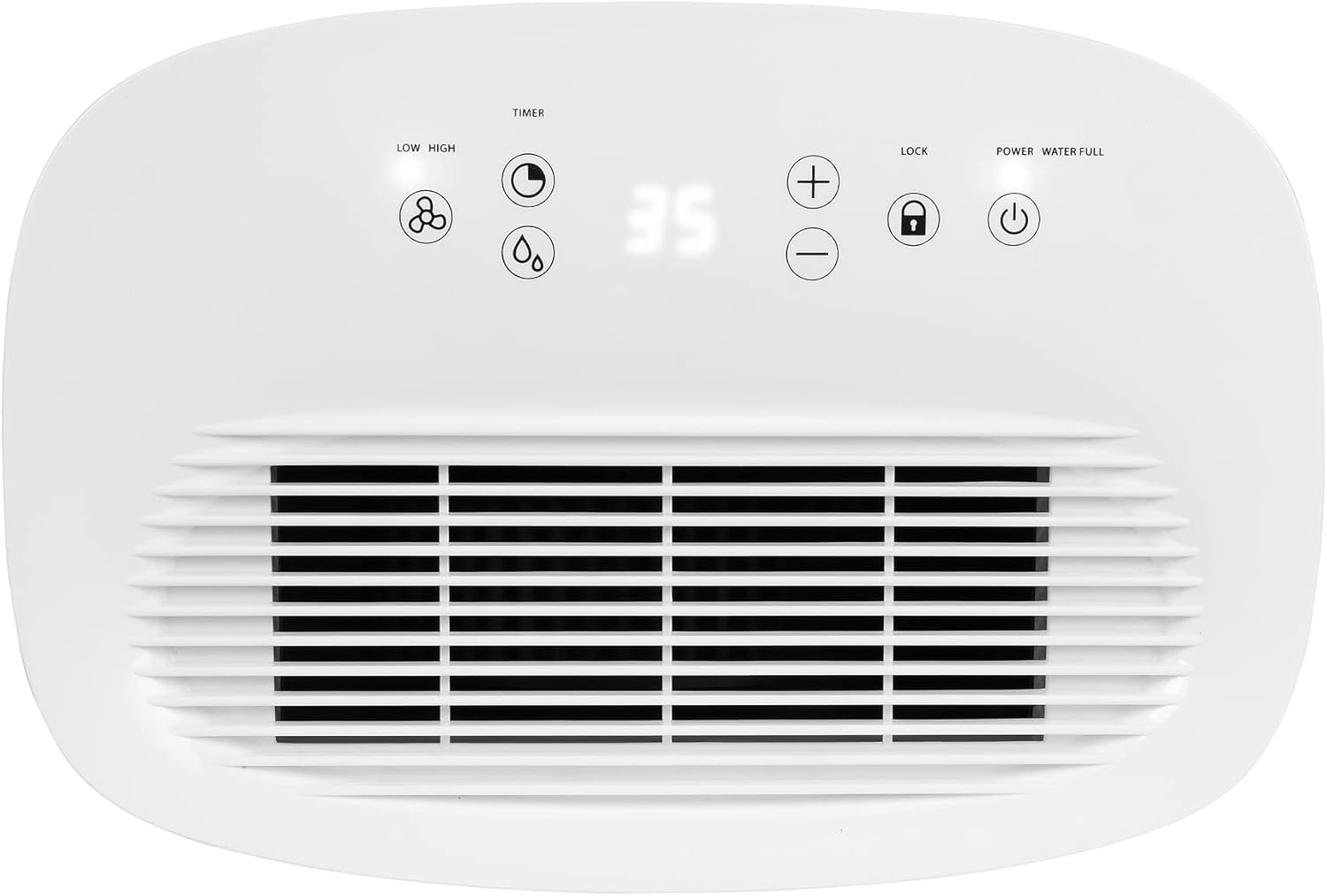
Figura 2: A dalt view of the Tristar DH-5424 Dehumidifier, highlighting the control panel with its LED display and function buttons.
- Botó d'encesa: Encén o apaga la unitat.
- Fan Speed Button (LOW/HIGH): Selects between low and high fan speeds.
- Botó del temporitzador: Sets the operating time (1-24 hours).
- Humidity Adjustment Buttons (+/-): Increases or decreases the desired humidity level.
- Botó de bloqueig infantil: Activates or deactivates the child lock function.
- Indicador d'aigua plena: S'il·lumina quan el dipòsit d'aigua és ple.
2.2 Setting Desired Humidity (Hygrostat)
The integrated hygrostat allows precise control over the room's humidity. You can adjust the desired humidity level between 40% and 80% in 5% increments.
- Press the Power button to turn on the dehumidifier.
- Utilitza el + or - buttons to set your desired humidity level. The LED display will show the selected percentage.
- The unit will automatically turn on if the room's humidity is 2% or more above your set level, and turn off if it falls 2% or more below.
2.3 Selecció de la velocitat del ventilador
Press the Fan Speed button to toggle between 'LOW' and 'HIGH' fan speeds. High speed provides faster dehumidification, while low speed offers quieter operation.
2.4 Funció de temporitzador
The timer allows you to set the dehumidifier to operate for a specific duration (1 to 24 hours).
- While the unit is on, press the Timer button.
- Utilitza el + or - buttons to select the desired operating hours. The display will show the set time.
- The dehumidifier will automatically turn off after the set time has elapsed.
2.5 Bloqueig infantil
To prevent accidental changes to settings, activate the child lock.
- Press and hold the Child Lock button for a few seconds until the lock indicator appears on the display.
- To deactivate, press and hold the Child Lock button again until the indicator disappears.
2.6 Water Tank Full Indicator and Auto-Shutoff
The dehumidifier is equipped with a 3.7 L water tank. When the tank is full, the 'Water Full' indicator light will illuminate, and the unit will automatically shut off to prevent overflow. Empty the water tank as described in the Maintenance section.
2.7 Drenatge continu
For continuous operation without needing to empty the water tank, you can connect a drainage hose.
- Localitzeu la sortida de drenatge continu a la part posterior de la unitat.
- Connect a suitable hose (not included) to the drainage outlet.
- Ensure the hose is directed downwards to a drain or a larger container, allowing water to flow out by gravity.
- Make sure the hose is not kinked or blocked.

Figura 3: posterior view of the Tristar DH-5424 Dehumidifier, illustrating the connection point for a continuous drainage hose.
3. Manteniment
Un manteniment regular garanteix un rendiment òptim i allarga la vida útil del deshumidificador. Desendolleu sempre la unitat abans de realitzar qualsevol manteniment.
3.1 Buidatge del dipòsit d'aigua
- When the 'Water Full' indicator illuminates, gently pull out the water tank from the front of the unit.
- Porteu amb cura el dipòsit a una pica o desguàs i buideu l'aigua recollida.
- Rinse the tank with clean water if necessary. Do not use harsh detergents.
- Slide the empty water tank back into the dehumidifier until it clicks into place. The unit will resume operation.
3.2 Neteja del filtre d'aire
El filtre d'aire s'ha de netejar regularment (per exemple, cada dues setmanes o segons calgui) per mantenir-ne l'eficiència.
- Desendolleu el deshumidificador de la presa de corrent.
- Locate the air filter cover on the side or back of the unit.
- Traieu la tapa del filtre i traieu amb cura el filtre d'aire.
- Clean the filter using a vacuum cleaner to remove dust and debris. For heavier dirt, the filter can be gently washed with lukewarm water and mild soap. Ensure it is completely dry before reinserting.
- Place the clean, dry filter back into its slot and close the filter cover.

Figura 4: lateral view of the Tristar DH-5424 Dehumidifier, showing the removable air filter and water tank for maintenance.
3.3 Neteja general
- Netegeu l'exterior de la unitat amb un damp tela. No utilitzeu netejadors abrasius ni dissolvents.
- Assegureu-vos que no entri aigua als components elèctrics.
3.4 Emmagatzematge
- If storing the dehumidifier for an extended period, ensure the water tank is empty and clean, and the filter is clean and dry.
- Guardeu la unitat en posició vertical en un lloc fresc i sec, allunyat de la llum solar directa i de temperatures extremes.
4. Solució De Problemes
Abans de contactar amb l'atenció al client, consulteu la guia de resolució de problemes següent per conèixer els problemes més comuns.
| Problema | Causa possible | Solució |
|---|---|---|
| El deshumidificador no s'encén. |
|
|
| La unitat funciona però no recull aigua. |
|
|
| La unitat fa soroll. |
|
|
| Water full indicator is on, but tank is not full. |
|
|
5. Especificacions
| Característica | Especificació |
|---|---|
| Número de model | DH-5424 |
| Marca | Tristar |
| Capacitat de deshumidificació | 16 litres/dia |
| Mida recomanada de l'habitació | Fins a 30 m² |
| Poder | 260 watts |
| Voltage | 240 Volts |
| Capacitat del dipòsit d'aigua | 3.7 litres |
| Nivell de soroll | 46 decibels |
| Dimensions (L x A x A) | 25 x 34.4 x 57.2 cm |
| Pes | 13 quilos |
| Material | Acrilonitril butadiè estirè (ABS) |
| Velocitats del ventilador | 2 (Baix, Alt) |
| Apagat automàtic | Yes (when water tank is full) |
6. Garantia i Suport
This product is covered by the manufacturer's warranty. Please refer to the warranty card included with your purchase for specific terms and conditions, including the warranty period and coverage details.
For technical support, service, or spare parts, please contact the retailer where you purchased the product or visit the official Tristar weblloc web per a informació d'atenció al client.
Please have your model number (DH-5424) and proof of purchase ready when contacting support.


