Introducció
This manual provides detailed instructions for the setup, operation, maintenance, and troubleshooting of your Logitech MX Mechanical Full-Size Illuminated Wireless Keyboard and MX Master 3S Performance Wireless Bluetooth Mouse Bundle. This powerful duo is designed for ultimate precision and performance across various operating systems.
The bundle includes the MX Mechanical Keyboard with Linear switches, offering a smooth typing experience, and the MX Master 3S Mouse, featuring an 8K DPI Darkfield sensor for tracking on virtually any surface, including glass.

Figure 1: The Logitech MX Mechanical Keyboard and MX Master 3S Mouse, presented together as a complete bundle.
Configuració
Follow these steps to set up your Logitech MX Mechanical Keyboard and MX Master 3S Mouse.
1. Càrrega dels dispositius
Both the keyboard and mouse come with rechargeable Li-Po batteries. It is recommended to fully charge them before first use.
- MX Mechanical Keyboard: Connect the included USB-C cable to the keyboard's USB-C port and the other end to a power source (e.g., computer USB port, USB wall adapter). The keyboard has a 1500 mAh battery.
- MX Master 3S Mouse: Connect the included USB-C cable to the mouse's USB-C port and the other end to a power source. The mouse has a 500 mAh battery.
2. Opcions de connectivitat
Your devices can be connected via Bluetooth Low Energy or the Logi Bolt USB Receiver.
- Using Logi Bolt USB Receiver: Insert the Logi Bolt USB receiver into an available USB port on your computer. The keyboard and mouse are pre-paired with the receiver for immediate use.
- Ús de Bluetooth de baix consum:
- On the keyboard/mouse, press and hold one of the Easy-Switch buttons (labeled 1, 2, or 3) until the LED indicator blinks rapidly, indicating pairing mode.
- On your computer or device, open Bluetooth settings and select the Logitech MX Mechanical Keyboard or MX Master 3S Mouse from the list of available devices to pair.
- Repeat for the other device if pairing both via Bluetooth.
Nota: If FileSi Vault està activat a l'ordinador macOS, és possible que hàgiu d'utilitzar el receptor USB Logi Bolt per introduir la contrasenya a l'inici o reiniciar quan us connecteu via Bluetooth.
3. Instal·lació del programari Logi Options+
For full customization and advanced features, install the Logi Options+ software. This software is available for Windows and macOS.
- Visit the official Logitech website to download and install Logi Options+.
- The software allows you to customize keyboard Fn-keys, mouse buttons, and manage device settings.
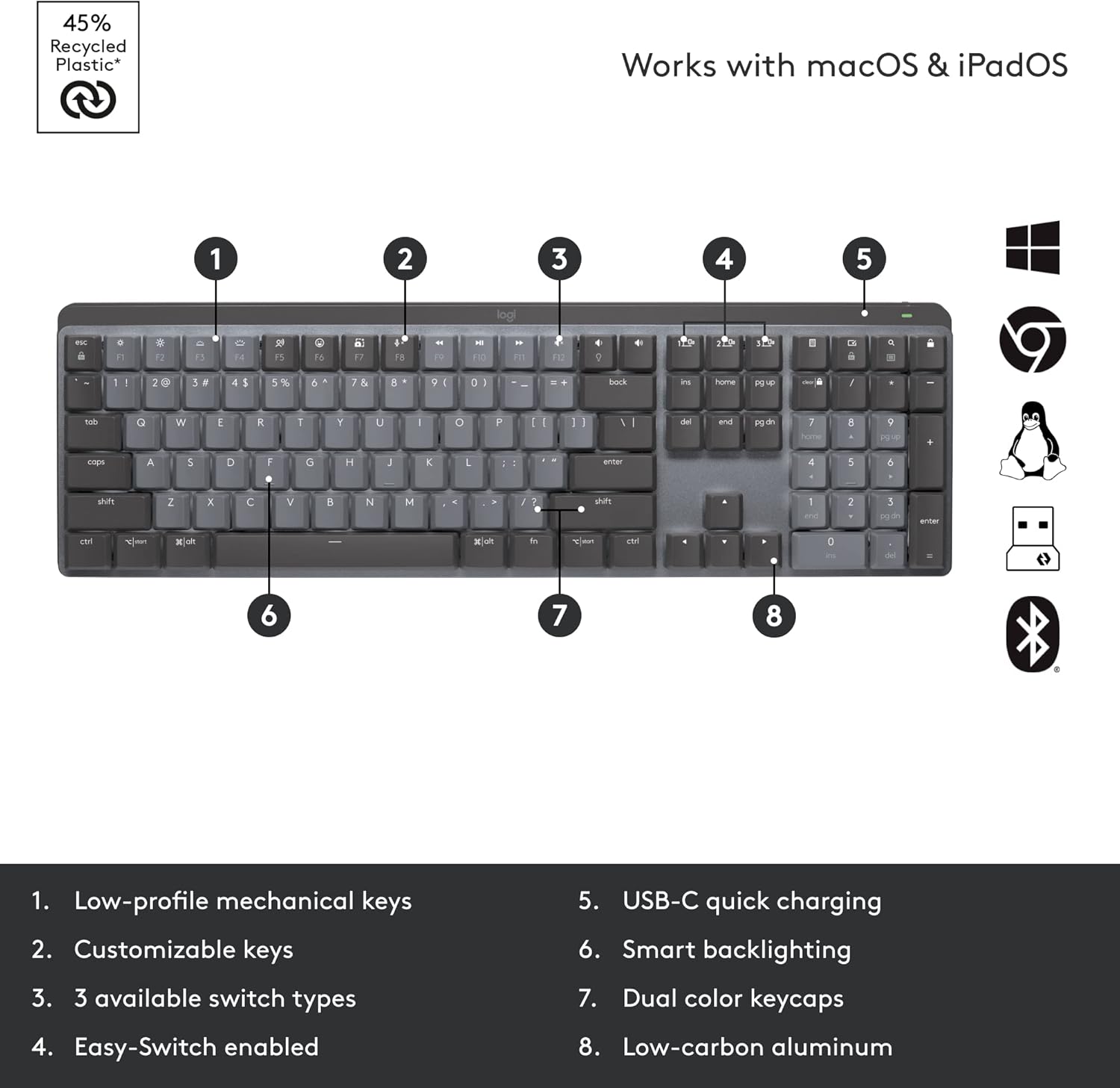
Figure 2: Key features of the MX Mechanical Keyboard, including low-profile mechanical keys, customizable keys, three switch types, Easy-Switch, USB-C charging, smart backlighting, dual color keycaps, and low-carbon aluminum construction.
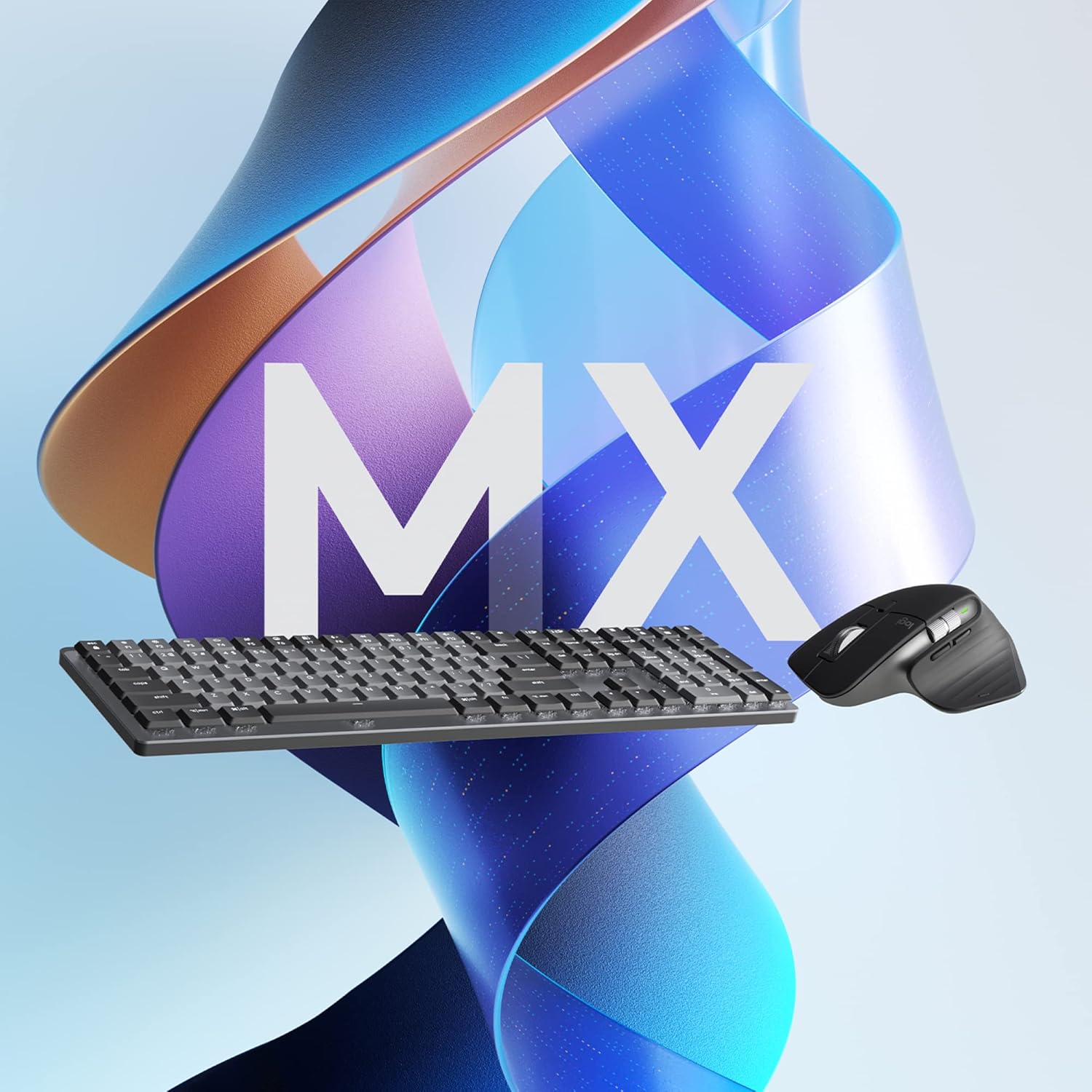
Figure 3: Key features of the MX Master 3S Mouse, including the MagSpeed wheel, thumbwheel, customizable buttons, track-anywhere sensor, USB-C charging, and Easy-Switch buttons.
Instruccions de funcionament
Maximize your productivity with the advanced features of your Logitech MX bundle.
1. Smart Illumination (Keyboard)
The MX Mechanical Keyboard features smart backlighting that illuminates when your hands approach and automatically adjusts to ambient lighting conditions. This feature conserves battery life while providing optimal visibility.

Figure 4: The MX Mechanical Keyboard displaying its smart backlighting, which adjusts automatically to lighting conditions.
2. Magspeed Scrolling (Mouse)
The MX Master 3S Mouse features the MagSpeed Electromagnetic scrolling wheel, allowing you to scroll 1,000 lines in a second or switch to precise, line-by-line scrolling. The thumbwheel provides horizontal scrolling capabilities.
3. Track Anywhere Sensor (Mouse)
The Darkfield high precision sensor on the MX Master 3S Mouse allows it to track on virtually any surface, including glass (minimum 4mm thickness), with up to 8000 DPI precision.

Figure 5: The MX Master 3S Mouse demonstrating its ability to track precisely on a glass surface.
4. Multi-Device and Multi-OS Functionality (Flow)
Both devices can pair with up to three devices simultaneously via Bluetooth Low Energy or the Logi Bolt USB receiver. Use the Easy-Switch buttons to seamlessly switch between connected devices.
With Logi Options+ software, you can enable Logitech Flow, which allows you to control multiple computers (Windows and macOS) with a single keyboard and mouse, and even transfer text, images, and files entre ells simplement movent el cursor fins a la vora de la pantalla.

Figura 6: Una sobrecàrrega view illustrating the multi-device and multi-OS capabilities of the Logitech MX bundle in a typical workspace.

Figure 7: A user's hands on the MX Mechanical Keyboard, highlighting the quiet performance of the linear switches, with the MX Master 3S Mouse in the background.

Figure 8: A user engaged in work, demonstrating the ergonomic design and comfortable use of the MX Mechanical Keyboard and MX Master 3S Mouse.
Manteniment
Proper maintenance ensures the longevity and optimal performance of your devices.
1. Gestió de la bateria
The battery life of your devices can vary based on usage and computing conditions. Regular charging is recommended.
- Indicadors de càrrega: LEDs on the devices will indicate low battery status.
- Freqüència de càrrega: Charge as needed. The keyboard can last up to 10 months with backlighting off, and the mouse has a long battery life as well.
2. Instruccions de neteja
Per netejar el teclat i el ratolí:
- Disconnect devices from power and turn them off.
- Utilitzeu un drap suau i sense pelusa lleugerament dampnetejat amb aigua o una solució de neteja segura per a electrònica.
- Eviteu productes químics agressius, materials abrasius o humitat excessiva.
- Per al teclat, feu servir aire comprimit per eliminar les restes entre les tecles.
Resolució de problemes
If you encounter issues with your Logitech MX Mechanical Keyboard or MX Master 3S Mouse, refer to the following common solutions.
1. Problemes de connectivitat
- El dispositiu no es connecta: Ensure both devices are charged. Try re-pairing via Bluetooth or re-inserting the Logi Bolt receiver.
- Interferència: Move devices closer to the receiver or computer. Avoid placing them near other wireless devices that might cause interference.
- Logi Bolt vs. Unifying: Note that Logi Bolt technology is not compatible with Logitech Unifying technology. Ensure you are using the correct receiver for your devices.
2. Backlighting Problems (Keyboard)
- Backlight Not Turning On: Ensure the keyboard is sufficiently charged. The smart illumination feature may turn off backlighting in bright environments to save power. Check settings in Logi Options+.
- Ajust de brillantor: Use the dedicated brightness keys on the keyboard or adjust settings via Logi Options+.
3. Software Issues (Logi Options+)
- El programari no reconeix el dispositiu: Ensure the software is up-to-date. Restart your computer and try again.
- Personalització no aplicada: Verify that the settings are saved within Logi Options+.
4. General Performance
- Lag or Unresponsiveness: Check battery levels. Ensure no physical obstructions are blocking the wireless signal.
- Problemes de seguiment del ratolí: Clean the mouse sensor. Ensure the surface is suitable for tracking (Darkfield sensor works on most surfaces, including glass).
Especificacions
Detailed technical specifications for the Logitech MX Mechanical Keyboard and MX Master 3S Mouse.
| Característica | Detall |
|---|---|
| Dimensions (incl. keycaps) | 26.10 mm x 433.85 mm x 131.55 mm |
| Pes | 828 g |
| Bateria | Li-Po recarregable (1500 mAh) |
| Tipus de canvi | Linear (smooth typing) |
| Connectivitat | Bluetooth de baix consum, receptor USB Logi Bolt |
| Sistemes operatius | Windows, macOS, Linux, Chrome OS, iPadOS, Android |
| Característiques especials | Smart Illumination, Dual Color Keycaps, Low-carbon aluminum |
| Característica | Detall |
|---|---|
| Dimensions | 51 mm x 84.3 mm x 124.9 mm (2 x 3.3 x 4.9 in) |
| Pes | 141 g (4.97 oz) |
| Bateria | Li-Po recarregable (500 mAh) |
| La tecnologia de sensors | Darkfield d'alta precisió |
| Rang de DPI | 200 to 8000 DPI (adjustable in 50 DPI increments) |
| Botons | 7 buttons (Left/Right-click, Back/Forward, App-Switch, Wheel mode-shift, Middle click), Scroll Wheel, Thumbwheel, Gesture button |
| Distància operativa sense fil | 10 m (33 peus) |
| Connectivitat | Bluetooth de baix consum, receptor USB Logi Bolt |
| Sistemes operatius | Windows, macOS, Linux, Chrome OS, iPadOS, Android |
Nota: Device basic functions will be supported without software for systems other than Windows and macOS. Wireless range and battery life may vary depending on operating environment and computer setup.
Informació de la garantia
Logitech products are manufactured to high quality standards and are backed by a limited hardware warranty. For specific warranty terms and conditions applicable to your region, please refer to the official Logitech weblloc web o la targeta de garantia inclosa amb el producte.
This product is eligible for a 30-day return policy when purchased from Amazon.
Suport
For further assistance, product updates, or to access additional resources, please visit the official Logitech support weblloc:
- Suport Logitech Weblloc
- Descarrega la darrera versió de Opcions de Logi+ for enhanced customization and features.
No official product videos from the seller were found to be embedded in this manual.


