1. Introducció
Thank you for choosing the SEMAITU Double Din Car Stereo. This advanced car multimedia system is designed to enhance your driving experience with seamless smartphone integration, superior audio quality, and convenient features. This manual provides detailed instructions for installation, operation, maintenance, and troubleshooting to ensure optimal performance and longevity of your device.
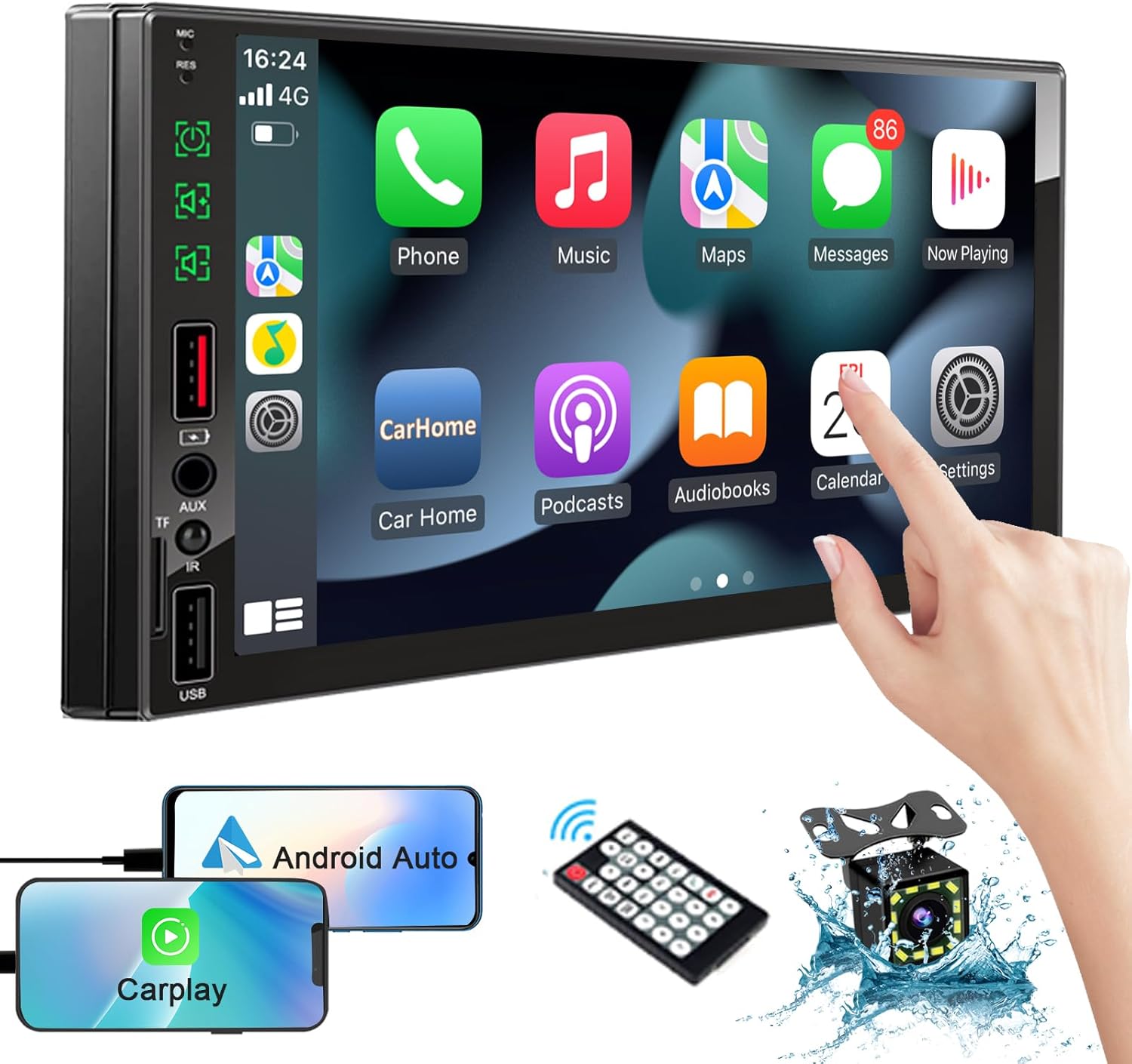
Image: The SEMAITU Double Din Car Stereo unit, remote control, backup camera, and smartphone mirroring examples.
2. Què hi ha a la caixa
Si us plau, verifiqueu que tots els elements que s'enumeren a continuació estiguin inclosos al vostre paquet:
- 7 Inch HD Double Din Car Stereo
- HD posterior View Camera & Brackets & Frame
- Wire Harness & Disassembly Tool
- Backup Camera Cable & Camera Power Cable
- Control remot
- micròfon de solapa
- Manual d'usuari (aquest document)
3. Configuració i instal·lació
Professional installation is highly recommended for this product. Incorrect wiring can cause damage to the unit or your vehicle's electrical system. Always disconnect the vehicle's battery before beginning installation.
3.1. Wiring Diagram Overview
Refer to the detailed wiring diagram provided with your unit for specific connections. Key connections typically include:
- Cables d'alimentació: Constant 12V (Yellow), Accessory 12V (Red), Ground (Black).
- Cables de l’altaveu: Connect to your vehicle's speakers (e.g., White/White-Black for Front Left, Gray/Gray-Black for Front Right, Green/Green-Black for Rear Left, Purple/Purple-Black for Rear Right).
- Entrada de la càmera: RCA video input for the backup camera.
- Activador invers: Wire to detect when the vehicle is in reverse gear for automatic camera display.
- Antena: Connecteu l'antena de ràdio del vostre vehicle.
- USB/TF Ports: For media playback and smartphone connection.

Image: The car stereo displaying a quick response interface, indicating smooth operation.
3.2. Muntatge de la unitat
Secure the double din unit into your vehicle's dashboard opening using the provided mounting brackets and screws. Ensure it is firmly in place to prevent vibrations and movement.
4. Instruccions de funcionament
4.1. Voice Assistants (Apple CarPlay & Android Auto)
Connect your compatible iPhone or Android smartphone via USB to enable Apple CarPlay or Android Auto. This allows you to access navigation, make calls, send messages, and play music using voice commands or the stereo's touchscreen interface.
- Apple CarPlay: Connect your iPhone using a certified USB cable. The CarPlay interface will automatically launch on the stereo screen.
- Android Auto: Connect your Android phone using a certified USB cable. Ensure Android Auto is installed on your phone. The interface will launch automatically.
- Control de veu: Use the built-in microphone to activate Siri or Google Assistant for hands-free operation.

Image: In-car view of the stereo displaying Apple CarPlay and Android Auto interfaces, with icons for voice assistant, call, GPS, music, messages, and more apps.
4.2. Bluetooth System
The integrated Bluetooth system allows for wireless audio streaming and hands-free calling.
- Maridatge: Go to the Bluetooth settings on the stereo and your smartphone. Cerca available devices and select 'SEMAITU TH001' (or similar name) to pair.
- Trucades mans lliures: Once paired, you can make and receive calls directly through the stereo. The built-in microphone ensures clear communication.
- Transmissió d'àudio: Play music from your smartphone wirelessly through the car stereo.

Image: The car stereo displaying a music interface with voice command bubbles for
Documents relacionats - TH001
 |
SEMAITU Android Car Navigation System User Manual Comprehensive user manual for the SEMAITU Android Car Navigation System, covering setup, operation, features like local music, radio, video playback, Bluetooth, mirror link, and steering wheel control. |
 |
Llibre d'idees Aiko Build a Airplane - Instruccions de joguina de construcció creativa Explora idees de construcció creatives amb el llibre d'idees Aiko Build a Plane. Aquesta guia proporciona instruccions pas a pas per construir diversos models d'avions utilitzant blocs de construcció Aiko. |
 |
Llibre d'idees AIKO City Links: Instruccions de construcció i catàleg de productes Discover the AIKO City Links Idea Book, offering step-by-step building guides for various models, a comprehensive product catalog, and details on AIKO's quality construction toys for children. Learn how to build the City Links bus and explore other AIKO sets. |
 |
Llibre d'idees per construir un vaixell d'Aiko: instruccions de construcció pas a pas per a nens Descobreix la diversió de la construcció creativa amb el llibre d'idees Aiko Build a Boat. Aquesta guia ofereix instruccions detallades pas a pas per construir diversos models de vaixells utilitzant blocs de construcció Aiko. Perfecte per fomentar la imaginació i la creativitat en els nens. Inclou informació del producte i pautes de seguretat. |
 |
Llibre d'idees Aiko Box of Blocks 500: Construeix avions, vaixells, estruços i molt més Explore creative building possibilities with the Aiko Box of Blocks 500 Idea Book. This guide provides step-by-step instructions for building models like planes, boats, and ostriches, along with additional inspiration. Features Aiko's commitment to quality, creativity, and safety for children. |