1. Introducció
Thank you for choosing the Domo DOS721K Automatic 12-Cup Coffee Machine. This appliance is designed to provide you with freshly brewed coffee from whole beans or pre-ground coffee. Please read this manual carefully before first use to ensure proper operation, maintenance, and safety.

Image 1.1: Domo DOS721K Automatic Coffee Machine with included milk jug.
2. Instruccions de seguretat importants
- Llegiu totes les instruccions abans d'utilitzar l'aparell.
- No toqueu superfícies calentes. Utilitzeu nanses o poms.
- Per protegir-vos contra incendis, descàrregues elèctriques i lesions personals, no submergiu el cable, els endolls ni l'aparell en aigua ni en altres líquids.
- És necessària una supervisió estreta quan qualsevol aparell és utilitzat per o a prop dels nens.
- Desendolleu la presa de corrent quan no utilitzeu i abans de netejar. Deixeu refredar abans de posar o treure peces i abans de netejar l'aparell.
- No feu servir cap aparell amb un cable o un endoll danyats, o després que l'aparell funcioni malament o s'hagi fet malbé de cap manera.
- L'ús d'accessoris no recomanats pel fabricant de l'aparell pot provocar incendis, descàrregues elèctriques o lesions a persones.
- No utilitzar a l'aire lliure.
- No deixeu que el cable pengi de la vora de la taula o del taulell, ni toqui superfícies calentes.
- No col·loqueu-lo sobre o prop d'un cremador de gas o elèctric calent, ni en un forn calent.
- Connecteu sempre primer l'endoll a l'aparell i després connecteu el cable a la presa de corrent. Per desconnectar, gireu qualsevol control a "apagat" i, a continuació, traieu l'endoll de la presa de corrent.
- No utilitzeu l'aparell per a un altre ús que el previst.
3. Contingut del paquet
En desempaquetar, assegureu-vos que tots els articles estiguin presents i en bon estat:
- Domo DOS721K Automatic Coffee Machine
- Glass Carafe (1.5 Liters)
- Filtre permanent
- Cullera Mesuradora
- 300ml Glass Milk Jug with Stainless Steel Screw Lid
- Manual d'instruccions

Imatge 3.1: Desplegada view showing the main components of the coffee machine, including the permanent filter, filter holder, bean container lid, and glass carafe.
4. Identificació de peces
- Bean Container with Lid
- Dial de configuració de la mòlta
- Dipòsit d'aigua amb indicador de nivell
- Control Panel / Digital Display
- Portafiltre
- Filtre permanent
- Carafe de vidre
- Placa escalfadora
- Cable d'alimentació

Imatge 4.1: Part superior view of the coffee machine, highlighting the transparent bean container for whole coffee beans.
5. Configuració inicial
5.1 Desembalatge
Carefully remove all packaging materials and ensure no parts are missing or damaged. Keep packaging for future storage or transport.
5.2 Neteja del primer ús
- Renteu la garrafa de vidre, el filtre permanent i el portafiltre amb aigua tèbia i sabó. Esbandiu-los bé i eixugueu-los.
- Netegeu l'exterior de la màquina amb anunciamp tela.
- Run two full cycles with only water (no coffee) to clean the internal components. Discard the water after each cycle.
5.3 Col·locació
Place the coffee machine on a stable, flat, heat-resistant surface, away from water sources and direct heat. Ensure adequate ventilation around the appliance.
6. Instruccions de funcionament
6.1 Omplir el dipòsit d'aigua
Open the water tank lid and fill with fresh, cold water up to the desired level indicated on the side of the machine. The maximum capacity is 1.5 liters (12 cups).
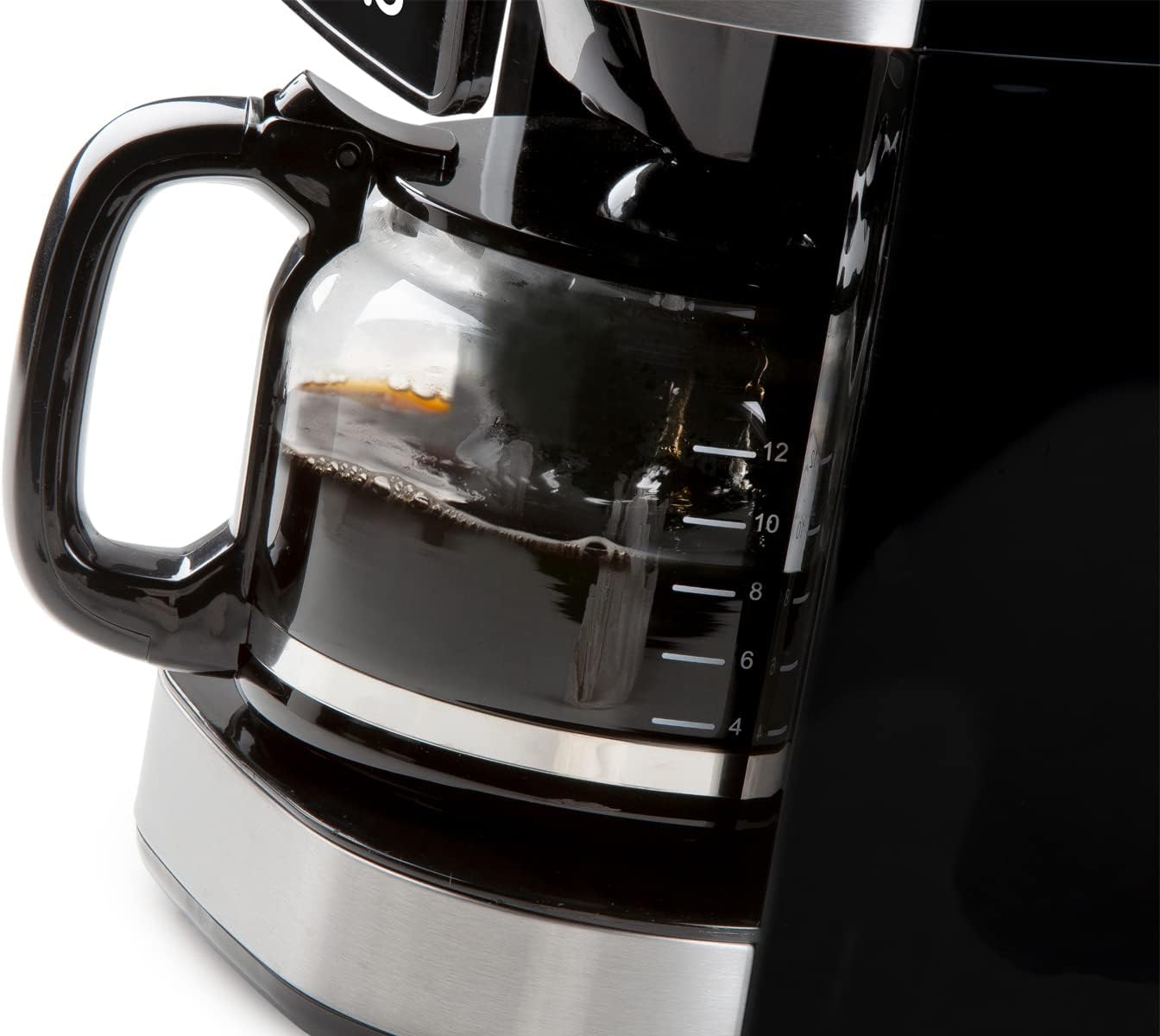
Image 6.1: The glass carafe features clear markings for measuring coffee volume.
6.2 Adding Coffee Beans (Grind & Brew Function)
- Open the lid of the bean container and fill with whole coffee beans. The container has a capacity of 200 grams.
- Adjust the grind setting using the dial located near the bean container. Finer grinds result in stronger coffee.
- Place the permanent filter into the filter holder, ensuring it is correctly seated.
- Select the desired coffee strength (mild, medium, strong) and number of cups using the digital display controls.

Image 6.2: Close-up of the grind setting dial, allowing adjustment for desired coffee fineness.
6.3 Ús de cafè premolt
If using pre-ground coffee, the integrated grinder can be deactivated:
- Ensure the grinder is turned off via the control panel.
- Place the permanent filter into the filter holder.
- Add the desired amount of pre-ground coffee to the permanent filter using the measuring spoon.
- Select the number of cups using the digital display controls.

Image 6.3: A hand adding pre-ground coffee into the permanent filter, demonstrating the option to bypass the integrated grinder.
6.4 Starting the Brewing Process
After filling water and adding coffee (beans or ground), press the start button on the digital display. The machine will begin grinding (if selected) and brewing.

Image 6.4: The digital display showing time and various function icons, with a finger interacting with the controls.
6.5 Funció de temporitzador
The 24-hour timer allows you to program the machine to start brewing at a specific time. Set the current time, then set the desired brew time using the timer function on the control panel.
6.6 Funció Mantenir Calent
After brewing, the machine automatically activates a keep-warm function, maintaining the coffee's temperature for approximately 40 minutes. The machine will automatically shut off after this period.

Image 6.5: Freshly brewed coffee being poured from the glass carafe into a cup.
7. Manteniment
7.1 Neteja diària
- After each use, discard used coffee grounds.
- Wash the glass carafe, permanent filter, and filter holder in warm, soapy water. Rinse thoroughly and dry. These parts may also be dishwasher safe (check product specifications for confirmation).
- Netegeu l'exterior de la màquina amb un damp tela. No utilitzeu netejadors abrasius ni fregalls.
7.2 Descalcificació
Over time, mineral deposits (limescale) can build up in your coffee machine, affecting performance and coffee taste. Descale your machine regularly, depending on water hardness and frequency of use (e.g., every 2-3 months).
- Prepareu una solució descalcificadora segons les instruccions del fabricant del descalcificador (per exemple, vinagre blanc i aigua o un descalcificador comercial).
- Aboqueu la solució al dipòsit d'aigua.
- Col·loqueu la garrafa buida al plat d'escalfament.
- Run a brewing cycle without coffee.
- After the cycle, let the machine cool for 15 minutes, then run two full cycles with fresh, clean water to rinse thoroughly.
8. Solució De Problemes
| Problema | Causa possible | Solució |
|---|---|---|
| El cafè no es fa infusió. | No water in tank; machine not plugged in; power outage. | Fill water tank; check power connection; check circuit breaker. |
| El cafè és massa feble. | Insufficient coffee grounds; coarse grind setting; too much water. | Add more coffee; select finer grind; use less water. |
| El cafè és massa fort. | Too many coffee grounds; fine grind setting; too little water. | Reduce coffee amount; select coarser grind; use more water. |
| El molinet no funciona. | Bean container empty; grinder clogged; grinder deactivated. | Fill bean container; clean grinder (refer to maintenance); ensure grinder is activated. |
| Fuites d'aigua de la màquina. | Water tank not properly seated; filter holder overflowing. | Ensure water tank is correctly placed; do not overfill filter. |
9. Especificacions
- Marca: Domo
- Número de model: DOS721K (also DO721K)
- Color: Negre
- Dimensions (L x A x A): 34 x 26 x 46 cm
- Capacitat: 1.5 litres (fins a 12 tasses)
- Material: Plàstic, acer inoxidable
- Característiques especials: Integrated Conical Grinder, 24-Hour Timer, Keep Warm Function (40 minutes), Anti-drip System, Permanent Filter, Adjustable Grind Settings, Adjustable Coffee Strength
- Tipus de cafè: Whole Beans, Ground Coffee
10. Garantia i Suport
For warranty information and customer support, please refer to the documentation included with your product packaging or visit the official Domo weblloc web. Conserveu el comprovant de compra per a reclamacions de garantia.


