Introducció
The Sigma Sport BC 23.16 STS is a sophisticated wireless bicycle computer designed to provide comprehensive data for cyclists. It offers a wide range of functions including speed, distance, time, heart rate, cadence, altitude profiles, and calculated power output. With its intuitive operation, large log capacity, and reliable STS wireless transmission, it is an ideal companion for training and touring. Data can be easily transferred to your smartphone via NFC for detailed analysis.

Image: The Sigma Sport BC 23.16 STS bicycle computer, showing its clear display with various cycling metrics.
Contingut del paquet
En obrir el paquet, assegureu-vos que hi hagi tots els components següents:
- Sigma Sport BC 23.16 STS Bicycle Computer (with pre-installed battery)
- STS 2450 Mount Bracket
- STS Speed Transmitter
- Transmissor de cadència STS
- STS Heart Rate Textile Chest Strap
- Powerful Magnet (for speed sensor)
- Magnet (for cadence sensor)
- Mounting Material (O-rings, zip ties)

Image: A visual representation of all items included in the product packaging, ensuring users can verify their contents.
Guia de configuració
1. Instal·lació de la bateria
The bicycle computer comes with a pre-installed CR2032 battery. For initial use, ensure the battery is properly seated. The device is designed for long battery life, typically over 2 years. When replacing the battery, an integrated memory chip saves all total values and settings, so no data is lost.
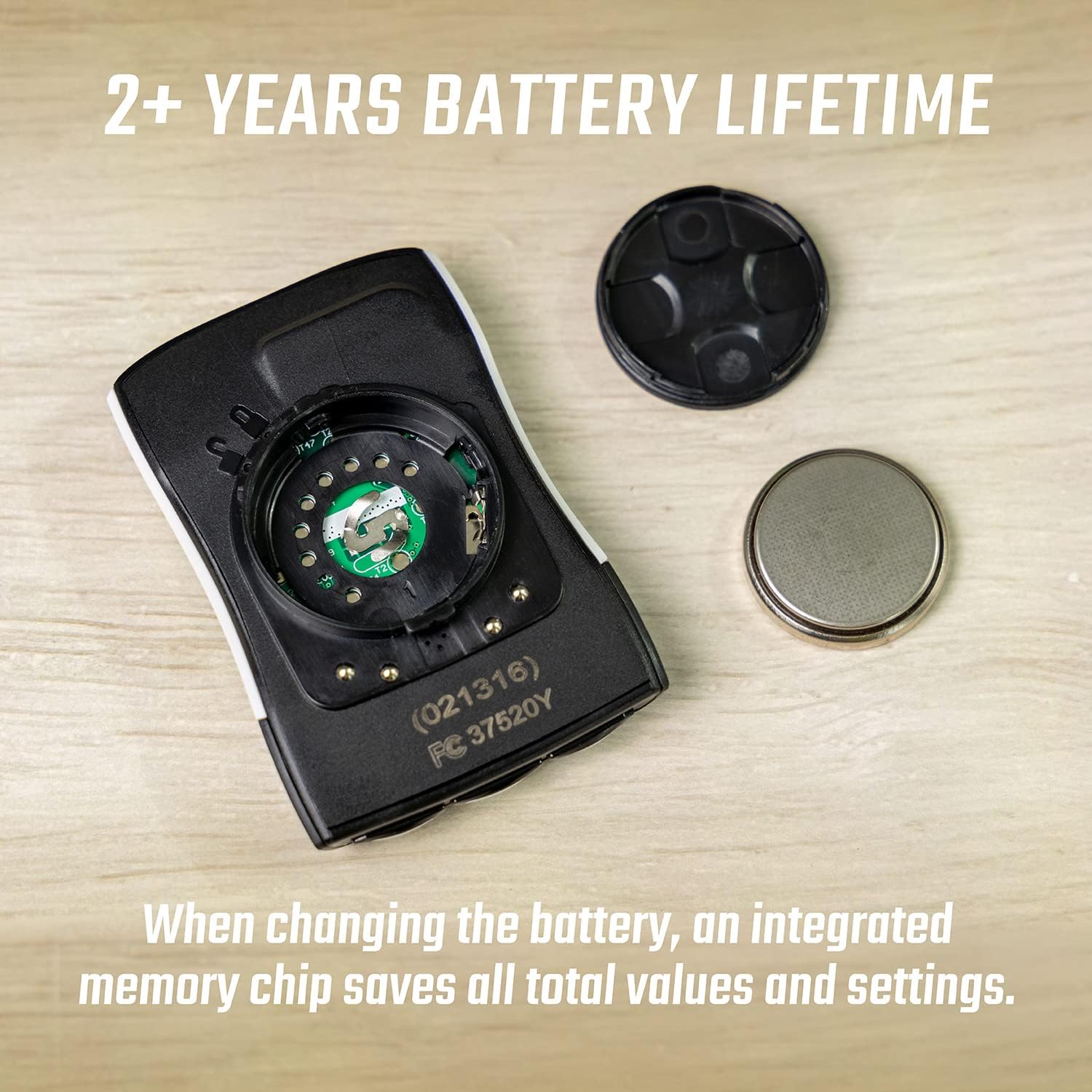
Image: The battery compartment of the BC 23.16 STS, showing the CR2032 battery and its cover, highlighting the ease of replacement and data retention feature.
2. Sensor and Mount Installation
Install the STS 2450 mount on your bicycle handlebars or stem using the provided mounting material. Position the STS Speed Transmitter on the front fork and the powerful magnet on a spoke of the front wheel, ensuring a small gap (approx. 2-5mm) between them. For cadence, attach the STS Cadence Transmitter to the chainstay and its magnet to the crank arm, maintaining a similar small gap. The STS Heart Rate Textile Chest Strap should be worn directly on your skin, just below your chest muscles, for accurate heart rate monitoring.
3. Initial Configuration via NFC
The BC 23.16 STS supports Near Field Communication (NFC) for easy initial setup and data transfer. Download the Sigma Link app on your smartphone. Activate NFC on your phone and hold it close to the bicycle computer. The app will guide you through setting up wheel size, time, date, and personal data for accurate calculations.
Instruccions de funcionament
1. Display and Functions
The computer features a clear 2.1-inch LCD display with a backlight function for visibility in various lighting conditions. It offers over 23 functions, including:
- Current, Average, and Maximum Speed
- Distància del viatge i Distància total
- Ride Time and Total Ride Time
- Current, Average, and Maximum Heart Rate
- Current, Average, and Maximum Cadence
- Altitude Functions (Current Altitude, Ascent/Descent, Altitude Profile)
- Calculated Power Output (Watts)
- Temperatura
- Lap Function

Imatge: Múltiple views of the BC 23.16 STS display, illustrating its diverse range of functions including lap tracking and power measurement.

Imatge: Una imatge detallada view of the BC 23.16 STS, highlighting its 2.1-inch screen size and physical dimensions (Depth: 12.5mm, Height: 66.5mm, Width: 44mm).
2. Navegació del menú
The device features conveniently placed buttons for intuitive menu navigation. Use the buttons on the bottom and sides to scroll through functions, access settings, and confirm selections. Small graphical indicators on the display assist in menu guidance.
3. Registre i transferència de dades
The BC 23.16 STS can store up to 99 logging sessions, accumulating a total recording time of up to 500 hours at a 20-second interval. After your ride, data can be transferred to your smartphone via NFC using the Sigma Link app for detailed analysis, sharing, and integration with platforms like Strava and Komoot.
4. Automatic Bike Recognition
The computer supports automatic recognition for up to two different bicycles. This feature allows you to use the same computer across multiple bikes without manual re-configuration, as it automatically detects which bike's sensors are active.

Image: Demonstrates the automatic bike recognition feature, allowing the computer to seamlessly switch between data profiles for two different bicycles.
Manteniment
1. Substitució de la bateria
When the battery indicator appears on the display, it's time to replace the CR2032 battery in the main unit. For sensors, refer to their individual manuals for battery type and replacement instructions. Always use fresh, high-quality batteries. Ensure the battery compartment is sealed properly after replacement to maintain water resistance.
2. Neteja
Clean the bicycle computer and sensors with a soft, damp drap. No utilitzeu productes de neteja abrasius ni dissolvents, ja que poden danyar la pantalla o laasing. Ensure all components are dry before storage or next use.
Resolució de problemes
- No Speed/Cadence/Heart Rate Display:
- Check battery levels in the computer and respective sensors.
- Ensure sensors and magnets are correctly aligned and within the recommended distance (2-5mm).
- Verify that the computer is paired with the correct sensors.
- Check for any physical obstructions or damage to sensors/magnets.
- Lectures inexactes:
- Confirm the wheel circumference setting in the computer matches your bicycle's wheel size.
- Ensure the heart rate strap is worn correctly and moistened for good conductivity.
- Comproveu si hi ha interferències electromagnètiques fortes d'altres dispositius.
- La pantalla no funciona:
- Check the main unit's battery.
- Perform a soft reset (refer to the full manual for specific instructions, usually involves holding certain buttons).
- NFC Data Transfer Issues:
- Assegureu-vos que l'NFC estigui activat al vostre telèfon intel·ligent.
- Make sure the Sigma Link app is updated to the latest version.
- Hold the phone directly over the NFC area of the computer.
Especificacions
| Característica | Detall |
|---|---|
| Número de model | 02316 |
| Tipus de visualització | LCD |
| Mida de la pantalla | 2.1 polzades |
| Dimensions (L x A x A) | 1.7 x 1.6 x 4.5 cm (approx. 17L x 16W x 45H mm) |
| Pes | 220 grams |
| Font d'alimentació | 1 x bateria CR2032 (inclosa) |
| Durada de la bateria | 2+ years (computer unit) |
| Connectivitat | STS Wireless, NFC |
| Classificació de protecció de l'aigua | IPX8 |
| Capacitat de registre | 99 logs, up to 500 hours (20-second interval) |
| Funcions | 23+ functions (Speed, Distance, Time, HR, Cadence, Altitude, Power, etc.) |
| Reconeixement automàtic | Up to 2 bikes |
Garantia i Suport
For specific warranty information and support, please refer to the official Sigma Sport website or contact their customer service directly. Warranty terms typically cover manufacturing defects for a specified period from the date of purchase. Keep your proof of purchase for any warranty claims.
Online resources, including detailed manuals and FAQs, are often available on the manufacturer's website to assist with further questions or advanced features.


