Introducció
Welcome to the Sudio A2 True Wireless Earbuds user manual. The Sudio A2 is an everyday listening companion designed to simplify your audio experience, offering crystal clear calls and an enhanced music experience with active noise cancellation. These earbuds feature Hybrid Active Noise Cancelling technology, dual microphones for clear phone calls, long battery life, and IPX4 splash-proof rating for durability.

Image: Sudio A2 True Wireless Earbuds in their open purple charging case.
Què hi ha a la caixa
Your Sudio A2 package includes the following items:
- Sudio A2 True Wireless Earbuds
- Estoig de càrrega
- Cable de càrrega USB-C
- Múltiples mides de puntes d'orella

Image: The Sudio A2 product packaging, indicating the contents.
Configuració
1. Càrrega dels auriculars i l'estoig
Abans del primer ús, assegureu-vos que tant els auriculars com l'estoig de càrrega estiguin completament carregats.
- Place the earbuds into the charging case. Ensure they are correctly seated in their respective L (left) and R (right) slots.
- Connect the provided USB-C charging cable to the charging port on the case and the other end to a USB power source.
- The LED indicators on the charging case will show the charging status. A full charge typically takes approximately 2 hours.
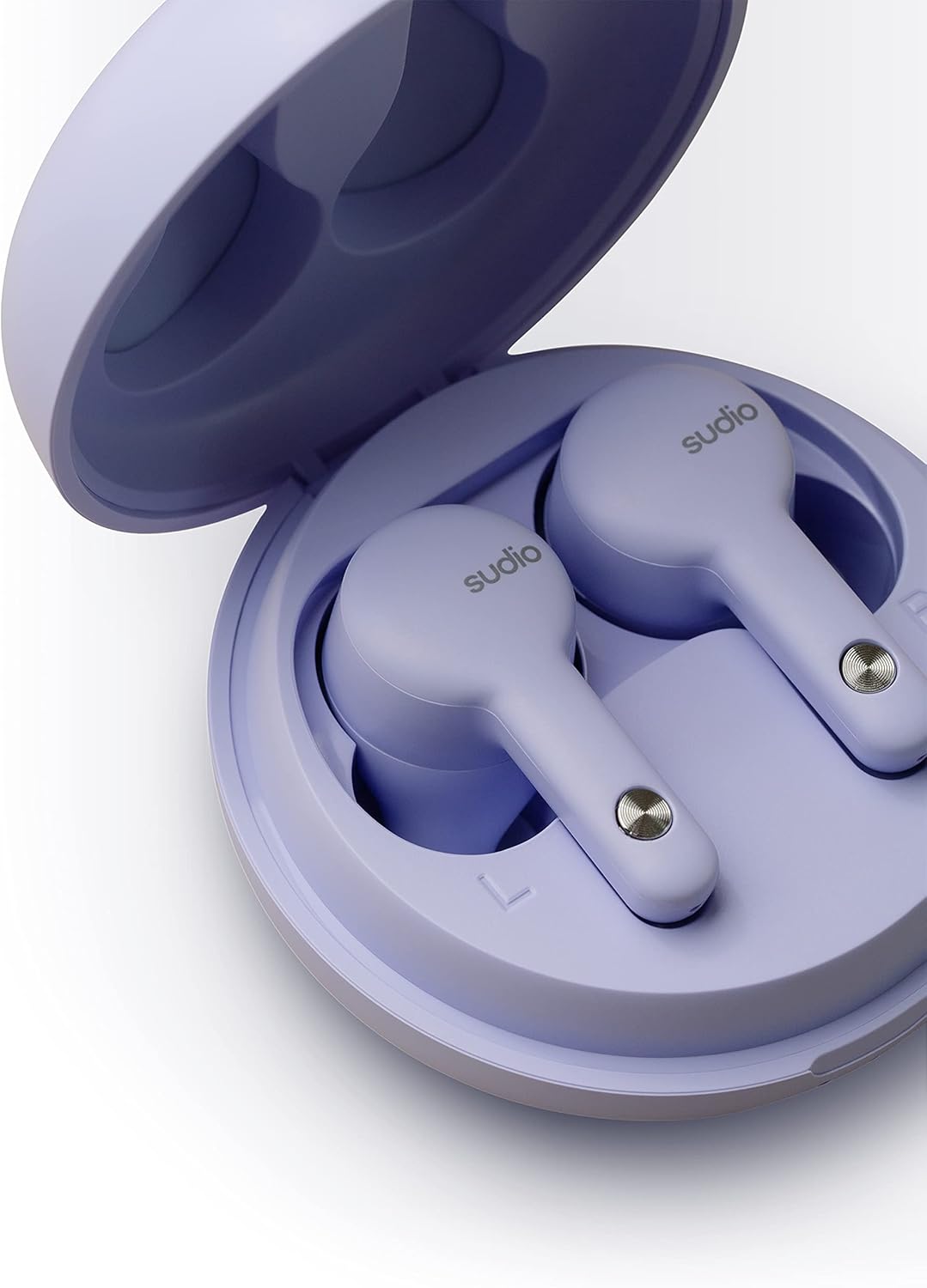
Imatge: Primer pla view of the earbuds correctly placed in the charging case.
2. Emparellament amb el dispositiu
The Sudio A2 earbuds use Bluetooth 5.2 for a stable wireless connection.
- Open the charging case. The earbuds will automatically enter pairing mode, indicated by a flashing LED light on the earbuds.
- Al dispositiu (telèfon intel·ligent, tauleta, ordinador), aneu a la configuració de Bluetooth.
- Select "Sudio A2" from the list of available devices.
- Once connected, a voice prompt will confirm successful pairing, and the LED lights on the earbuds will turn off.
Instruccions de funcionament
The Sudio A2 earbuds feature touch controls for easy management of audio playback, calls, and noise cancellation.
Portant els auriculars
For optimal sound quality and comfort, choose the eartips that provide the best seal in your ear canal. Gently insert the earbuds into your ears and twist slightly to secure them.

Image: A person wearing a Sudio A2 earbud, demonstrating the in-ear fit.
Controls tàctils
| Acció | Control |
|---|---|
| Reproduir/Pausa | Un sol toc a qualsevol dels auriculars |
| Pista següent | Fes doble toc a l'auricular dret |
| Pista anterior | Fes doble toc a l'auricular esquerre |
| Respondre/Finalitzar la trucada | Un sol toc a qualsevol dels auriculars |
| Rebutja la trucada | Manteniu premut qualsevol dels auriculars durant 2 segons |
| Activate/Deactivate ANC | Press and hold either earbud for 2 seconds (during music playback) |
| Puja el volum | Auriculars de triple toc dret |
| Baixa el volum | Premeu tres auriculars esquerre |
Cancel·lació activa de soroll (ANC)
The Sudio A2 features Hybrid Active Noise Cancelling technology. This function actively reduces ambient noise, providing a more immersive listening experience. To toggle ANC on or off, press and hold either earbud for 2 seconds during audio playback.
Durada de la bateria
The Sudio A2 provides up to 9 hours of playtime on a single charge. With the included charging case, the total playtime extends to up to 30 hours.
Manteniment
Proper care and maintenance will extend the lifespan of your Sudio A2 earbuds.
Neteja
- Netegeu regularment els auriculars i l'estoig de càrrega amb un drap suau, sec i sense borrissol.
- Traieu les puntes de les orelles i netegeu-les per separat amb aigua i sabó suau si cal. Assegureu-vos que estiguin completament seques abans de tornar-les a col·locar.
- Gently clean the charging contacts on both the earbuds and inside the case using a dry cotton swab to ensure proper charging.
Resistència a l'aigua (IPX4)
The Sudio A2 earbuds are rated IPX4 water resistant, meaning they are protected against splashing water from any direction. This makes them suitable for workouts or light rain. However, they are not waterproof and should not be submerged in water.
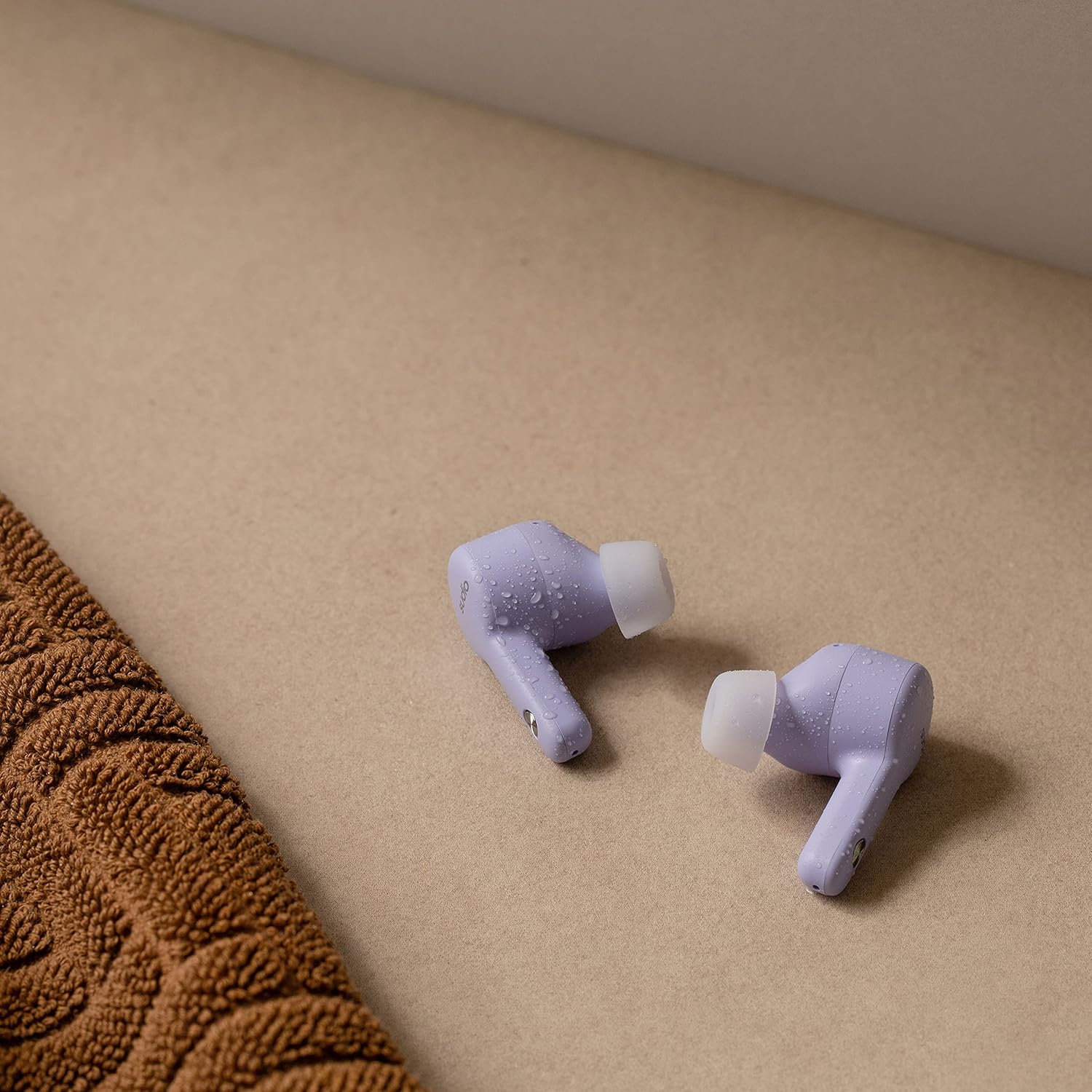
Image: Sudio A2 earbuds with visible water droplets, highlighting their splash-proof design.
Emmagatzematge
Quan no els utilitzeu, guardeu els auriculars a la seva funda de càrrega per protegir-los i mantenir-los carregats.
Resolució de problemes
If you encounter issues with your Sudio A2 earbuds, refer to the following common problems and solutions:
| Problema | Possible solució |
|---|---|
| Els auriculars no s'aparellen | Ensure earbuds are charged. Turn off and on Bluetooth on your device. Forget "Sudio A2" in your device's Bluetooth settings and re-pair. |
| Només un auricular té so | Torneu a col·locar els dos auriculars a l'estoig de càrrega, tanqueu la tapa, espereu uns segons i, a continuació, obriu la tapa i torneu-ho a provar. Assegureu-vos que els dos auriculars estiguin carregats. |
| Volum baix o mala qualitat de so | Adjust volume on your device. Ensure eartips provide a good seal. Clean earbud mesh and eartips. |
| L'ANC no funciona eficaçment | Ensure ANC is activated via touch control. Check earbud fit for a proper seal. |
| Problemes de càrrega | Ensure charging cable is securely connected. Clean charging contacts on earbuds and case. Try a different USB power source. |
If the issue persists, please refer to the Sudio official support channels.
Especificacions
| Característica | Detall |
|---|---|
| Nom del model | A2 |
| Número de model de l'article | SD-1614 |
| Control de soroll | Cancel·lació activa del soroll |
| Tecnologia de connectivitat | Sense fil (Bluetooth 5.2) |
| Durada de la bateria | Fins a 9 hores (auriculars), fins a 30 hores (amb funda de càrrega) |
| Nivell de resistència a l'aigua | IPX4 (resistent a l'aigua) |
| Interval de freqüència | 20 Hz - 20 kHz |
| Impedància | 32 ohms |
| Tipus de control | Panell tàctil |
| Pes de l'article | 1.87 unces (53 grams) |
| Dimensions del producte | 2.36 x 2.36 x 1.3 polzades |
| Dispositius compatibles | Android, iOS, Mac OS, Windows, Linux |
Garantia i Suport
Sudio products are designed for durability and performance. For information regarding warranty coverage, product registration, or further technical assistance, please visit the official Sudio weblloc web o contacteu directament amb el seu servei d'atenció al client.
Per obtenir els recursos de suport més actualitzats, visiteu: www.sudio.com/support


